IndepApps · one independent developer

75 native Mac apps.
One vertical library.

Built for your Mac. Pay once. No account. Explore every app through its real interface, detailed capabilities, and honest limits.

Native macOSPrivate by designComplete apps from $10
MacManager — Capture 1 / 11
Mac utilities01 / 75
Available now

MacManager

Finder alternative · iCloud manager & SSD backup · Mail suite · Real system tools.

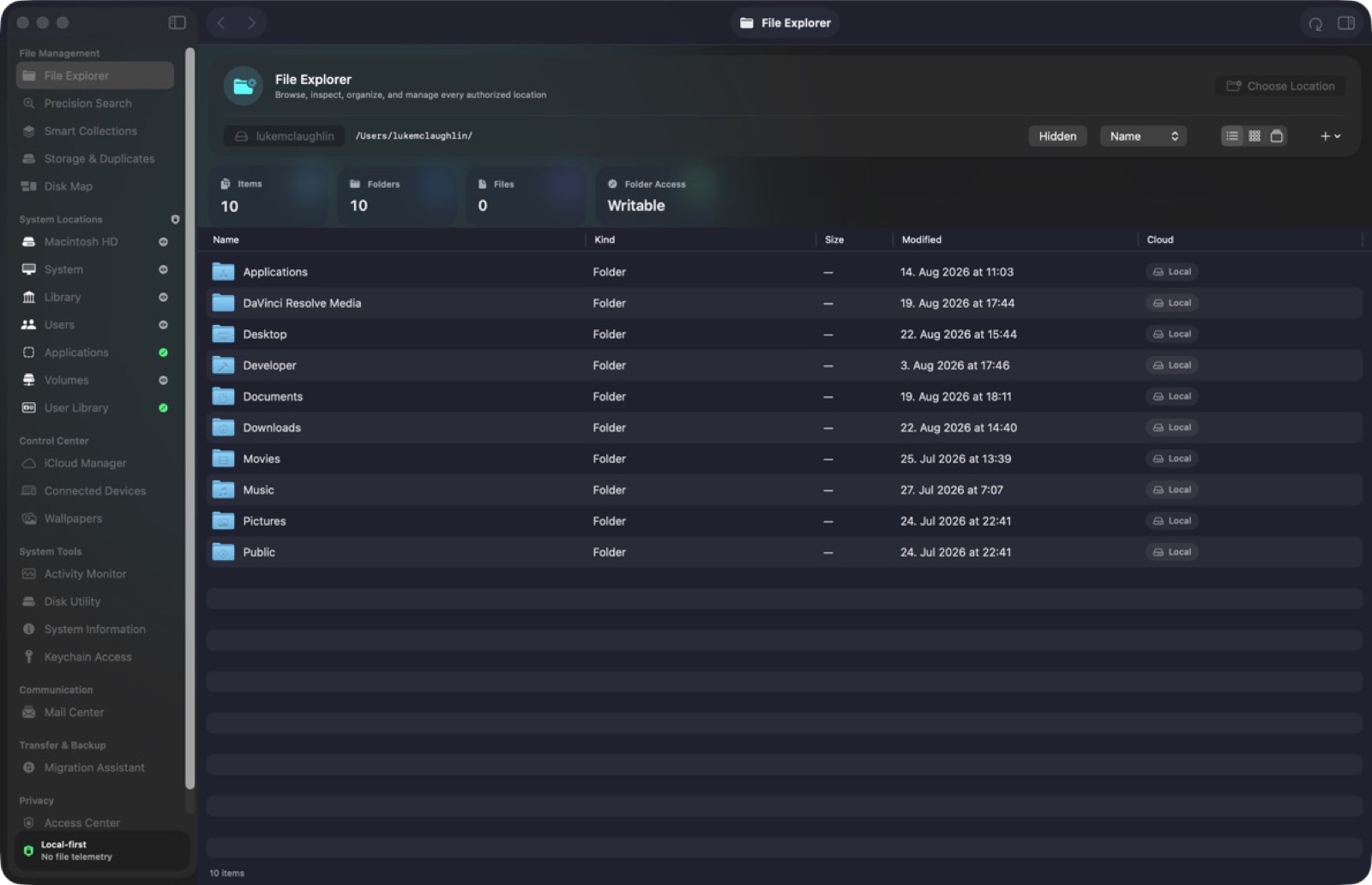
Finder is optimised for not alarming you. It hides paths, collapses iCloud state into one ambiguous cloud icon, and tells you nothing about why a search matched. MacManager takes the opposite position: every row can show its exact path, provider, volume, owner, permissions and link target, and every search result can show which part of it matched — the filename, the metadata, the extracted text, or the visual similarity.

iCloud residency is the clearest example. Finder gives you a cloud badge. MacManager distinguishes cloud-only, queued, downloading, downloaded, stale, uploading, conflicted and errored as separate states, and puts Download Now and a safe Remove Download next to them. If a file is not really on the machine, you know before you open a 3 GB video on a train.

  • iCloud to external SSD, verified
  • A mail suite in the same window
  • Search that shows its reasoning
  • Operations you can audit afterwards

Native macOSOn-deviceNo subscriptionApple notarizedDeveloper ID signed
One purchase · from $10macOS 26+
Canary Browser — Canary  browser overview 1 / 6
Mac utilities02 / 75
Available now

Canary Browser

Private workspaces · Burner Tabs · Calm native browsing.

Canary gives each persistent workspace its own website-data container. Tabs in one workspace can share logins, cookies and caches with each other, while another workspace cannot see them. Moving a tab recreates its page inside the destination identity, and deleting a workspace erases that workspace's website data after its live pages have closed.

For sessions that should not persist, Private Tabs and one-use Burner Tabs never restore. A Burner Tab can close when you leave it. Regular inactive tabs can hibernate, while side-by-side browsing on supported Mac widths keeps two pages visible when the task needs comparison rather than tab switching.

  • Identity-isolated workspaces
  • Tabs that know when to disappear
  • A privacy report with verbs
  • Local research tools
Native macOSOn-deviceNo subscriptionApple notarizedDeveloper ID signed
One purchase · from $10macOS 14+
SpaceLens — Capture 1 / 16
Mac utilities03 / 75
Available now

SpaceLens

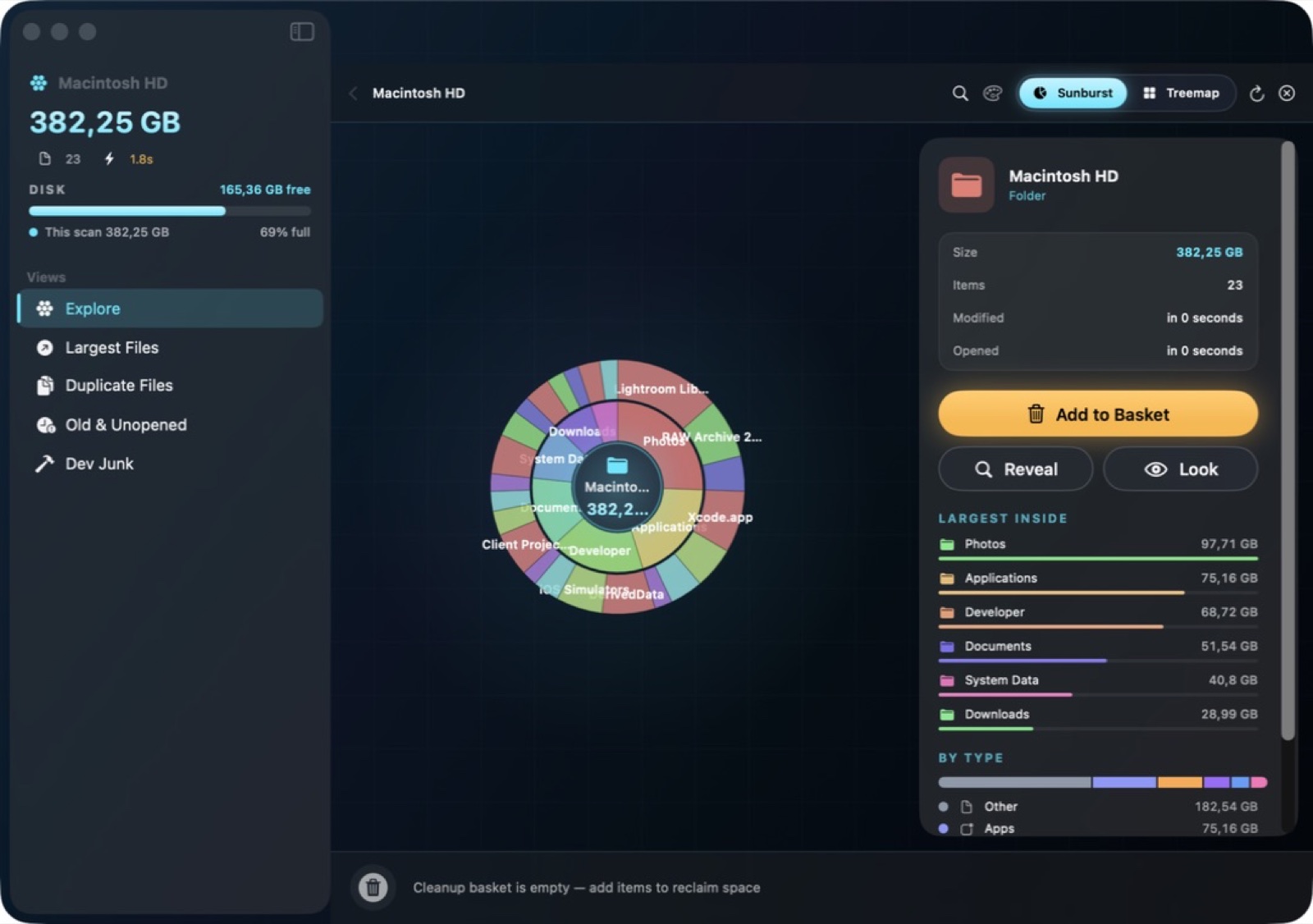
See what fills your storage. Clean it with an undo.

Disk usage tools are easy; safe disk cleanup is not. SpaceLens maps the volume visually so large directories stop hiding, then puts an undo step between you and deletion.

The scan is local and reads the real filesystem rather than a cached index.

  • Visual volume map
  • Undo on cleanup
  • Real filesystem scan
Native macOSOn-deviceNo subscriptionApple notarizedDeveloper ID signed
One purchase · from $10macOS 14+
Sift — Capture 1 / 25
Mac utilities04 / 75
Available now

Sift

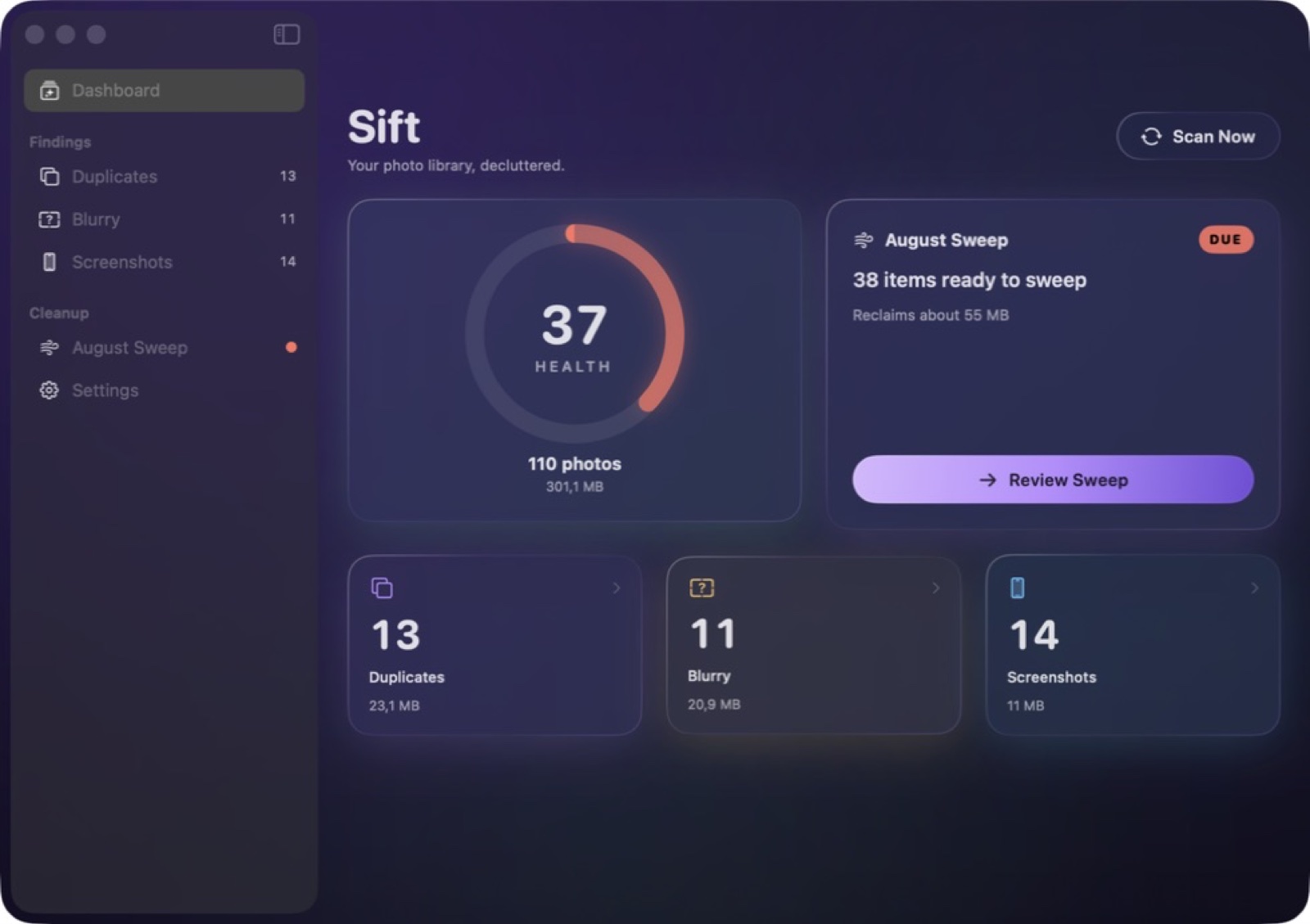
Duplicates, blur and screenshot clutter — found on-device.

Duplicate detection is easy to get wrong, and the cost of getting it wrong is a deleted photo. Sift groups exact duplicates, near-duplicates, blurred frames and screenshots, and always shows the candidates side by side before you act.

All analysis runs on-device with Apple's vision frameworks. Your library is not uploaded for scoring.

  • Near-duplicate grouping
  • Blur and screenshot detection
  • Review before delete
Native macOSOn-deviceNo subscriptionApple notarizedDeveloper ID signed
One purchase · from $10macOS 14+
Gravity — Capture 1 / 6
Mac utilities05 / 75
Available now

Gravity

Snap windows · Dock apps to cubes · Put them in orbit.

The snapping is what you expect: halves, quarters, thirds, two-thirds, sixths, maximise, almost-maximise and centre, by shortcut or by dragging a window to an edge or corner with a live preview. The shortcuts match Magnet's, so muscle memory transfers, and all of them are remappable.

Desktop Shapes are the part that is genuinely different. Any manageable app window can be docked onto a cube face; the cube holds and restores those windows, and populated cubes can be placed into orbit around Gravity's desktop solar system. Scenes also record every window across every display and restore the arrangement when you redock.

  • Snap cycling
  • Windows on cube faces
  • Orbit the desktop
  • Scenes across displays
Native macOSOn-deviceNo subscriptionApple notarizedDeveloper ID signed
One purchase · from $10macOS
Recast — App window 1 / 14
Mac utilities06 / 75
Available now

Recast

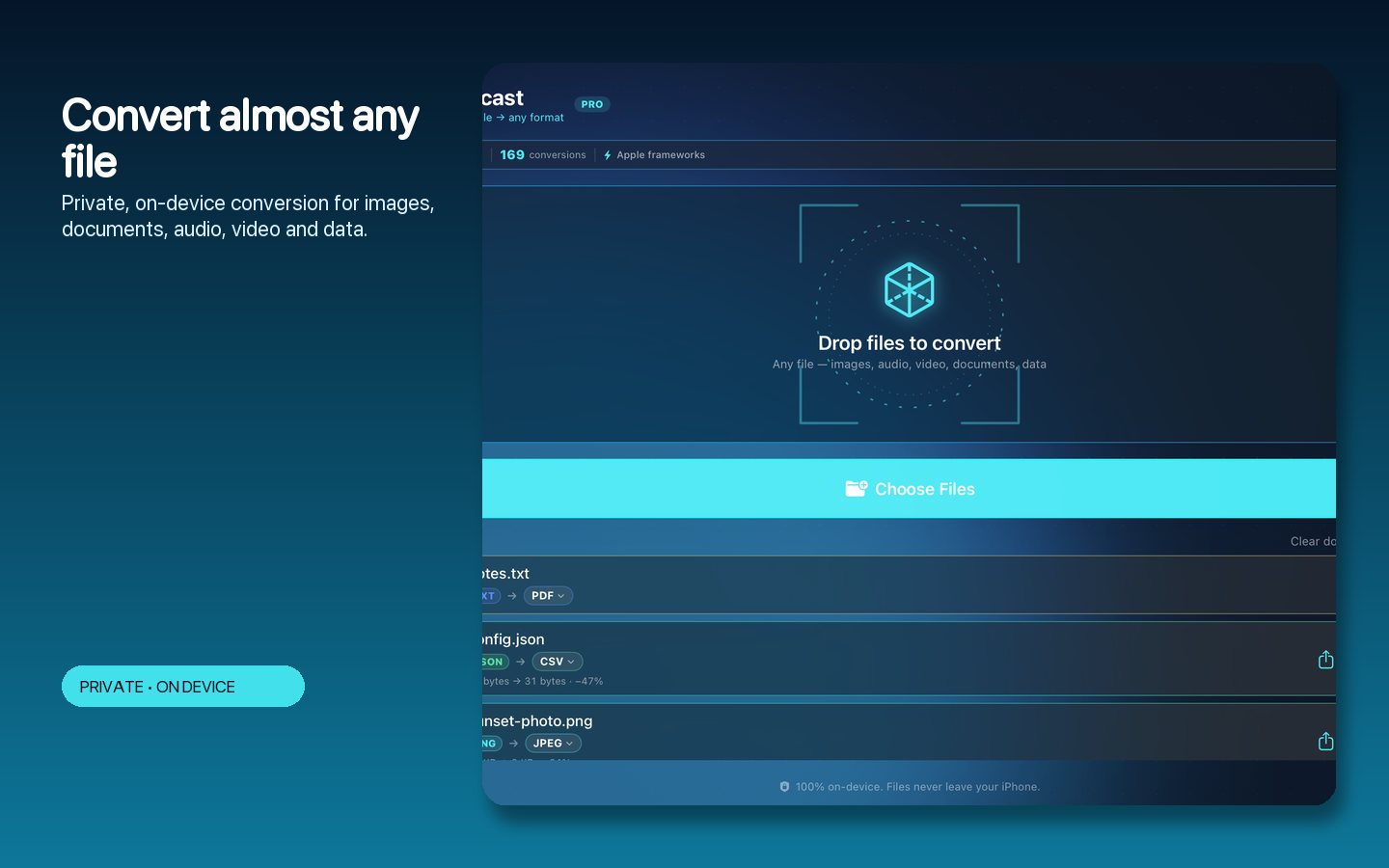
58 formats, 589 conversion paths, zero uploads.

Online converters ask you to upload the file. For anything confidential that is the end of the conversation. Recast performs 589 conversion paths across 58 formats locally.

No account, no queue, no file-size ceiling other than your own storage.

  • 589 conversion paths
  • Batch processing
  • Zero uploads
Native macOSOn-deviceNo subscriptionApple notarizedDeveloper ID signed
One purchase · from $10macOS 14+
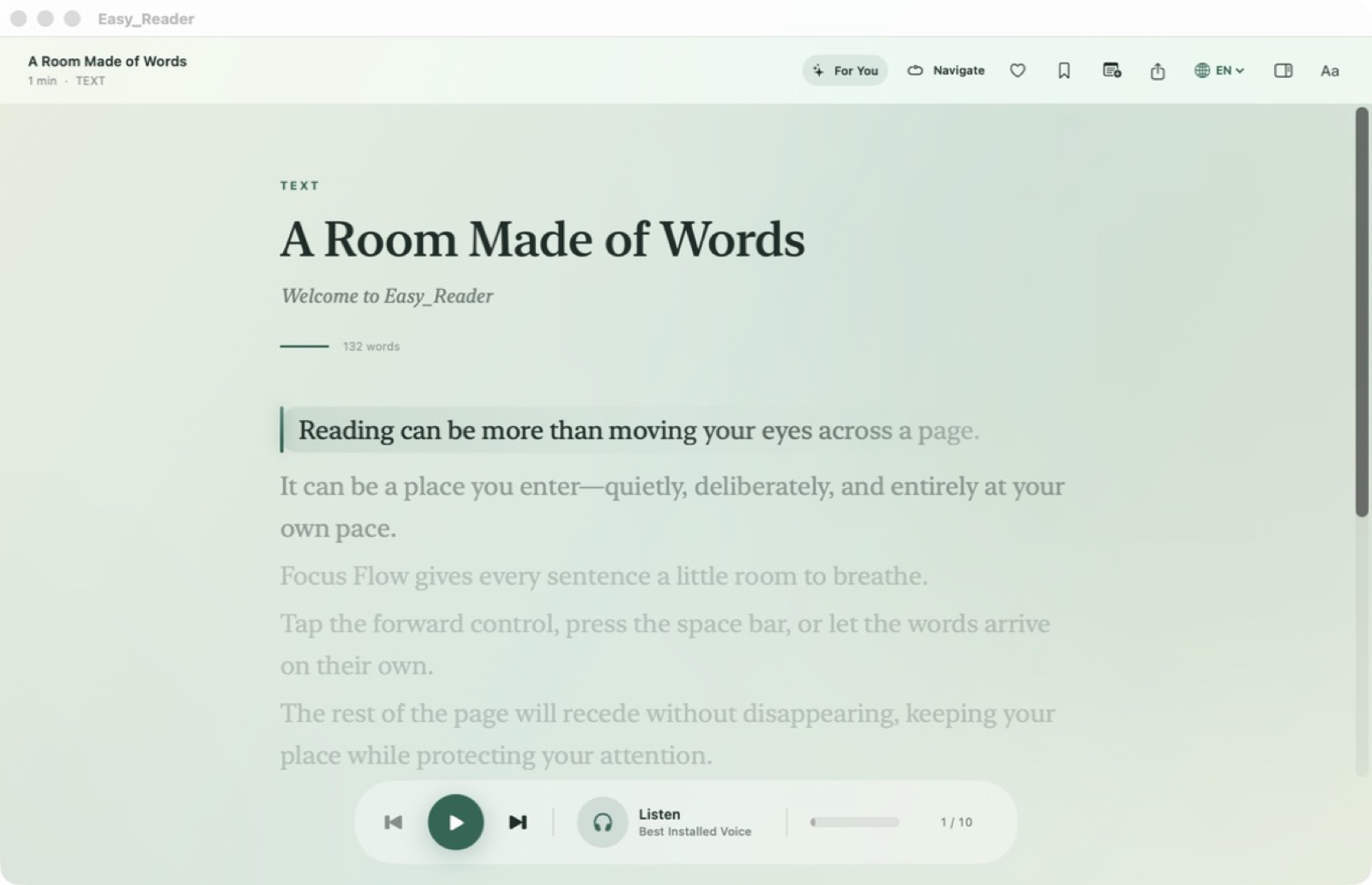
Easy Reader — Capture 1 / 5
Mac utilities07 / 75
Available now

Easy Reader

Private, local-first reading for PDF, EPUB, DOCX and more.

Import PDF, EPUB, DOCX, RTF, HTML, Markdown, plain text or images. Rather than rendering pages, Easy Reader builds a semantic graph with stable block anchors, hierarchy and page mappings — which is why an annotation stays attached to the right paragraph after you change the font size.

Focus Flow adapts the presentation for sustained reading. OCR, speech synthesis and the intelligence features run on-device, so a confidential document stays confidential.

  • Semantic document graph
  • On-device OCR
  • Speech and soundscapes
Native macOSOn-deviceNo subscriptionApple notarizedDeveloper ID signed
One purchase · from $10macOS 15+
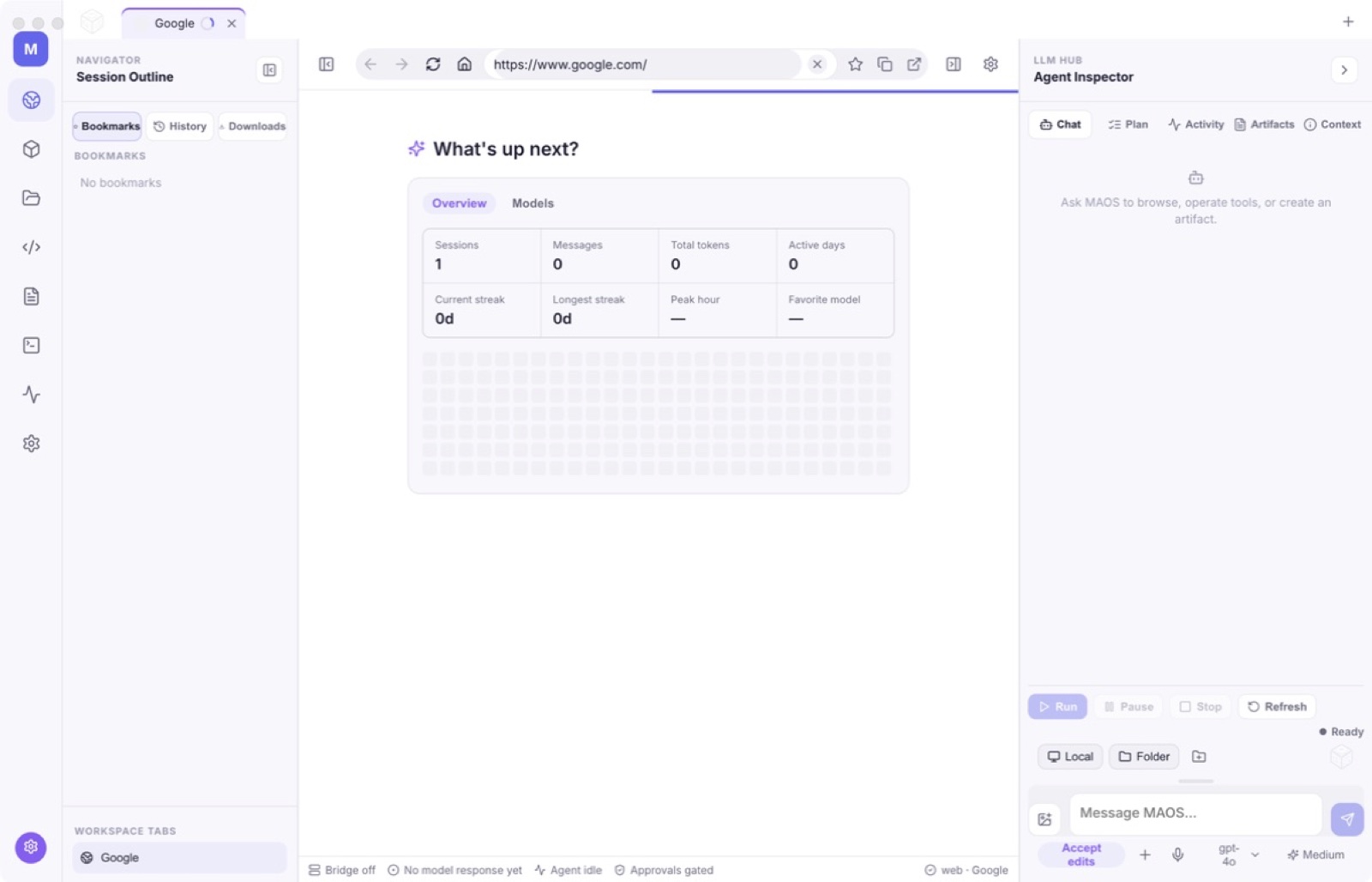
MultiAgentOS — Capture 1 / 17
AI on your Mac08 / 75
Available now

MultiAgentOS

Agent browser · Local tools · Bring-your-own LLM.

Most AI desktop tools bundle the model and charge a subscription for it. MultiAgentOS separates the two. You connect through six modes — API key, local server, CLI pipe, OAuth, Terminal, or a local GGUF file — and the app supplies the part that is actually hard to build: a supervised harness of browser, desktop, code, terminal, file and screenshot sidecars.

Every tool call is rendered with its arguments and its result. Nothing runs invisibly. Subagents are configured with an explicit goal, a tool allow-list, a recursion limit, a turn budget and a defined result handoff, so a runaway loop is bounded by construction rather than by hope.

  • Six connection modes
  • Visible tool runs
  • Bounded subagents
Native macOSOn-deviceNo subscriptionApple notarizedDeveloper ID signed
One purchase · from $10macOS 12+
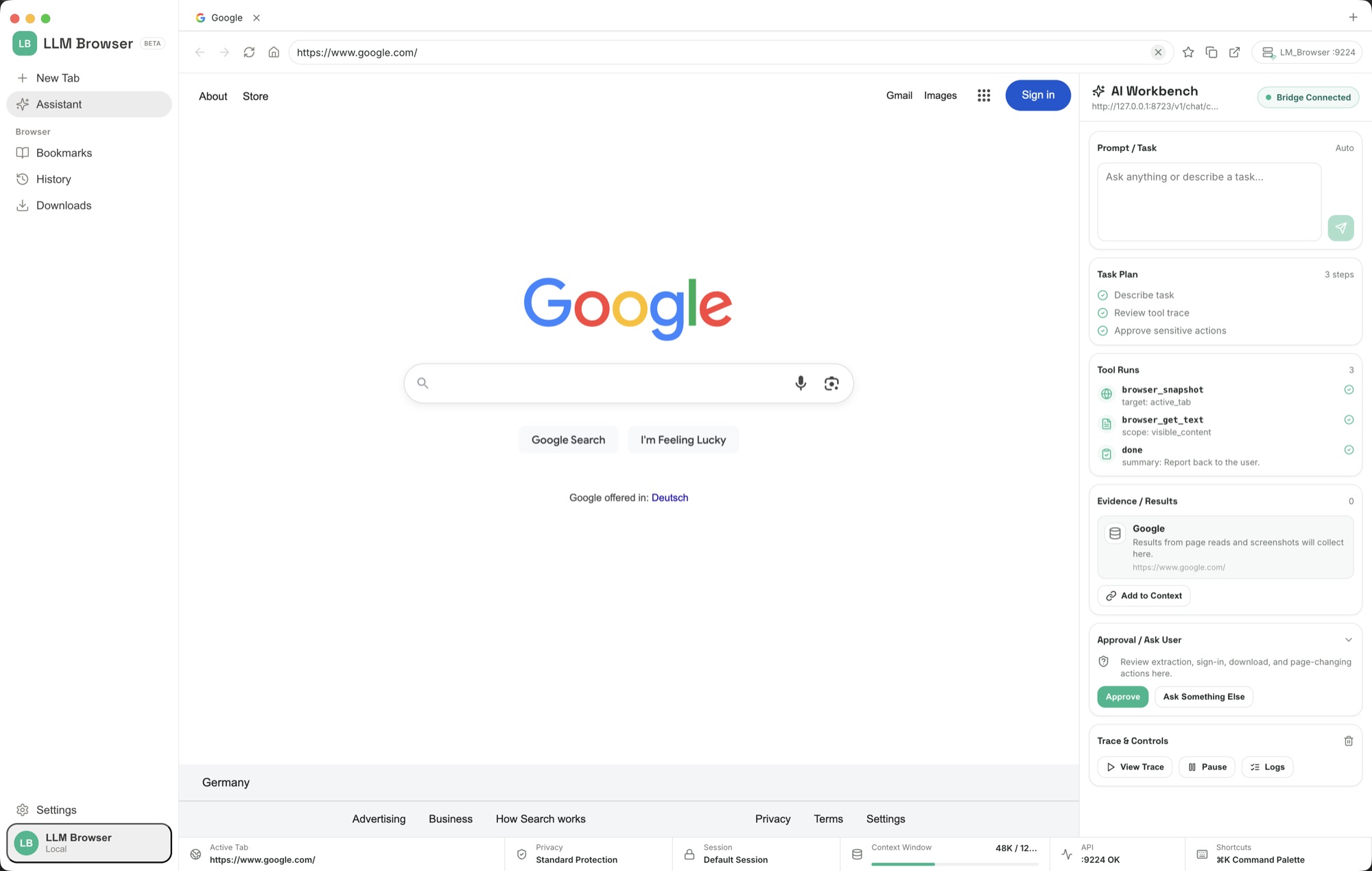
LLM Browser — Google software dev search bridge panel 1 / 11
AI on your Mac09 / 75
Available now

LLM Browser

AI browser · Agent automation · Local control API.

The interface is a conventional browser — tabs, address bar, bookmarks, history, downloads, privacy controls and settings. The difference is a visible AI Workbench where a connected model plans a task, navigates, reads pages, clicks, fills forms, runs JavaScript, takes screenshots and gathers evidence. Tool calls, results and approval requests remain in view instead of disappearing into a background agent.

LLM Browser is also a coding harness. Inside the project folder you choose, an agent can inspect and edit files, run shell commands, use bundled Node 22 and Python 3.12 runtimes, start development servers, inspect logs, work with GitHub, create documents, conduct research and verify the running result in the browser. Writes are scoped to that workspace and consequential actions pass through approval controls.

  • Twenty browser tools
  • Visible AI Workbench
  • A real coding harness
  • Authenticated local API
Native macOSOn-deviceNo subscriptionApple notarizedDeveloper ID signed
One purchase · from $10macOS 12+ · Apple silicon
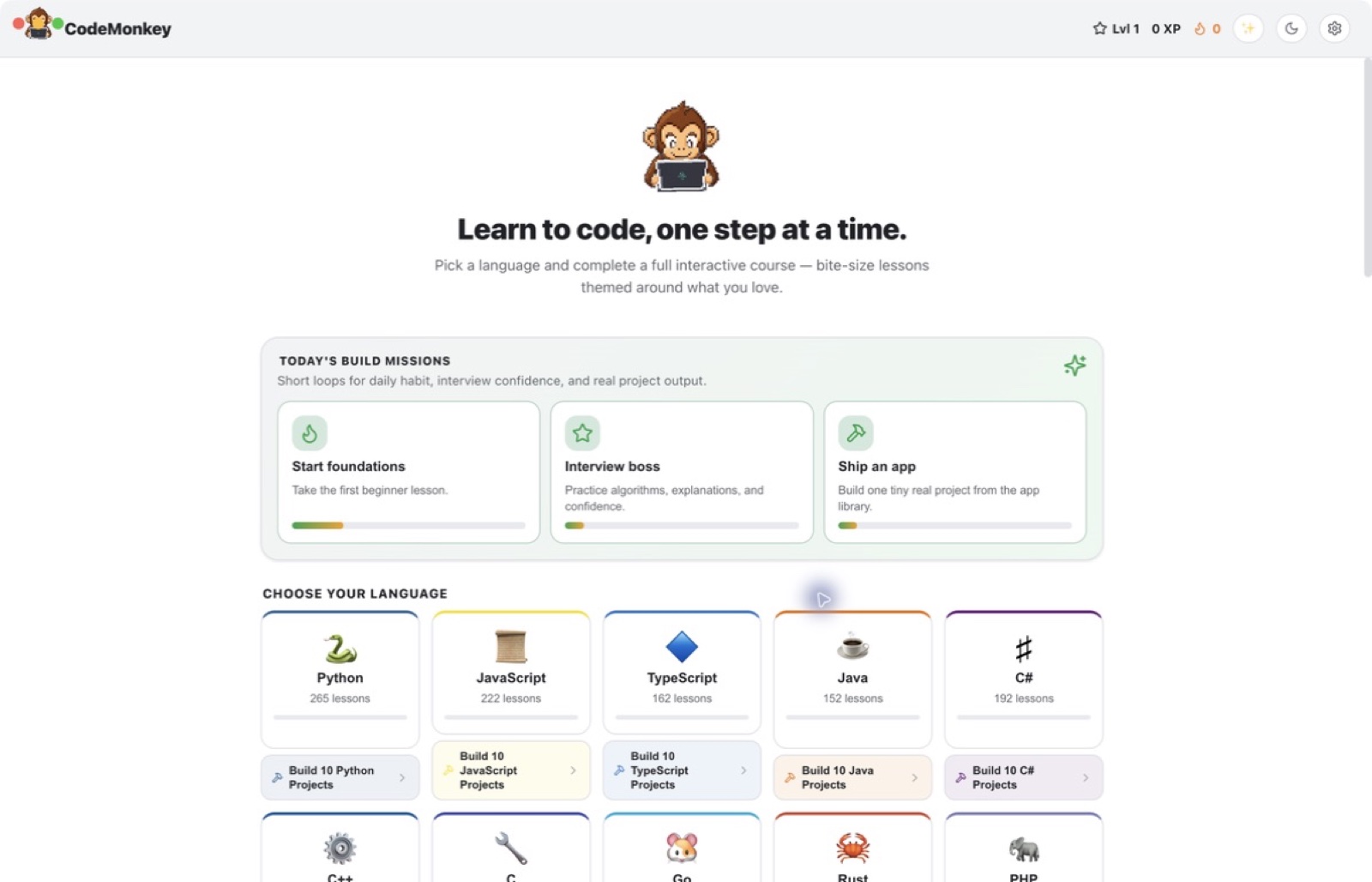
Codemonkey AI — Capture 1 / 29
AI on your Mac10 / 75
Available now

Codemonkey AI

Learn to code by doing · AI tutor · 2,558 interactive lessons.

Twenty-one tracks run from beginner foundations through Python, JavaScript, TypeScript, Go, Rust, C++, C#, SQL, Git, Bash and web development. The app includes guided Tiny Apps, 180 language projects, a 100-app build library and 500 algorithm challenges, so progress comes from writing and running code rather than watching videos.

The lesson-aware tutor supports six connection modes and 32 providers, including local servers and private local models. The website edition has no StoreKit purchase flow: every learning track, project and tool is available after the one-time purchase.

  • 2,558 interactive lessons
  • Build real projects
  • Your model, your choice
Native macOSOn-deviceNo subscriptionApple notarizedDeveloper ID signed
One purchase · from $10macOS 12+
InQ — Capture 1 / 5
Notes & study11 / 75
Available now

InQ

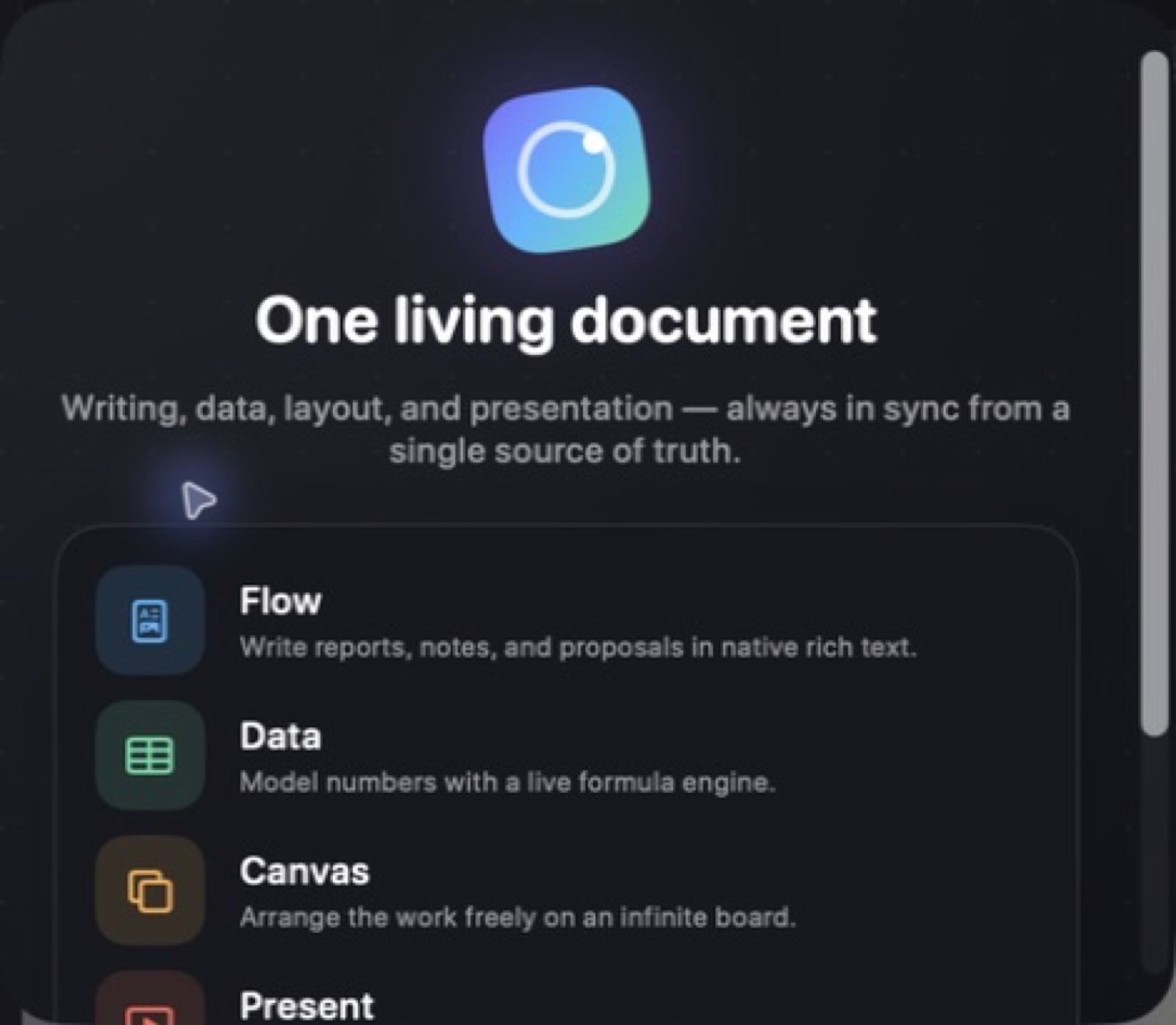
One document · Four views · Writing, data, canvas, present.

The usual workflow is a spreadsheet, a document and a deck holding three copies of the same numbers, which drift apart the moment one changes. InQ keeps one `.inq` file and gives it four views: Flow for prose, Data for spreadsheet work, Canvas for freeform layout and Present for slides.

Because the views share a source, a changed figure propagates to every formula, chart and narrative reference that points at it. The deck does not go stale, because it was never a copy.

  • Live references
  • Four views, one file
  • Native and local
Native macOSOn-deviceNo subscriptionApple notarizedDeveloper ID signed
One purchase · from $10macOS
Better Notes — Capture 1 / 26
Notes & study12 / 75
Available now

Better Notes

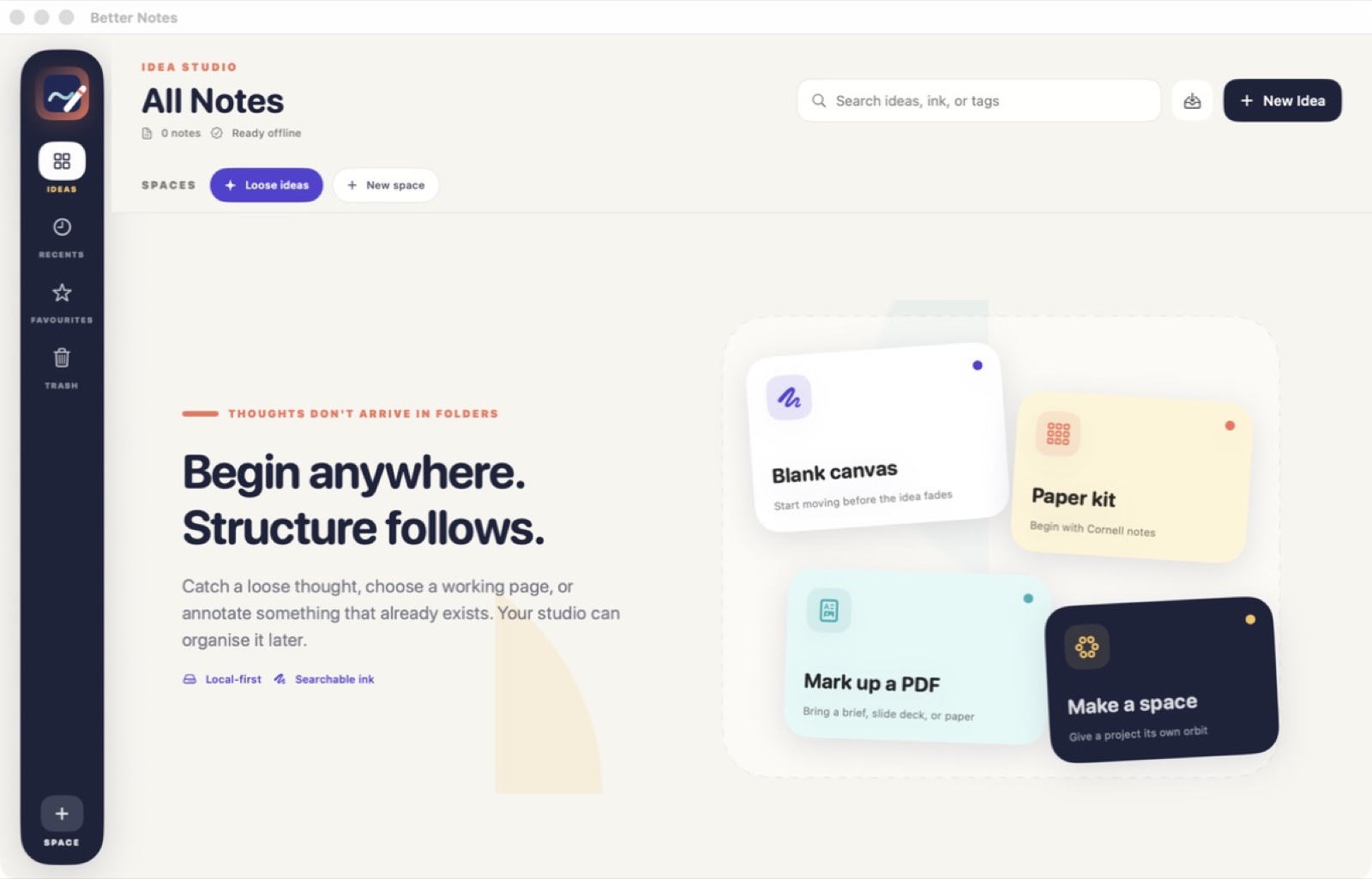
Local-first idea studio for handwriting, pages and PDFs.

Built for thinking on a page rather than filing notes into a database. Handwriting, typed pages and PDF markup share one workspace, so annotating a paper and writing about it are not two apps.

Local-first: notes are files on your machine, with no account and no required sync.

  • Handwriting and ink
  • PDF in the same space
  • Files, not a database
Native macOSOn-deviceNo subscriptionApple notarizedDeveloper ID signed
One purchase · from $10macOS 15+
Spider Notes — Capture 1 / 12
Notes & study13 / 75
Available now

Spider Notes

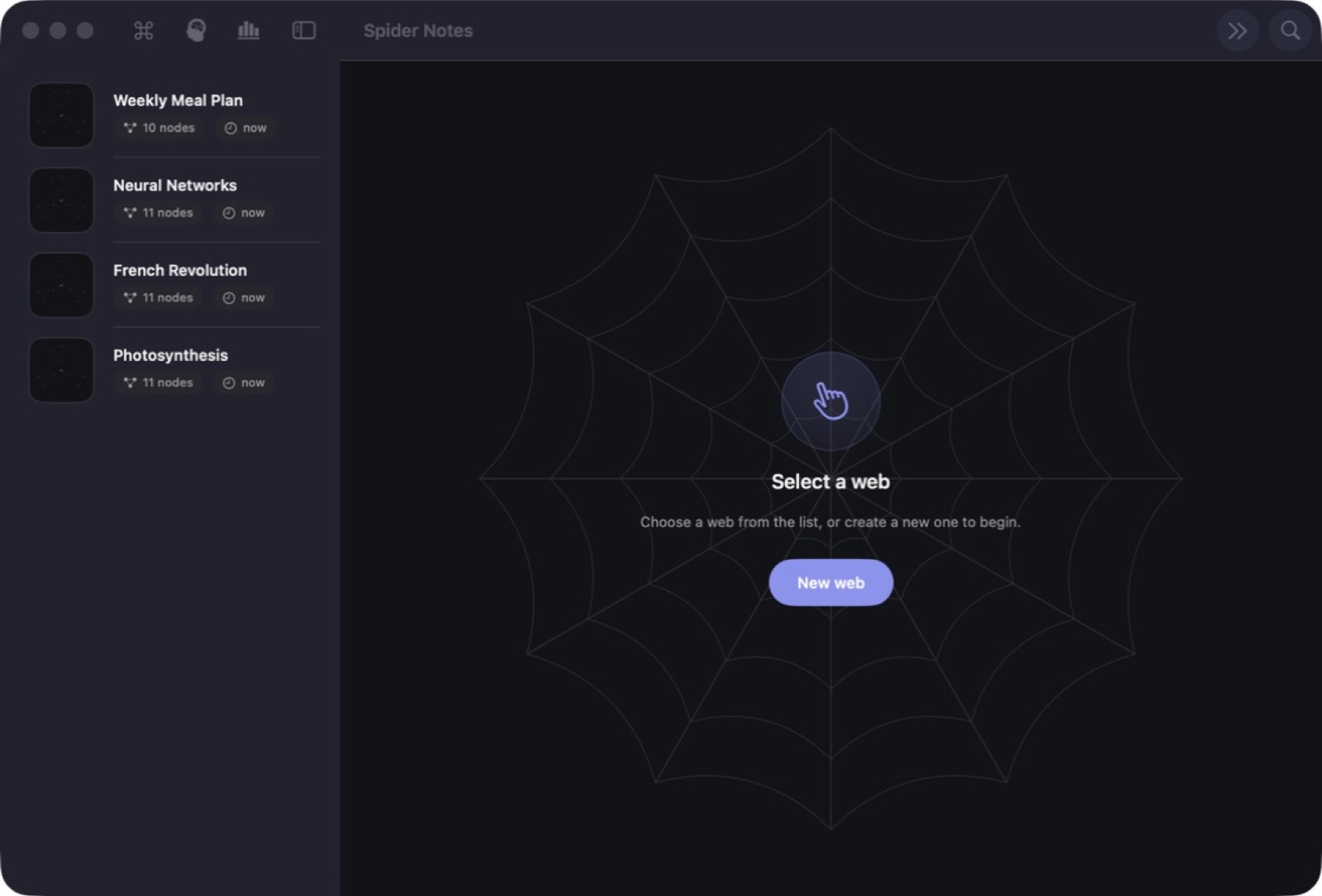
Notes as a spider web · Radial spokes · Concentric rings.

Spider diagrams are a well-established memory technique: spatial position and radial relationships give recall something to hold onto that a linear list does not. Most apps treat mind-mapping as a drawing feature. Here it is the primary model — nodes auto-arrange into a clean web instead of drifting wherever you drop them.

Recall mode is the payoff. It blanks the labels and asks you to rebuild the structure from memory, turning the note into a test.

  • Enforced web layout
  • Recall mode
  • Search and export
Native macOSOn-deviceNo subscriptionApple notarizedDeveloper ID signed
One purchase · from $10macOS 26+
VideoNotes — App window 1 / 12
Notes & study14 / 75
Available now

VideoNotes

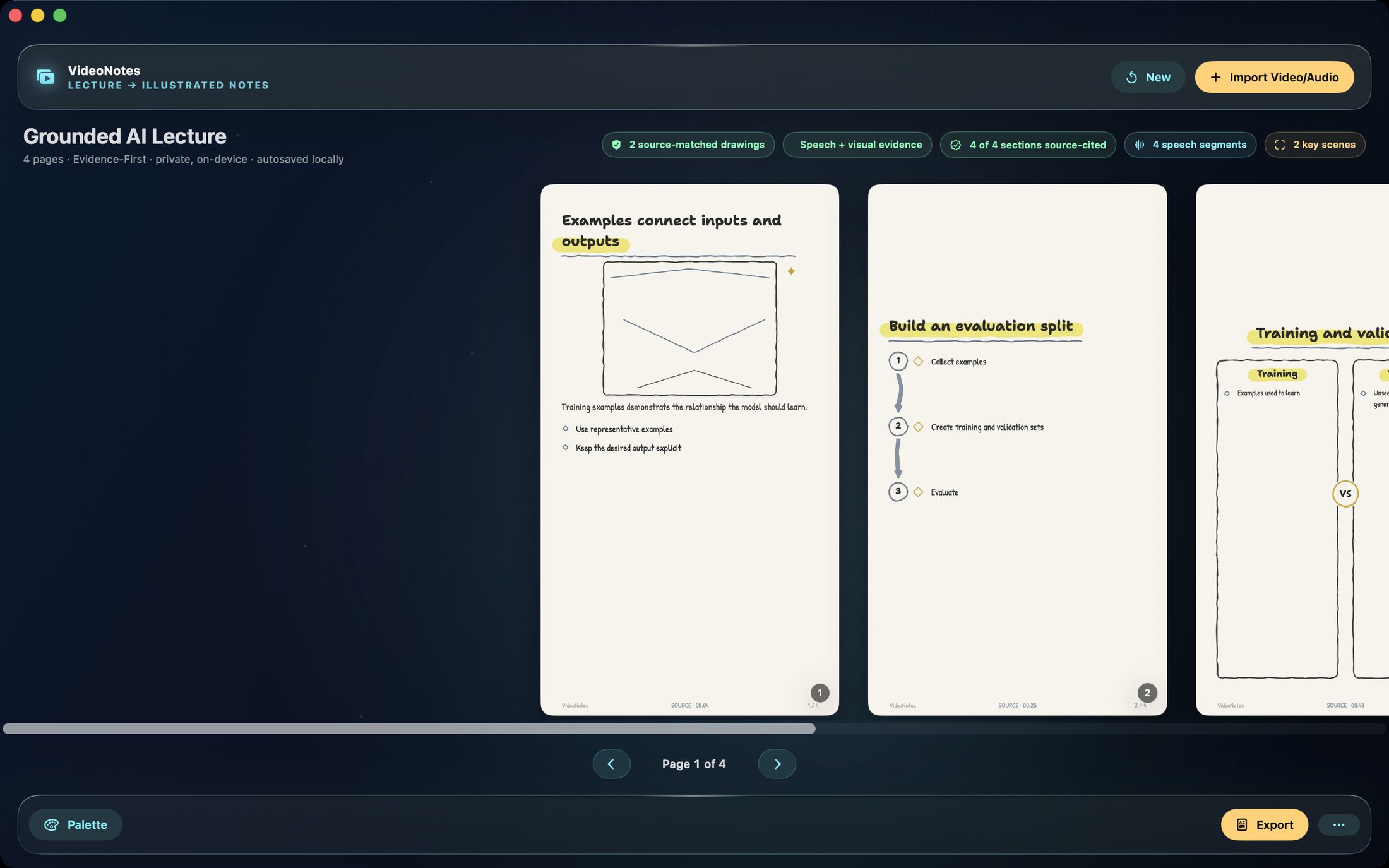
Lecture videos → hand-drawn, source-cited study notes.

Transcription runs on-device. The notes it produces are structured rather than a wall of text, and each point carries the timestamp it came from, so you can check the claim against the moment in the video that produced it.

That citation link is the whole design. Summaries you cannot verify are worse than no summary.

  • On-device transcription
  • Timestamped citations
  • Structured output
Native macOSOn-deviceNo subscriptionApple notarizedDeveloper ID signed
One purchase · from $10macOS 14+
Lectern — Capture 1 / 38
Notes & study15 / 75
Available now

Lectern

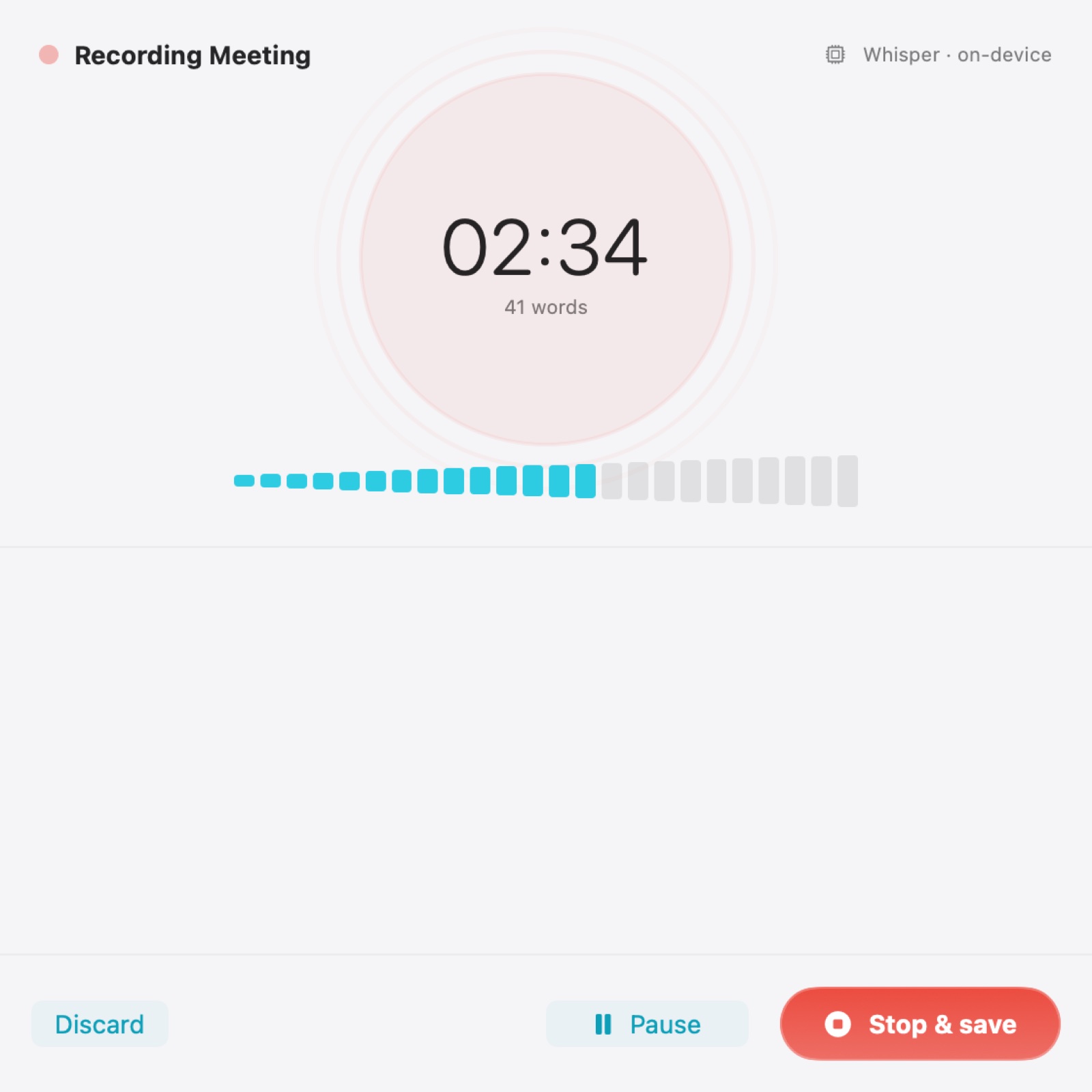
Meetings and lectures, transcribed on-device, searchable forever.

Transcription runs locally, which matters most for exactly the recordings you would never upload — client calls, medical discussions, internal reviews.

The archive is the other half. A transcript you cannot find again is a transcript you did not make.

  • Local transcription
  • Searchable archive
  • Speaker structure
Native macOSOn-deviceNo subscriptionApple notarizedDeveloper ID signed
One purchase · from $10macOS 14+
Verso — Capture 1 / 10
Notes & study16 / 75
Available now

Verso

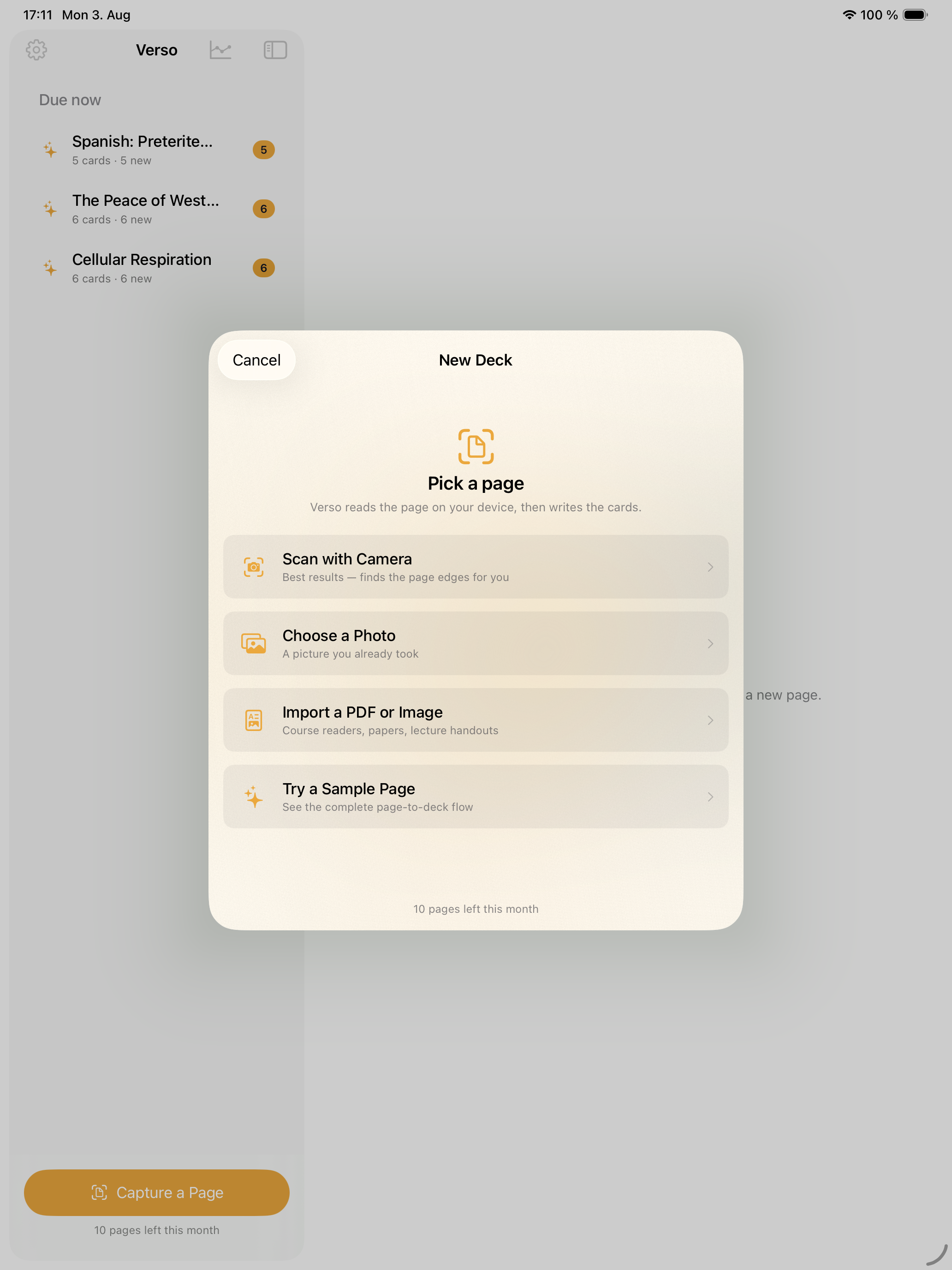
Point your camera at a page. Get a deck that knows when to test you.

Capture a page with the camera; get structured cards rather than a photo. The extraction produces question and answer pairs you can edit before they enter the deck.

Scheduling is spaced repetition, so review timing is driven by your recall performance rather than by the order you happened to create the cards in.

  • Camera to structured cards
  • Spaced repetition
  • Native across devices
Native macOSOn-deviceNo subscriptionApple notarizedDeveloper ID signed
One purchase · from $10macOS
Insightful — Learning dashboard 1 / 6
Notes & study17 / 75
Available now

Insightful

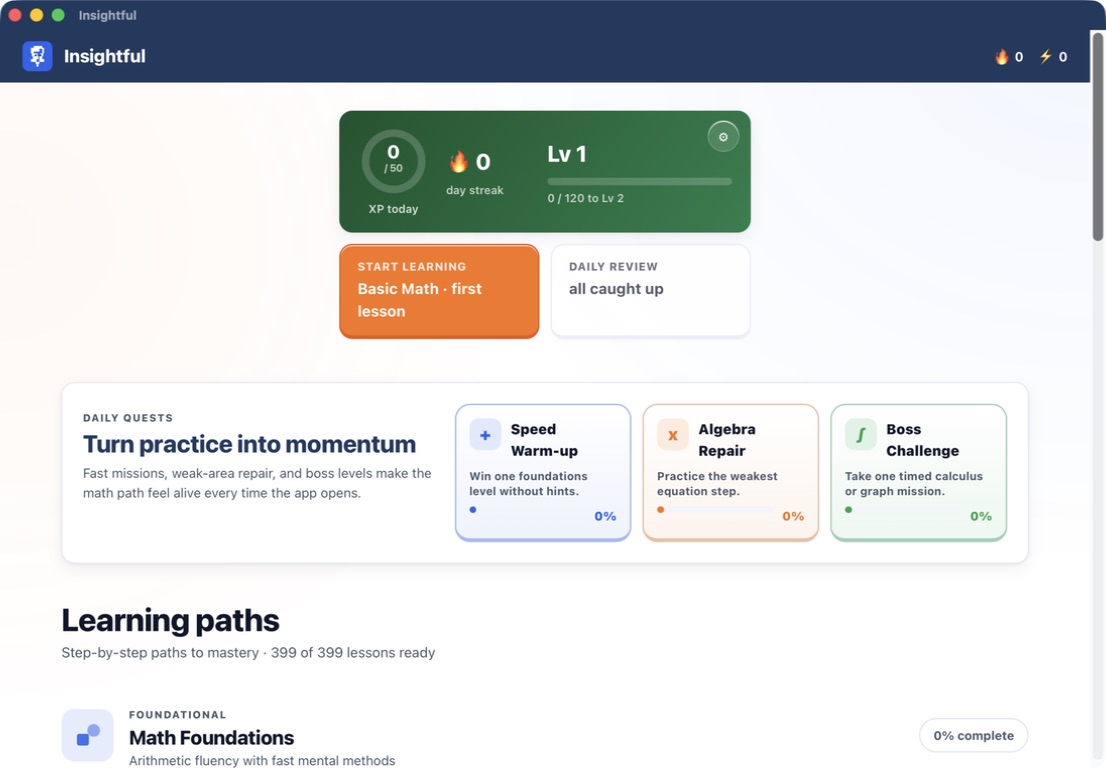
399 math lessons · Learn by doing · Private progress.

Insightful organizes 399 ready lessons into 33 step-by-step paths. The range starts with place value, arithmetic, times tables, fractions, decimals, percentages and word problems, then continues through algebra, trigonometry and pre-calculus, calculus, matrix and linear algebra, probability and statistics. Each lesson is structured around a named method rather than a page of disconnected questions, with Learn, Practice and Challenge levels available as the learner progresses.

A lesson first makes the reasoning visible through an animated concept walkthrough, then shifts into guided and hands-on work. The interaction library includes counters, fraction bars, number lines, balance scales, coordinate grids, expression builders, function graphs, angle and unit-circle controls, vectors, matrices, data plots, probability trees, Riemann sums and limit zooms. The exact activity depends on the topic; the point is to practise the operation instead of only watching an explanation.

  • 399 lessons across 33 paths
  • Method-first lesson sequence
  • Hands-on math widgets
  • Local progression and review
Native macOSOn-deviceNo subscriptionApple notarizedDeveloper ID signed
One purchase · from $10macOS 13+
Shorts — Capture 1 / 17
Media & creative18 / 75
Available now

Shorts

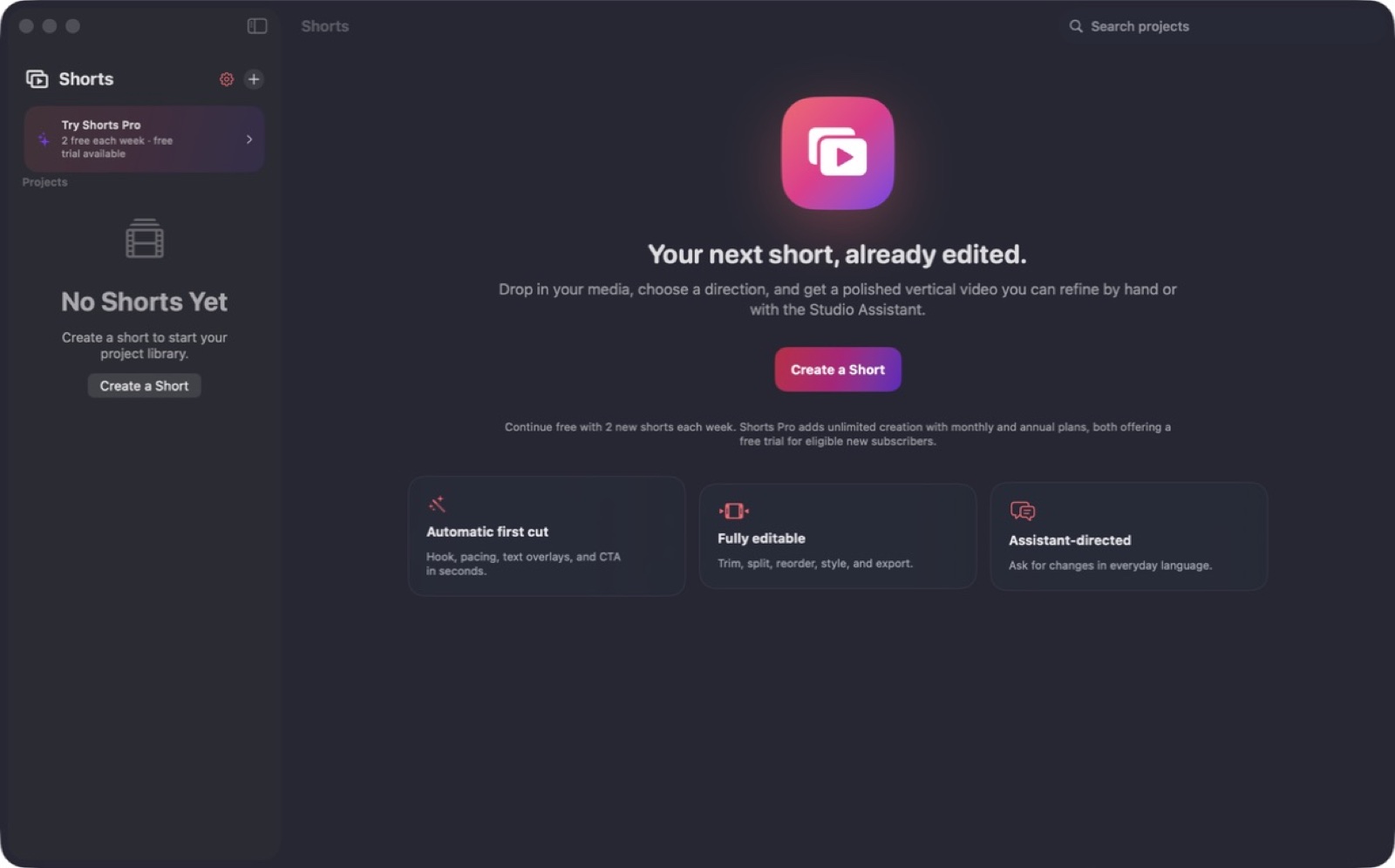
A creative brief in, an editable short video out.

You describe the video; it assembles a cut with captions and pacing. The important part is that the result is an editable project, not a finished export you have to accept or redo.

Everything renders locally.

  • Editable result
  • Caption generation
  • Local rendering
Native macOSOn-deviceNo subscriptionApple notarizedDeveloper ID signed
One purchase · from $10macOS 14+
Broadcut — Capture 1 / 20
Media & creative19 / 75
Available now

Broadcut

A frame-exact editor and a live streaming desk in one app.

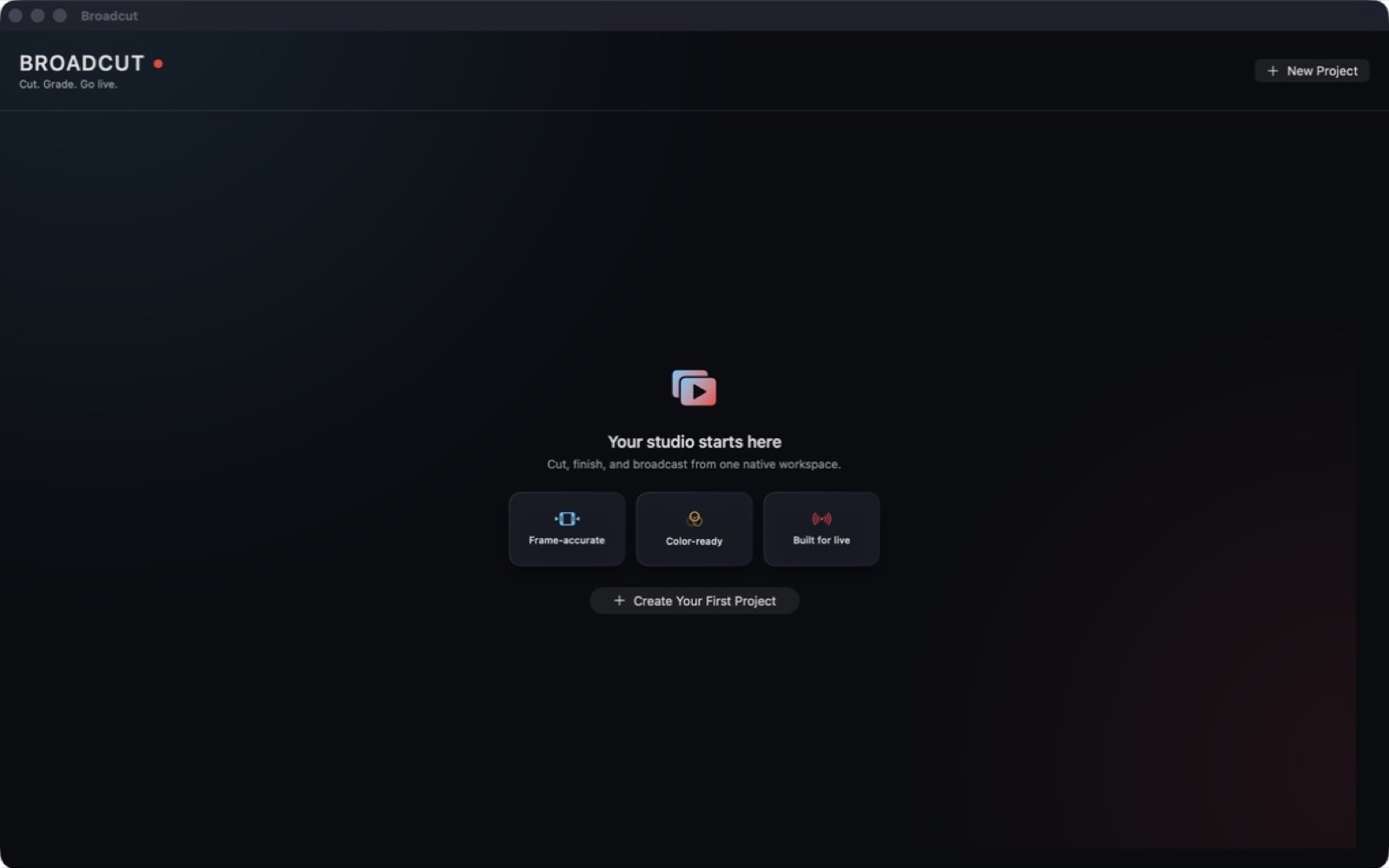
Most people keep an editor and a streaming app open at once and duplicate their setup in both. Broadcut merges them: the same sources, scenes and assets serve a frame-exact timeline and a live RTMP desk.

Local rendering and local encoding throughout.

  • Frame-exact timeline
  • RTMP live desk
  • Shared sources
Native macOSOn-deviceNo subscriptionApple notarizedDeveloper ID signed
One purchase · from $10macOS 14+
Shine — Shine 1 / 1
Media & creative20 / 75
Available now

Shine

A privacy-first live virtual makeup studio.

Live front-camera capture with looks applied in real time. The whole pipeline is local: frames are processed on the device, and the face landmarks used to place a look are discarded when the session ends.

The app ships with no advertising or tracking SDKs, which in this category is a design decision rather than an oversight.

  • Live local processing
  • Landmarks discarded
  • No tracking SDKs
Native macOSOn-deviceNo subscriptionApple notarizedDeveloper ID signed
One purchase · from $10macOS
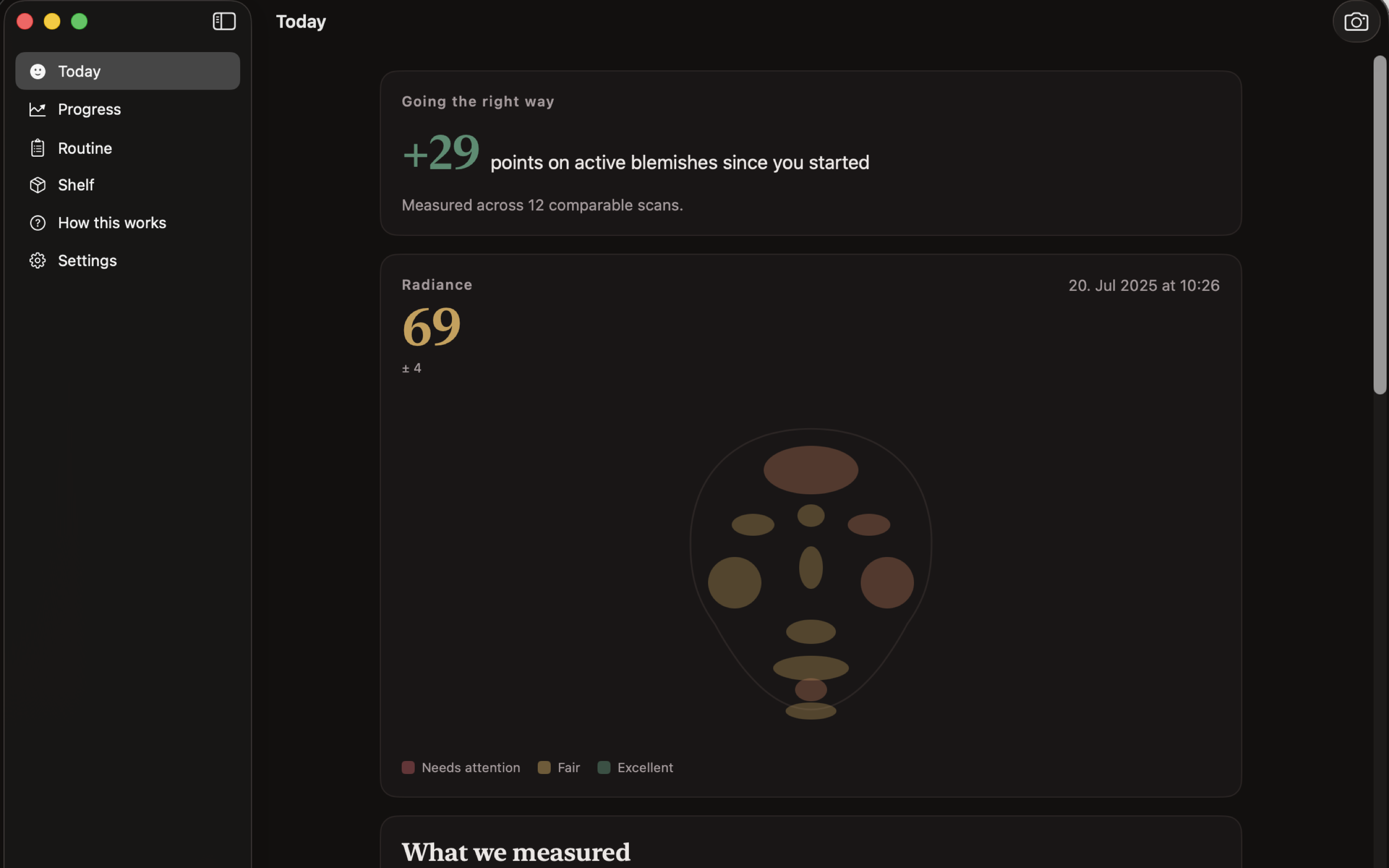
Radiant — Today 1 / 31
Media & creative21 / 75
Available now

Radiant

Measure skin, cite the routine, track whether it worked.

Skincare advice is mostly assertion. Radiant does three things instead: it measures the appearance of skin from a guided scan, it builds a routine where each recommendation carries its citation, and it re-measures over twelve weeks so the question 'did this do anything' has an answer.

Everything runs on-device — no account, no upload, no server — which matters more here than in most categories, because the input is photographs of your face.

  • Guided capture
  • Cited recommendations
  • Twelve-week tracking
Native macOSOn-deviceNo subscriptionApple notarizedDeveloper ID signed
One purchase · from $10macOS
Alembic — Capture 1 / 16
Data tools22 / 75
Available now

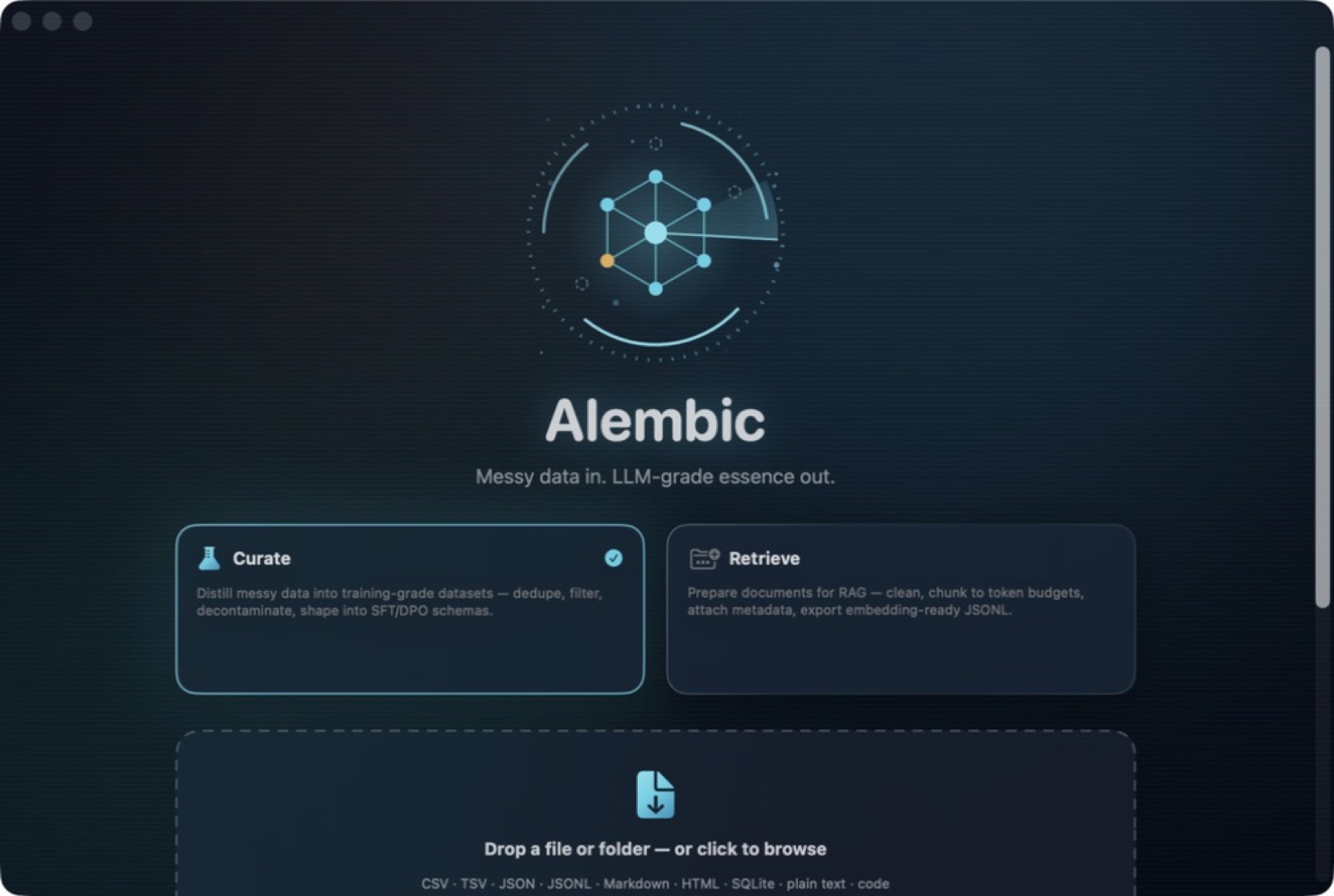
Alembic

Distill messy data into training-grade datasets.

Fine-tuning fails on data quality far more often than on hyperparameters. Alembic handles the unglamorous part: cleaning, deduplicating, normalising and formatting source material into the structures training tools expect.

Every transformation is a reviewable step, so you can explain what happened to the data and undo it.

  • Deduplication
  • Reversible steps
  • Training-ready export
Native macOSOn-deviceNo subscriptionApple notarizedDeveloper ID signed
One purchase · from $10macOS 14+
Tidyset — Capture 1 / 15
Data tools23 / 75
Available now

Tidyset

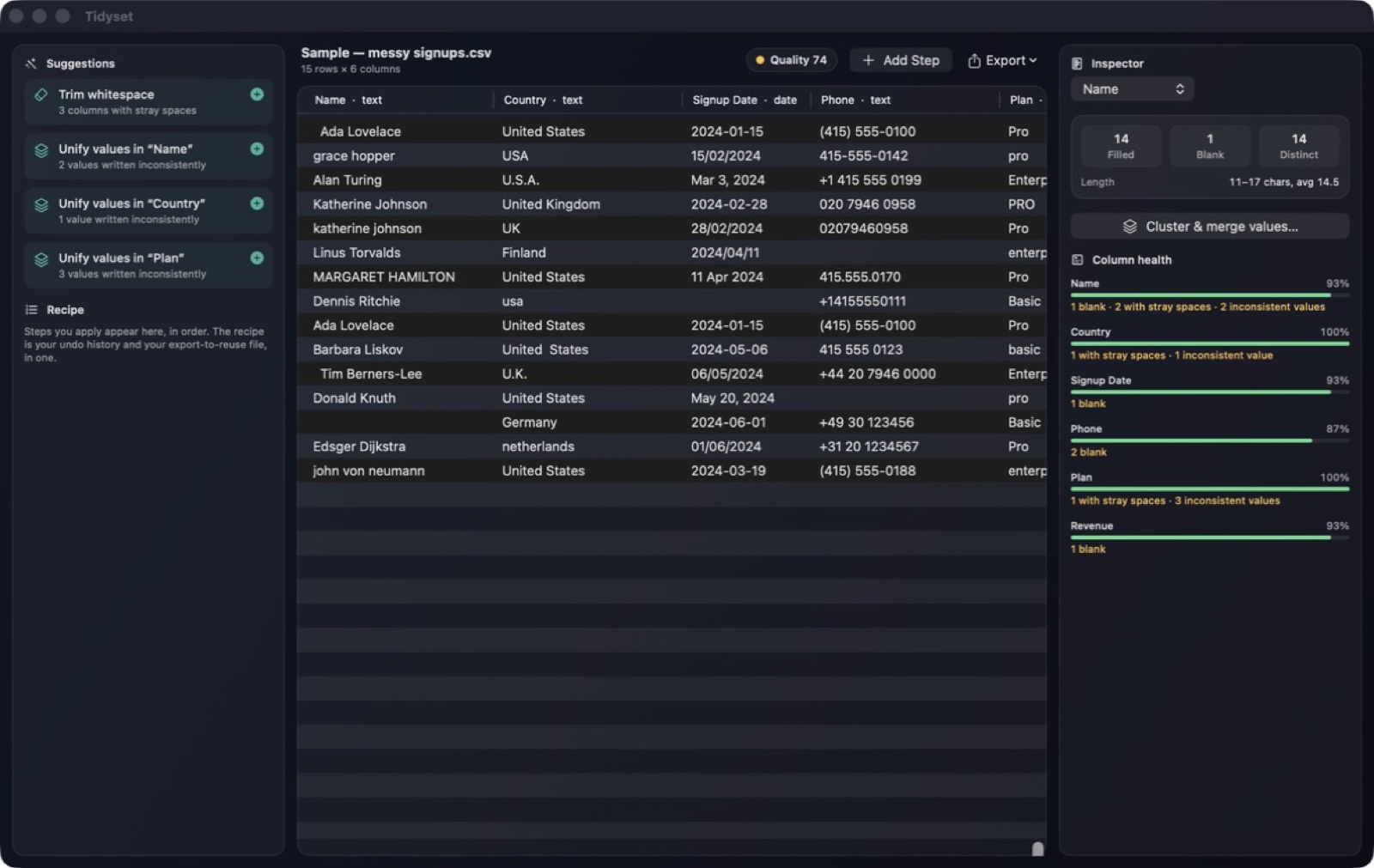
Deterministic data cleaning for CSV, Excel and JSON.

The important word is deterministic. Tidyset does not guess at your values with a model. It detects whitespace, inconsistent labels, missing values and type problems, proposes a fix, and shows the before-and-after diff for you to accept or reject.

Every accepted action becomes a step in a recipe. The recipe is simultaneously your undo history, your audit trail, and the thing you re-run when the same messy export lands next month.

  • Reviewable suggestions
  • Fuzzy clustering
  • Recipes as history
Native macOSOn-deviceNo subscriptionApple notarizedDeveloper ID signed
One purchase · from $10macOS
Dash Weaver — Executive sample dashboard studio 1 / 8
Data tools24 / 75
Available now

Dash Weaver

Local dashboard design · Responsive layouts · Five export formats.

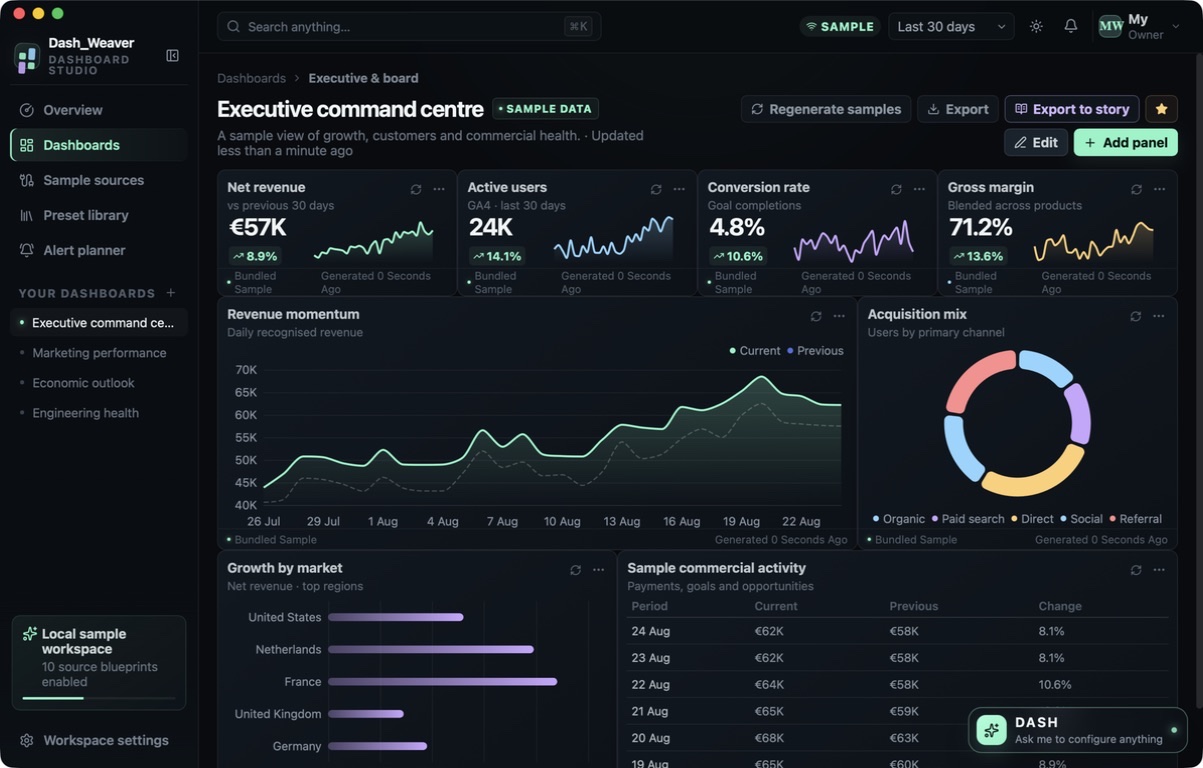
Dash Weaver is a local dashboard-design studio for planning how a report should look and travel. Begin with one of four distinct professional presets — executive, marketing, economics or engineering/SRE — or shape the workspace yourself. Every built-in value is clearly labelled SAMPLE DATA so layouts can use realistic-looking structures without being mistaken for a connected production dashboard.

Edit mode gives each panel a place and purpose. Add, remove or duplicate panels; drag and resize them; choose a sample source and metric; and switch among KPI, line, area, bar, donut, table, gauge and heatmap visualizations. Style, number formatting, colors and legend options remain configurable. Desktop, tablet and phone controls reveal how the same dashboard responds at different widths before it is handed off.

  • Four professional presets
  • Eight panel visualizations
  • Responsive edit mode
  • Clearly disclosed sample data
Native macOSOn-deviceNo subscriptionApple notarizedDeveloper ID signed
One purchase · from $10macOS 13+
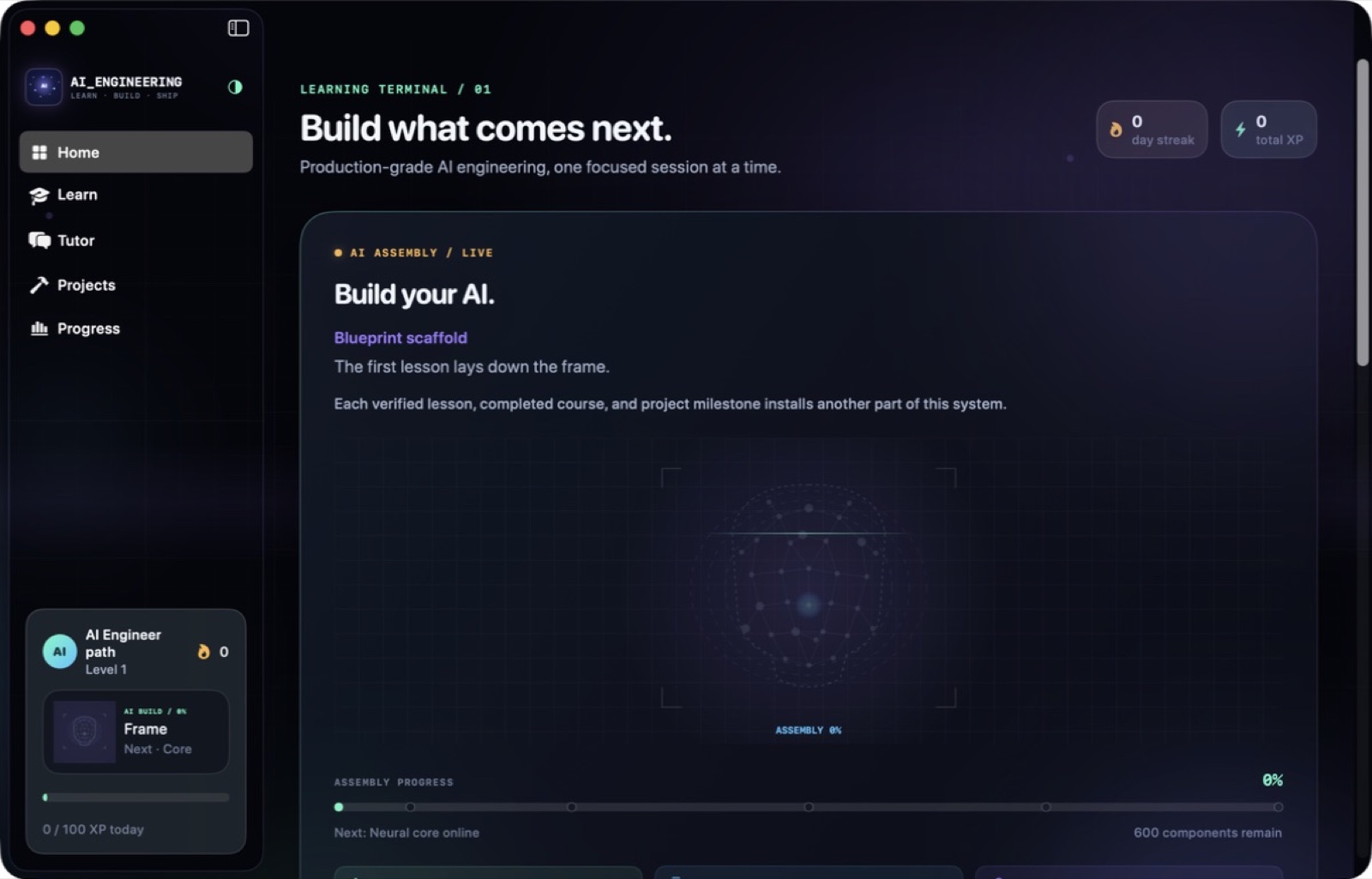
AI Engineering — Capture 1 / 20
Learn to code25 / 75
Available now

AI Engineering

Become an AI engineer · 400 interactive lessons · Native Mac app.

Forty courses, eighty modules, four hundred lessons. The structure matters less than the fact that 141 of them are editable code labs that execute locally — you are not reading about a retrieval pipeline, you are fixing one that fails.

The tutor is constrained to the curriculum. That is a deliberate limitation: a general chatbot will happily invent an answer, while a grounded one will tell you which lesson covers the gap.

  • 140 editable code labs
  • 80 architecture decisions
  • 40 portfolio projects
Native macOSOn-deviceNo subscriptionApple notarizedDeveloper ID signed
One purchase · from $10macOS 14+
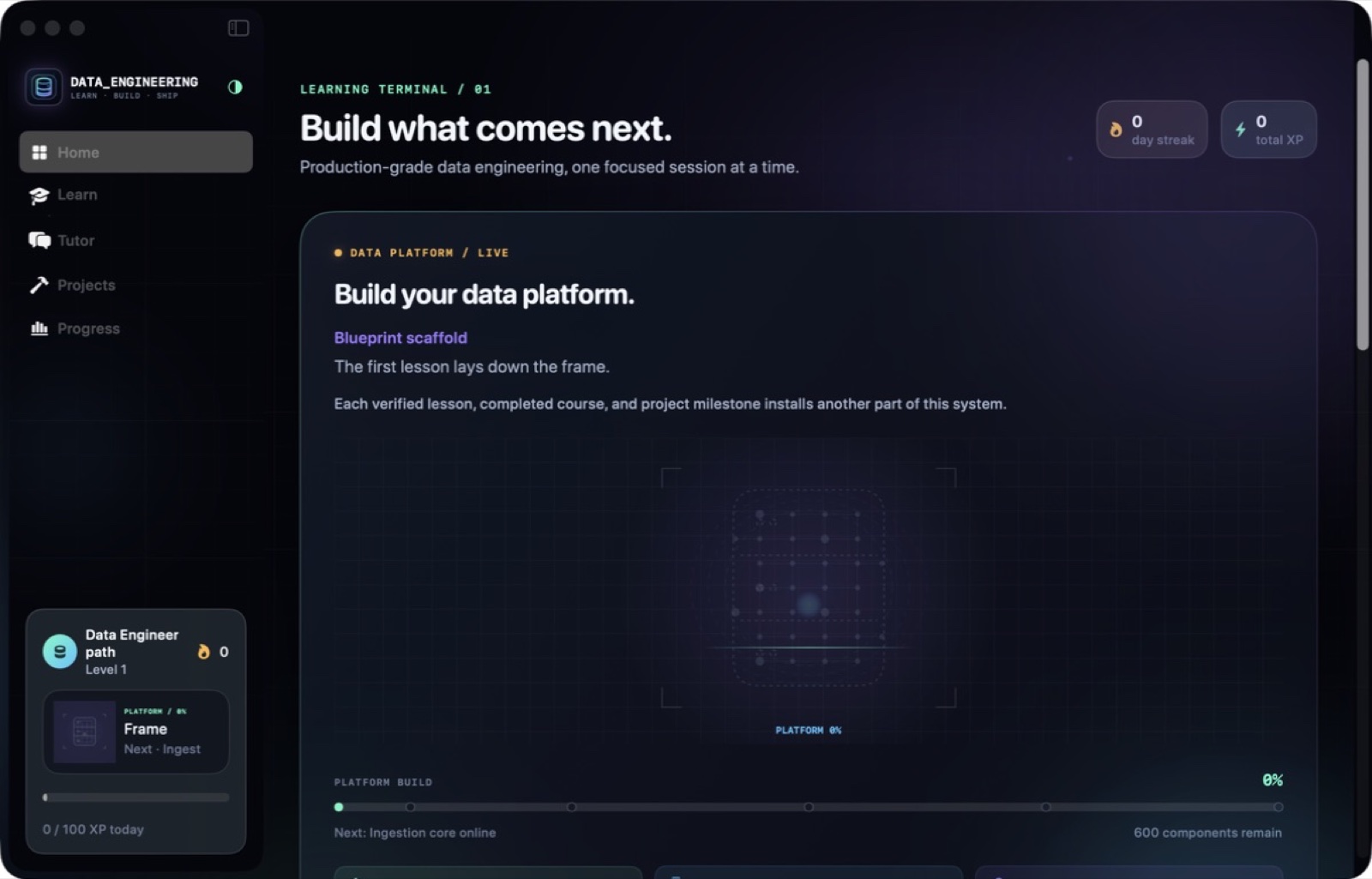
Data Engineering — Capture 1 / 47
Learn to code26 / 75
Available now

Data Engineering

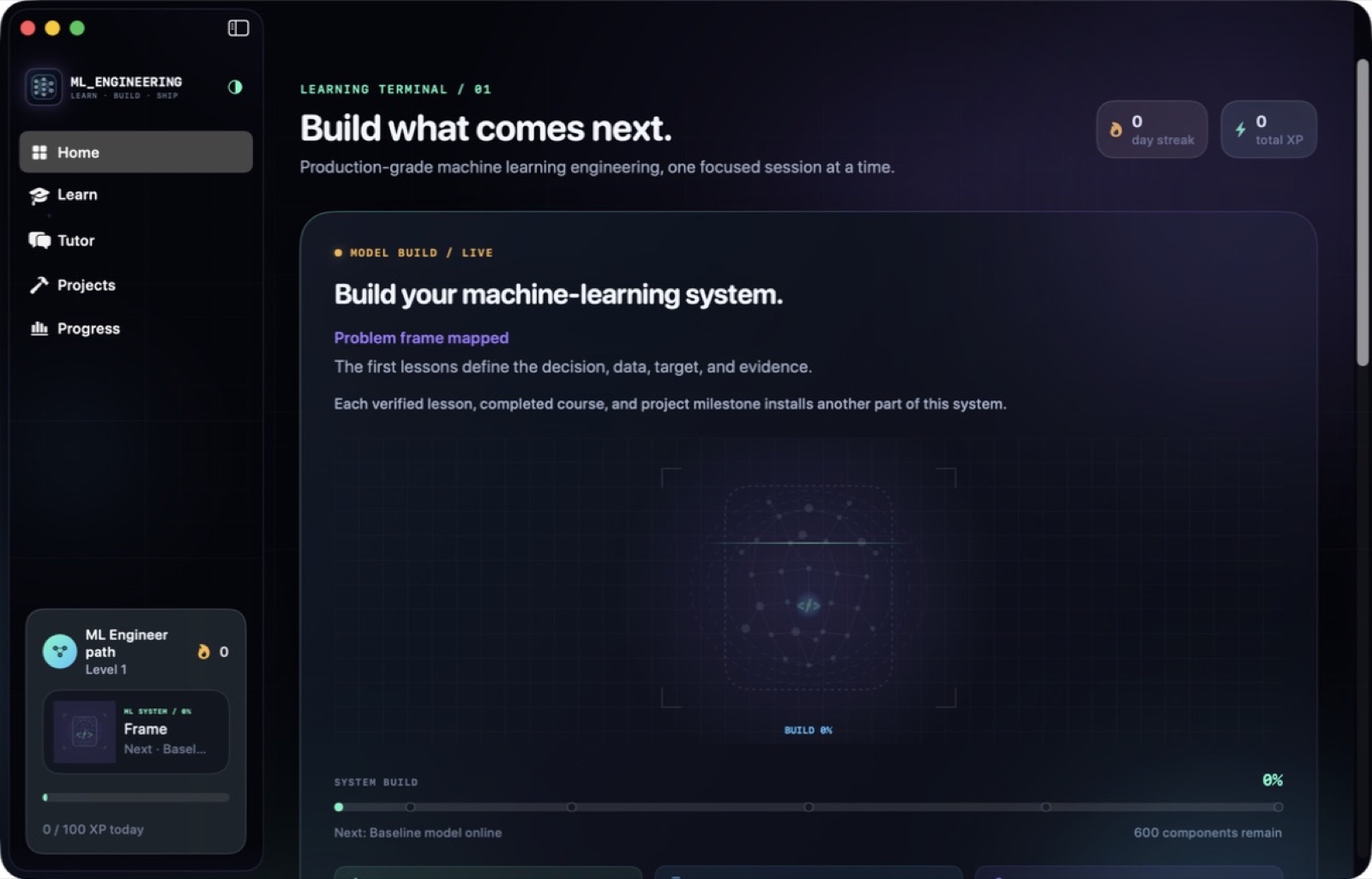
Become a data engineer · 400 interactive lessons · Native Mac app.

Forty courses covering ingestion, transformation, modelling, orchestration and warehousing, with the same runnable-lab structure: you build the pipeline and watch it fail before you read why it failed.

Everything runs on-device, including the tutor, so a work laptop with no cloud access is still a full learning environment.

  • Runnable pipeline labs
  • Architecture decisions
  • Offline tutor
Native macOSOn-deviceNo subscriptionApple notarizedDeveloper ID signed
One purchase · from $10macOS 14+
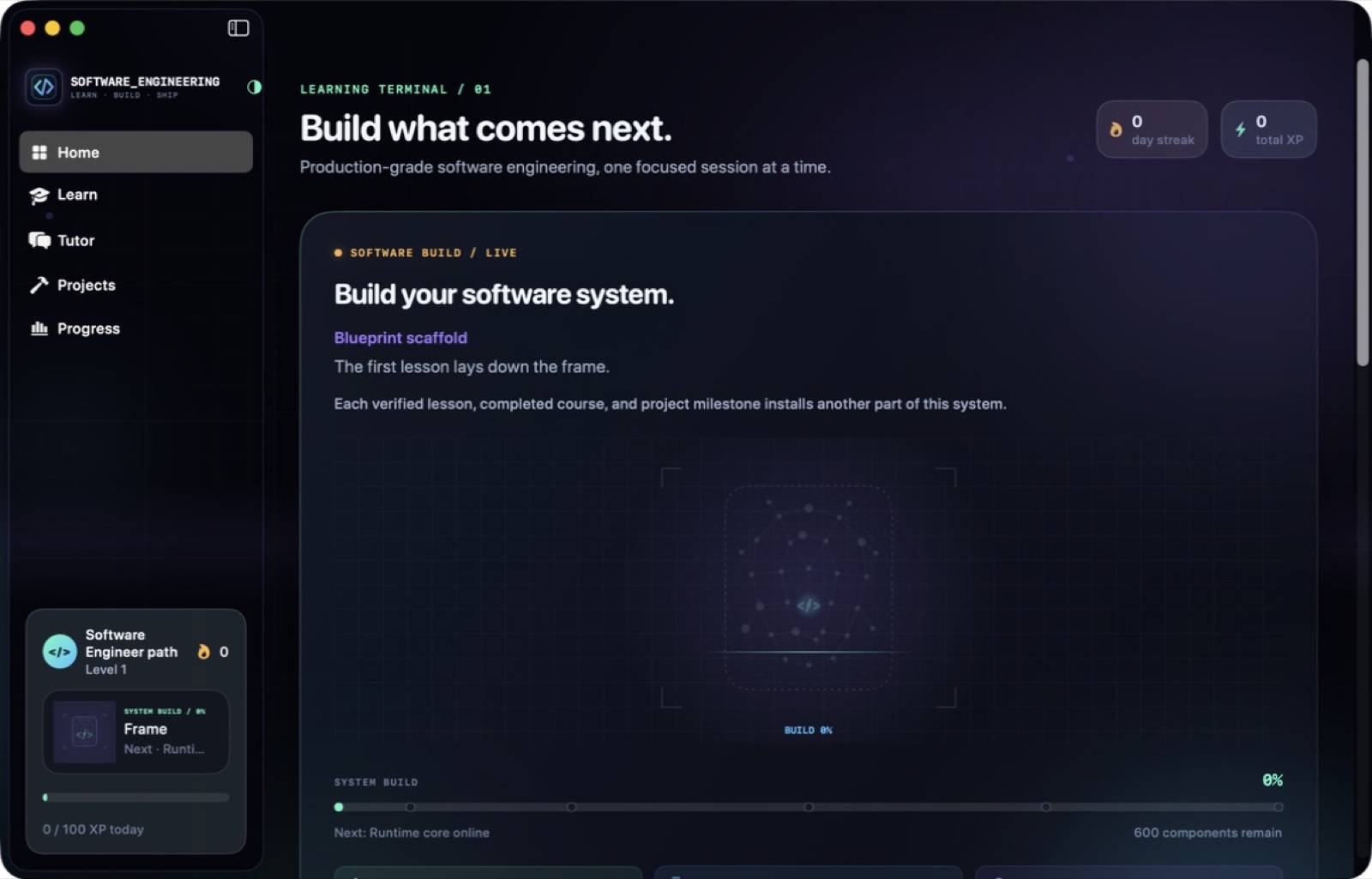
Software Engineering — Capture 1 / 25
Learn to code27 / 75
Available now

Software Engineering

Become a software engineer · 400 interactive lessons · Native Mac app.

Forty courses across design, testing, code review, debugging and delivery. The labs are the point: you refactor real code, write the test that catches the real bug, and review a diff that contains a real defect.

Runs entirely offline with a tutor grounded in the material.

  • Editable labs
  • Decision practice
  • Portfolio output
Native macOSOn-deviceNo subscriptionApple notarizedDeveloper ID signed
One purchase · from $10macOS 14+
ML Engineering — Capture 1 / 36
Learn to code28 / 75
Available now

ML Engineering

Become an ML engineer · 400 interactive lessons · Native Mac app.

Forty courses moving from Python fundamentals through PyTorch, training loops, evaluation, serving and MLOps. Labs execute locally so the gradient that does not descend is your gradient.

The tutor stays inside the curriculum, and the whole app works with no network.

  • PyTorch labs
  • Serving and MLOps
  • 40 portfolio projects
Native macOSOn-deviceNo subscriptionApple notarizedDeveloper ID signed
One purchase · from $10macOS 14+
DevMonkey — Learn 1 / 36
Learn to code29 / 75
Available now

DevMonkey

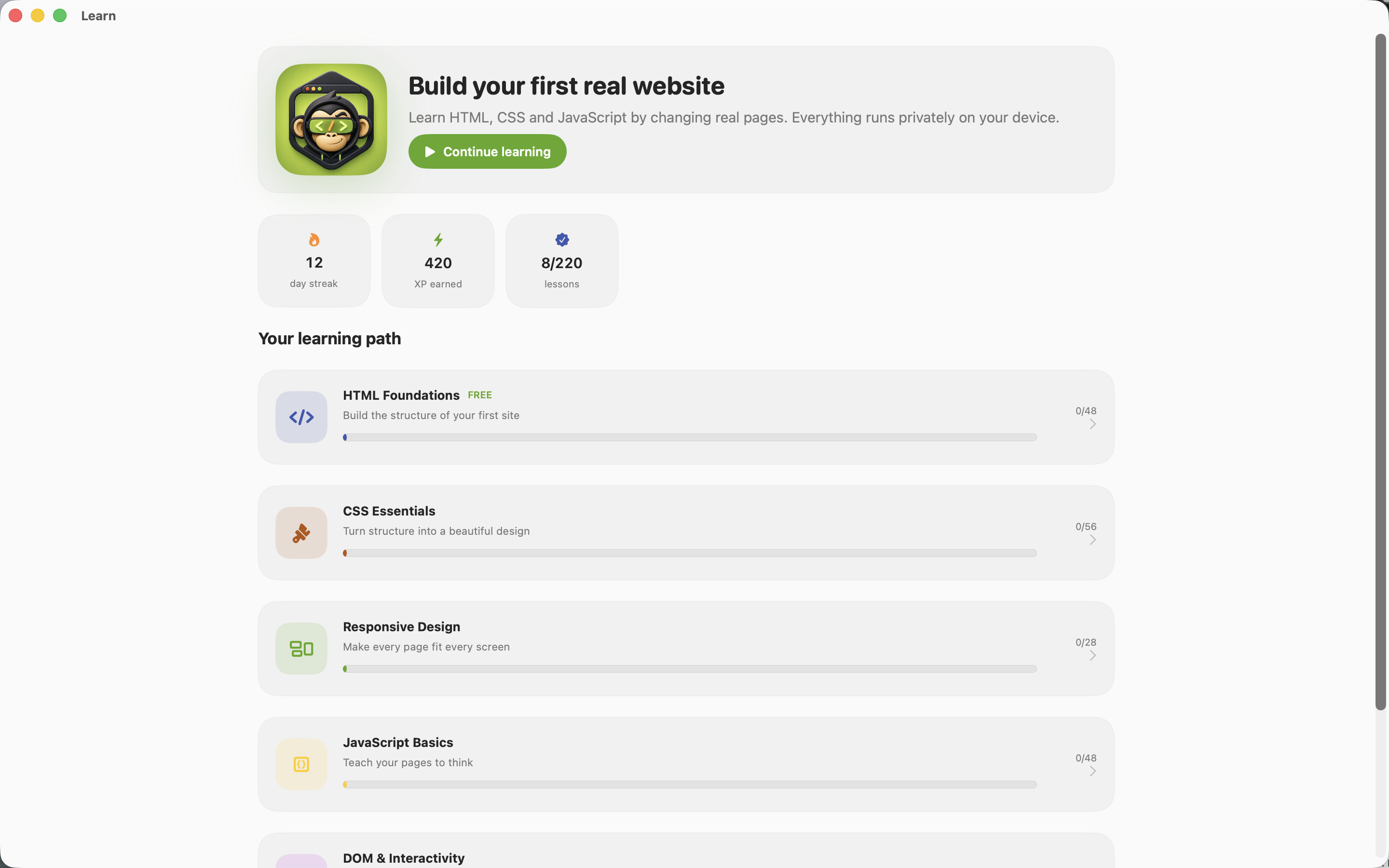
Learn web development by building real pages.

220 lessons across HTML, CSS, responsive design, JavaScript and DOM interaction, plus 10 capstone starters with real offline assets. The code runs in a sandboxed WKWebView on your machine, so the preview is a real browser engine.

The checker reads the rendered DOM and computed styles. That is the difference between a course that verifies you wrote the expected characters and one that verifies your page actually works.

  • Real engine preview
  • DOM-level checking
  • 10 capstone starters
Native macOSOn-deviceNo subscriptionApple notarizedDeveloper ID signed
One purchase · from $10macOS
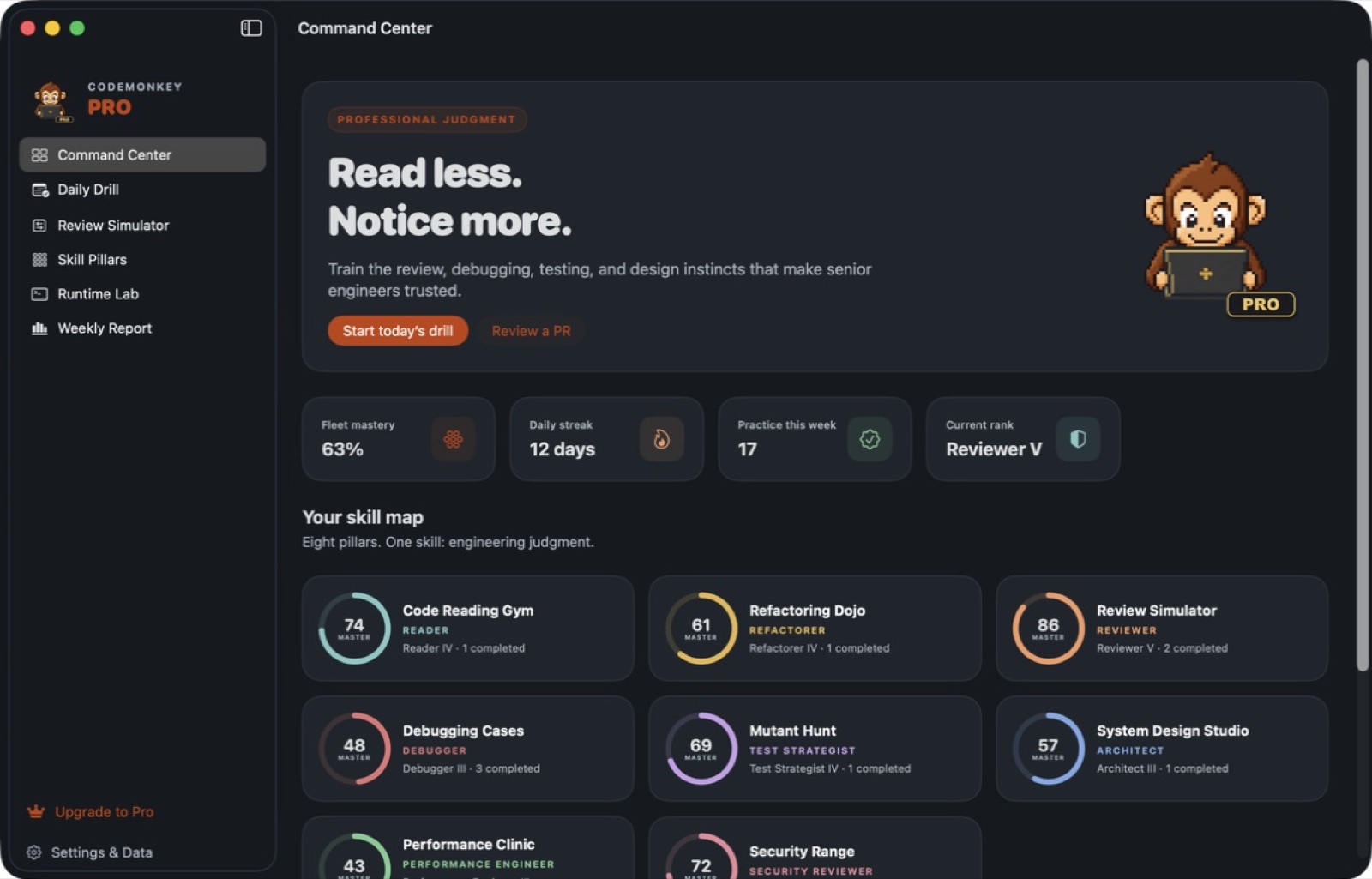
CodeMonkey Pro — Capture 1 / 10
Learn to code30 / 75
Available now

CodeMonkey Pro

The engineering judgment that comes after syntax.

Syntax is the easy part and every course teaches it. CodeMonkey Pro trains what comes next: reading code you did not write, refactoring without breaking behaviour, spotting the defect in a pull request, debugging from a symptom, writing tests that would actually catch a regression, and reasoning about design, performance and security.

Eight interactive studios grade deterministically. Python 3.13, JavaScriptCore and isolated SQLite runtimes execute on-device, so the exercises run real code rather than simulating it.

  • PR review with line-level defects
  • Deterministic grading
  • Spaced repetition
Native macOSOn-deviceNo subscriptionApple notarizedDeveloper ID signed
One purchase · from $10macOS
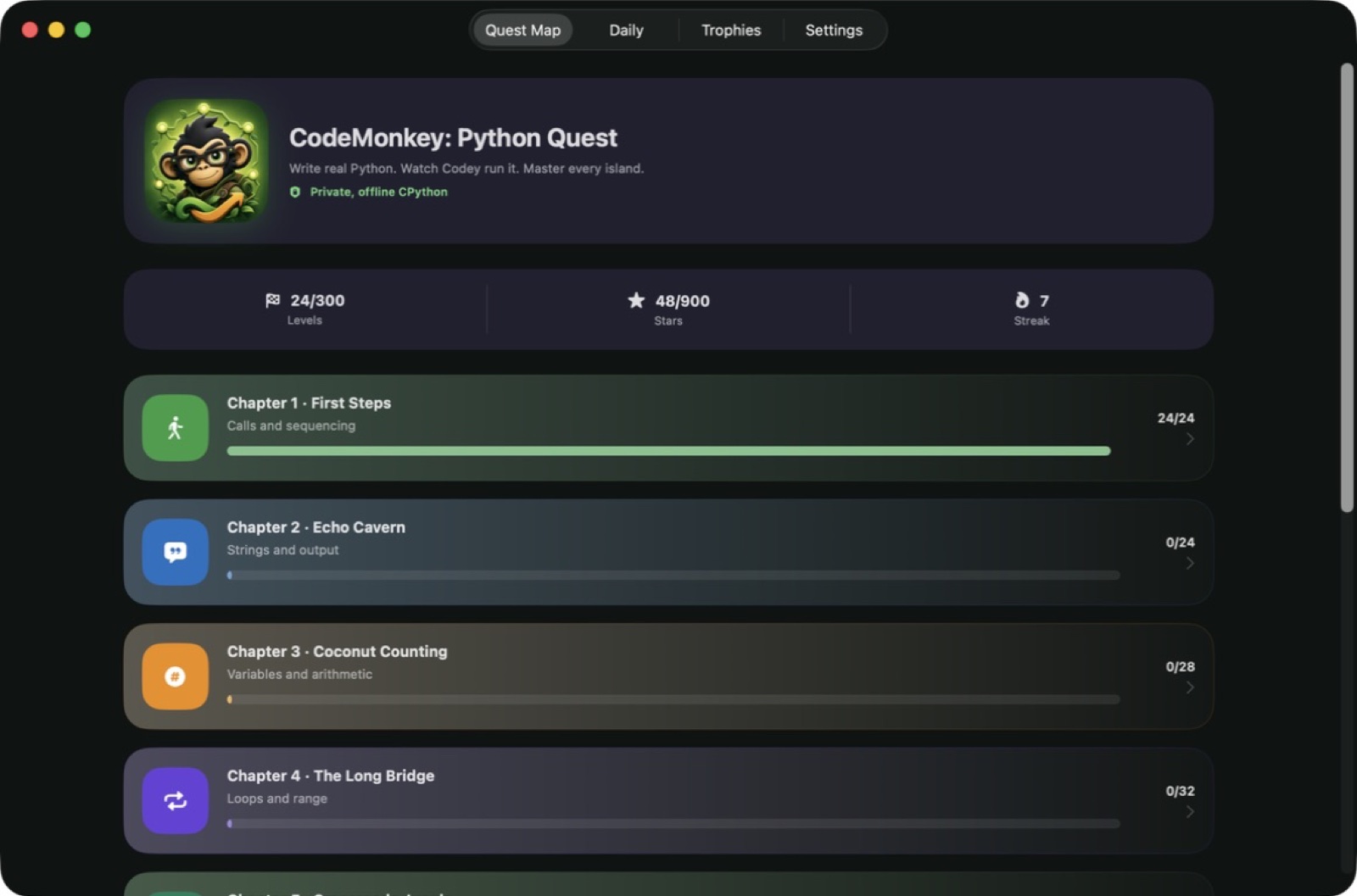
CodeMonkey: Python Quest — Capture 1 / 30
Learn to code31 / 75
Available now

CodeMonkey: Python Quest

A puzzle game driven by real on-device Python.

Most learn-to-code games interpret a toy language. This one embeds CPython. You write Python, it executes locally, and the resulting action stream is replayed by the character in the world. When your loop is off by one, you watch it be off by one.

300 levels across 10 chapters and 10 puzzle modes, each deterministic and machine-verified so a solution that works, works every time.

  • Embedded CPython
  • Deterministic levels
  • Daily Quest
Native macOSOn-deviceNo subscriptionApple notarizedDeveloper ID signed
One purchase · from $10macOS
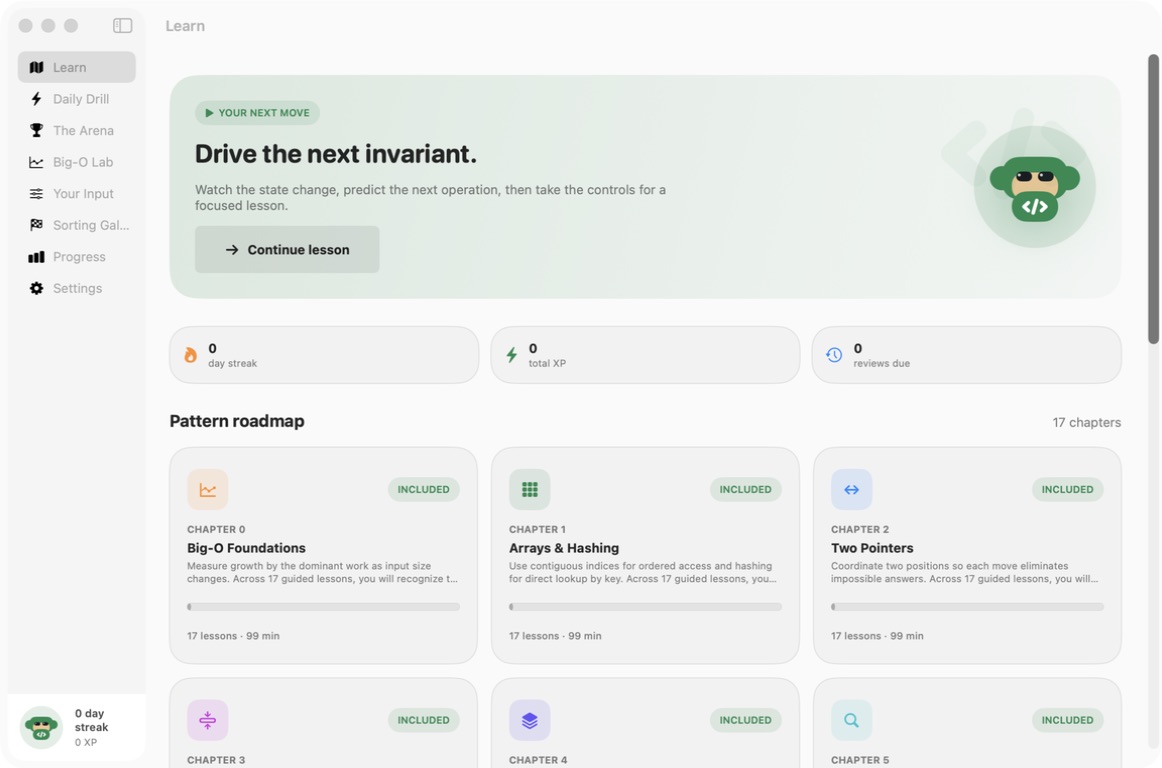
Algorithms Arena — Included  chapter roadmap 1 / 8
Learn to code32 / 75
Available now

Algorithms Arena

Interactive traces · Spaced review · Big-O practice.

Algorithms Arena organizes the checked-in course into 17 chapters and 280 seven-stage lessons covering Big-O, arrays and hashing, two pointers, sliding windows, stacks and queues, binary search, linked lists, trees, tries, heaps, backtracking, graphs, dynamic programming, greedy algorithms, intervals and bit manipulation. Each lesson moves through Concept, Watch, Predict, Perform, CodeBuild, Complexity and Recap stages instead of presenting a static reference page.

A deterministic trace engine projects 100 named algorithms across 900 trace fixtures and 10 purpose-built boards for arrays, linked structures, stacks, queues, trees, heaps, graphs, grids, hash tables and complexity curves. Scrub through an execution, forecast the next operation or manipulate the board directly. Every lesson includes an explicit concept, invariant, edge-case attack, time and space claim, and transfer question, while 34 CodeBuild challenges ask you to assemble a solution from the supplied code tokens.

  • 17-chapter roadmap
  • Watch, Predict and Perform
  • Large validated practice bank
  • Spaced local review
Native macOSOn-deviceNo subscriptionApple notarizedDeveloper ID signed
One purchase · from $10macOS 14+
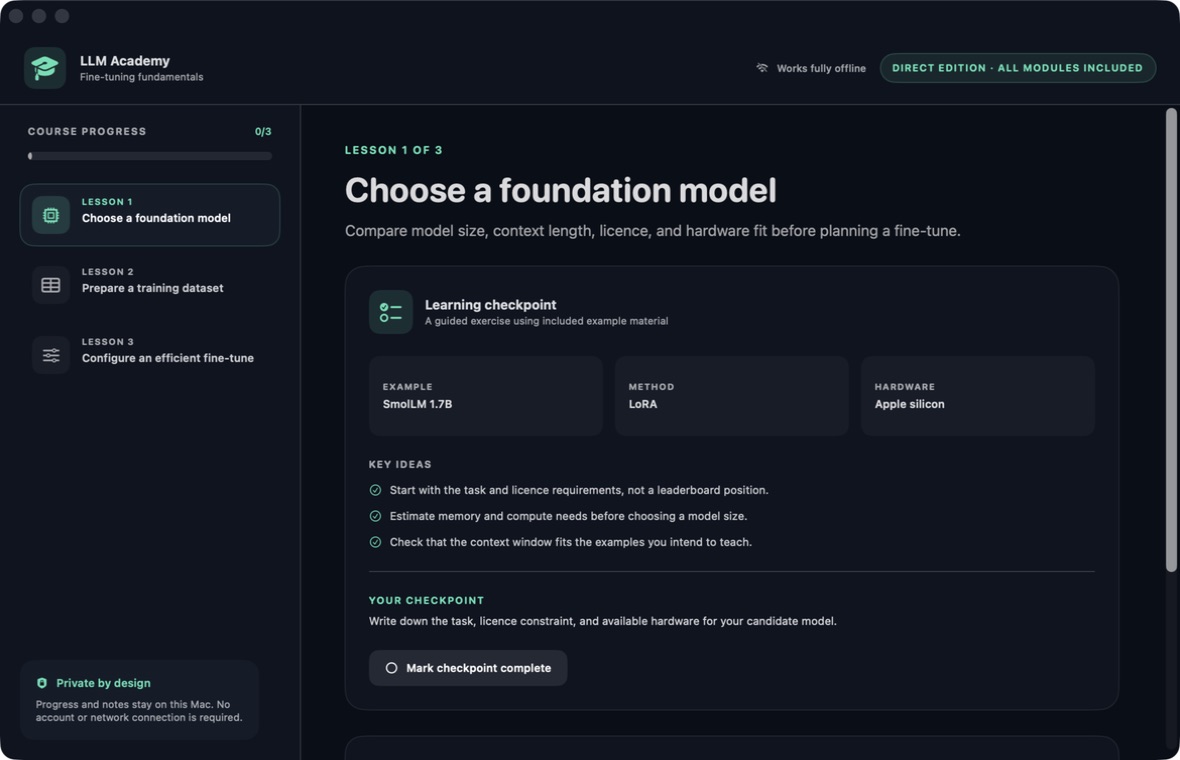
LLM Academy — Lesson foundation model selection 1 / 4
Learn to code33 / 75
Available now

LLM Academy

Three planning lessons · Guided checkpoints · Private notes.

LLM Academy Direct is a deliberately compact fine-tuning planning course. Its three bundled lessons are available immediately and work without an account or network connection. The course is for the decisions that come before a training run: defining the task, selecting a suitable starting model, deciding what examples belong in the dataset and recording a conservative first experimental configuration.

Lesson one compares task fit, licence constraints, model size, context length and available hardware. Lesson two frames instruction-and-ideal-response examples, held-out evaluation material, duplicate review, private-information review and consistent formatting. Lesson three explains the planning role of LoRA, epochs and learning rate. Each lesson presents three key ideas, a small facts panel and one written checkpoint rather than hiding the scope behind an open-ended tutor.

  • Foundation-model checklist
  • Dataset planning
  • Efficient fine-tune concepts
  • Guided checkpoints
Native macOSOn-deviceNo subscriptionApple notarizedDeveloper ID signed
One purchase · from $10macOS 13+
Talkify — Capture 1 / 19
Language & speech34 / 75
Available now

Talkify

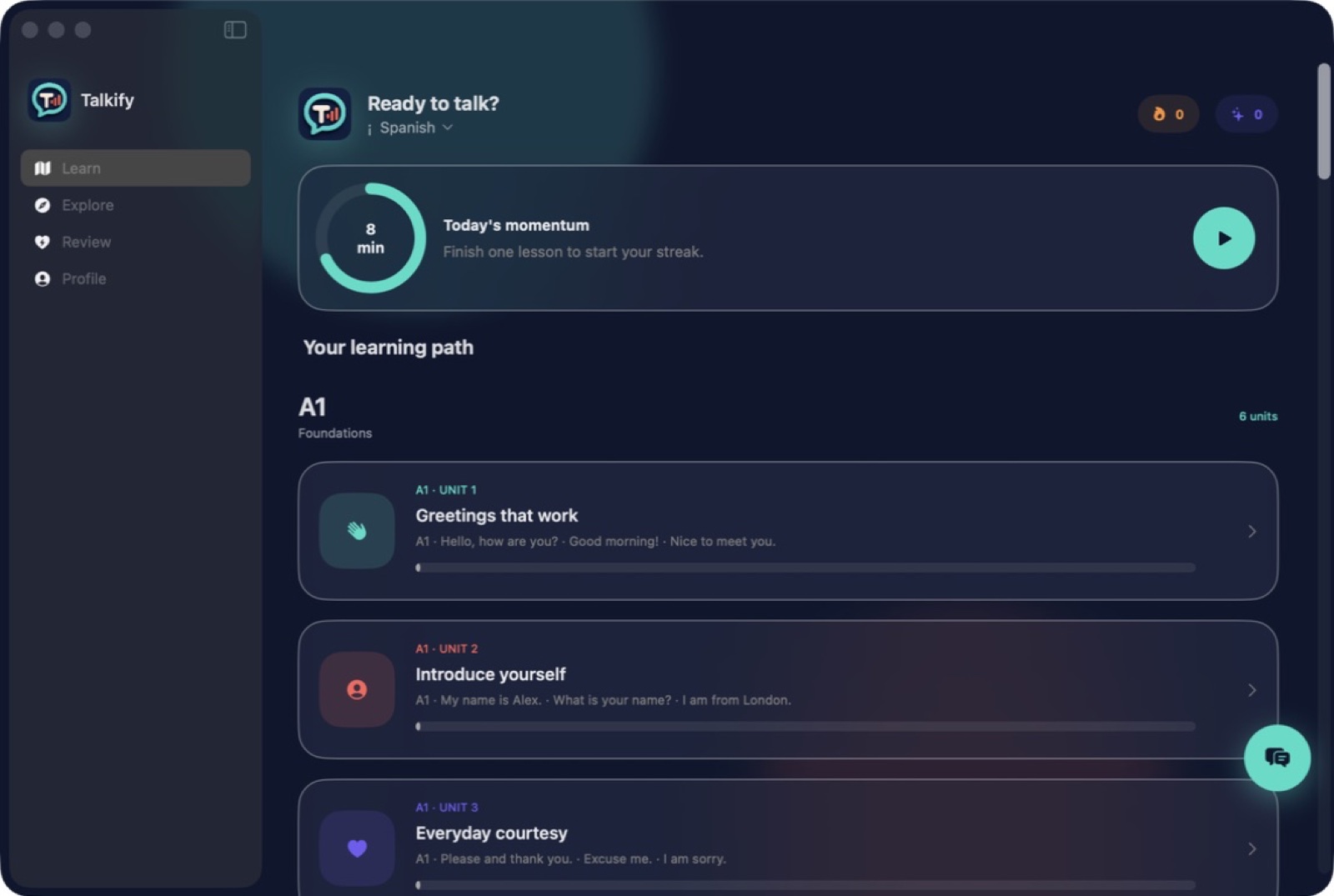
Listening, phrase building, recall and pronunciation in one loop.

Most language apps are excellent for three months and then leave you circling A2 forever. Talkify carries 21 languages through a full A1–C1 path: 30 units, 1,075 sessions, 750 phrase sets and 750 four-turn dialogues per language.

Each session mixes listening, phrase building, meaning recall, pronunciation practice and — where the script requires it — character tracing, with adaptive review scheduling what you got wrong.

  • Full CEFR coverage
  • Mixed drill types
  • Adaptive review
Native macOSOn-deviceNo subscriptionApple notarizedDeveloper ID signed
One purchase · from $10macOS
Accent Coach — Capture 1 / 8
Language & speech35 / 75
Available now

Accent Coach

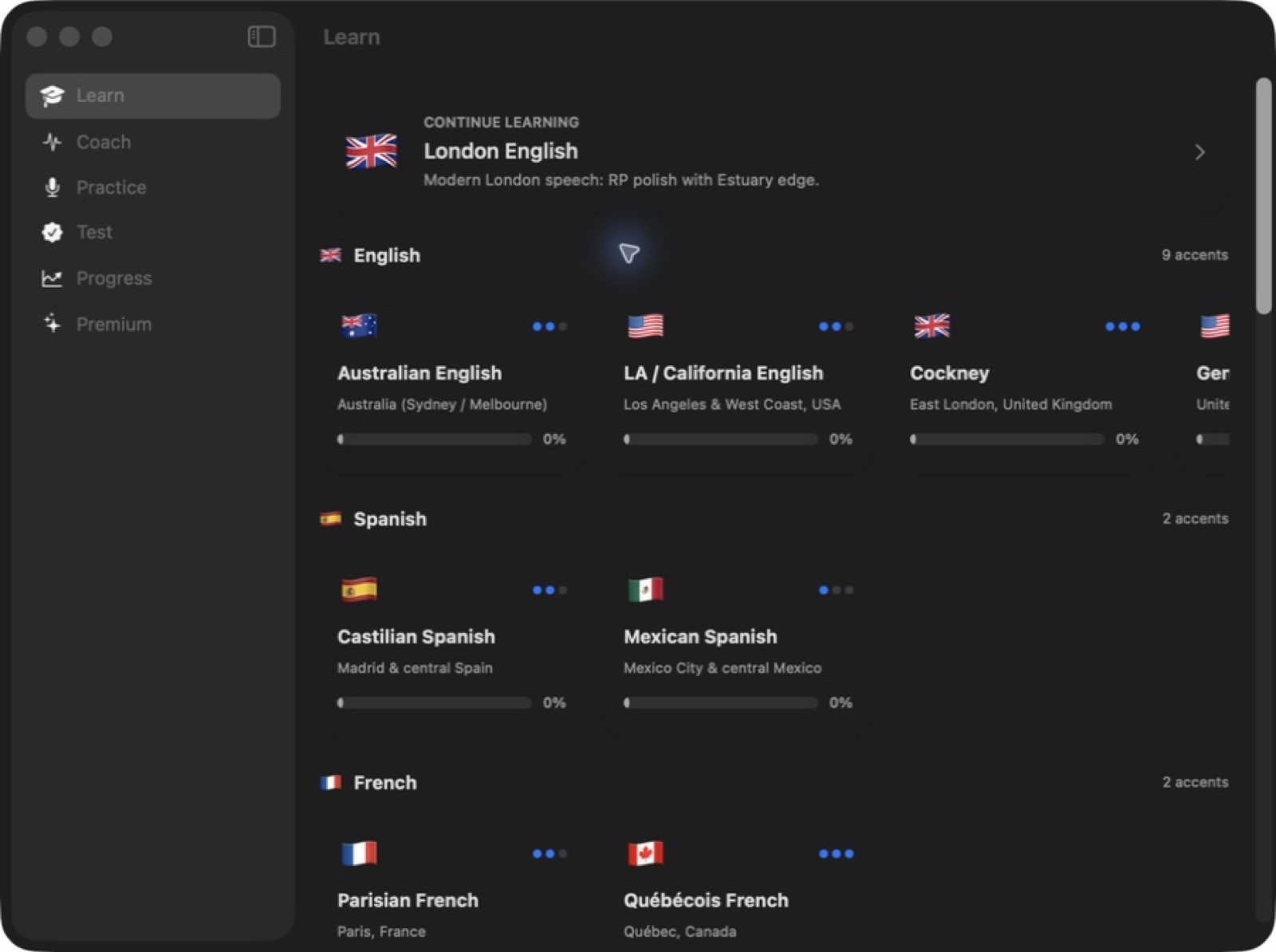
Learn accents, not just pronunciation.

Pronunciation apps teach you to say a word correctly. Accent Coach teaches the systematic features that make an accent that accent — the six to nine signature sounds of London English, General American, Cockney, Parisian French or Beijing Mandarin — with IPA notation and physical production guidance for each.

Then you practise: hear the reference at normal or slow speed, record with a countdown, get scored, and A/B your take against the original. Scoring runs on-device, so your recordings stay on the machine.

  • 27 accents, 12 languages
  • Feature-first teaching
  • A/B against the reference
Native macOSOn-deviceNo subscriptionApple notarizedDeveloper ID signed
One purchase · from $10macOS 14+
Mimic — Capture 1 / 23
Language & speech36 / 75
Available now

Mimic

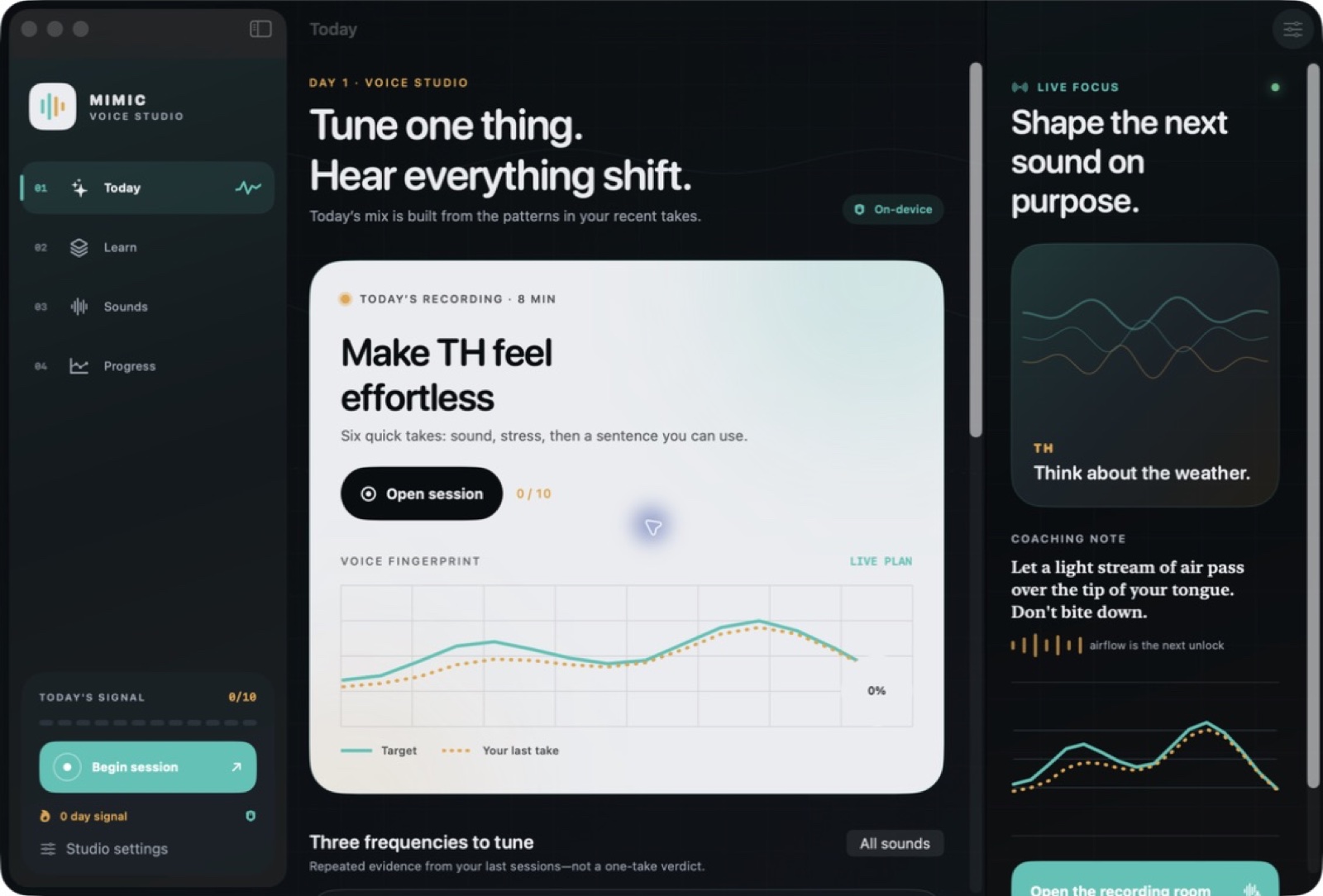
A private pronunciation studio.

A pronunciation score of 72% tells you nothing actionable. Mimic renders pitch, rhythm, delivery and articulation as visible traces, so you can see that your intonation falls where the reference rises.

No account, no analytics SDK, and no cloud scoring at runtime — the comparison happens on the device holding the recording.

  • Visible pitch and rhythm
  • Articulation feedback
  • Private by construction
Native macOSOn-deviceNo subscriptionApple notarizedDeveloper ID signed
One purchase · from $10macOS
Pronunciation Master — Capture 1 / 8
Language & speech37 / 75
Available now

Pronunciation Master

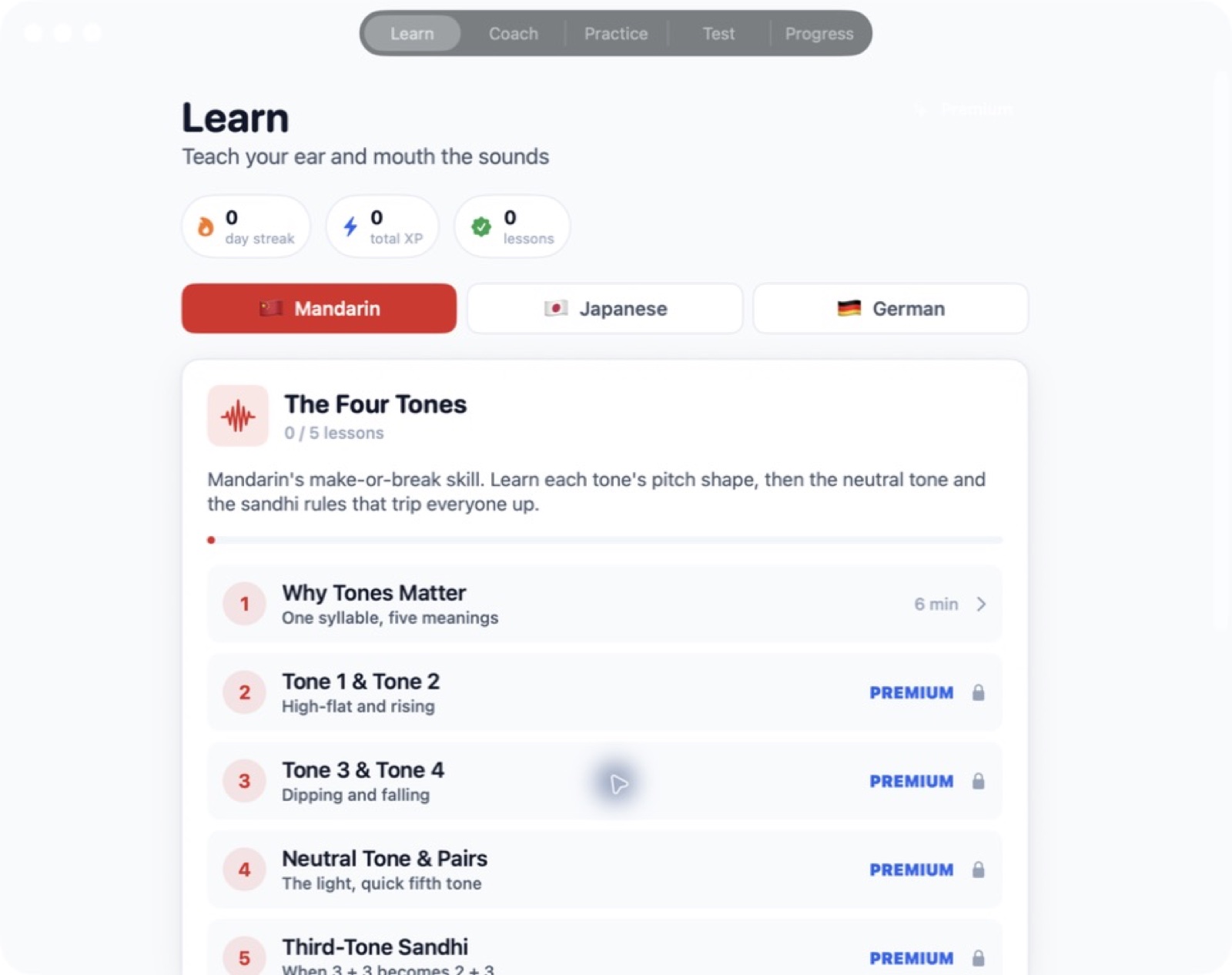
Tones, mora timing and umlauts, tested properly.

Each of these languages has a small set of features that reliably defeat learners. Mandarin: four tones plus neutral, tone sandhi, and the q/x/j and zh/ch/sh/r distinctions. Japanese: pure vowels, mora timing, long vowels, the small tsu pause, devoiced vowels and pitch accent. German: ä/ö/ü, both ch-sounds, the uvular r, final devoicing and w/v/z/s.

The format is testing rather than lecturing. You are asked to produce or discriminate, and told whether you did.

  • Tone and sandhi drills
  • Mora timing
  • Minimal pairs
Native macOSOn-deviceNo subscriptionApple notarizedDeveloper ID signed
One purchase · from $10macOS 14+
Fluency Simulator — Scenario 1 / 13
Language & speech38 / 75
Available now

Fluency Simulator

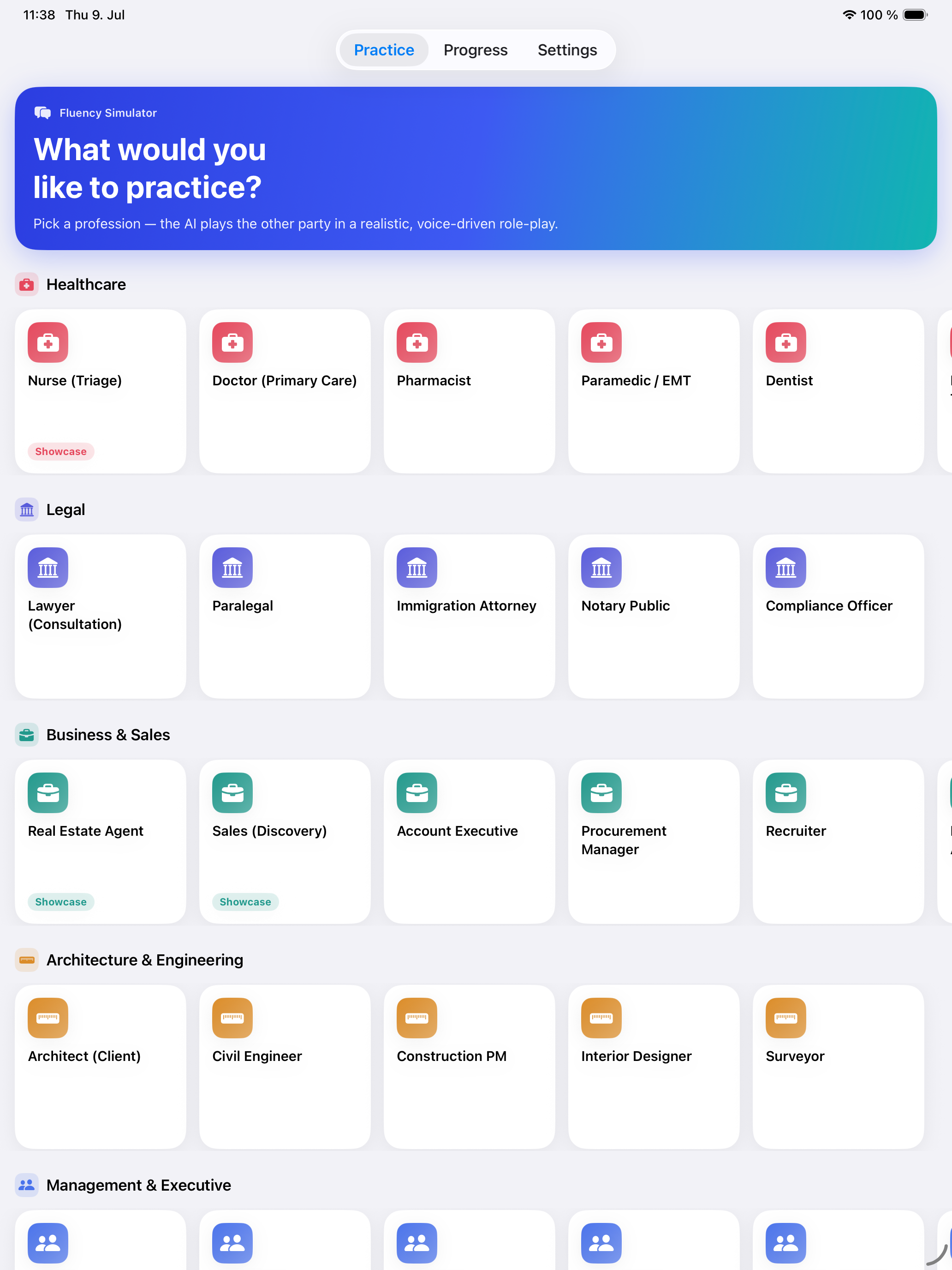
Practise real conversations against an on-device AI.

Written for people whose career runs through a second language — doctors, nurses, lawyers, sales staff, managers, support agents. You pick a profession and a scenario and hold the conversation aloud against an animated avatar.

Everything runs on-device using Apple's frameworks: recognition, synthesis, and the model driving the exchange. No API keys, no cloud, no per-token bill, and no recording of a clumsy rehearsal sitting on someone else's server.

  • Fully offline pipeline
  • Professional scenarios
  • Animated avatar
Native macOSOn-deviceNo subscriptionApple notarizedDeveloper ID signed
One purchase · from $10macOS
Examly — Exam dashboard and study plan 1 / 6
Language & speech39 / 75
Available now

Examly

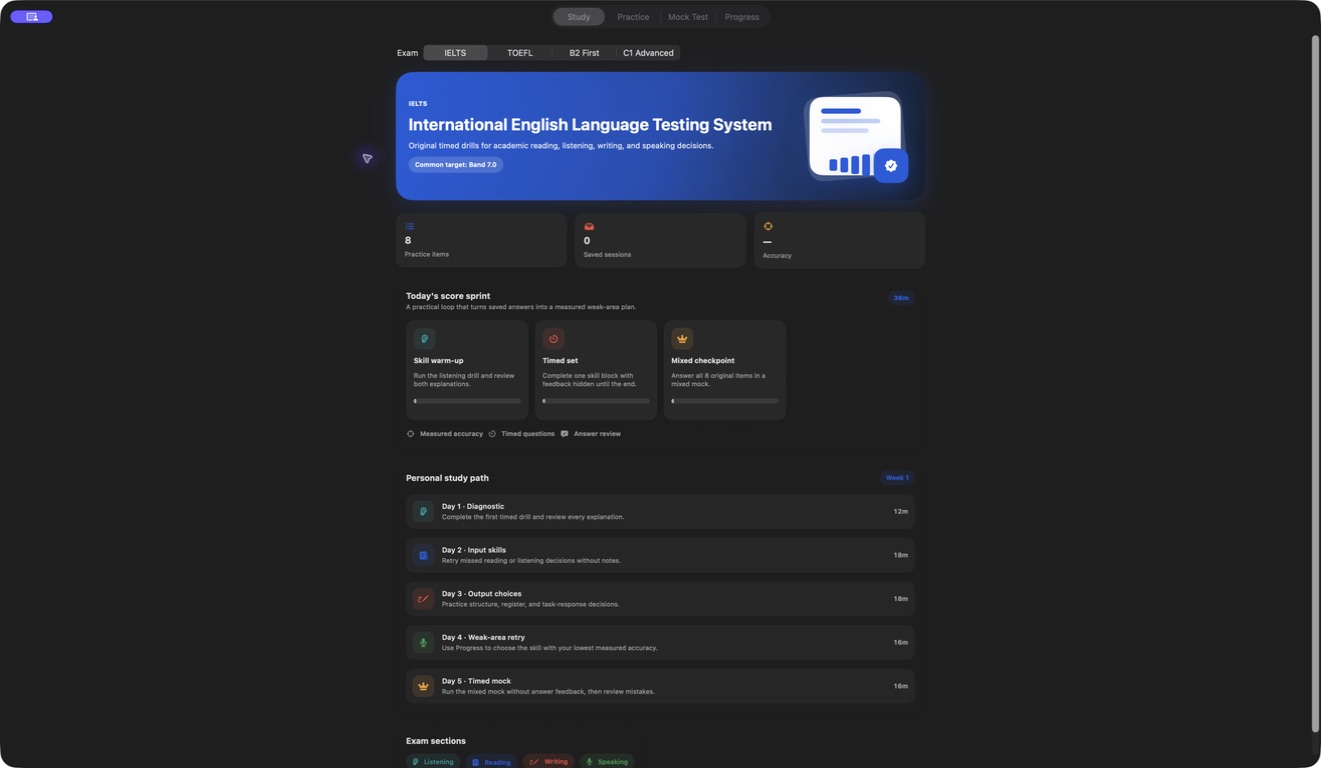
36 practice items · Timed mocks · Local progress.

Examly is a compact native Mac practice companion for four English assessment families: IELTS, TOEFL, Cambridge B2 First and Cambridge C1 Advanced. Its bank contains exactly 36 original, unofficial selected-response items — 8 each for IELTS and TOEFL, and 10 each for B2 First and C1 Advanced. Every represented skill contains two items: listening, reading, writing and speaking for all four exams, with grammar added for B2 and C1.

Practice mode is designed for study. Choose an exam and skill, answer one item at a time, and read the explanation after submitting. Listening items use a voice already installed in macOS through system text-to-speech, with a transcript that can be revealed when useful. Writing and speaking items ask learners to identify sound strategy choices; they do not collect or grade an essay, recording or live response.

  • Four exam families
  • 36 original practice items
  • Study with explanations
  • Listening with optional transcript
Native macOSOn-deviceNo subscriptionApple notarizedDeveloper ID signed
One purchase · from $10macOS 14+
Sparky — Chinese learning dashboard progress 1 / 8
Language & speech40 / 75
Available now

Sparky

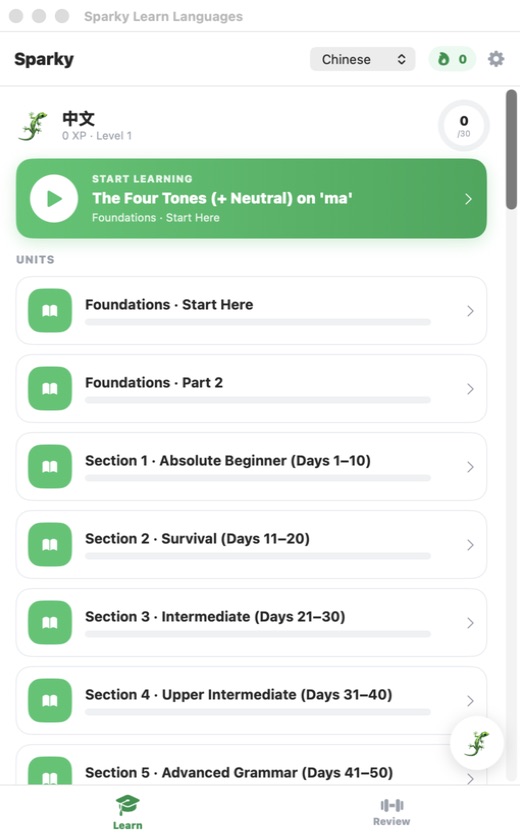
Four local courses · Active practice · Spaced review.

Sparky brings four distinct learning paths into one Mac app: Chinese, Japanese, German and Serbian. Each language is organized into local foundations, essentials, reading, core-course and expansion material so learners can follow the next lesson or deliberately revisit a particular section. The bundled curriculum and course state do not require a learner account or an online classroom.

Lessons mix recognition and production rather than relying on one repeated quiz. Activities include listening, meaning and word matching, sentence builders, cloze questions, flashcards, speaking and shadowing, short readings, character trace, stroke practice and tone identification where the language calls for them. Installed macOS voices speak course material, and compatible system speech recognition can turn a learner's optional recording into a transcript for comparison with the target.

  • Four structured paths
  • Active exercise variety
  • Spaced review and mistakes
  • System voice and speech tools
Native macOSOn-deviceNo subscriptionApple notarizedDeveloper ID signed
One purchase · from $10macOS 14+
Squiddy Constructing Language — Build124 games library first launch 1 / 8
Language & speech41 / 75
Available now

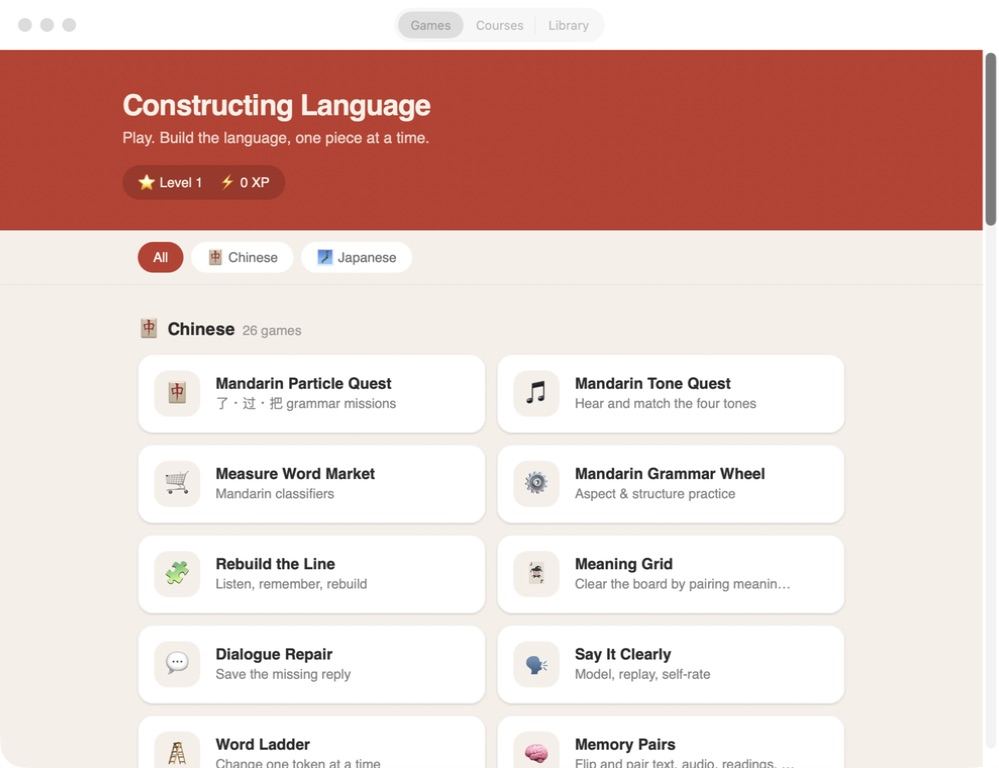
Squiddy Constructing Language

Chinese & Japanese · 52 game cards · Offline references.

Squiddy Constructing Language combines two offline study libraries with a finite game-based practice lab. The Direct build exposes 52 game cards across Mandarin Chinese and Japanese, so a learner can choose a specific pattern instead of waiting for a daily lesson or connecting to a remote course service. Everything in the installed edition is available without an account, activation server or network connection.

Mandarin activities cover tones, particles, measure words and conjugation, including Mandarin Tone Quest. Japanese activities cover particles, counters and conjugation. Shared formats such as Syntax Builder, Number Builder and Script Match add sentence order, number construction and character recognition practice. Supported games include bundled audio prompts; they do not depend on streaming a separate audio course.

  • 52 focused game cards
  • Mandarin pattern practice
  • Japanese pattern practice
  • Syntax, number and script builders
Native macOSOn-deviceNo subscriptionApple notarizedDeveloper ID signed
One purchase · from $10macOS 13+
Metra — Home dashboard 1 / 7
Health & wellbeing42 / 75
Available now

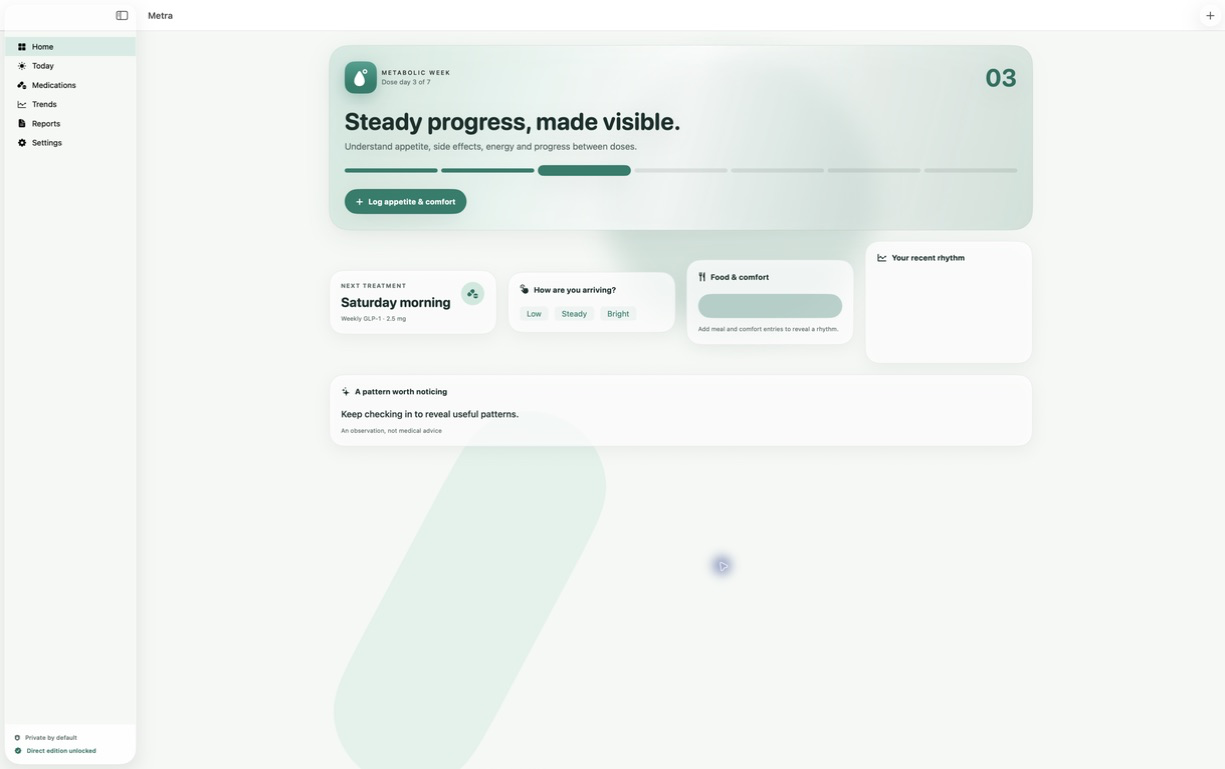
Metra

Steady progress, made visible.

Metra brings the observations that are easy to forget into one calm daily view: appetite, comfort, hydration, energy, treatment schedules and whether a dose was taken, late or skipped. Entries stay in the app's private local container unless you explicitly export or share them.

The point is not to turn one difficult day into a conclusion. Metra groups repeated measurements across 7-day, 30-day, 90-day and all-time ranges, then prepares a plain-language summary of tracked signals, active treatments and adherence history. You can review and edit what is relevant before sharing it with a clinician.

  • Treatment and dose history
  • Repeatable daily check-ins
  • Trends without diagnosis
  • A report you control
Native macOSOn-deviceNo subscriptionApple notarizedDeveloper ID signed
One purchase · from $10macOS 15+
Aurelia — Home dashboard 1 / 7
Health & wellbeing43 / 75
Available now

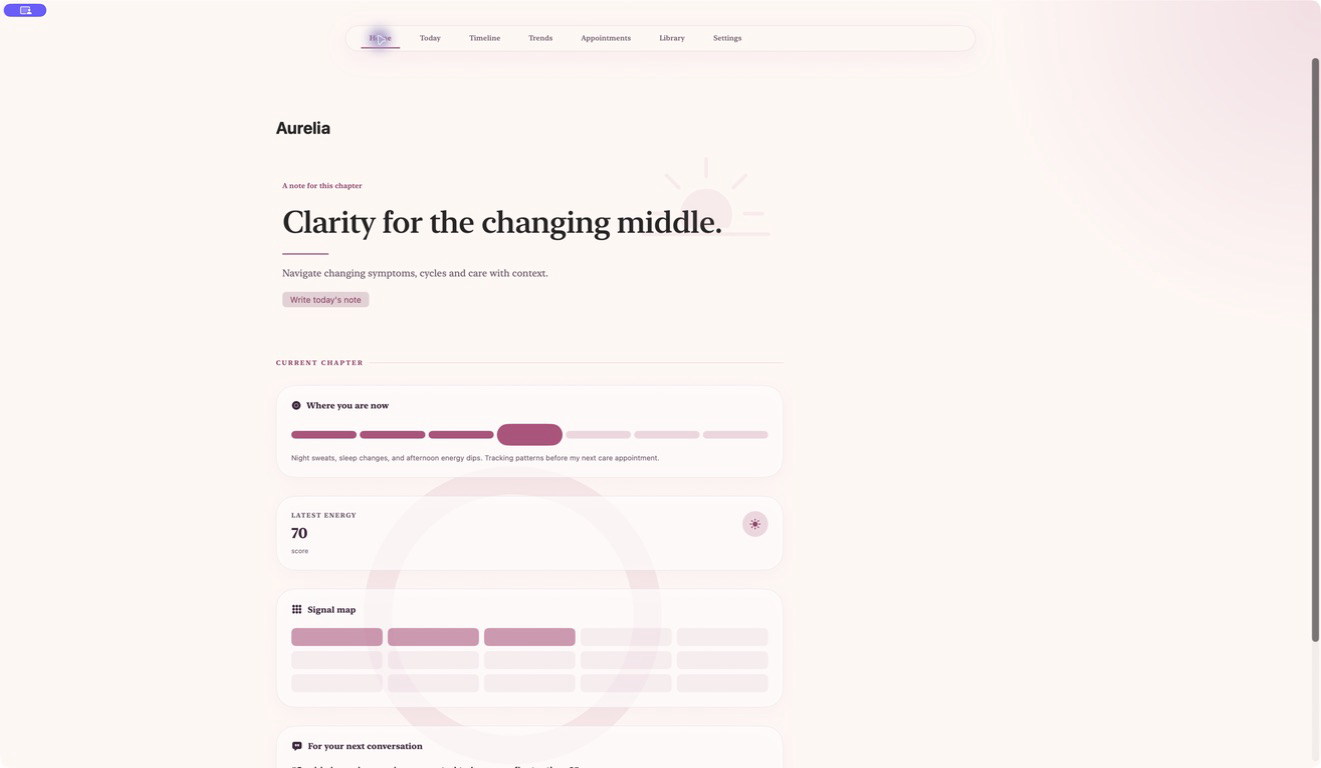
Aurelia

Clarity for the changing middle.

Aurelia gives perimenopause and menopause observations a calm, consistent home. Record sleep changes, hot flashes, mood, energy and the context around them, then review the story as a timeline instead of trying to reconstruct it from memory during an appointment.

The trends view compares repeated signals over practical ranges while the appointments workspace keeps the date, provider, questions and follow-up notes together. It helps you arrive with a concise history and the questions you do not want to forget; it does not turn an app pattern into a medical conclusion.

  • A timeline for change
  • Comparable signals
  • Appointment preparation
  • Private by default
Native macOSOn-deviceNo subscriptionApple notarizedDeveloper ID signed
One purchase · from $10macOS 15+
Kinward — Home care dashboard 1 / 7
Health & wellbeing44 / 75
Available now

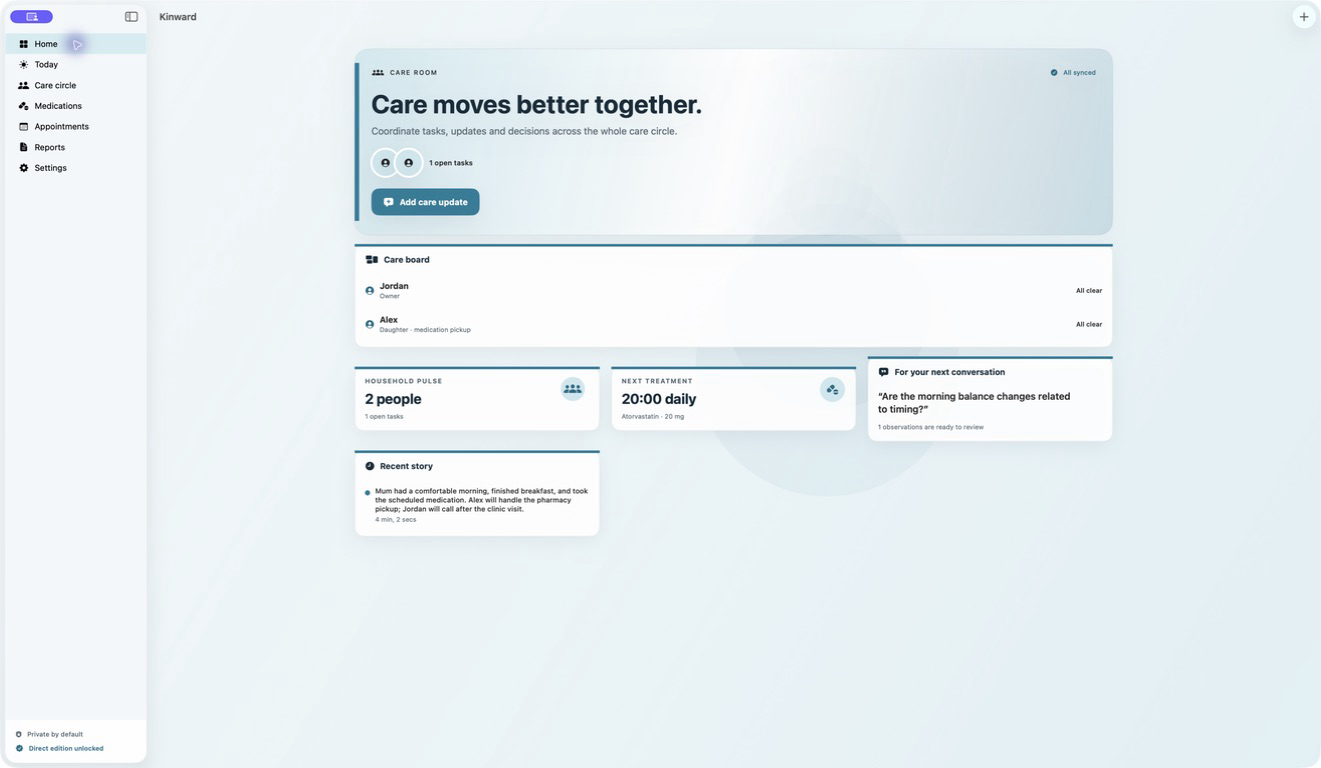
Kinward

Care moves better together.

Kinward turns a family care circle into one understandable workspace. Add the people involved and what they are responsible for, assign refills and follow-ups with due dates, and keep important updates in a recent story everyone can act on.

Medication schedules, instructions and taken, late or skipped dose records sit beside upcoming appointments and the questions the family does not want to forget. A shareable summary brings the relevant observations together for review before a family or clinical conversation.

  • A defined care circle
  • Shared tasks with ownership
  • Medication coordination
  • Prepared appointments
Native macOSOn-deviceNo subscriptionApple notarizedDeveloper ID signed
One purchase · from $10macOS 15+
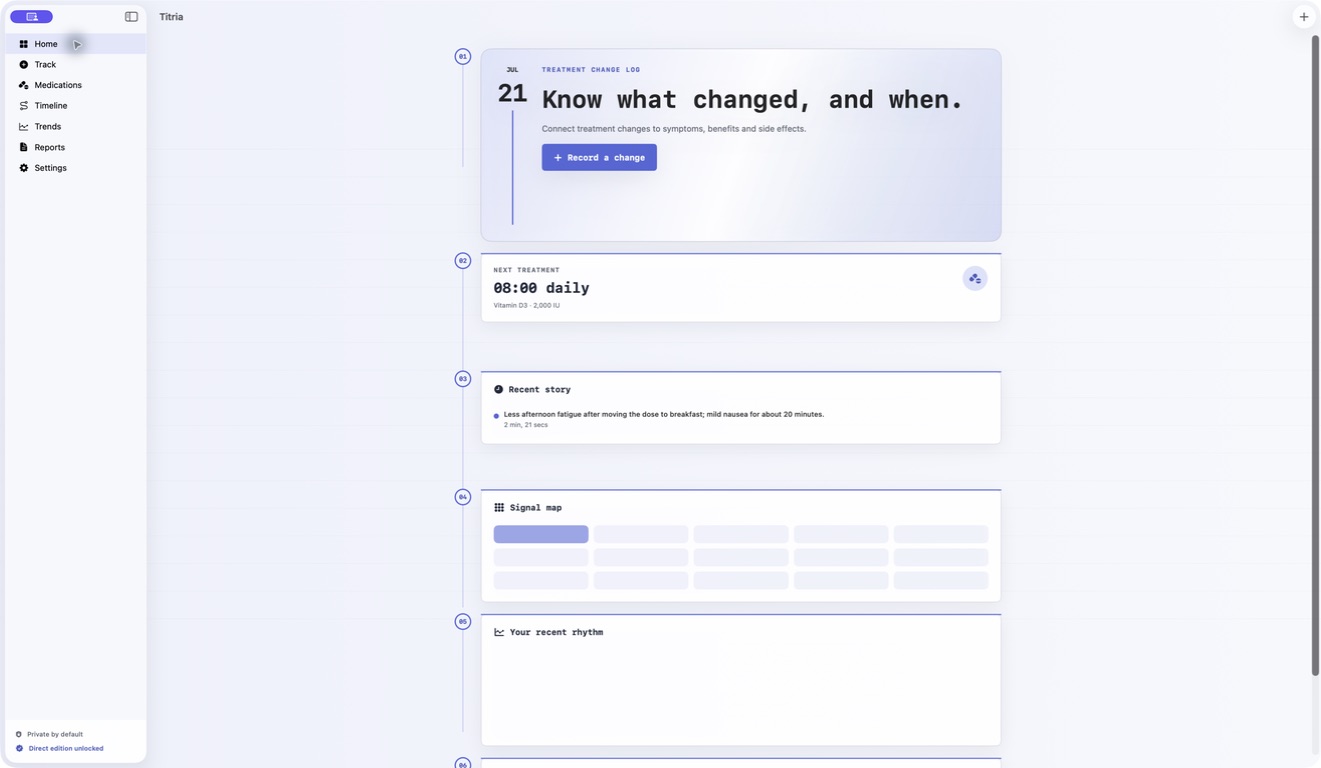
Titria — Treatment response dashboard 1 / 7
Health & wellbeing45 / 75
Available now

Titria

Know what changed, and when.

Titria keeps the treatment details that are easy to lose between appointments in one local workspace. Record a medication, dose, schedule and instructions, mark doses as taken, late or skipped, and add measurements or journal observations when something changes.

The timeline places treatment events beside energy, mood, recovery and medication-response observations. Trends summarize repeated signals over practical time ranges, while the shareable report brings active treatments, adherence and recent observations into a concise summary you review before exporting.

  • Treatment change timeline
  • Medication adherence
  • Benefits and burdens
  • Trends with context
Native macOSOn-deviceNo subscriptionApple notarizedDeveloper ID signed
One purchase · from $10macOS 15+
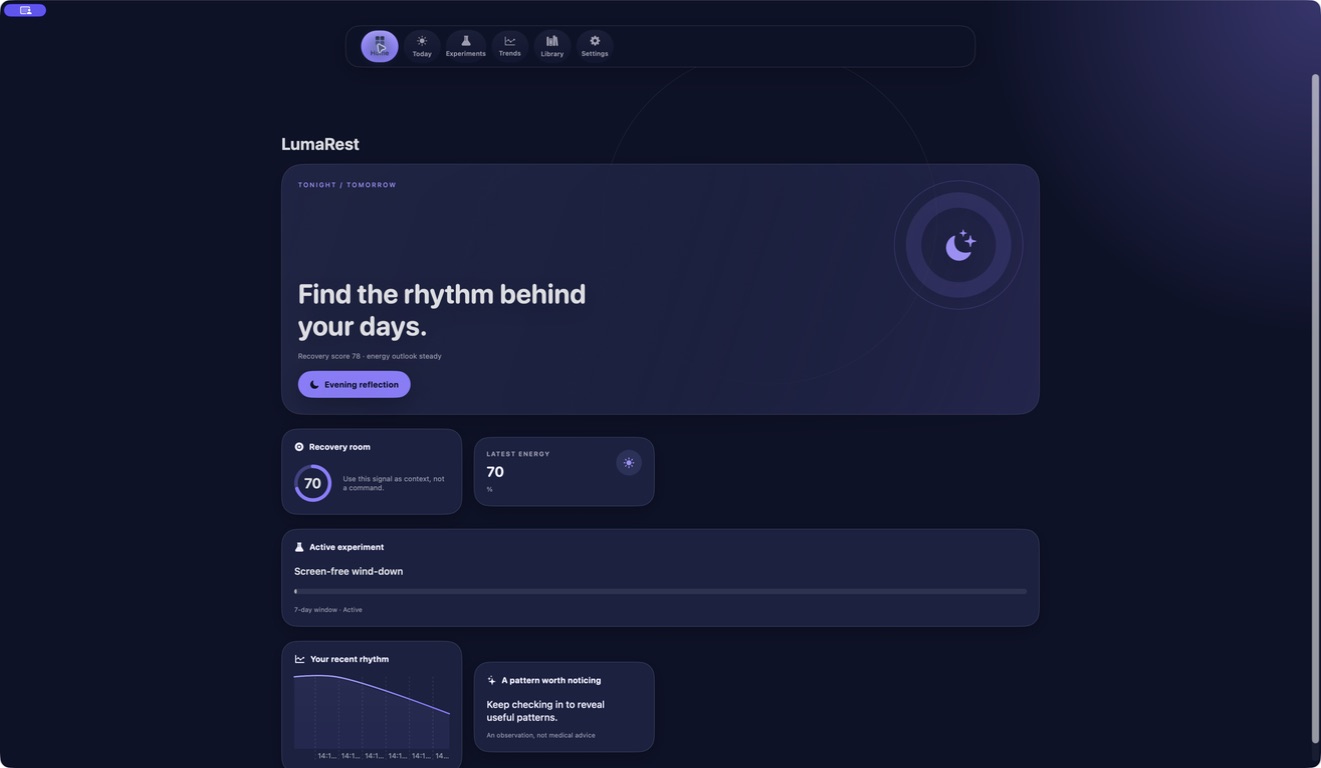
LumaRest — Sleep energy dashboard 1 / 7
Health & wellbeing46 / 75
Available now

LumaRest

Find the rhythm behind your days.

LumaRest combines a calm daily recovery note with repeatable sleep, stress and energy measurements. Record how restored you feel and the context around the night, then keep the next morning's energy beside it instead of trying to reconstruct the week from memory.

The experiment planner helps you change one routine at a time. Define the question, expected result, primary signal and observation window, then compare repeated entries in the trends view. The purpose is to make a routine easier to discuss and evaluate, not to turn a correlation into a medical conclusion.

  • A daily recovery story
  • One-variable experiments
  • Comparable signals
  • Practical guidance
Native macOSOn-deviceNo subscriptionApple notarizedDeveloper ID signed
One purchase · from $10macOS 15+
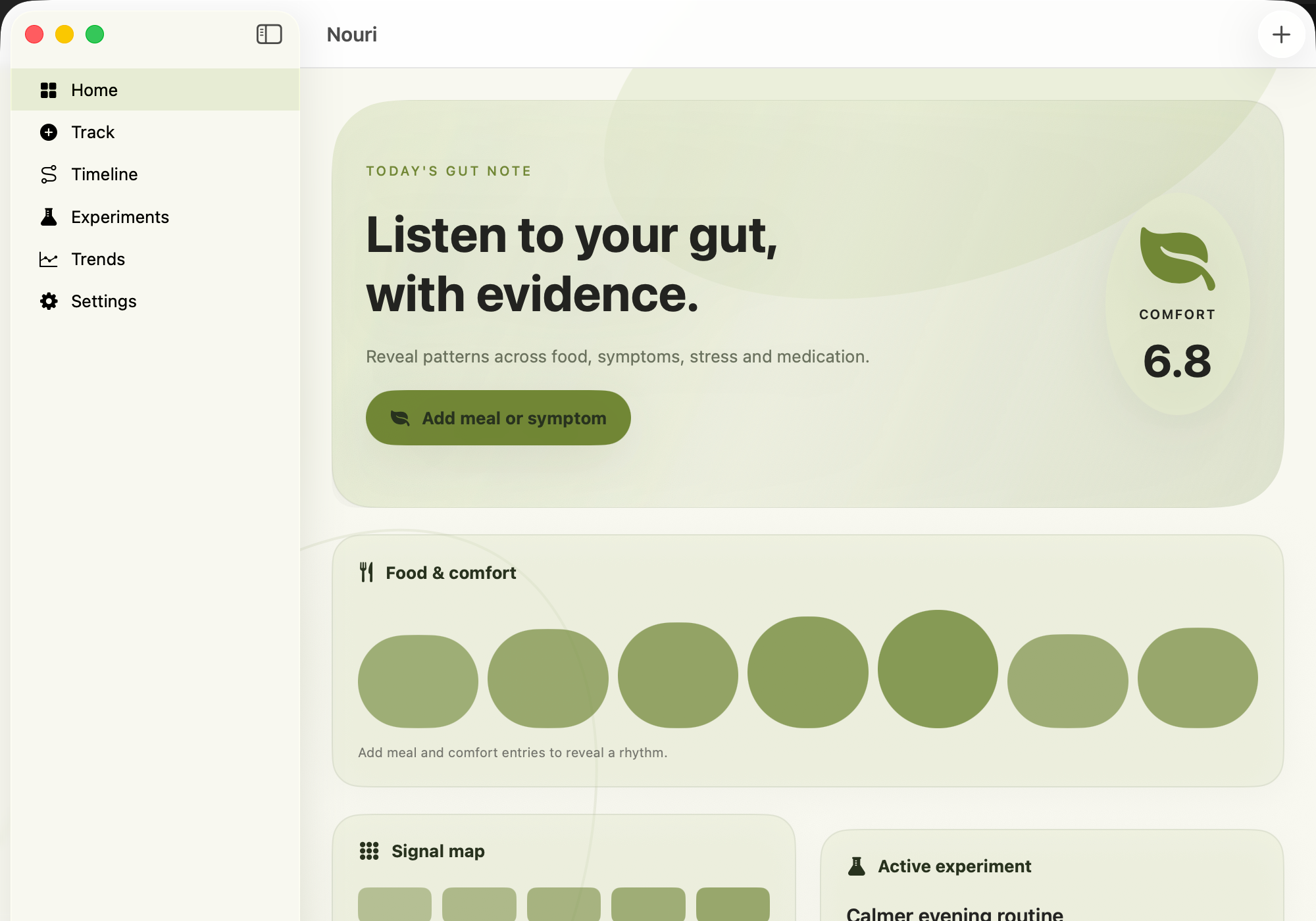
Nouri — Digestive health dashboard 1 / 1
Health & wellbeing47 / 75
Available now

Nouri

Listen to your gut, with evidence.

Nouri gives digestive observations a consistent home. Record a meal or symptom event, its timing and surrounding context, then keep bloating, pain, bowel changes, stress, medication and energy beside the same chronological story instead of trying to reconstruct it later from memory.

The trends view makes repeated signals easier to compare, while the experiment planner keeps a routine question focused: define the change, hypothesis, primary signal and observation window before looking at the result. Nouri helps you organize what you noticed; it deliberately does not turn an association into a diagnosis or claim that one event caused another.

  • Food and comfort events
  • One private timeline
  • Focused experiments
  • Patterns with context
Native macOSOn-deviceNo subscriptionApple notarizedDeveloper ID signed
One purchase · from $10macOS 15+
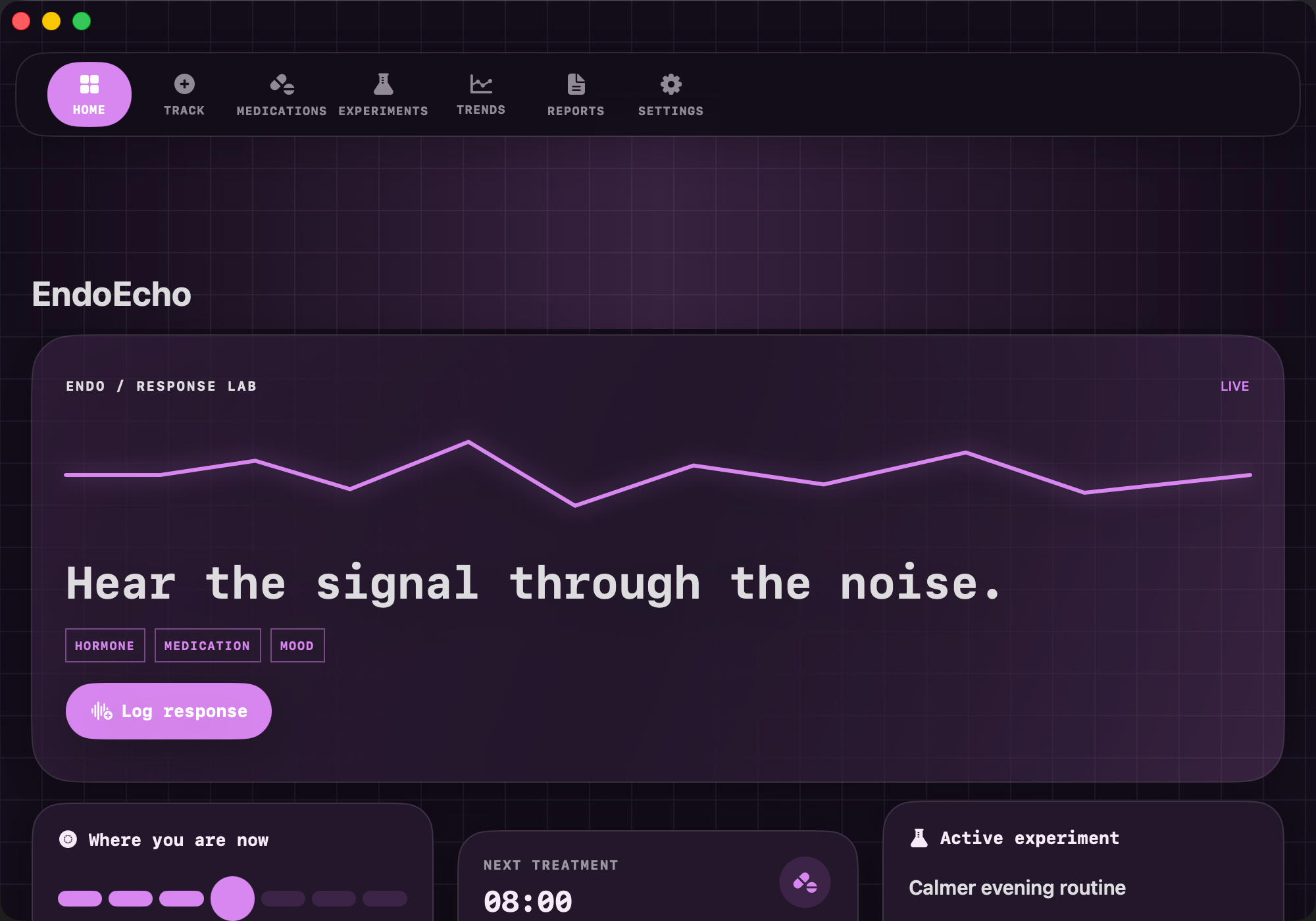
EndoEcho — Hormone response dashboard 1 / 1
Health & wellbeing48 / 75
Available now

EndoEcho

Hear the signal through the noise.

EndoEcho gives hormone and treatment observations a consistent home between appointments. Record a response note around a dose change or cycle event, add mood, energy, sleep and symptom context, and keep medication names, doses, schedules, expected benefits and side effects beside the same chronological story.

Longer trends make repeated signals easier to compare, while the experiment workspace keeps a question bounded before you judge the result: define the change, hypothesis, primary signal and observation window. A concise report gathers the history for review before a care conversation; EndoEcho organizes what you noticed without claiming that timing proves a cause.

  • Response notes with timing
  • Medication context
  • Focused experiments
  • Trends without conclusions
Native macOSOn-deviceNo subscriptionApple notarizedDeveloper ID signed
One purchase · from $10macOS 15+
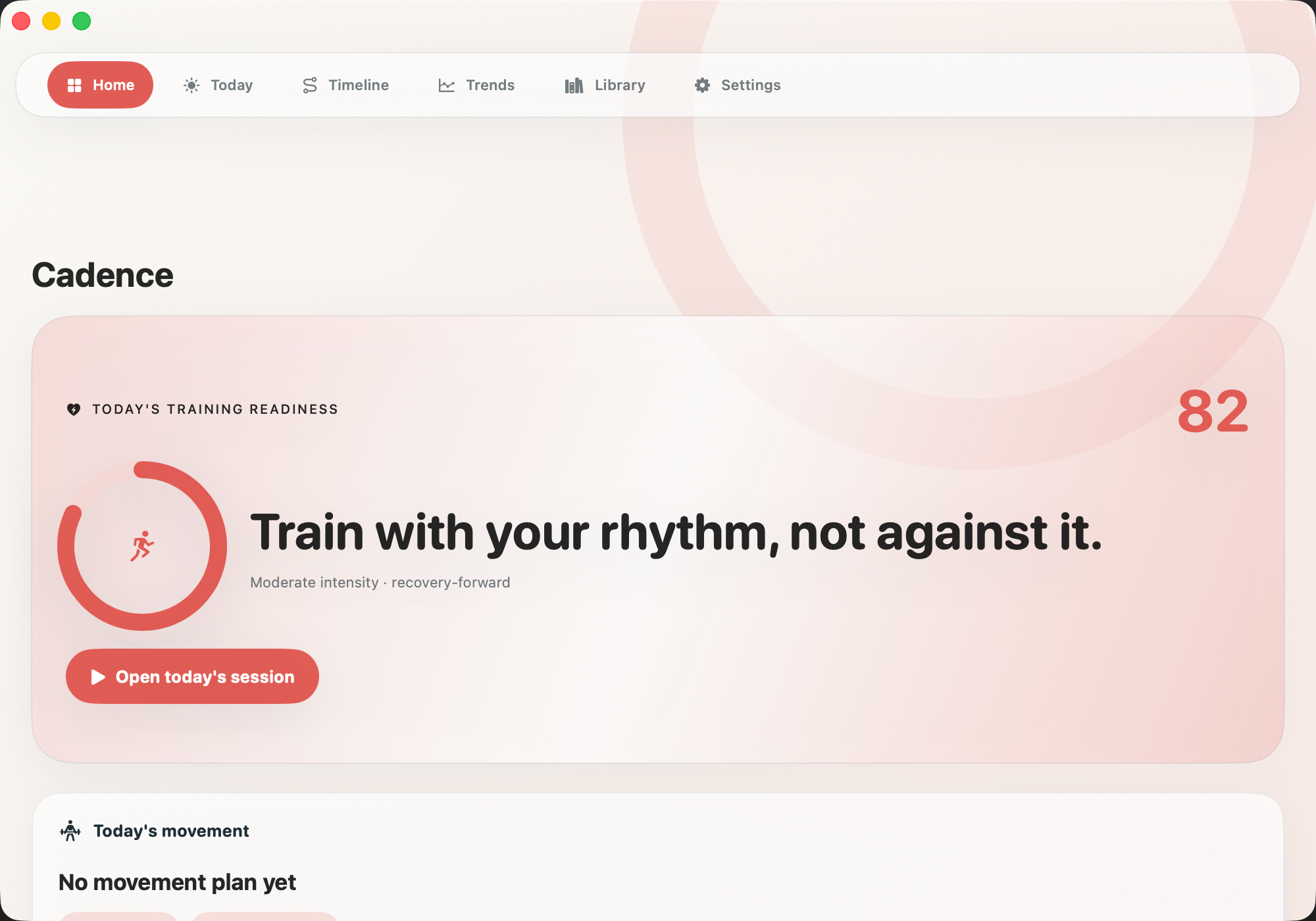
Cadence Cycle — Cycle aware fitness dashboard 1 / 1
Health & wellbeing49 / 75
Available now

Cadence Cycle

Train with your rhythm, not against it.

Cadence Cycle brings the signals around training into one calm local workspace. Record how a strength, cardio or recovery session fits current energy, recovery and cycle context, then keep movement plans and daily observations in one timeline instead of reconstructing the month from memory.

The readiness view turns today's context into a practical starting point, not a command. Trends help compare repeated movement, energy, hormone and recovery signals across useful ranges, while the educational library explains variable capacity and careful cycle comparison. A concise report is available when you want to review or share the record.

  • Training-context check-ins
  • A flexible daily plan
  • One private rhythm
  • Careful comparisons
Native macOSOn-deviceNo subscriptionApple notarizedDeveloper ID signed
One purchase · from $10macOS 15+
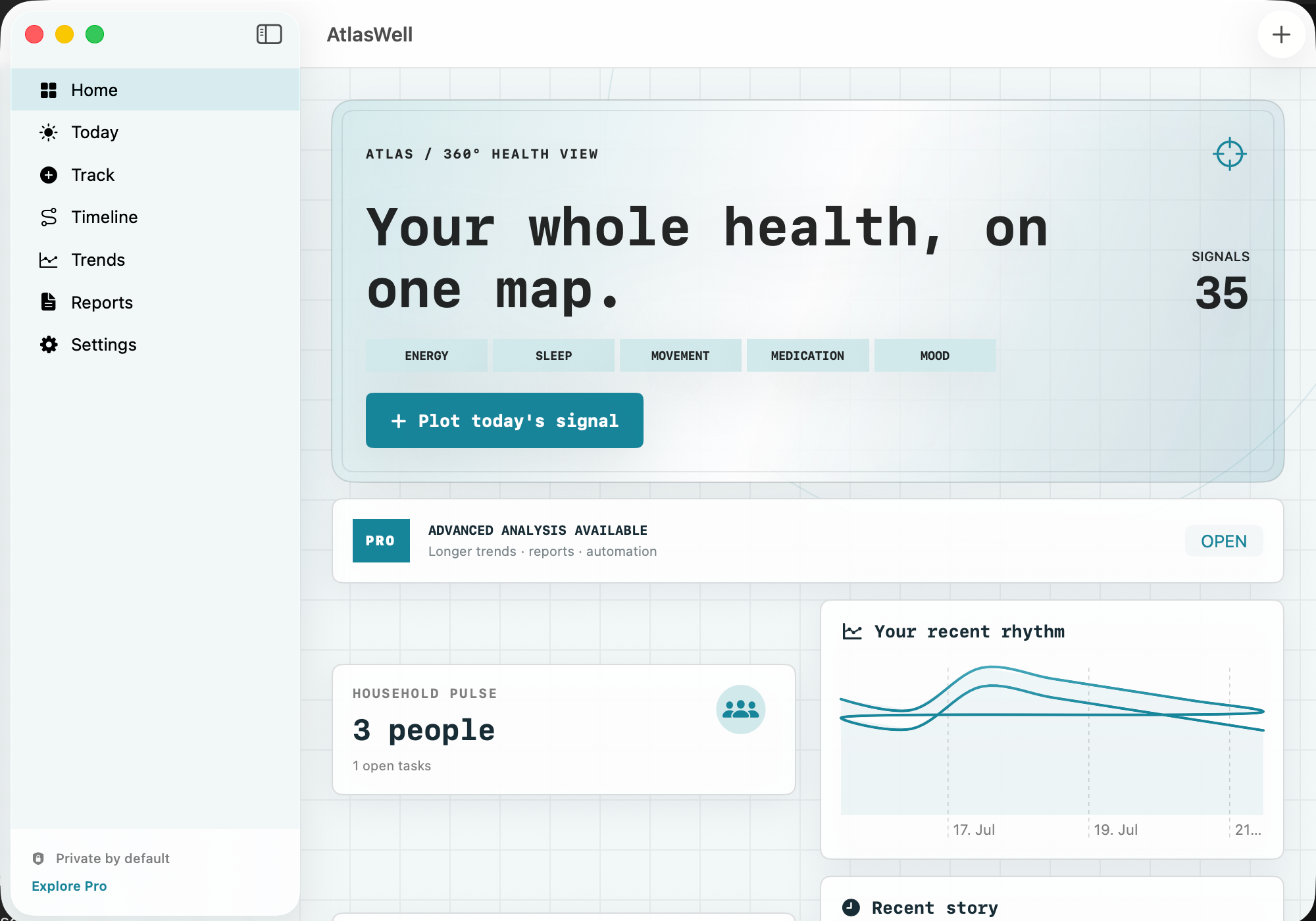
AtlasWell — Personal health dashboard app store reference 1 / 1
Health & wellbeing50 / 75
Available now

AtlasWell

Your whole health, on one map.

AtlasWell is a calm command center for the health details that otherwise end up split across notes, calendars and memory. Turn an open concern into a priority checkpoint, record what needs attention and the next useful action, then add energy, sleep, movement, medication and mood signals using consistent context.

The timeline keeps measurements, journal observations, treatments, tasks and appointments in order. Longer trends and normalized comparisons can make repeated signals easier to review, while the report workspace prepares a concise summary that you inspect before sharing. AtlasWell organizes the record; it does not decide what a pattern means or what care you need.

  • Priorities with a next step
  • Signals in one vocabulary
  • A chronological health story
  • Trends with restraint
Native macOSOn-deviceNo subscriptionApple notarizedDeveloper ID signed
One purchase · from $10macOS 15+
DermaLens — Visual skin journal app store reference 1 / 1
Health & wellbeing51 / 75
Available now

DermaLens

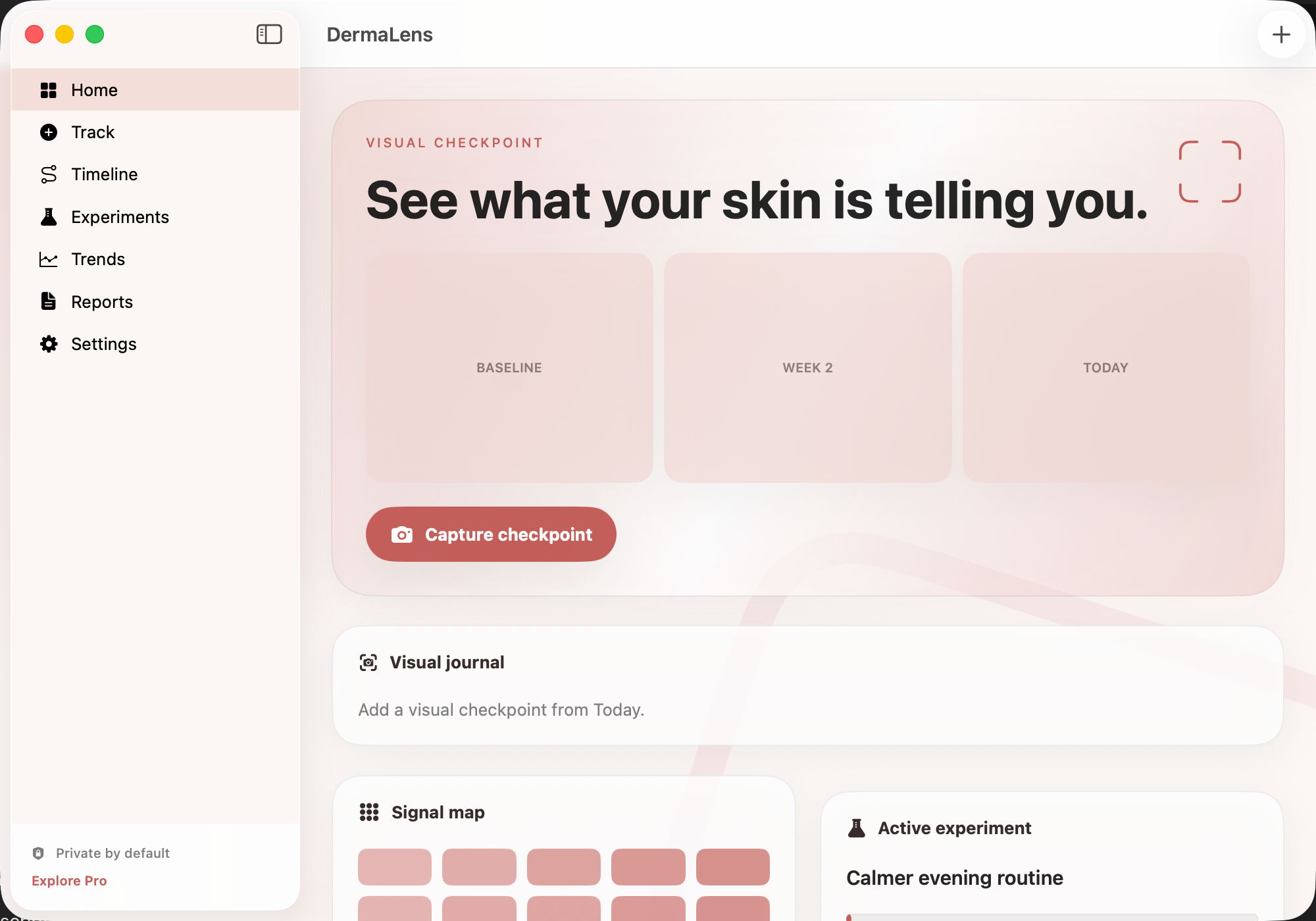
See what your skin is telling you.

DermaLens gives skin checkpoints a consistent home. Add an optional image, location and note, record severity, and tag itch, pain, flare, treatment or improvement so a later review has more context than a camera roll alone. Using similar light, distance and framing can make your own comparisons more useful.

The timeline keeps checkpoints beside daily context and treatment observations. A focused experiment can hold one routine question, hypothesis, primary signal and observation window, while longer trends and a concise report help you prepare the history you want to review or share. DermaLens stores the record; it does not inspect a photo and tell you what condition it shows.

  • Comparable visual checkpoints
  • Useful context beside the photo
  • One private skin timeline
  • Bounded experiments
Native macOSOn-deviceNo subscriptionApple notarizedDeveloper ID signed
One purchase · from $10macOS 15+
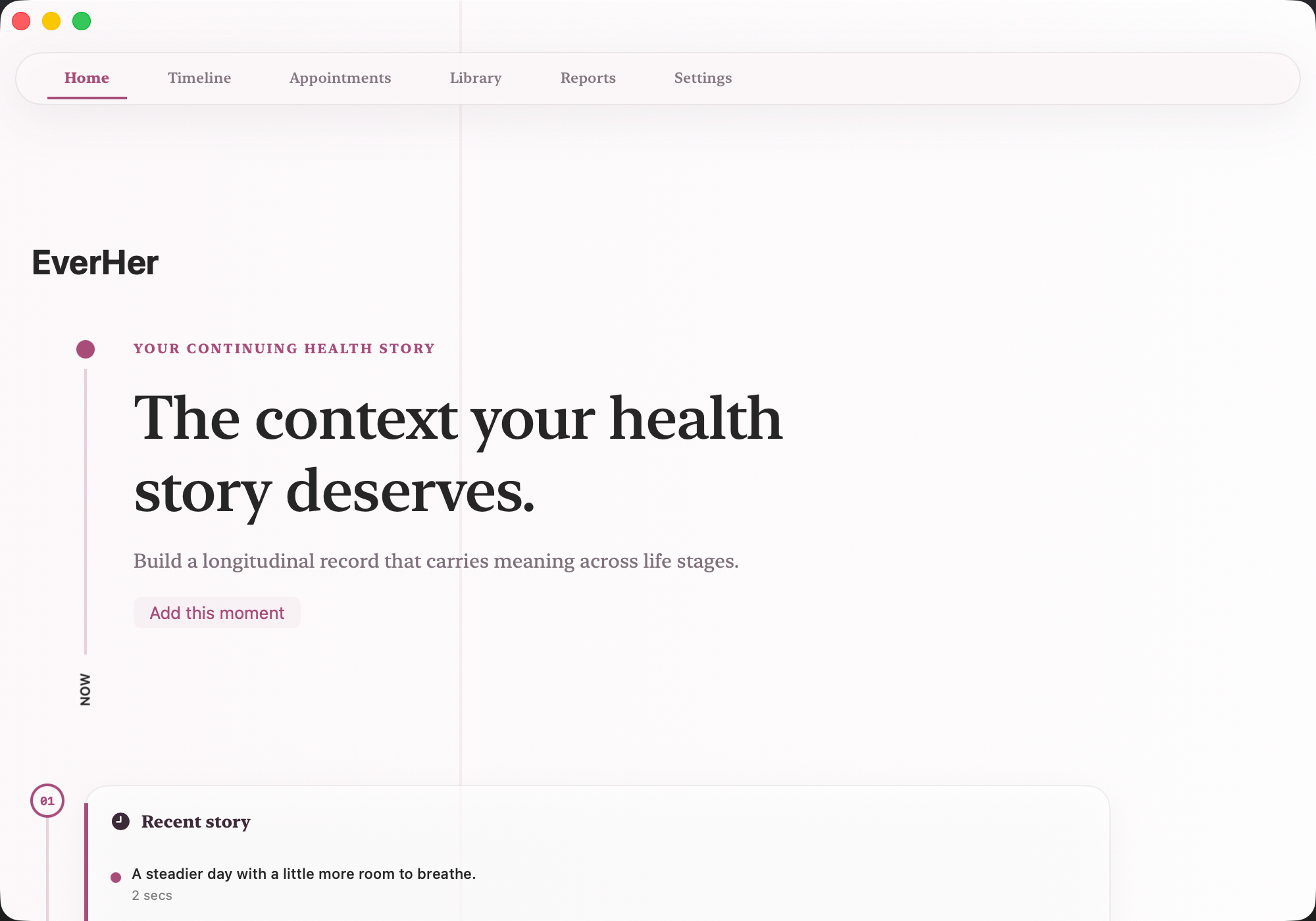
EverHer — Lifespan health timeline 1 / 1
Health & wellbeing52 / 75
Available now

EverHer

The context your health story deserves.

EverHer gives a long health story one durable home. Add a milestone, diagnosis, treatment, transition or decision with its date, significance and surrounding context, then keep hormone, recovery, mood, medication and sleep observations beside the same history. An optional image can preserve a useful document or visual reference when the event calls for one.

The timeline keeps observations, treatments, appointments and decisions in chronological order across life stages. Appointment preparation helps gather priorities and questions before a conversation, while longer trends and a concise report make the record easier to review. EverHer preserves what happened and what mattered to you; it does not infer what a transition means or why a change occurred.

  • Milestones with meaning
  • One lifespan timeline
  • Context across domains
  • Appointment preparation
Native macOSOn-deviceNo subscriptionApple notarizedDeveloper ID signed
One purchase · from $10macOS 15+
Fourth Bloom — Postpartum recovery dashboard 1 / 1
Health & wellbeing53 / 75
Available now

Fourth Bloom

Care for the person becoming, too.

Fourth Bloom centers the postpartum person's recovery alongside the work of caregiving. Create a recovery checkpoint, rate current capacity and record what is changing in comfort, mobility, mood, sleep or support. The Today view keeps immediate context visible without turning one rating into a medical conclusion or a command about what you should do.

Care Circle makes practical support visible, while the timeline keeps recovery checkpoints, appointments and changes in support in chronological order. A focused educational library provides general context, and local backup, restore and erase controls keep the record in your hands. Fourth Bloom helps organize a personal account between conversations with qualified care professionals; it does not screen for complications.

  • Recovery checkpoints
  • Today's context
  • A practical care circle
  • A chronological record
Native macOSOn-deviceNo subscriptionApple notarizedDeveloper ID signed
One purchase · from $10macOS 15+
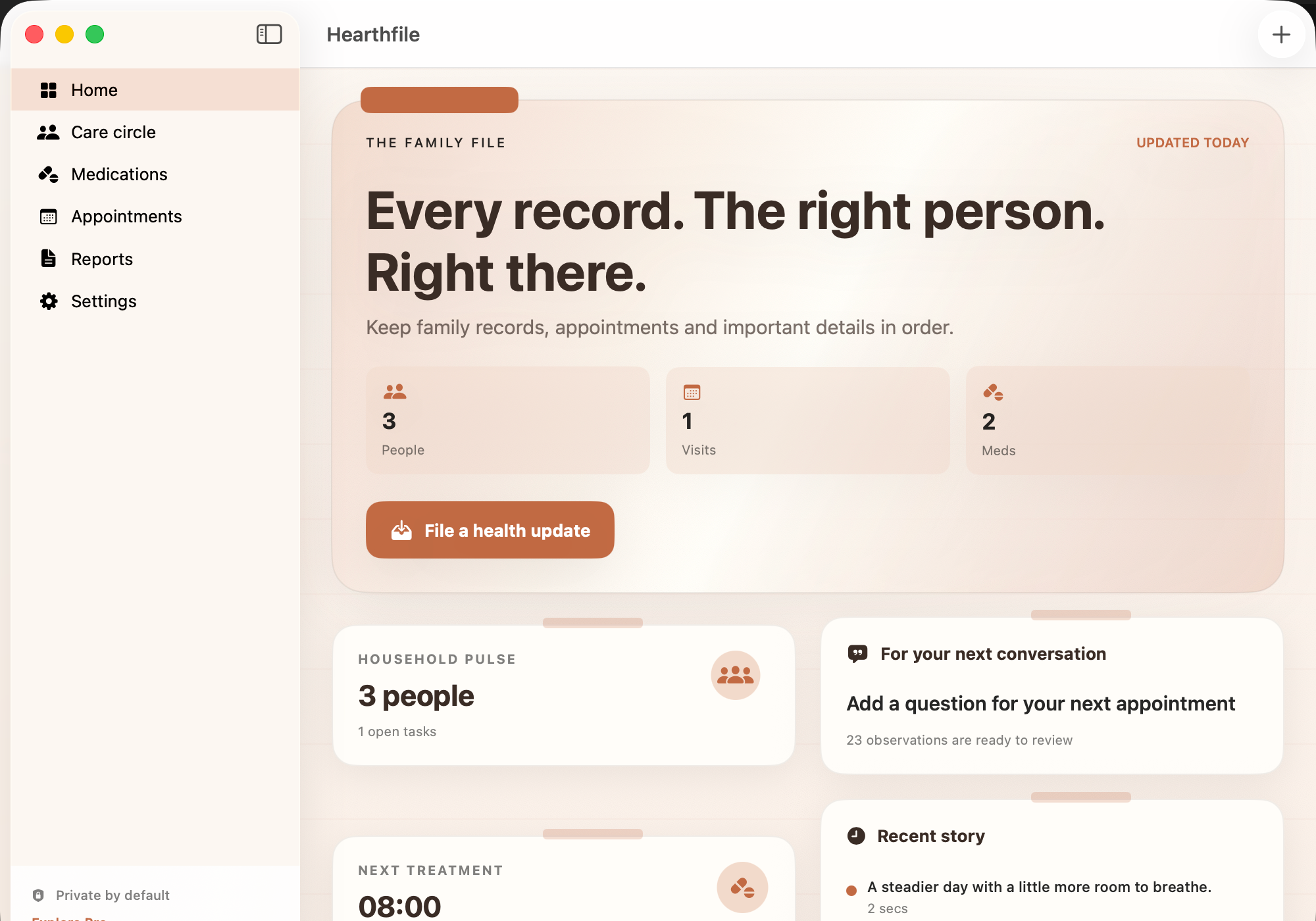
Hearthfile — Family health dashboard app store reference 1 / 1
Health & wellbeing54 / 75
Available now

Hearthfile

Every record. The right person. Right there.

Hearthfile gives a household's health administration one dependable home. Add a family record update for a result, insurance detail, allergy, history or document, attach it to the right person, and keep an optional image when the record benefits from a visual reference. Medication schedules, care tasks and appointments sit beside that history instead of being scattered across calendars and notes.

Appointment preparation gathers priorities, questions and recent context before a visit. The care board makes owners and due dates visible, while an emergency or appointment summary can be reviewed and trimmed before it is shared. Hearthfile organizes the facts you enter; it does not interpret them or decide what care someone needs.

  • Records attached to people
  • Medication and appointment context
  • A practical care board
  • Summaries you review first
Native macOSOn-deviceNo subscriptionApple notarizedDeveloper ID signed
One purchase · from $10macOS 15+
HerSpan — Womens lifespan health dashboard app store reference 1 / 1
Health & wellbeing55 / 75
Available now

HerSpan

One health story, through every chapter.

HerSpan treats women's health as a connected lifespan rather than a set of unrelated episodes. Add a chapter note around cycle, fertility, pregnancy, midlife or preventive care, rate its impact and keep hormone, mood, movement, recovery and sleep observations beside the same long view.

The timeline preserves milestones, treatments and appointments in order. Preventive-care guidance helps turn longer patterns into concise questions, and the report workspace lets you review what is relevant before sharing anything. HerSpan preserves the context you enter without inferring what a transition means or why a signal changed.

  • Health chapters with context
  • One longitudinal timeline
  • Signals across domains
  • Preventive-care preparation
Native macOSOn-deviceNo subscriptionApple notarizedDeveloper ID signed
One purchase · from $10macOS 15+
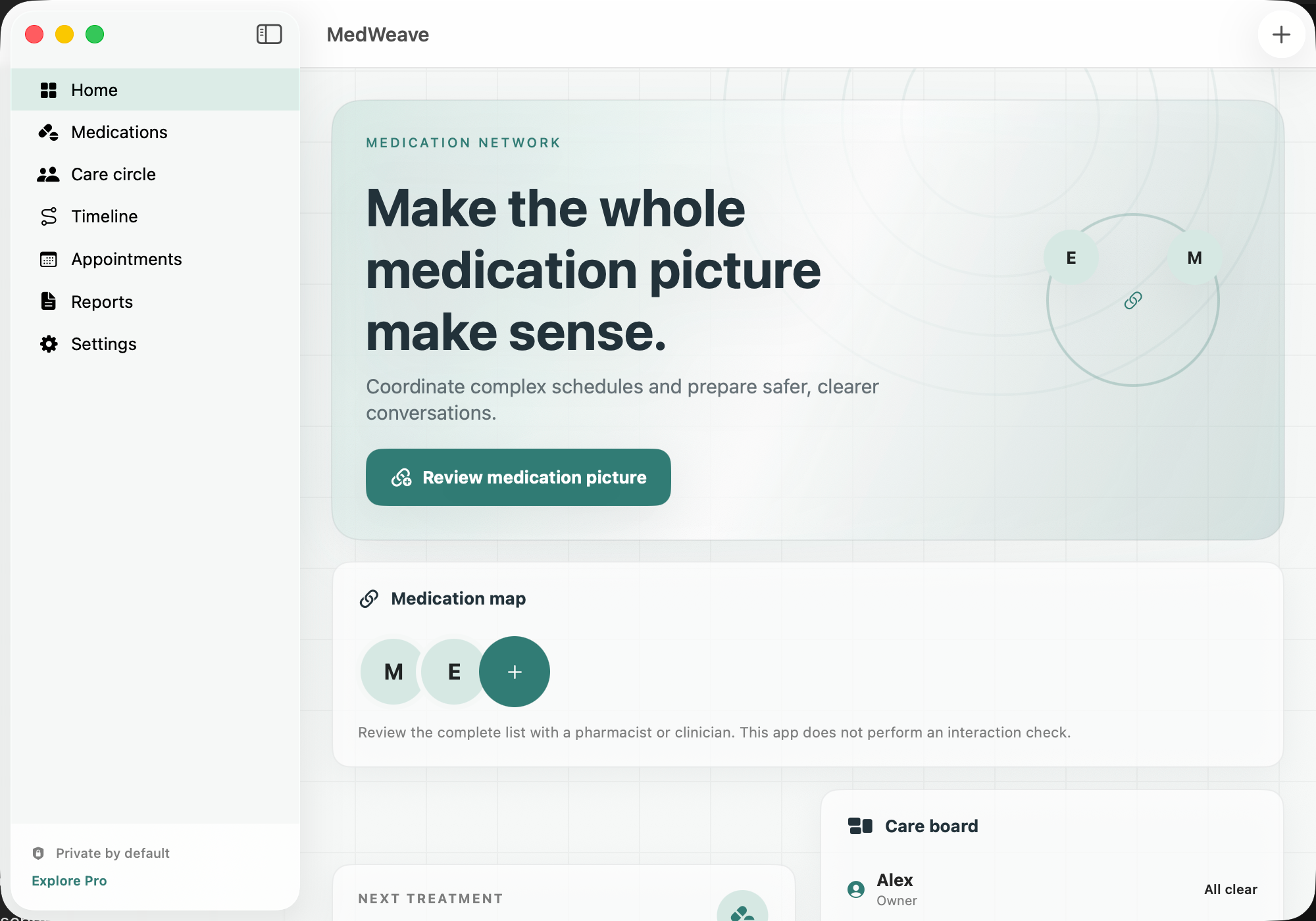
MedWeave — Medication guide dashboard app store reference 1 / 1
Health & wellbeing56 / 75
Available now

MedWeave

Make the whole medication picture make sense.

MedWeave is built around medication reconciliation: compare the active list with labels, discharge notes and clinician records, then keep name, dose, schedule, refill context, expected benefit and side effects together. A medication-review note can flag a duplicate, schedule issue, refill, side effect or question and attach an optional label image for later reference.

The care board and appointment workspace turn a complex regimen into concrete questions for a pharmacist or clinician. A chronological timeline helps show what changed and when, while the report is something you inspect before sharing. MedWeave records the list and your observations; it never tells you to combine, skip, start or stop a medicine.

  • Medication reconciliation
  • Schedules and observed effects
  • Review notes, not prescriptions
  • Appointment-ready questions
Native macOSOn-deviceNo subscriptionApple notarizedDeveloper ID signed
One purchase · from $10macOS 15+
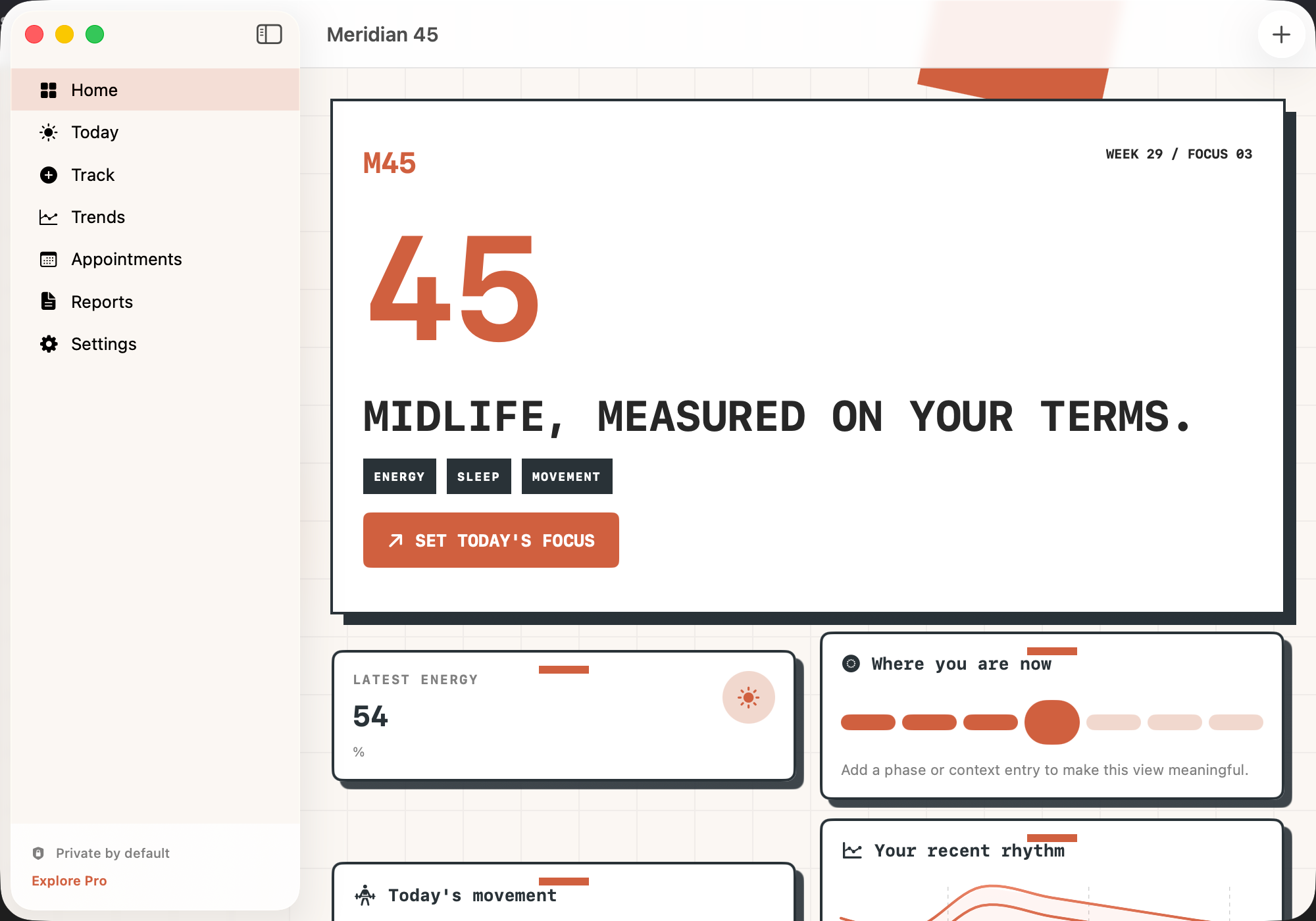
Meridian 45 — Midlife health dashboard app store reference 1 / 1
Health & wellbeing57 / 75
Available now

Meridian 45

Midlife, measured on your terms.

Meridian 45 gives changing midlife priorities one focused dashboard. Record a weekly marker across energy, strength, sleep, metabolic health or preventive care, rate current momentum and add the context that may matter before the week blurs into the next one.

Energy, hormone, movement and sleep signals can be reviewed over longer ranges, while the planning workspace helps choose a small number of priorities for the next week or 90 days. Appointment preparation turns the relevant context into questions you control. The app helps organize repeated observations; it does not interpret them as a diagnosis or forecast.

  • Weekly midlife markers
  • A focused dashboard
  • Small planning horizons
  • Trends with restraint
Native macOSOn-deviceNo subscriptionApple notarizedDeveloper ID signed
One purchase · from $10macOS 15+
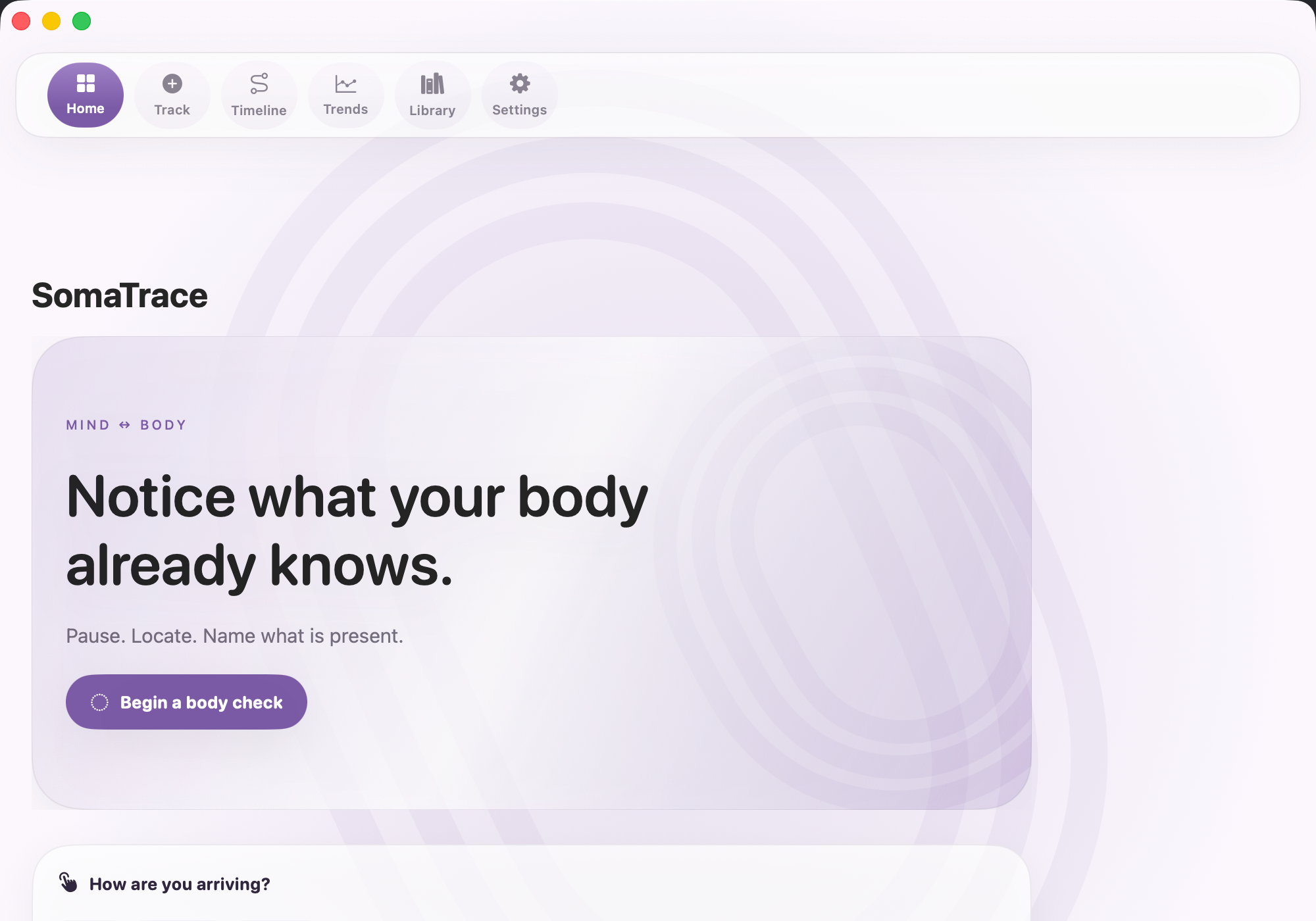
SomaTrace — Mind body dashboard app store reference 1 / 1
Health & wellbeing58 / 75
Available now

SomaTrace

Notice what your body already knows.

SomaTrace provides a repeatable way to describe a mind-body moment. Record where you notice a sensation, its quality and intensity, and tag tension, ease, activation, fatigue or emotion. The same short check-in can be used over time so a later review compares like with like.

Mood, stress, energy and sleep observations sit in the same chronological local record. Trends can reveal that two things moved together, while a focused guidance library encourages neutral descriptions and consistent timing. SomaTrace supports reflection and clearer conversations; it does not decide what a sensation means.

  • Sensation traces
  • Repeatable check-ins
  • One mind-body timeline
  • Patterns without conclusions
Native macOSOn-deviceNo subscriptionApple notarizedDeveloper ID signed
One purchase · from $10macOS 15+
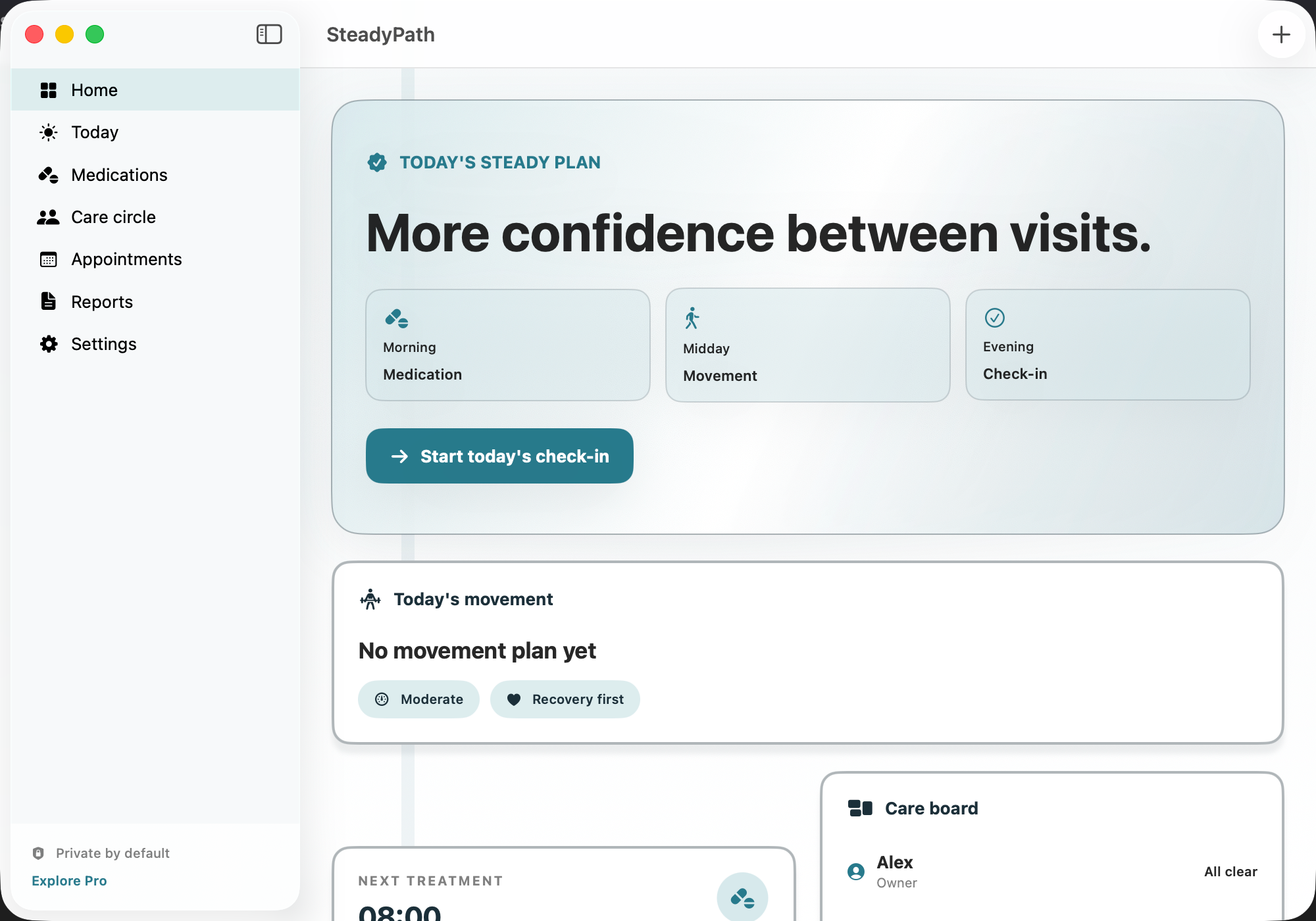
SteadyPath — Movement companion dashboard app store reference 1 / 1
Health & wellbeing59 / 75
Available now

SteadyPath

More confidence between visits.

SteadyPath turns a difficult-to-reconstruct day into concrete observations. Record a movement window, rate difficulty and tag steady movement, slowness, freezing, tremor or a medication window, then note what function was affected and when it happened.

Medication schedules, care-circle routines and appointment questions stay beside the same history. Repeated entries can help prepare a clearer on/off pattern note for a care team, while reports remain under your review. SteadyPath supports communication and routines; it does not measure neurological status or change treatment.

  • Movement windows
  • Medication timing nearby
  • Routines that remain human
  • Concrete appointment preparation
Native macOSOn-deviceNo subscriptionApple notarizedDeveloper ID signed
One purchase · from $10macOS 15+
Jobomate — Capture 1 / 24
Work & market60 / 75
Available now

Jobomate

Job search command center · Human approval wall · Local-first.

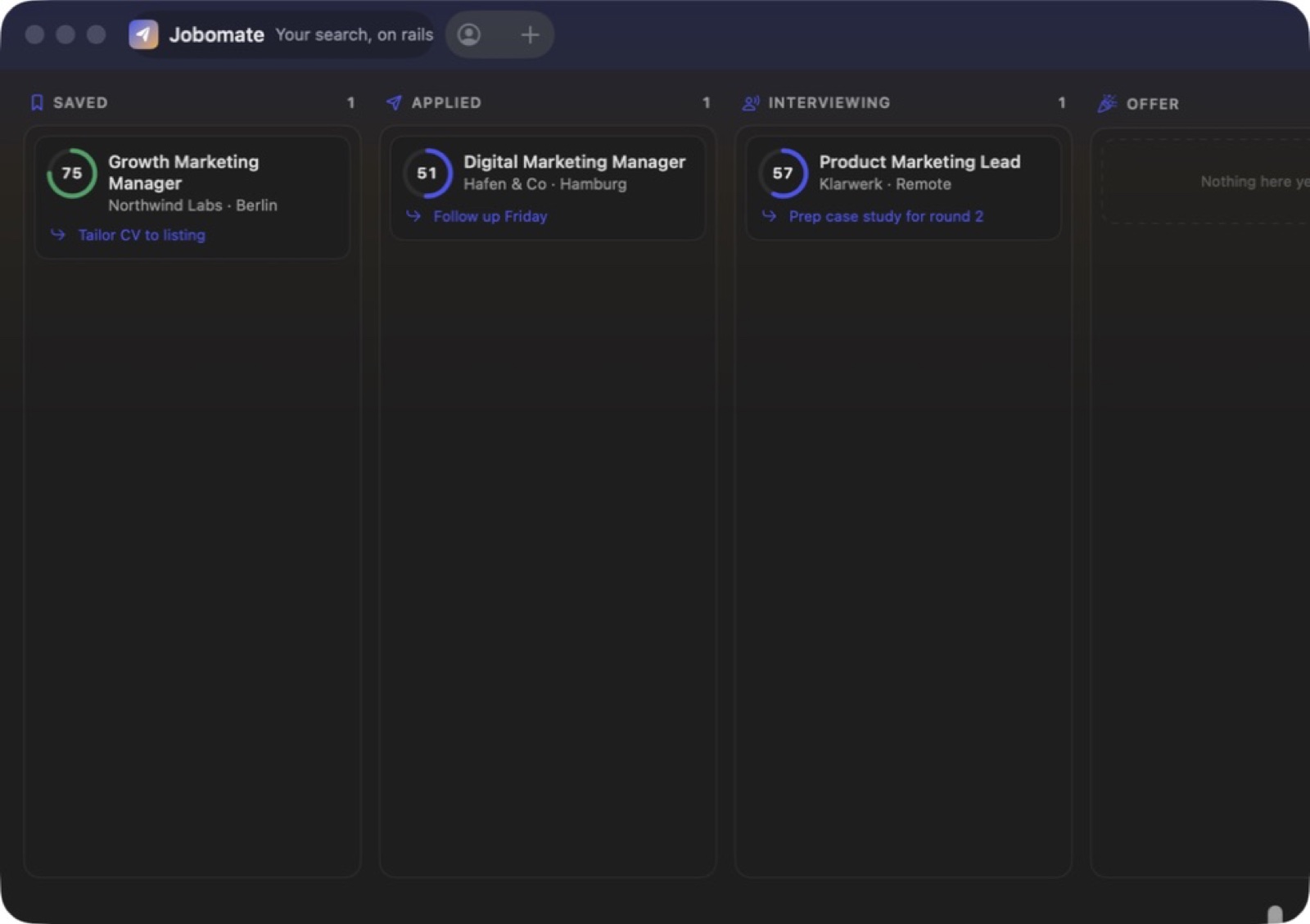
Roles come from public APIs, ATS boards, company career pages, pasted URLs, browser-assisted extraction or manual import. A candidate profile built from your CV and constraints is used to rank them, so the list is filtered by your actual requirements rather than by keyword soup.

Drafting produces a tailored email and cover letter per role. Nothing leaves the machine until you approve it. Sending goes through your own Gmail, Microsoft Graph or SMTP account with spacing limits, quiet hours and an audit log — so a mass-application script cannot run away with your professional reputation.

  • Approval wall
  • Your account, your domain
  • Rate discipline
Native macOSOn-deviceNo subscriptionApple notarizedDeveloper ID signed
One purchase · from $10macOS 12+ · Apple silicon
Cadence Email Sequences — Sequence overview 1 / 7
Work & market61 / 75
Available now

Cadence Email Sequences

Email journeys · Branching logic · Private drafting & export.

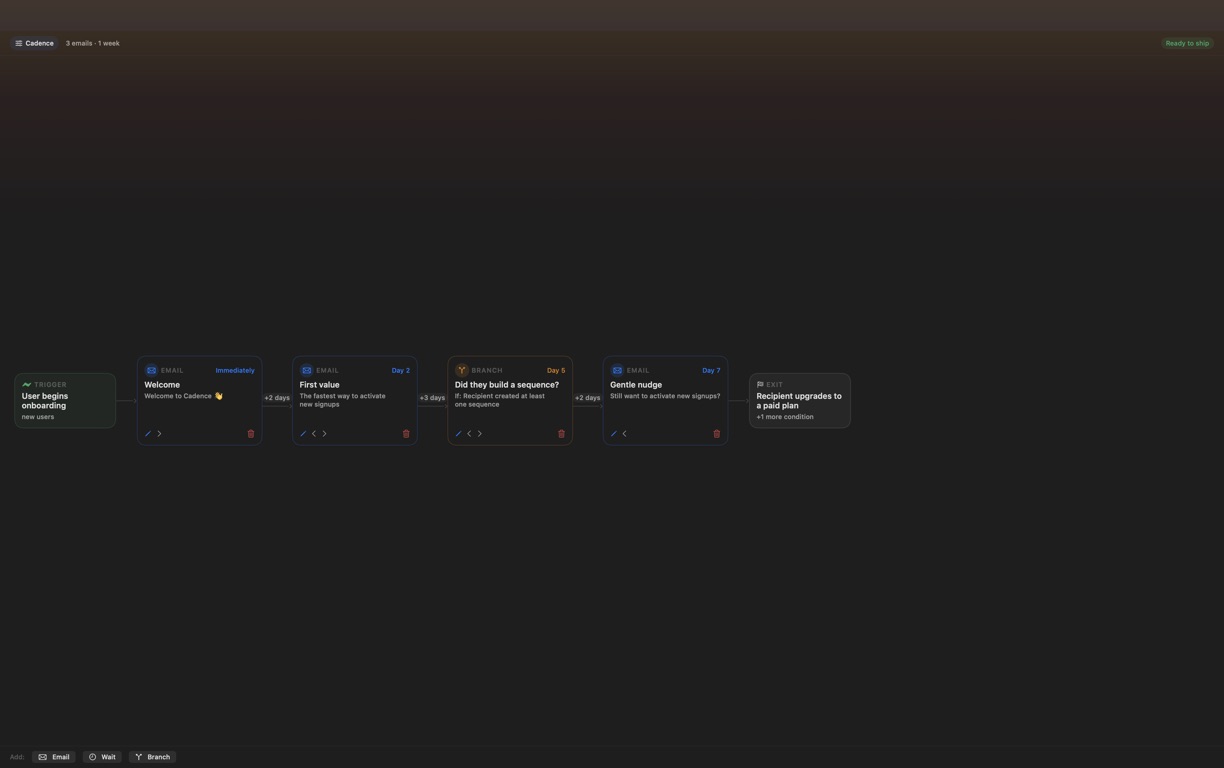
A good lifecycle campaign is more than a stack of drafts. Cadence puts the whole journey on one left-to-right board: who enters, what the sequence is trying to change, when each message fires, where a condition changes the path and which events should remove someone before the next send. Cumulative timing stays visible, so a three-day wait is understood in the context of the entire sequence rather than as an isolated setting.

Each email step carries its subject, preheader and full body. You can write directly, ask Cadence's built-in deterministic templates for a complete first draft, or use an optional provider for copy shaped by the audience, goal, trigger, prior subject lines and exit conditions. Apple Intelligence can run on-device where supported; Ollama and LM Studio stay on your local network; cloud models use an API key you supply and Cadence stores in the macOS Keychain.

  • Trigger-to-exit journey board
  • Complete copy at every step
  • AI is optional
  • Deterministic preflight
Native macOSOn-deviceNo subscriptionApple notarizedDeveloper ID signed
One purchase · from $10macOS 14+
Vantage Competitor Intel — Competitive landscape 1 / 6
Work & market62 / 75
Available now

Vantage Competitor Intel

Messaging landscape · Positioning gaps · Private battlecards.

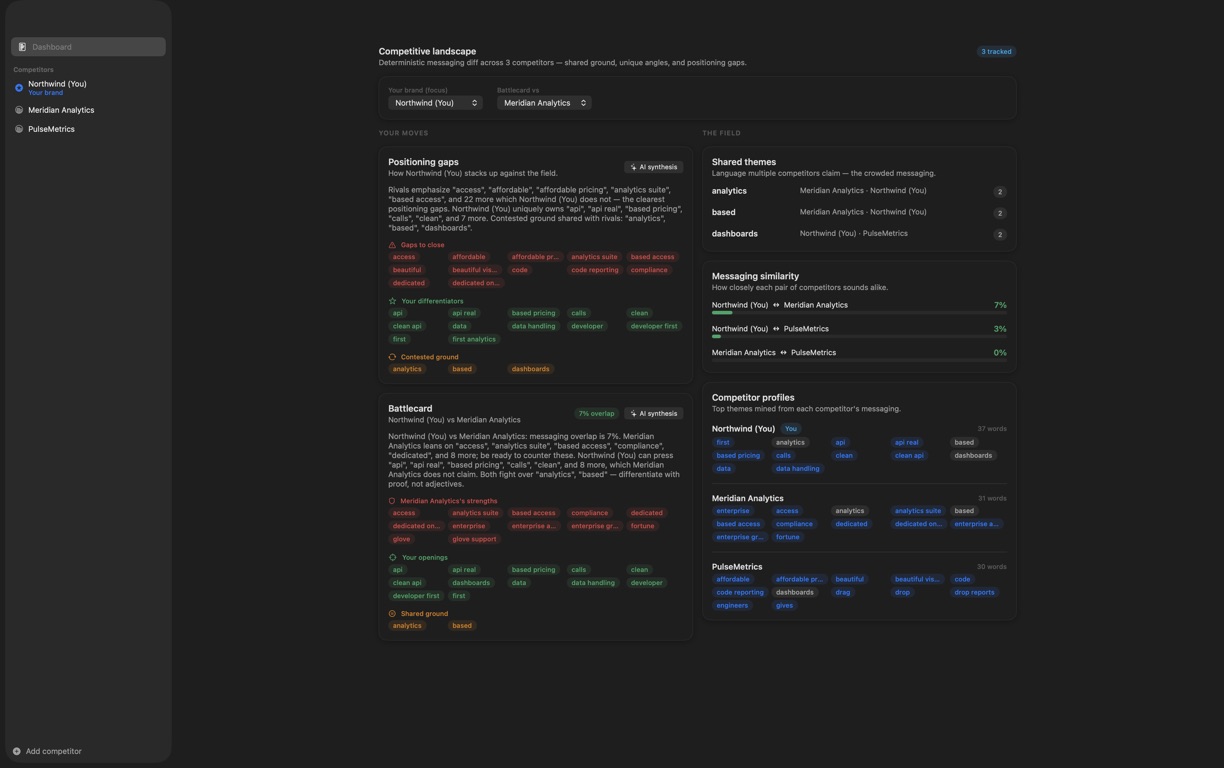
Competitive research often ends as scattered browser tabs, copied headlines and a spreadsheet nobody wants to interpret. Vantage gives the work one native Mac workspace. Add each brand, paste the homepage hero, tagline, product blurbs or other messaging you have already collected, and mark your own brand as the reference point. URLs remain reference fields; the app does not crawl them or pretend that a saved link is current evidence.

The analysis engine runs locally and does not need a model. It extracts and compares themes across every usable profile, identifies language shared by multiple competitors, highlights terms that are distinctive to one brand and calculates pairwise messaging similarity. Against the focus brand, Vantage organizes the result into gaps to close, differentiators to amplify and contested ground where everyone sounds alike.

  • Manual evidence, clear provenance
  • Competitive landscape
  • Focus-brand gap analysis
  • Head-to-head battlecards
Native macOSOn-deviceNo subscriptionApple notarizedDeveloper ID signed
One purchase · from $10macOS 14+
Persona Audience Studio — Audience personas 1 / 6
Work & market63 / 75
Available now

Persona Audience Studio

Audience segments · Message fit · Private reports.

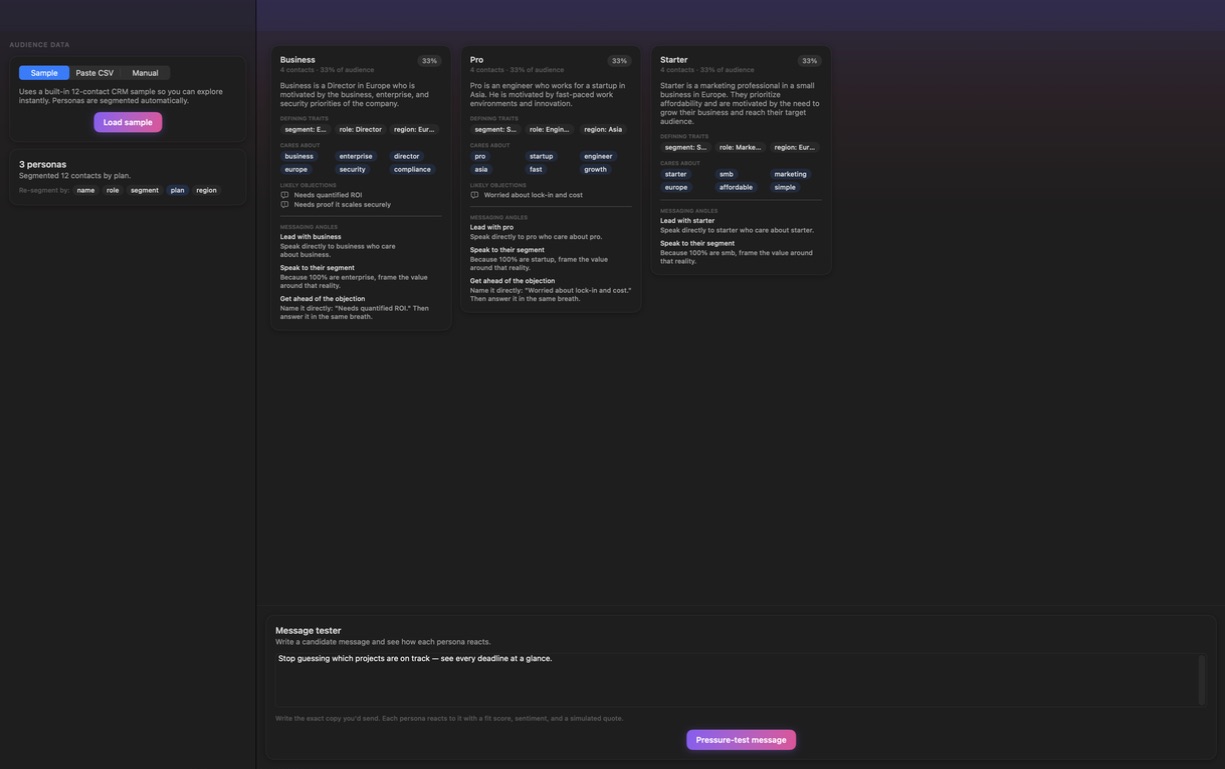
Audience work often starts with a useful export and stalls in a spreadsheet. Persona Audience Studio gives that data a focused native Mac workspace. Load the built-in sample or paste a CSV whose first row contains column headers, optionally choose the field to segment on, and build an audience study without connecting a CRM, creating an account or sending the table to an IndepApps service.

The deterministic engine groups contacts by a useful categorical field and can be rerun against another eligible column. It keeps every supplied contact represented, folds very small overflow groups into an Other segment when needed, and supports up to 24 persona groups. Each card turns its segment into defining traits, a plain-language summary, priorities, likely objections and three concrete messaging angles. When a contact table is not available, the Manual mode builds profiles from a name and simple key-value attributes instead.

  • CSV to audience study
  • Resegment in one click
  • Practical persona cards
  • Manual persona builder
Native macOSOn-deviceNo subscriptionApple notarizedDeveloper ID signed
One purchase · from $10macOS 14+
Timbre — Brand voice score 1 / 6
Work & market64 / 75
Available now

Timbre

Brand voice score · Exact flags · Re-scored rewrites.

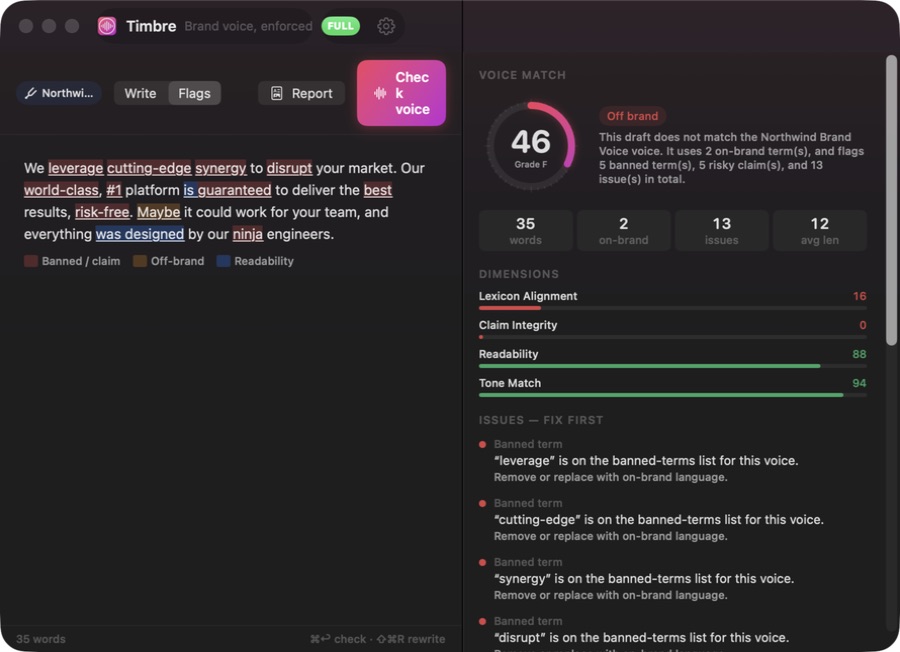
Timbre puts the draft and its voice inspector in one native Mac workspace. Start with the worked example or replace it with your own copy, then define the yardstick: a profile name, target tone attributes, preferred terms, words the brand avoids and claim phrases that should not appear. A manual Check voice action keeps the result tied to a known version of the draft, and Timbre tells you when the text has changed since that check.

The core analyzer is deterministic and needs no model or account. It produces an overall score and letter grade from four visible dimensions — lexicon alignment, claim integrity, readability and tone match — then highlights the exact spans behind the result. Configured banned terms and claims receive the strongest warnings; confident-tone hedges, likely passive constructions and long sentences are surfaced as heuristic editorial signals. The inspector ranks issues, explains each one and proposes a next step instead of hiding the score behind a single number.

  • Custom voice yardstick
  • Four transparent scores
  • Exact issue highlights
  • Copyable voice report
Native macOSOn-deviceNo subscriptionApple notarizedDeveloper ID signed
One purchase · from $10macOS 14+
Refract — All platform variants within limits 1 / 2
Work & market65 / 75
Available now

Refract

One brief · Nine validated ads · Editable reports.

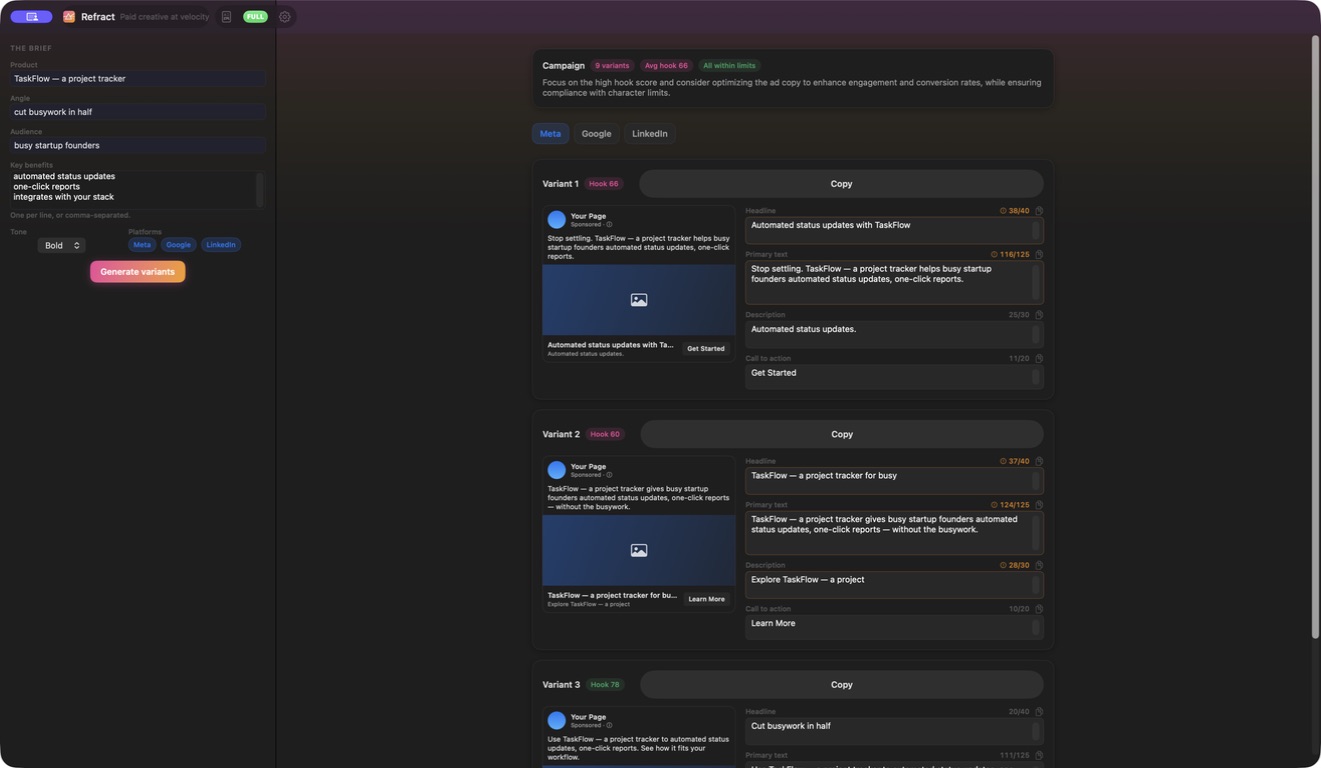
Refract keeps the campaign brief and the generated ad set in one native Mac window. Enter the product, angle, audience and concrete benefits, choose a bold, friendly, professional or playful tone, and select the destinations you need. With all three platforms selected, the same brief becomes three Meta variants, three Google variants and three LinkedIn variants, each split into headline, primary text, description and call-to-action fields.

Every variant remains editable. Refract shows the text inside a platform-shaped preview and counts each field as you type using Unicode grapheme clusters. The visible budget changes by platform and field, with near-limit and over-limit states surfaced immediately. Its 0–100 hook score is deterministic: it rewards disclosed copy signals such as useful hook words, an appropriately sized headline, a question or number, a concrete CTA and substantive primary text, while penalizing empty or over-limit fields. It is a drafting heuristic, not a forecast of clicks or conversions.
  • One structured campaign brief
  • Three variants per platform
  • Editable destination previews
  • Live character budgets
Native macOSOn-deviceNo subscriptionApple notarizedDeveloper ID signed
One purchase · from $10macOS 14+
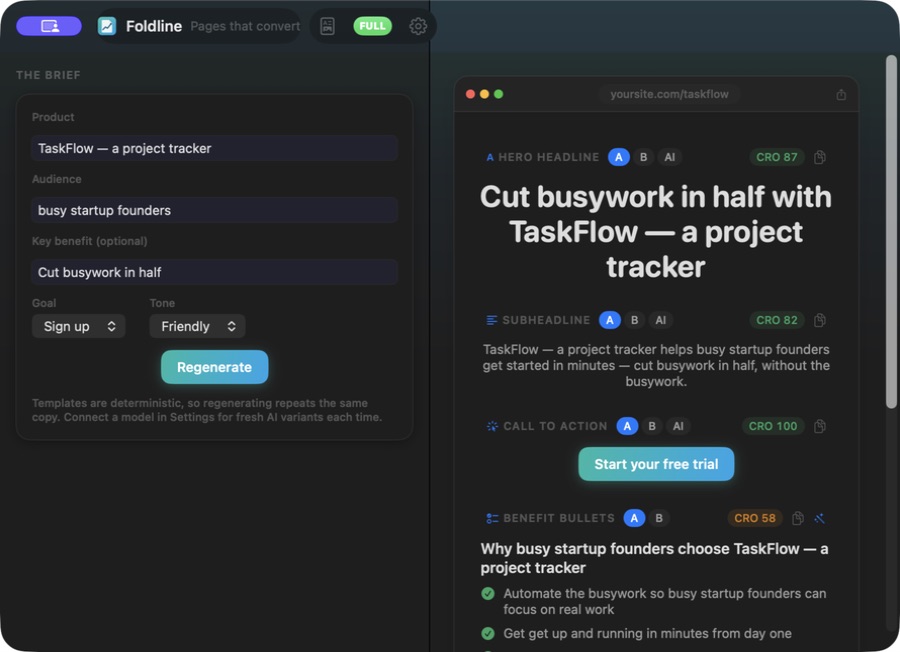
Foldline — Landing page copy builder 1 / 6
Work & market66 / 75
Available now

Foldline

One brief · Complete landing-page copy · Transparent CRO scores.

Foldline keeps the brief and the resulting page in one native Mac window. Enter the product, target audience and an optional key benefit, choose whether the page should drive a sign-up, purchase, demo, download, subscription or sales contact, and select a friendly, professional, bold, playful or urgent tone. The local generator turns those inputs into five familiar landing-page blocks: hero headline, supporting subheadline, call to action, benefit bullets and FAQ.

Every block has deterministic A and B variants rather than one take-it-or-leave-it answer. Foldline shows the selected copy in a page-shaped preview, lets you switch variants independently and provides copy controls at block level. Regenerating the same brief without a model intentionally repeats the same output, which makes the built-in path reproducible. When a supported AI provider is available, the hero, subheadline and CTA can receive an additional AI variant, and individual lines can be sent for an optional rewrite.

  • One structured page brief
  • Five page-ready blocks
  • Independent A/B choices
  • Transparent CRO heuristics
Native macOSOn-deviceNo subscriptionApple notarizedDeveloper ID signed
One purchase · from $10macOS 14+
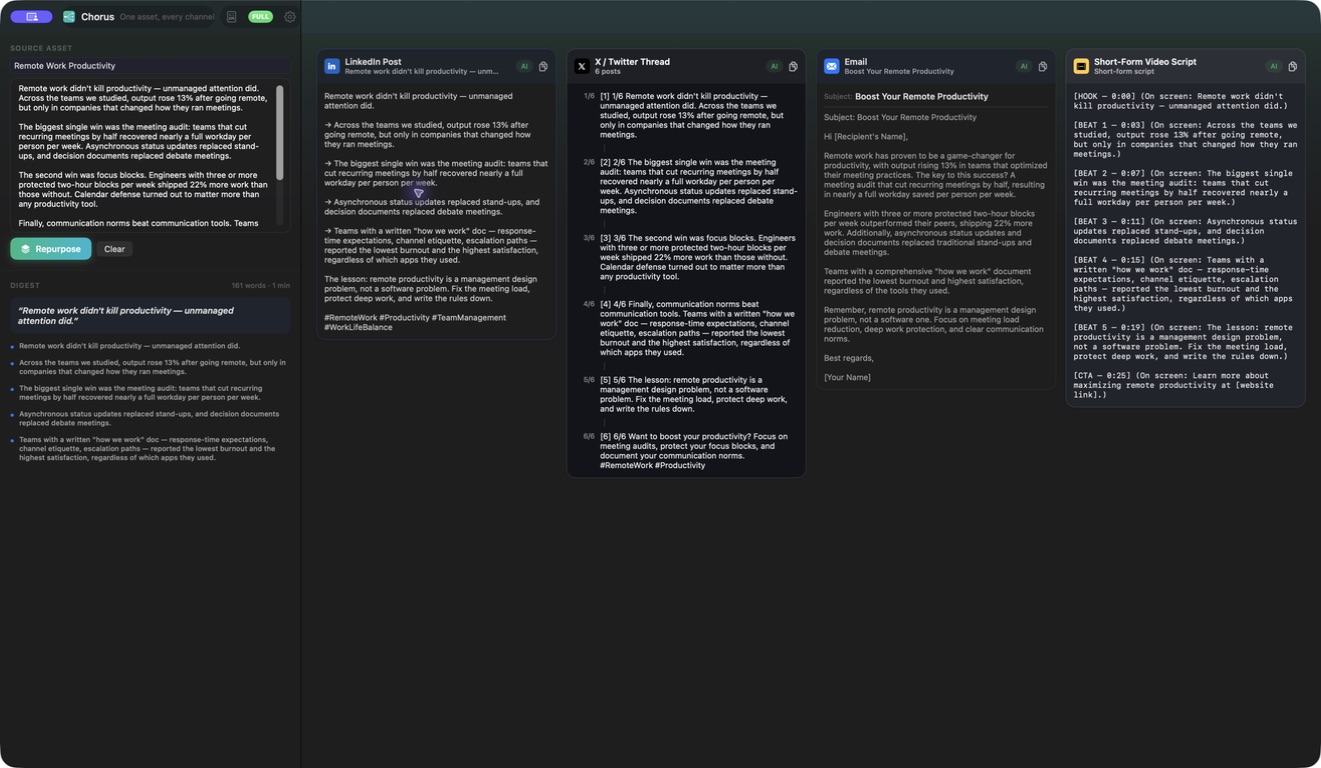
Chorus — Four channel overview 1 / 6
Work & market67 / 75
Available now

Chorus

One source · Four channel drafts · Complete content report.

Chorus starts from material you already have. Paste an article or transcript into the source workspace and generate a content pack once the input reaches 20 words. Before presenting channel drafts, the app builds a deterministic digest that identifies the source title, central idea and key points. That compact source view stays beside the outputs so each adaptation can be checked against the material it came from.

One generation produces four channel-shaped outputs: a LinkedIn post, a numbered X thread, a marketing email and a short-video script. These are not the same paragraph copied four times. Each deterministic template has its own structure, length and conventions, and the interface separates the channels for review. Copy controls let you take one finished output at a time, while the full Markdown content-pack report combines the source digest and all four drafts for a single handoff.

  • Source-first digest
  • Four channel formats
  • Channel-specific structure
  • Per-channel fallback
Native macOSOn-deviceNo subscriptionApple notarizedDeveloper ID signed
One purchase · from $10macOS 14+
Cited — Citability score overview 1 / 6
Work & market68 / 75
Available now

Cited

Answer-engine readiness · Checkable claims · Fix-first reports.

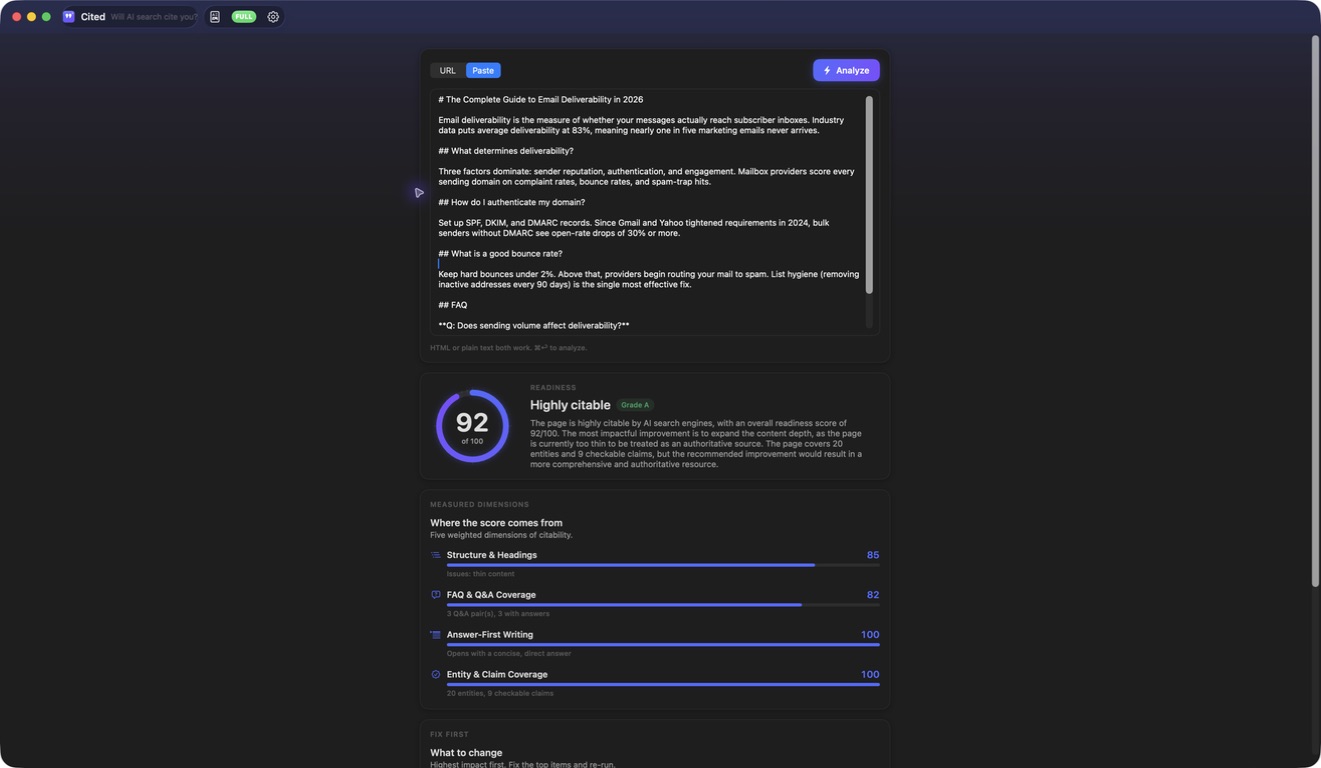
Cited gives AI-search content review a focused native Mac workspace. Enter one public HTTP or HTTPS URL, paste HTML, or paste plain text. For a URL, the app retrieves one raw response; for pasted material, it analyzes exactly what you supply. The deterministic audit then extracts readable content and exposes the title, word count, headings, FAQ patterns, structured-data signals, named entities and checkable claims behind its result.

The 0–100 readiness grade is a disclosed heuristic built from five dimensions: structure and headings, FAQ or question-and-answer coverage, structured data when HTML is available, answer-first writing, and entity and claim coverage. Cited shows each dimension separately, lists detected signals and turns weak areas into prioritized recommendations. The score is designed to make an editorial preflight reviewable; it is not a search ranking model and does not claim access to a search engine's index or citation systems.

  • URL, HTML or text input
  • Five disclosed dimensions
  • Signals you can inspect
  • Fix-first recommendations
Native macOSOn-deviceNo subscriptionApple notarizedDeveloper ID signed
One purchase · from $10macOS 14+
IndexHalo — Public page source readability measured 1 / 9
Work & market69 / 75
Available now

IndexHalo

Evidence signals · Prioritised actions · Local reports.

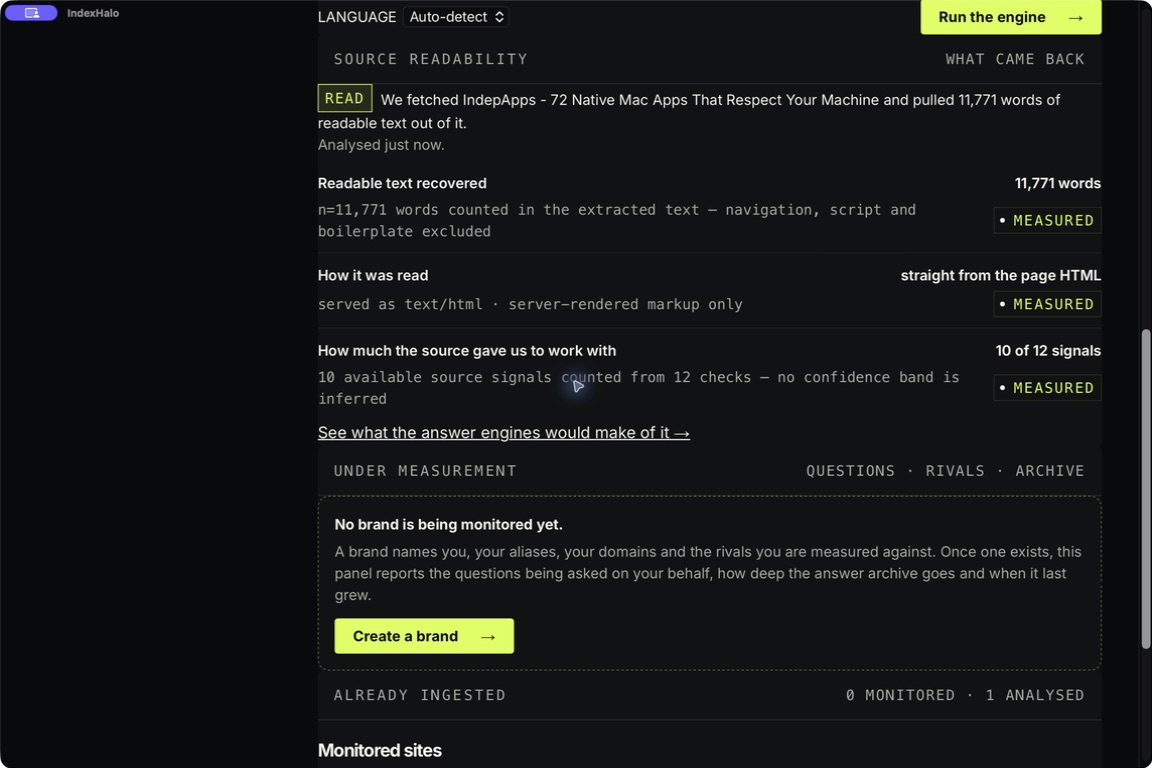
IndexHalo gives a writer or publisher a bounded evidence-readiness review of one source at a time. Start with a public-page URL, paste text directly, or open a local TXT, Markdown, HTML, CSV, TSV, JSON or XML file no larger than 8 MB. Pasted text and local files are processed on the Mac. A URL analysis contacts the page you enter because the app must retrieve that public response before it can inspect it.

The report separates measured signals from interpretation. It surfaces document structure, claims, source references and the boundaries of what the current run could observe, then preserves the supporting evidence beside each finding. That makes the result an inspectable editorial aid rather than a hidden score or a promise that a search system will cite the page.

  • Three supported entry paths
  • Measured evidence signals
  • Highest-impact action
  • Prioritised fix kit
Native macOSOn-deviceNo subscriptionApple notarizedDeveloper ID signed
One purchase · from $10macOS 13+
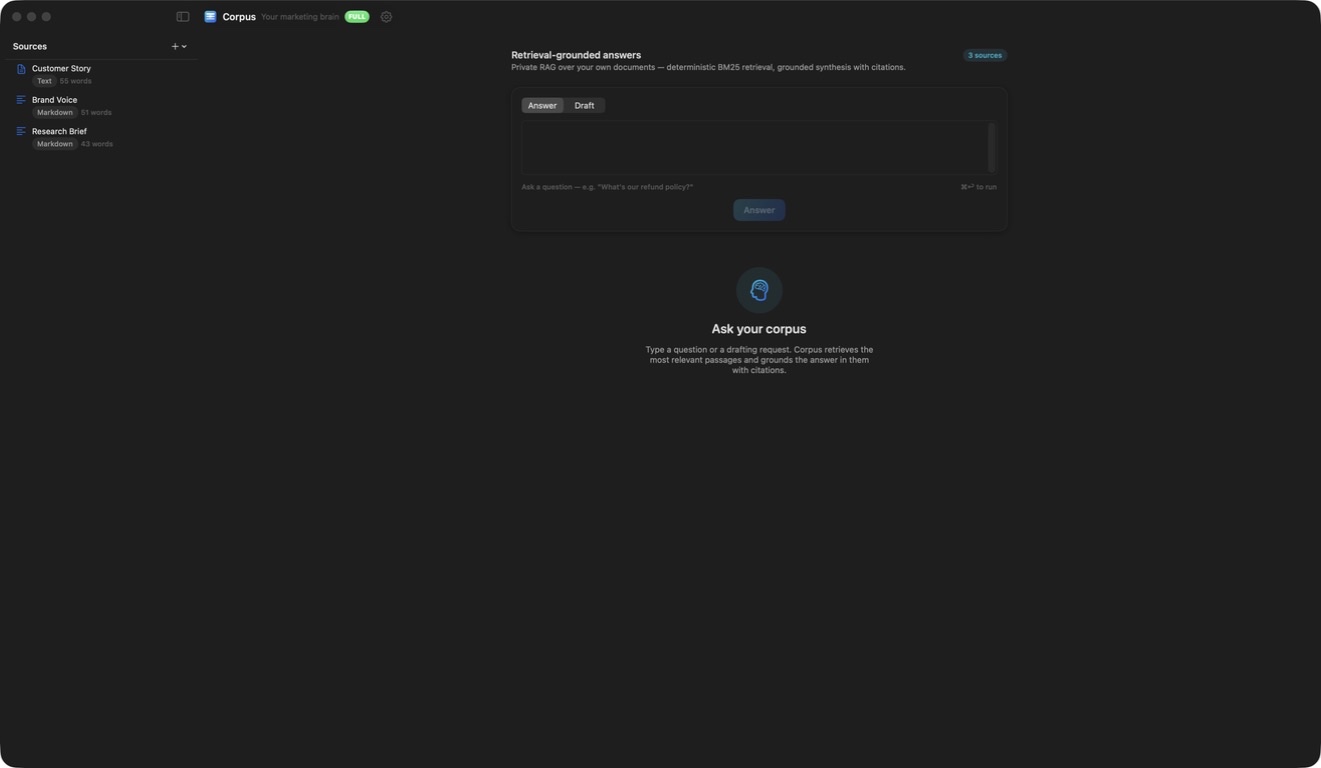
Corpus — Private corpus three sources 1 / 6
Work & market70 / 75
Available now

Corpus

Private source library · Cited answers · Grounded reports.

Corpus turns a collection of your own source material into a focused local research workspace. Paste a source or import multiple UTF-8 plain-text, Markdown or CSV files, then keep those documents in a persistent on-device library across relaunches. Each source remains visible with its type and word count, and you can remove material that no longer belongs in the corpus.

Choose a question or a grounded-draft request. Corpus divides the library into bounded passages, runs deterministic term-based BM25 retrieval and selects the strongest matching evidence. Its no-model path creates an extractive digest with citation markers, so useful answers remain available without an account, API key or generative model. The evidence panel exposes the cited passages rather than hiding the retrieval behind a single response.

  • Persistent private library
  • Text, Markdown and CSV
  • Deterministic cited retrieval
  • Evidence beside the answer
Native macOSOn-deviceNo subscriptionApple notarizedDeveloper ID signed
One purchase · from $10macOS 14+
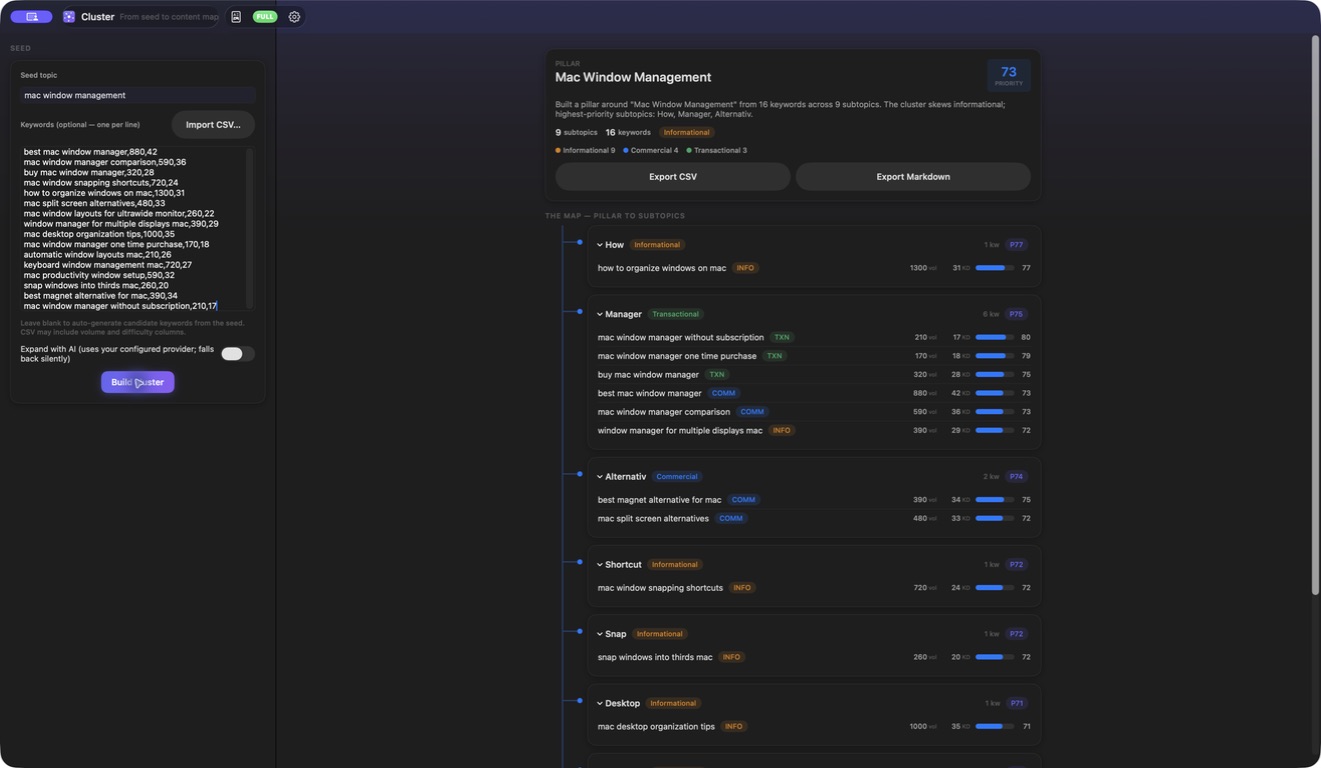
Cluster — Supplied volume difficulty priority plan 1 / 6
Work & market71 / 75
Available now

Cluster

Topic pillars · Search intent · Reproducible priorities.

Cluster begins with material you control: a seed topic, an optional pasted keyword list or an imported CSV. A seed on its own expands through a disclosed deterministic set of candidate modifiers. Pasted rows can be one phrase per line or carry trailing integer volume and difficulty values. CSV import recognizes keyword, keywords, query, term or phrase columns case-insensitively, plus common volume and difficulty headings, and otherwise uses the first column as the phrase.

The same input produces the same plan. Cluster trims blank rows, deduplicates phrases case-insensitively, sorts them into a stable processing order and groups them beneath a pillar and expandable subtopic tree. Every keyword receives a heuristic search-intent label and a 0–100 priority score derived from intent, optional user-supplied volume and difficulty, and long-tail specificity. The interface shows intent mix, subtopic priority and any imported metrics so the recommendation can be challenged rather than accepted as hidden truth.

  • Seed, paste or CSV
  • Deterministic topic tree
  • Reviewable intent and priority
  • Imported metrics stay visible
Native macOSOn-deviceNo subscriptionApple notarizedDeveloper ID signed
One purchase · from $10macOS 14+
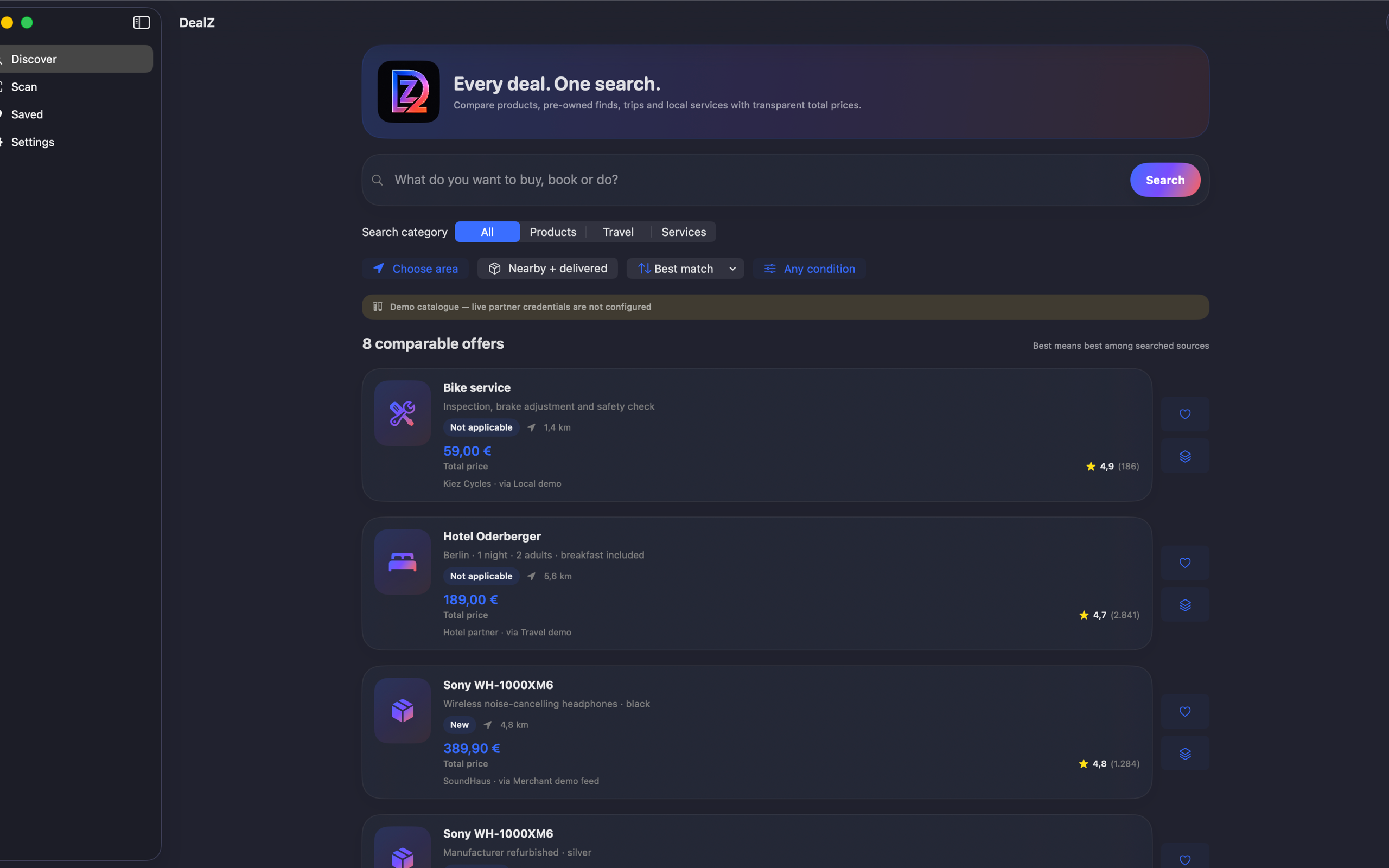
DealZ — Discover 1 / 10
Work & market72 / 75
Available now

DealZ

One intelligent search. Every comparable offer.

Price comparison usually means new retail only, which ignores where the actual saving is. DealZ puts new, refurbished, second-hand and private-sale listings in the same comparison, alongside flights, stays and local services.

Scan a barcode or QR code to resolve the exact product. Crucially, the app explains its provider coverage — which sources it queried and which it cannot reach — so you know the boundary of the comparison instead of assuming it was exhaustive.

  • Condition-aware comparison
  • Barcode and QR resolution
  • Honest coverage
Native macOSOn-deviceNo subscriptionApple notarizedDeveloper ID signed
One purchase · from $10macOS 15+
GigaJob — Mac active 1 / 7
Work & market73 / 75
Available now

GigaJob

Plan a gig. Track the deal. Finish strong.

Gig platforms insert themselves between the two people doing the work and take a percentage for it. GigaJob is a board: someone posts, someone takes it, and the two of them settle directly.

Native app across Mac, iPad and iPhone.

  • Direct settlement
  • Post or take
  • Native across devices
Native macOSOn-deviceNo subscriptionApple notarizedDeveloper ID signed
One purchase · from $10macOS 14+
Ants — Ants  cinematic key art 1 / 4
Games74 / 75
Available now

Ants

Command the colony · Build, evolve and conquer.

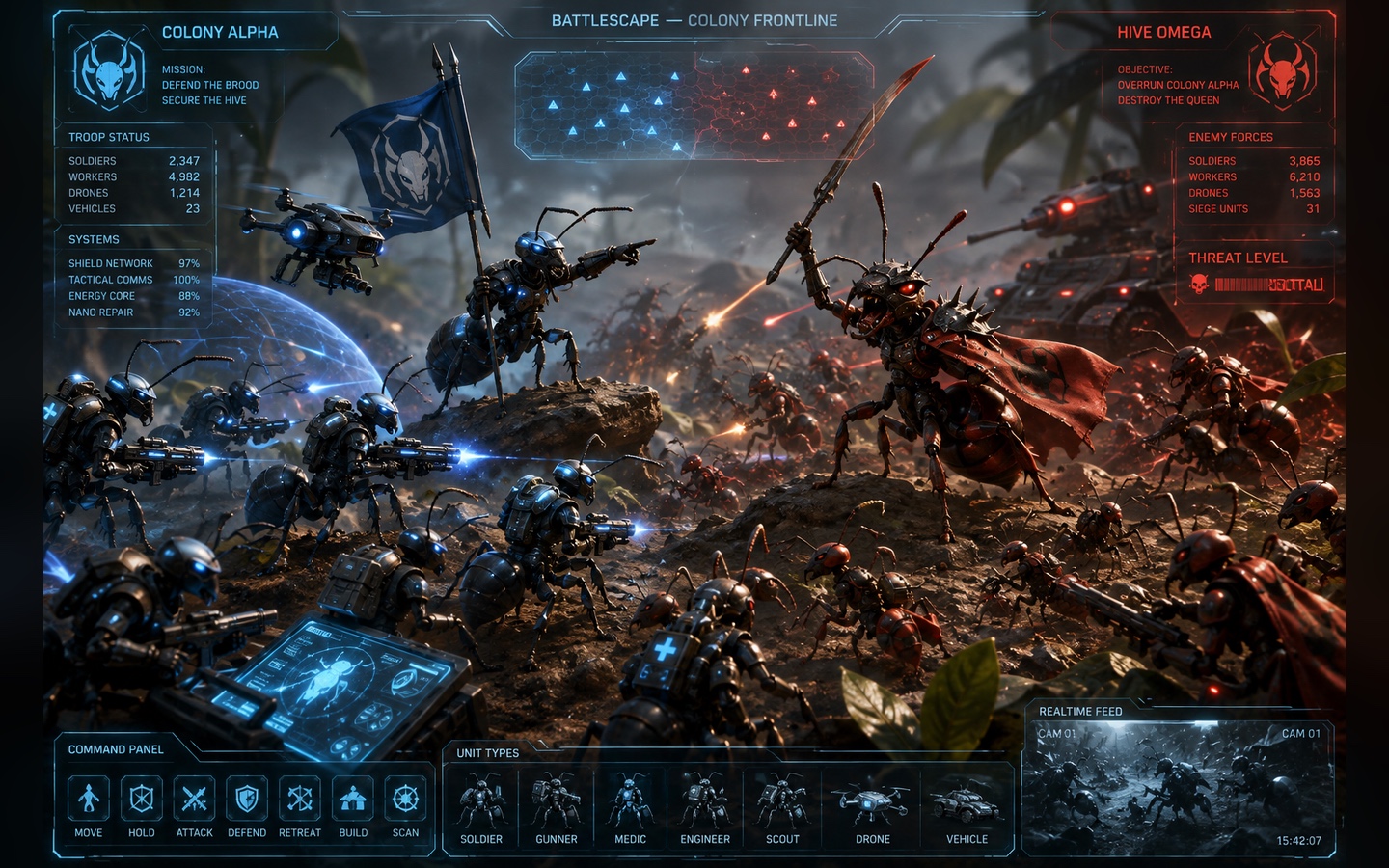
Ants begins with workers gathering forage and returning it to drop-off structures, then opens into a full colony economy. Build farms, chambers, workshops, silos, depots and defensive towers; manage storage and production queues; capture territory; and choose linked biological and steampunk research paths before committing resources.

The eight fixed-seed campaign missions vary the objective rather than repeating one elimination match. Hold territory, build a stockpile, survive and cull hostile wildlife, or destroy a developed rival across seven grounds. Each mission carries its own briefing, starting economy, available technology, map, biome and wildlife cadence, with progress stored locally.

  • Eight authored campaign missions
  • An economy you can shape
  • Biology meets machinery
  • Battlefields that retain the battle
Native macOSOn-deviceNo subscriptionApple notarizedDeveloper ID signed
One purchase · from $10macOS 13+
Boom Racer — Direct edition combat racing menu 1 / 8
Games75 / 75
Available now

Boom Racer

Solo combat racing · Breakaway parts · 20 warzones.

Boom Racer is a native single-player demolition combat racer built around survival rather than a clean racing line. Choose one of 20 distinct five-lap warzones, set a field of 3–11 AI rivals and drive into a race where opponents attack, recover and continue fighting. The last moving vehicle wins; if more than one machine survives the lap limit, the remaining field enters sudden death.

The Scrapheap Bunker is both garage and armory. Start from 13 vehicle presets or combine six chassis with 14 weapons, then configure armor, defensive hardware, wheels, skins and perks. Vehicles take part-level damage: armor shears away as debris, engines smoke and burn, and detached wheels or other components change how the machine handles rather than acting as a cosmetic damage counter.

  • 20 hostile circuits
  • Configurable AI field
  • Build in the bunker
  • Damage changes the drive
Native macOSOn-deviceNo subscriptionApple notarizedDeveloper ID signed
One purchase · from $10macOS 14+
One purchase. Completely yours.

Choose the app that earns its place on your Mac.

$10 downloads one complete app. $20 downloads two different apps. $49 downloads every published app. No subscription, account, locked tier, or trial timer.

Pay onceKeep the full appDownload immediatelyStripe-hosted checkoutRun locallyYour files stay on your Mac
Is this a subscription?

No. Every purchase downloads the complete, fully activated app with no recurring charge.

Why does macOS ask me to confirm the first launch?

The apps are distributed directly. Right-click the downloaded app and choose Open once; it then opens normally. See the 30-second walkthrough.

Will the apps run on my Mac?

Every app needs macOS 14 or later. Each product page lists its exact Intel or Apple Silicon requirements.