Comparable visual checkpoints
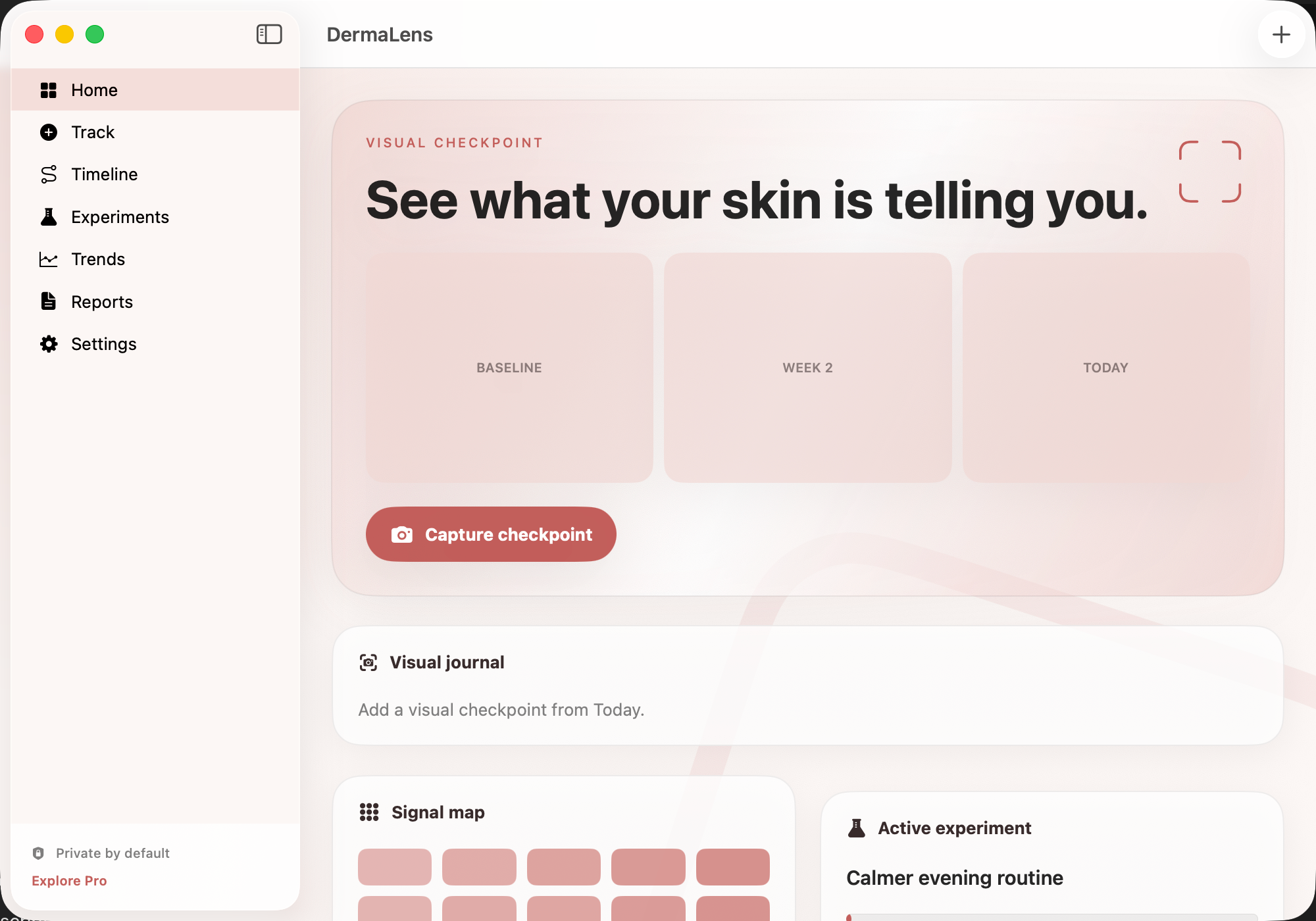
Attach an optional image and record location, comfort, severity and timing using a repeatable checkpoint format.

Make skin changes easier to review without pretending a photograph is a diagnosis.
This website download is a separate direct-distribution build from the Mac App Store edition. It contains no StoreKit purchase flow or subscription screen: every feature is available after the one-time website purchase.
Apple notarized this exact disk image after an automated malware check. It is signed with the publisher's Developer ID and its notarization ticket is stapled to the download, so Gatekeeper can verify it even when your Mac is offline.
How signing, notarization and installation work9f7acebb83f4dabb6d03971cb8b8351b2c28920895017643e58f5295ff347d5fA private visual skin journal for pairing comparable photos with comfort, location, possible triggers and treatment timing, then reviewing your own history over time.
DermaLens gives skin checkpoints a consistent home. Add an optional image, location and note, record severity, and tag itch, pain, flare, treatment or improvement so a later review has more context than a camera roll alone. Using similar light, distance and framing can make your own comparisons more useful.
The timeline keeps checkpoints beside daily context and treatment observations. A focused experiment can hold one routine question, hypothesis, primary signal and observation window, while longer trends and a concise report help you prepare the history you want to review or share. DermaLens stores the record; it does not inspect a photo and tell you what condition it shows.
The website Direct edition is separately signed and Apple-notarized, with every advanced feature included after one purchase and no subscription, trial timer, locked tier, StoreKit screen, advertising SDK or analytics SDK. The gallery uses the only existing Mac capture, made from the App Store edition, so it visibly shows Explore Pro; that historical control is not part of the fully unlocked Direct purchase flow.
Attach an optional image and record location, comfort, severity and timing using a repeatable checkpoint format.
Tag itch, pain, flare, treatment or improvement and describe possible triggers without turning suspicion into a causal claim.
Review checkpoints beside treatment and daily observations in chronological order while the record stays in the app's local container.
Define one routine change, a hypothesis, a primary signal and a fixed observation window before reviewing the result.
Generate a concise summary, remove irrelevant detail before sharing, export or restore a backup, and erase the local record when you choose.
DermaLens is a personal observation tool, not a diagnostic camera, medical device or teledermatology service. It does not analyze or classify photos, distinguish eczema or psoriasis from infection, allergy or skin cancer, determine causation, detect emergencies, or recommend treatment changes. Seek qualified medical or emergency care for new, changing, painful, bleeding, infected-looking or otherwise concerning skin findings.
 MetraTrack GLP-1 doses, appetite, comfort and energy privately, then review trends and a care-ready summary.
 AureliaTrack midlife health changes privately, compare patterns, and prepare clearer questions for care visits.
 KinwardCoordinate the family care circle, tasks, medications and appointments privately from one clear workspace.
Website edition purchased once and fully unlocked; the separate App Store edition retains its subscription purchase flow.
Buy & downloadA private visual skin journal for recording comparable photos, comfort, location, possible triggers and treatment timing, then reviewing your own history over time.
DermaLens is for Mac users looking for health & wellbeing. Keep comparable skin photos, symptoms, possible triggers and treatment timing in one private visual history.
DermaLens requires macOS 15 or later. Supported architecture: Apple silicon and Intel. Check About This Mac before purchasing.
No. The Mac App Store edition can include Apple's in-app purchase system. The website Direct edition is a separately signed build with no StoreKit purchase flow: one website purchase unlocks the complete app with no recurring charge.
The download is the complete app. There is no subscription, no locked tier, no account, and no trial timer — every feature is included.
Choose $10 for one app, $20 for two different apps, or $49 for every published app through Stripe's hosted checkout on this page. Download links are delivered on the confirmation page and by email. Each link is single-use; its exact expiry is shown in your delivery email. Keep the installer. If the link expires or a download fails, contact support@macossoftware.com with your receipt instead of buying again.
Yes. Version 1.0.0 is signed with a Developer ID certificate, notarized by Apple, and distributed with a stapled notarization ticket. Its published SHA-256 checksum is 9f7acebb83f4dabb6d03971cb8b8351b2c28920895017643e58f5295ff347d5f.