
Choose the connection
Use a Thunderbolt cable with Thunderbolt Bridge configured on both Macs, or select Ethernet and Wi-Fi mode. Connection and drive speed limit transfer throughput.
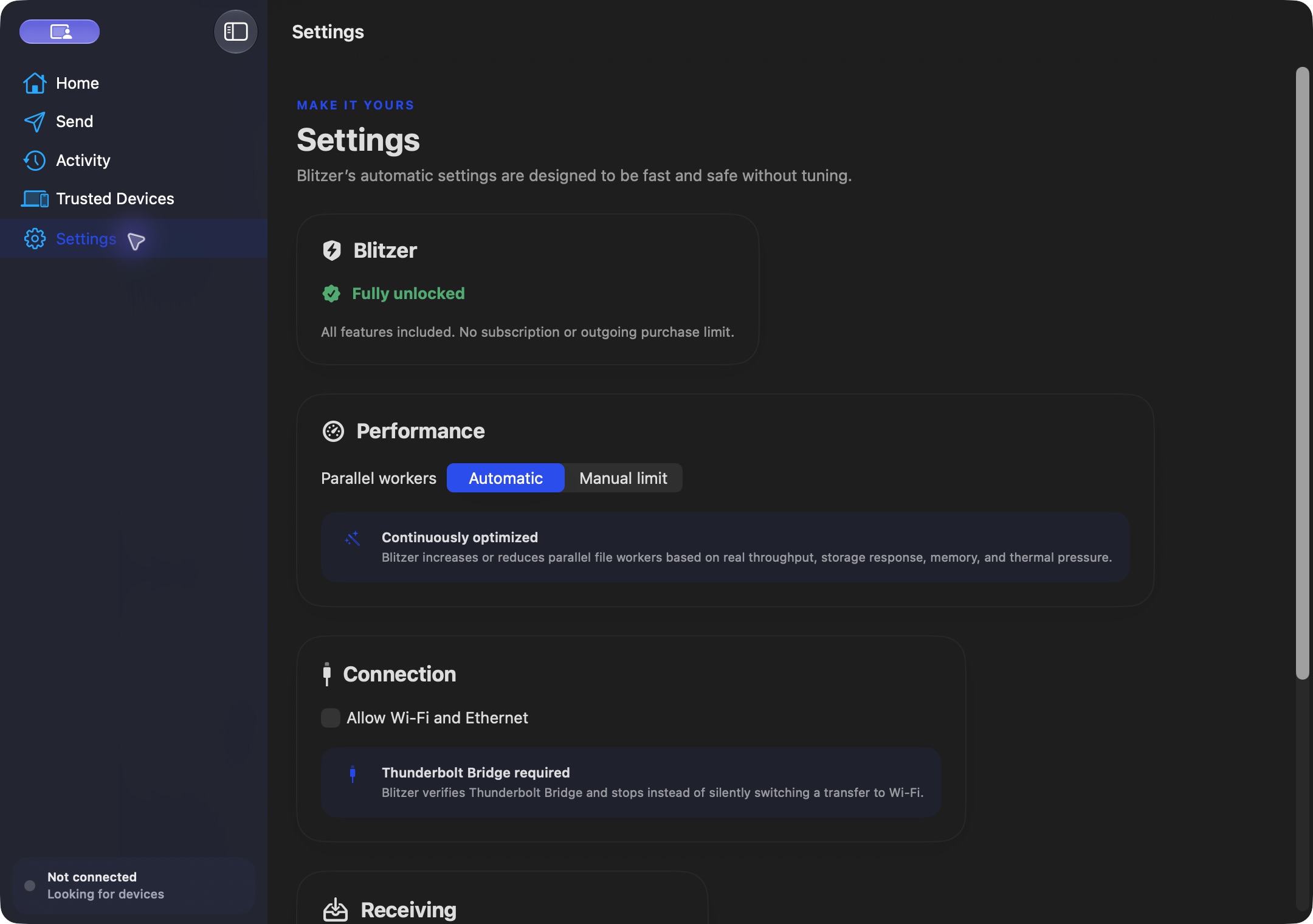
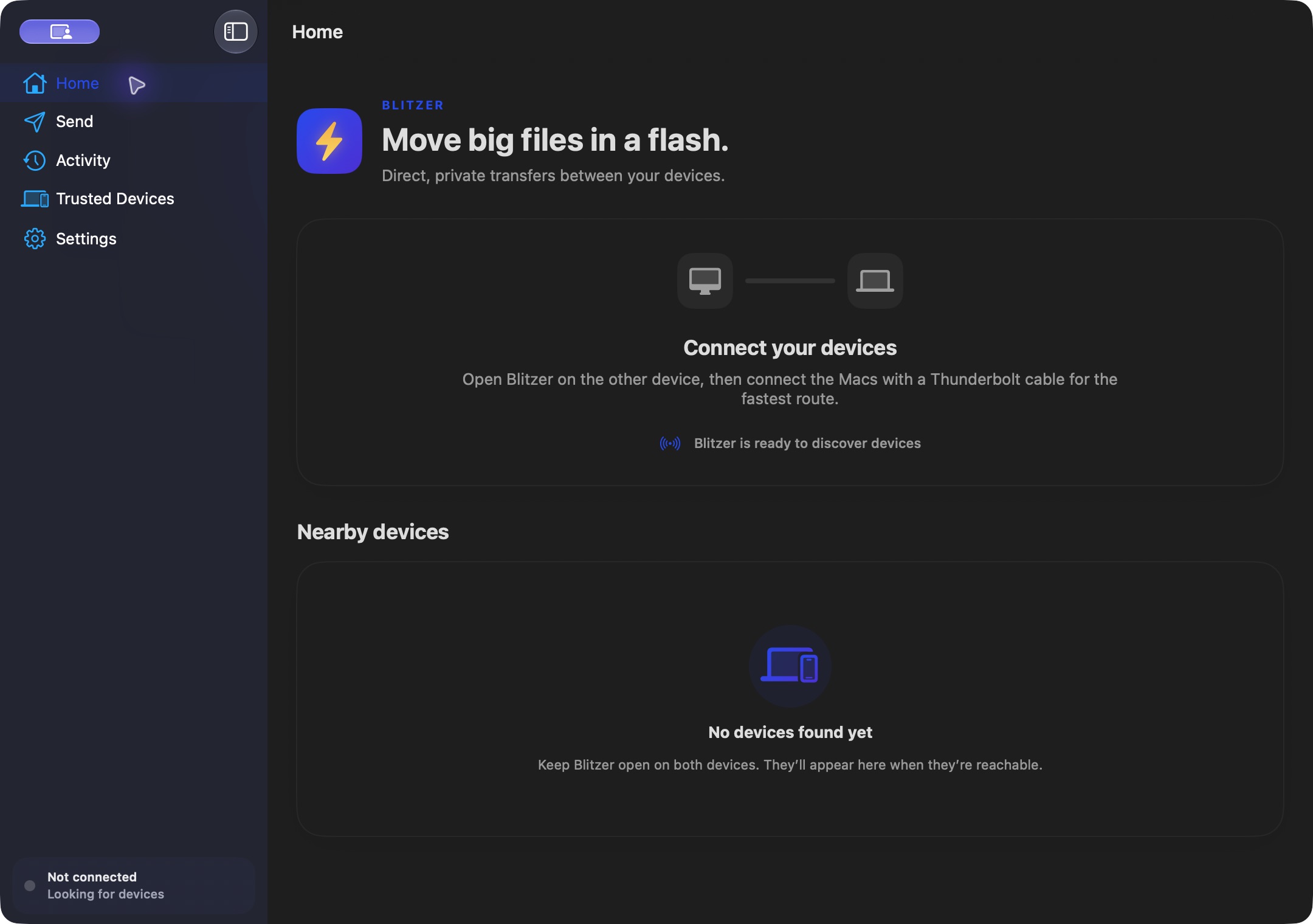
This website download is a separate direct-distribution build from the Mac App Store edition. It contains no StoreKit purchase flow or subscription screen: every feature is available after the one-time website purchase.
This release is signed with the publisher's Developer ID and is not Apple-notarized. Open the DMG, drag Blitzer to Applications and try to open it. If macOS says Apple cannot check the app, use System Settings → Privacy & Security → Open Anyway if you trust this download. Apple's installation instructions.
How signing, notarization and installation work51385f95fa13e2699971425bb105e1b804b7f65276ff94bdadfbb7b2ae5fcb04Transfer files between two Macs over Thunderbolt Bridge, Ethernet or Wi-Fi, with paired connections, chunk verification and resumable transfers.
Blitzer discovers a nearby peer, pairs the two devices with a six-digit code and sends files through an encrypted connection. On a Mac, choose Thunderbolt Bridge for a cable connection or explicitly choose Ethernet and Wi-Fi mode for a network transfer.
The transfer engine adjusts its worker pipeline as it runs. Each chunk is checked with SHA-256, and a staging area and journal retain the information needed to resume an interrupted job.
The website edition includes every feature with no outgoing transfer cap. It requires one payment and no subscription. The installer is Developer ID signed; this release is not Apple-notarized and macOS may require a one-time Open Anyway confirmation.
Use a Thunderbolt cable with Thunderbolt Bridge configured on both Macs, or select Ethernet and Wi-Fi mode. Connection and drive speed limit transfer throughput.
A six-digit pairing code establishes the peer relationship. Mutual TLS and saved peer identity protect subsequent connections.
SHA-256 verification checks transferred chunks before the receiving side commits the completed files.
A transfer journal and staging files preserve completed work so an interrupted transfer can resume.
The Mac edition requires macOS 14 or later. Current transfers do not preserve symlinks, extended attributes or resource forks. Physical two-Mac Thunderbolt performance testing is still pending; no measured speed or advantage over another transfer app is claimed here.
 MacManagerThe Mac control centre: truthful file browsing, verified iCloud backup to an external SSD, a mail suite, and real system tools.
 Canary BrowserA native private browser with isolated workspaces, Burner Tabs, clean links and local notes — no account or subscription.
 SpaceLensShows what actually fills your disk as a navigable map, then cleans it with an undo step.
The website edition is fully unlocked with no outgoing transfer cap or subscription. Pay once and keep the app. This release is Developer ID signed and is not Apple-notarized.
Buy & downloadA native file-transfer app for two Macs, with paired connections, adaptive transfer workers, SHA-256 chunk checks and a journal for resuming interrupted transfers.
Blitzer is for Mac users looking for mac utilities. Mac-to-Mac transfers with pairing, SHA-256 checks and a resume journal. Fully unlocked, $10 once.
Blitzer requires macOS 14 or later. Supported architecture: Apple silicon and Intel. Check About This Mac before purchasing.
Open the DMG and drag Blitzer to Applications. Try to open the app. If macOS says Apple cannot check it, use System Settings → Privacy & Security → Open Anyway if you trust this download. This release is signed but not Apple-notarized.
No. The Mac App Store edition can include Apple's in-app purchase system. The website Direct edition is a separately signed build with no StoreKit purchase flow: one website purchase unlocks the complete app with no recurring charge.
The download is the complete app. There is no subscription, no locked tier, no account, and no trial timer — every feature is included.
Choose $10 for one app, $20 for two different apps, or $49 for every published app through Stripe's hosted checkout on this page. Download links are delivered on the confirmation page and by email. Each link is single-use; its exact expiry is shown in your delivery email. Keep the installer. If the link expires or a download fails, contact support@macossoftware.com with your receipt instead of buying again.
No. Version 1.0.0 is signed with a Developer ID certificate and is not Apple-notarized. macOS may require Open Anyway on first launch. Its published SHA-256 checksum is 51385f95fa13e2699971425bb105e1b804b7f65276ff94bdadfbb7b2ae5fcb04.