
MacManager
Your Mac files, cloud backups and system tools. Together.
Browse files, back up iCloud to an SSD, manage mail and inspect Mac activity in one workspace.
What you can do with MacManager
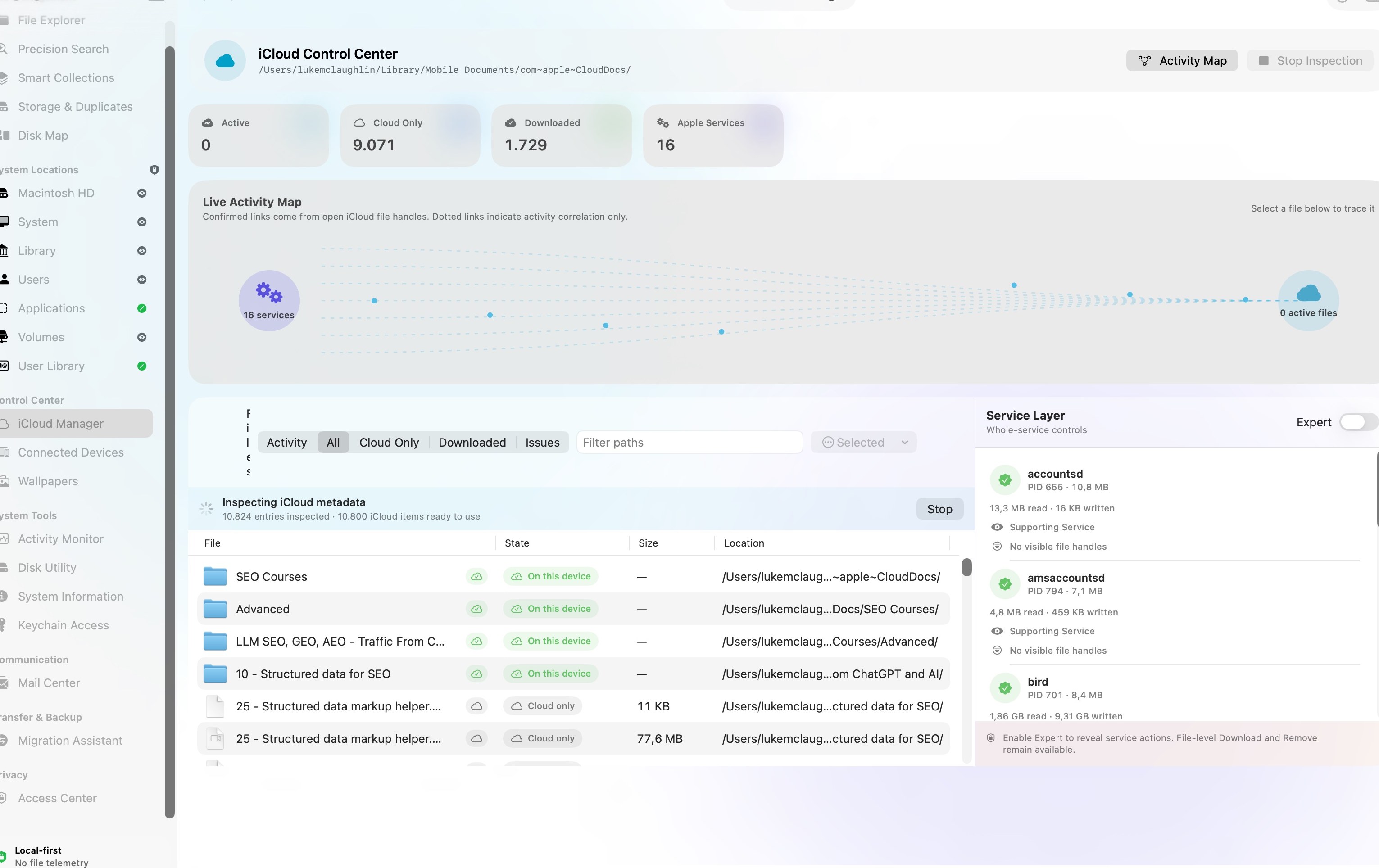
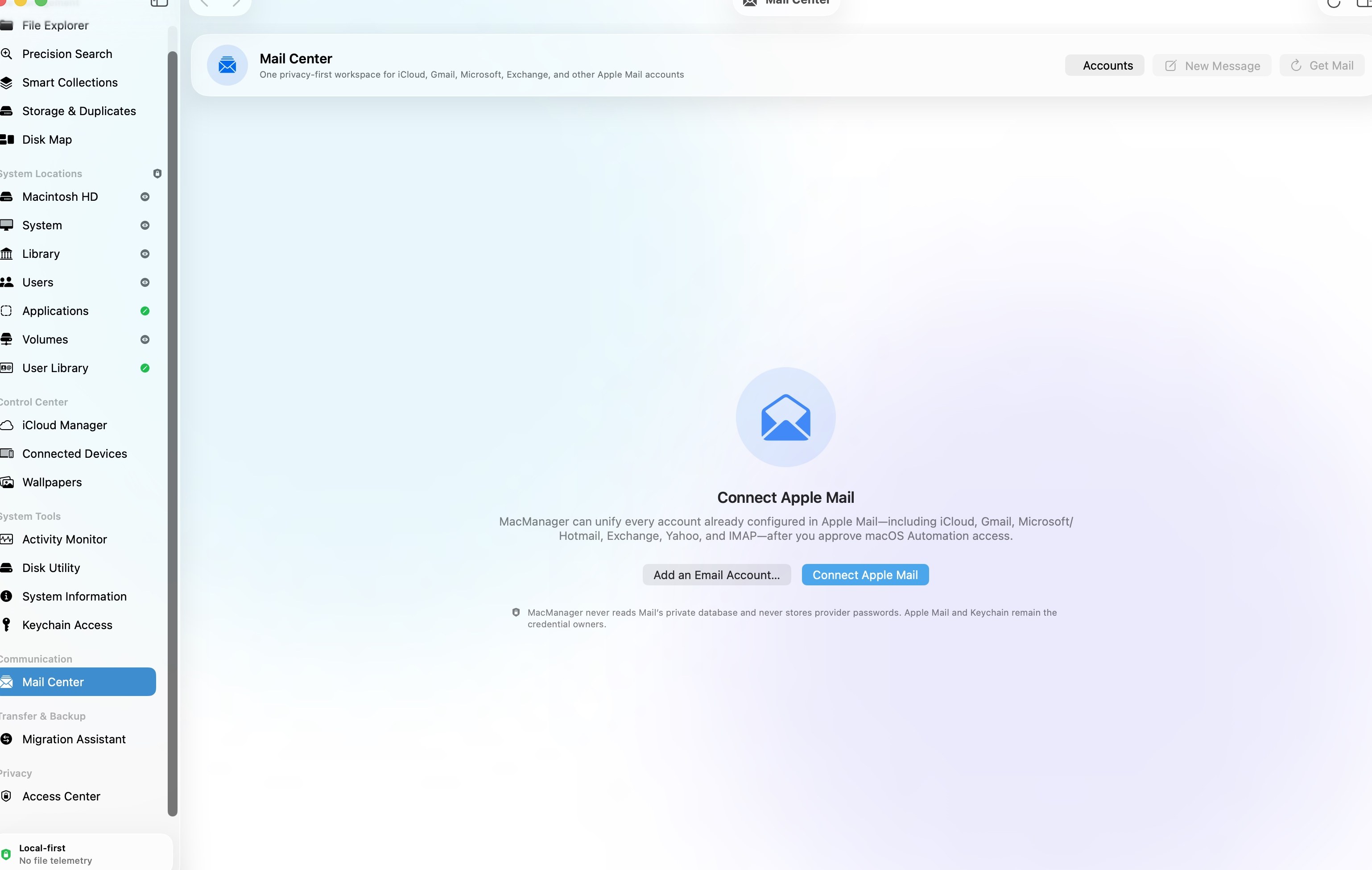
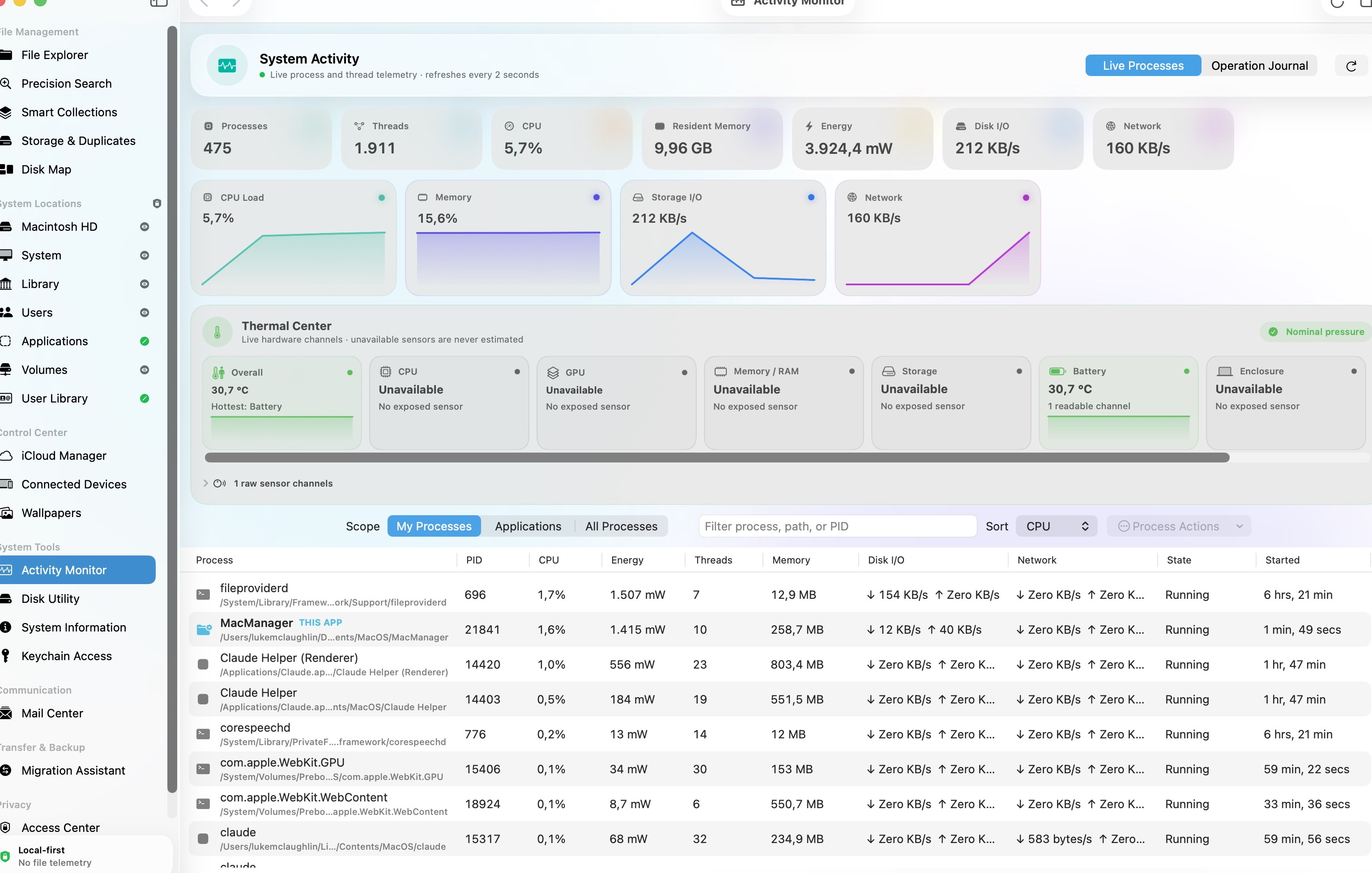
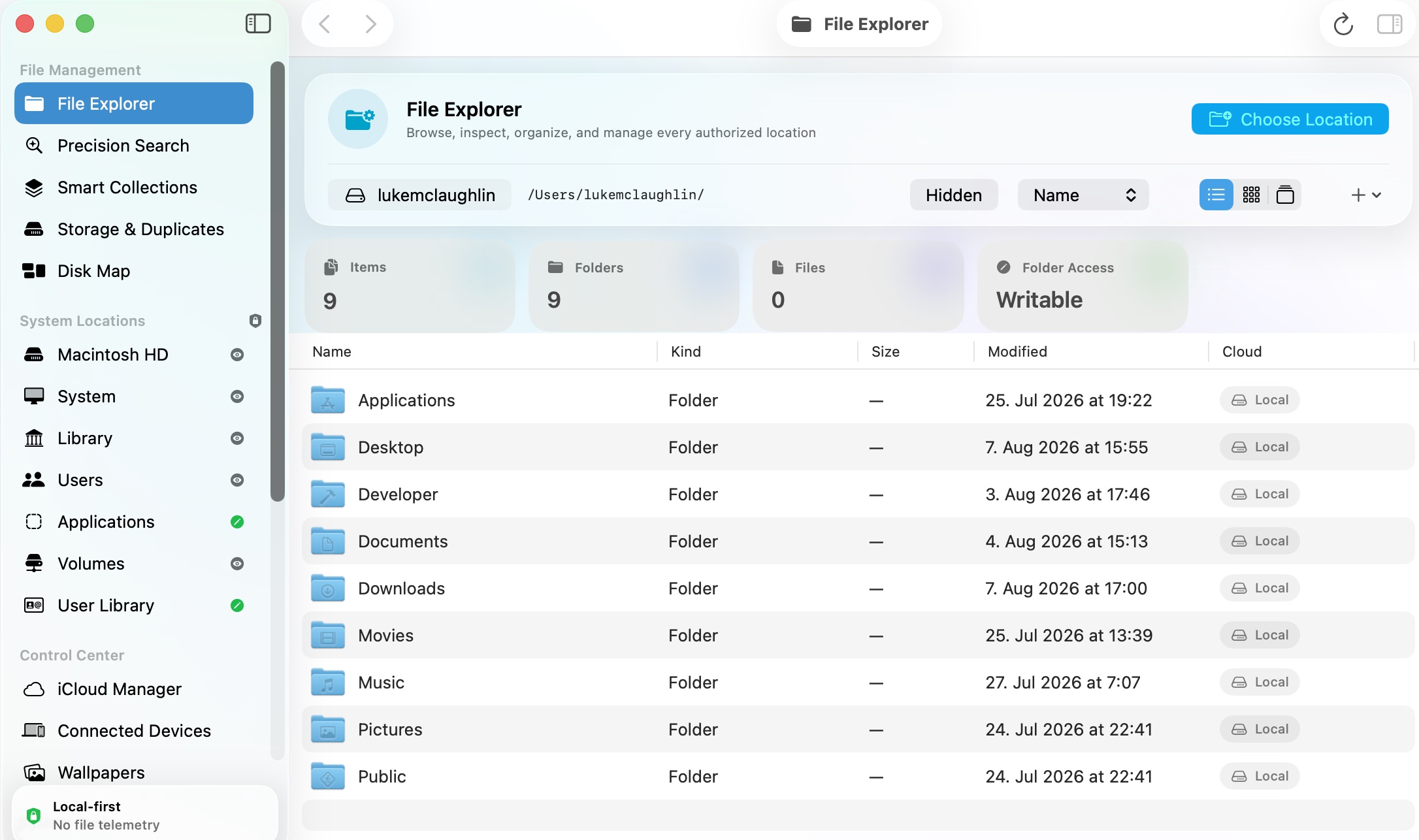
Bring everyday file work and deeper Mac tools into one organised control centre. MacManager combines detailed file browsing, structured search and an iCloud Manager that copies cloud files to an external SSD with verification. Handle mail in the same window, inspect process and thread activity, and keep storage and system information close at hand. From sorting a folder to preparing a migration, the important details stay beside the work.
- Back up iCloud files to an external SSD with verified copying
- Keep file browsing, search and mail in one workspace
- Inspect Mac activity, storage and system details together
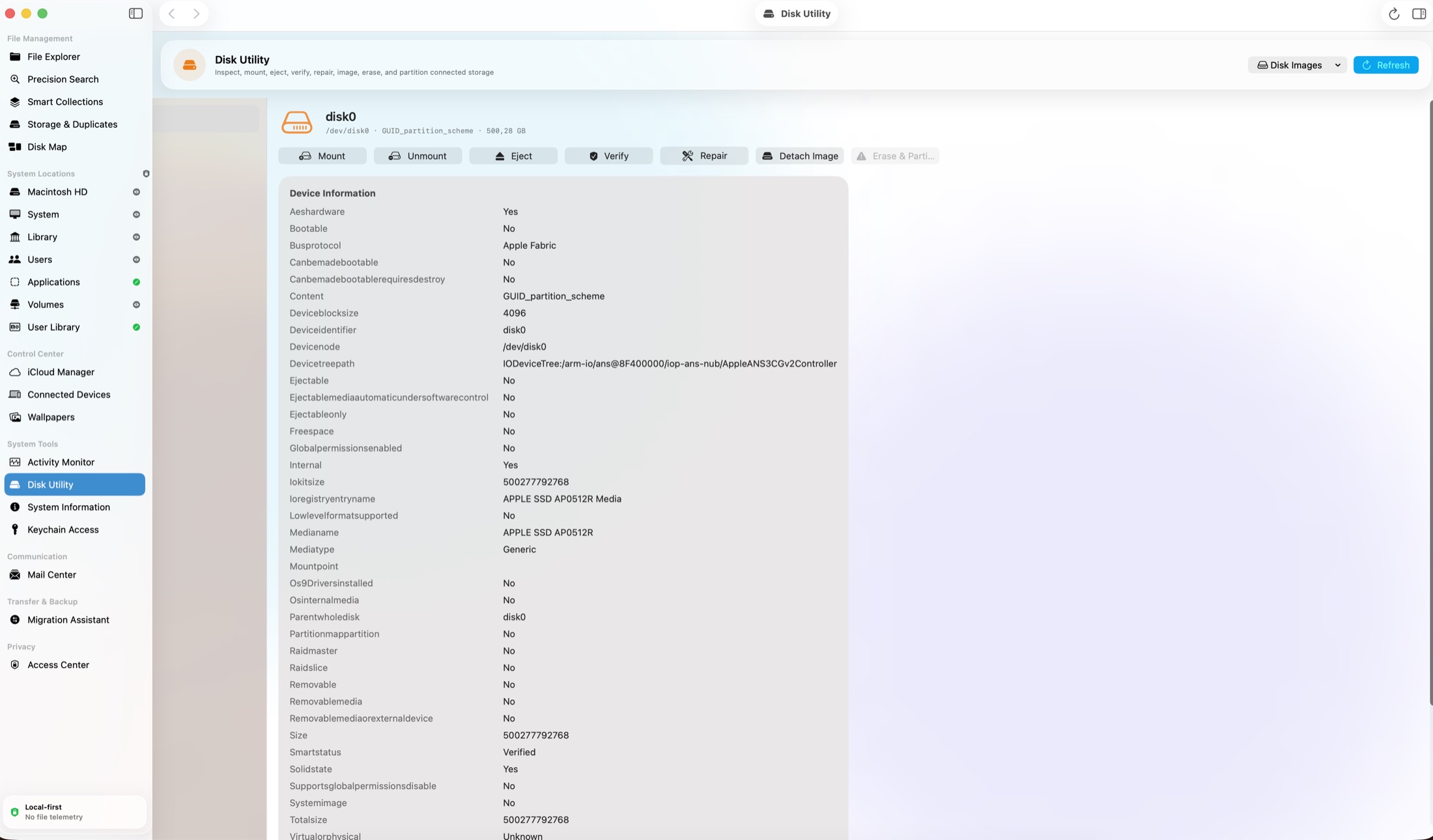
See the workspace
Explore 3 more screenshots

A simple way to get started
Find the files
Browse folders or use structured search with paths and metadata in view.
Back up iCloud to an SSD
Choose your iCloud files and external destination for a verified, resumable copy.
Keep Mac tools close
Move between your files, mail, storage information and activity tools in the same workspace.
Explore more features
- iCloud Manager with true per-file cloud state — and verified backup of cloud-only files to an external SSD in one resumable pass
- A full Mail Center inside the app: read and triage mail behind explicit consent controls, without switching windows
- List, grid, and gallery browsing with Quick Look, exact metadata, and durable bulk operations
- Streaming search with quoted terms plus ext:, type:, path:, size:, cloud:, and is: filters
- Native Disk Utility, System Information, and Keychain Access built on diskutil, system_profiler, and Security.framework
- Verified, resumable Migration Assistant with SHA-256 checks, collision handling, and symlink preservation
Get MacManager
One purchase through Stripe's hosted checkout — $10 for one app, $29 for two different apps or $39 for three different apps — and the complete app downloads straight away. Built natively in Swift 6 for macOS 26 or later. Each download link works once and expires after a while.
Compatibility and installation details
- Requires
- macOS 26 or later
- Architecture
- Apple silicon and Intel
- Version
- 1.0.0
- Download
- 8.1 MB
- Publisher signature
- Developer ID Application
- Apple notarization
- Notarized
- SHA-256
c76ecea79341997daf6661eb95b33ee9f6027f478421e3aa4a4065798f9f83eb
Download the Mac disk image from your receipt, open it and follow the included installation instructions.
Useful to know
What can I do with MacManager?
Bring everyday file work and deeper Mac tools into one organised control centre. MacManager combines detailed file browsing, structured search and an iCloud Manager that copies cloud files to an external SSD with verification. Handle mail in the same window, inspect process and thread activity, and keep storage and system information close at hand. From sorting a folder to preparing a migration, the important details stay beside the work.
How do I start?
Browse folders or use structured search with paths and metadata in view. Choose your iCloud files and external destination for a verified, resumable copy. Move between your files, mail, storage information and activity tools in the same workspace.
How do I receive my download?
After your purchase, the receipt page provides your download link. The exact expiry is shown with your delivery link. Keep your receipt and installer. If a link expires or a download fails, contact support with your receipt instead of buying again.
Where can I find setup help?
Compatibility and installation details are on this page. The installation guide and support team can help with the next step.
Watch the screenshot tour
. Watch the video and read a list of the views it shows before choosing the app.