
Refract
Turn one brief into advertising options.
Start with a product brief and tone, then explore copy shaped for Meta, Google and LinkedIn.
What you can do with Refract
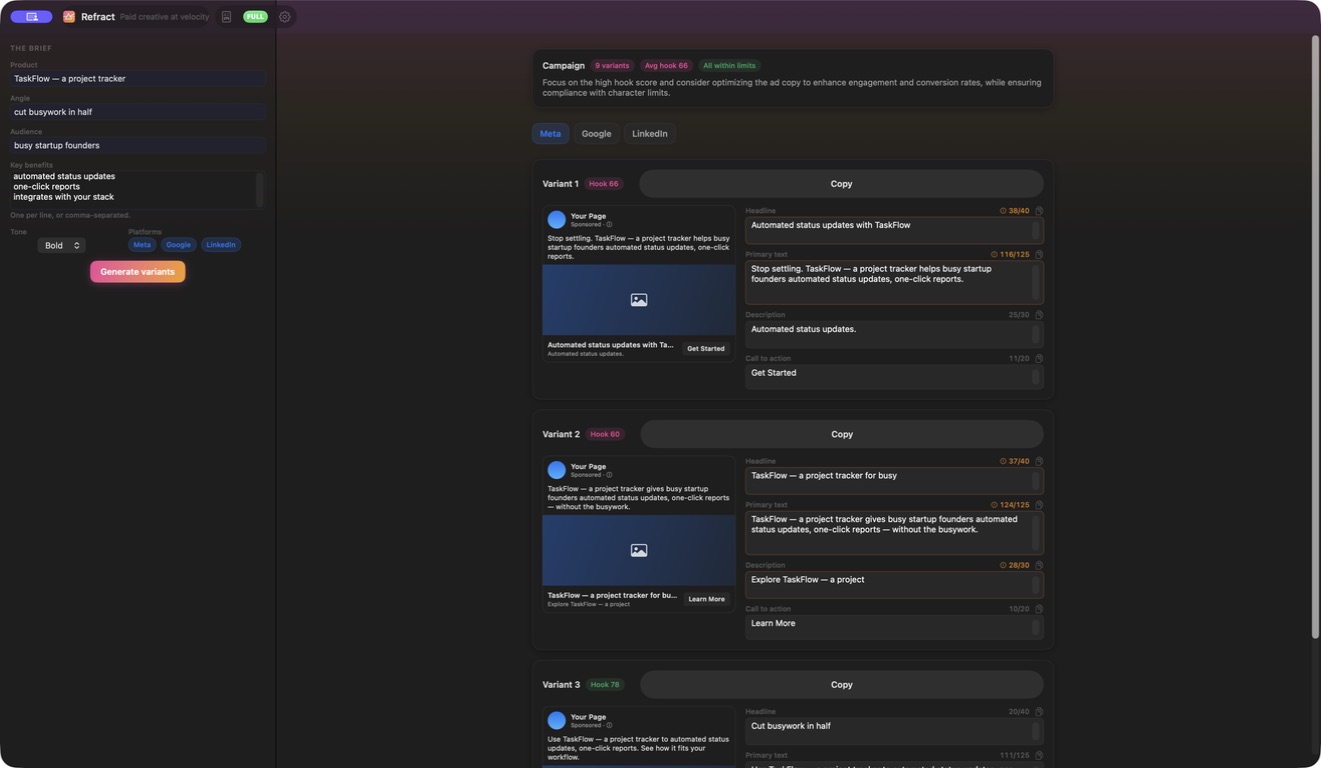
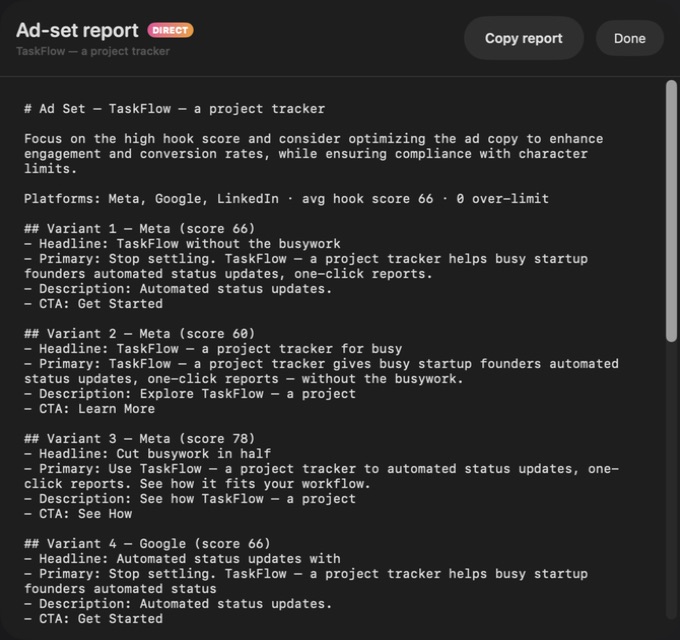
Start with a product brief and tone, then explore copy shaped for Meta, Google and LinkedIn. Refract brings headlines, body copy and calls to action into editable variants with destination previews. Compare your options, refine the wording and export a useful set of ads for the campaign you are preparing. The Mac edition provides three variants per selected platform, with live character budgets and copyable reports.
- Draft options for Meta, Google and LinkedIn
- Edit headlines, copy and calls to action together
- Compare destination previews before export
See the workspace
A simple way to get started
Bring your context
Start with the source material, brief or records for the task.
Develop the work
Use the focused workspace to compare, organise or draft the result.
Prepare the next step
Keep useful findings and copy ready for the next part of your work.
Explore more features
- Describe the product, campaign angle, audience, benefits and tone once, then select Meta, Google, LinkedIn or all three platforms
- Generate three distinct variants per selected platform with headline, primary text, description and call-to-action fields
- Preview each ad in a platform-shaped Meta feed, Google search or LinkedIn sponsored-card layout while editing the copy in place
- Track live grapheme-aware character counts and near-limit or over-limit states against the built-in budget for every field
- Compare a disclosed deterministic 0–100 hook score that rewards specific copy signals and penalizes missing or over-limit fields
- Copy one field, one complete variant or the full Markdown ad-set report, with in-place edits carried into the report
Get Refract
Compatibility and installation details
- Requires
- macOS 14 or later
- Architecture
- Apple silicon and Intel
- Version
- 1.0
- Download
- 3.0 MB
- Publisher signature
- Developer ID Application
- Apple notarization
- Notarized
- SHA-256
816bb189768b16620d5380a749d2ec972addecfdfdd7264333f45344f0cbd658
Download the Mac disk image from your receipt, open it and follow the included installation instructions.
Useful to know
What can I do with Refract?
Start with a product brief and tone, then explore copy shaped for Meta, Google and LinkedIn. Refract brings headlines, body copy and calls to action into editable variants with destination previews. Compare your options, refine the wording and export a useful set of ads for the campaign you are preparing. The Mac edition provides three variants per selected platform, with live character budgets and copyable reports.
How do I start?
Start with the source material, brief or records for the task. Use the focused workspace to compare, organise or draft the result. Keep useful findings and copy ready for the next part of your work.
How do I receive my download?
After your purchase, the receipt page provides your download link. The exact expiry is shown with your delivery link. Keep your receipt and installer. If a link expires or a download fails, contact support with your receipt instead of buying again.
Where can I find setup help?
Compatibility and installation details are on this page. The installation guide and support team can help with the next step.