Identity-isolated workspaces
Each persistent workspace gets separate cookies, caches and logins; moving or deleting a workspace changes the underlying WebKit data container, not just a color label.

Separate browsing identities without turning privacy into a black box.
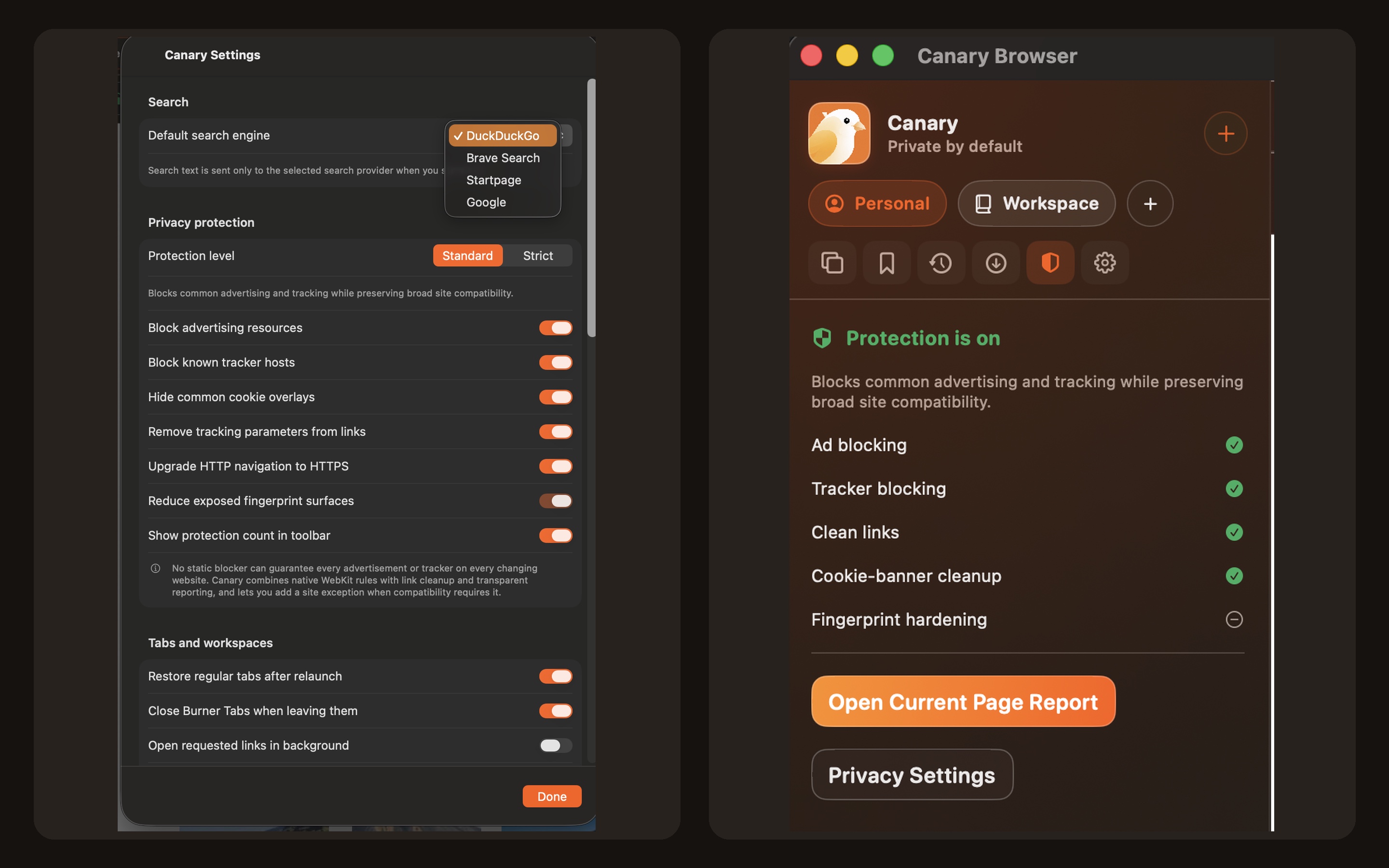
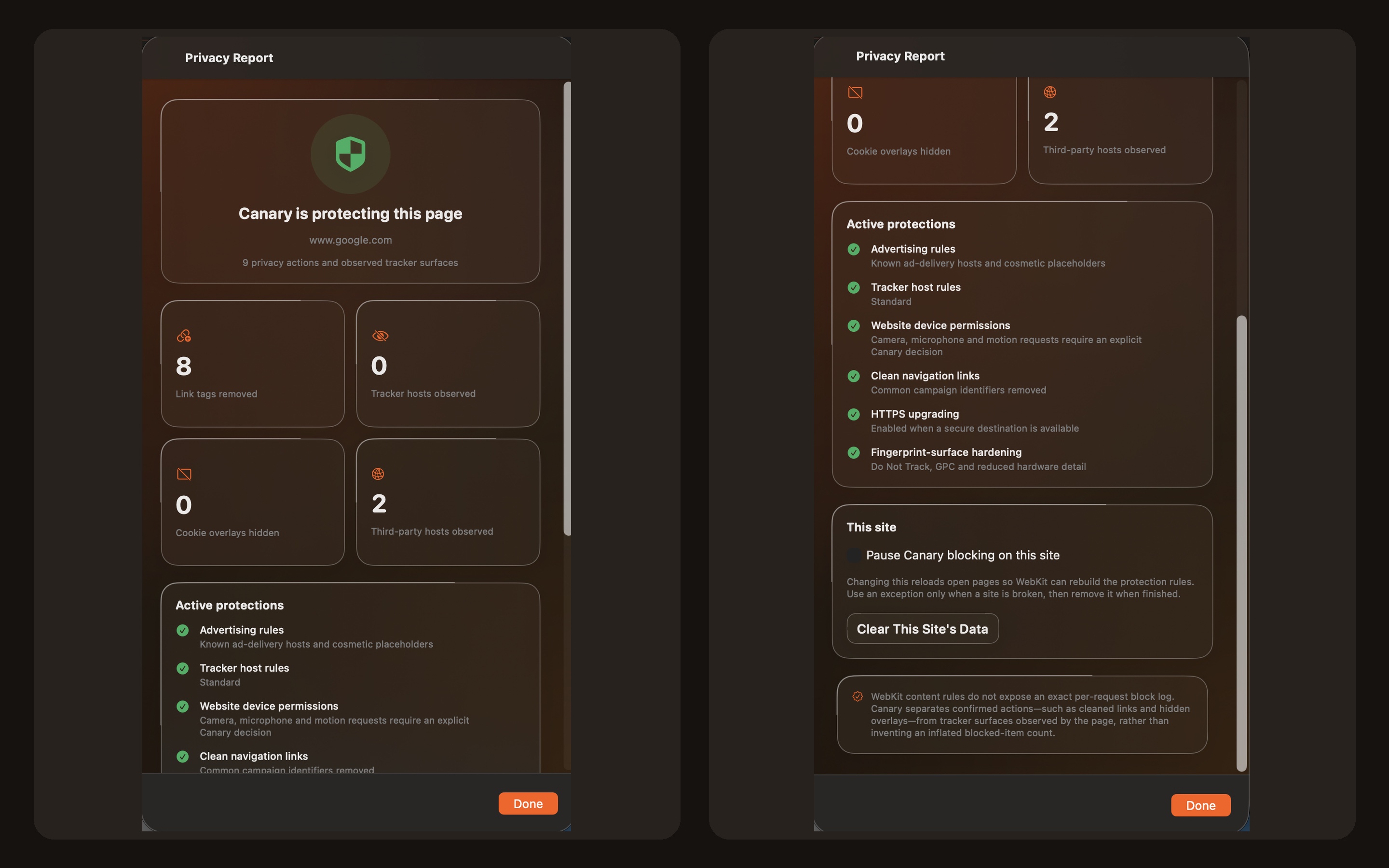
A silent screen tour of the shipping Canary Browser app: Canary browser overview; Canary privacy settings; Canary privacy report; Canary browser tools menu; Canary search and protection sidebar; Canary detailed privacy report.
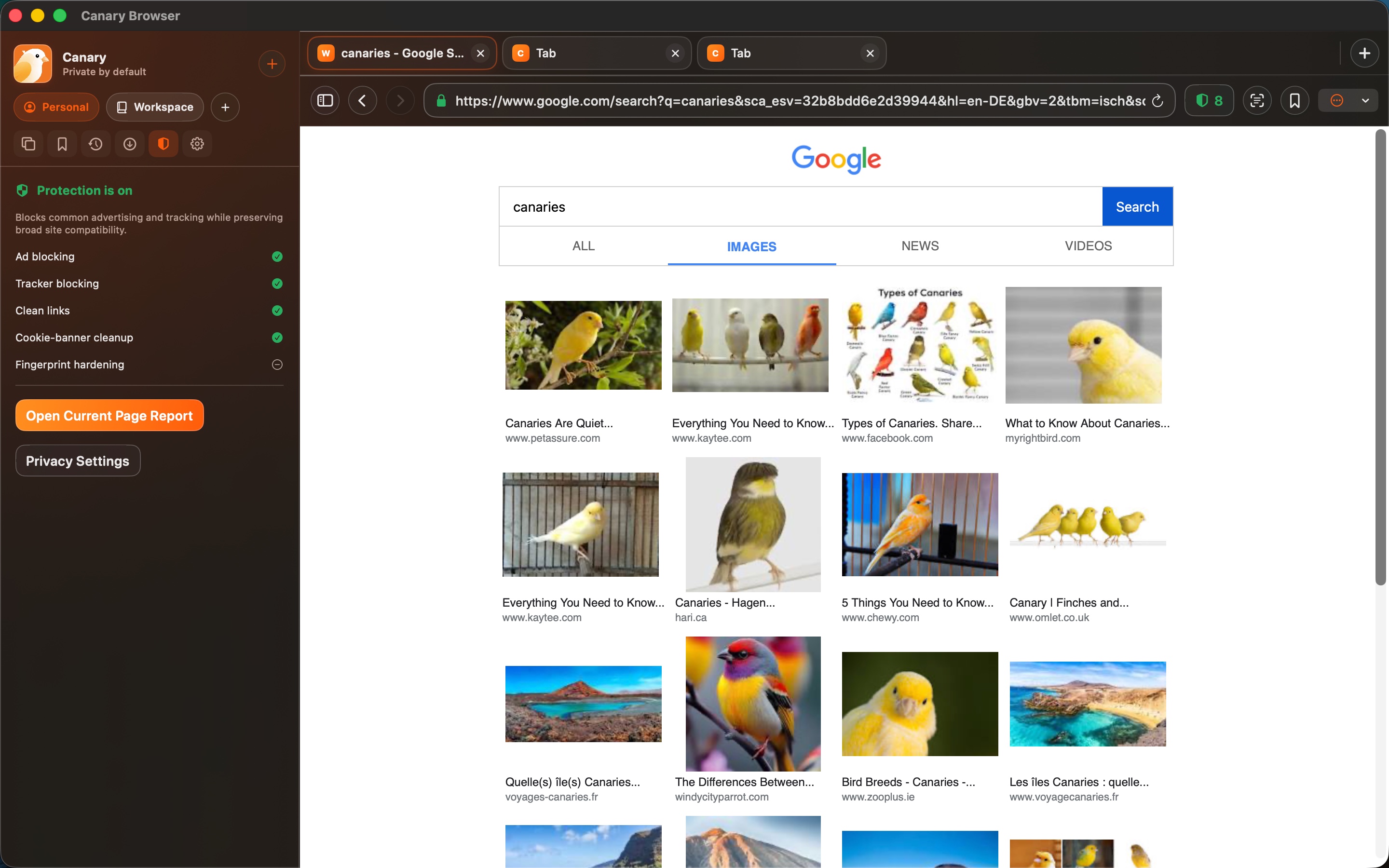
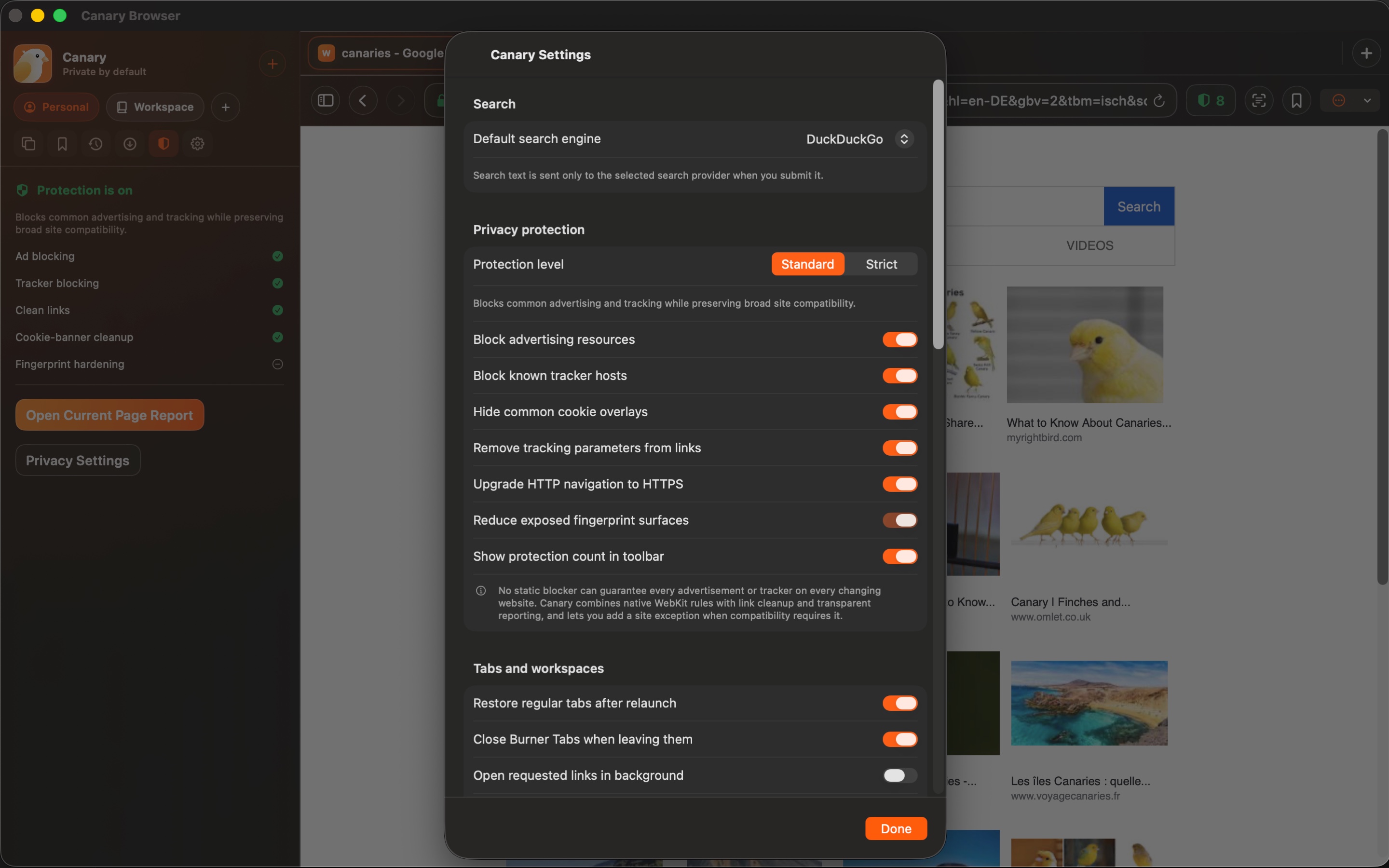
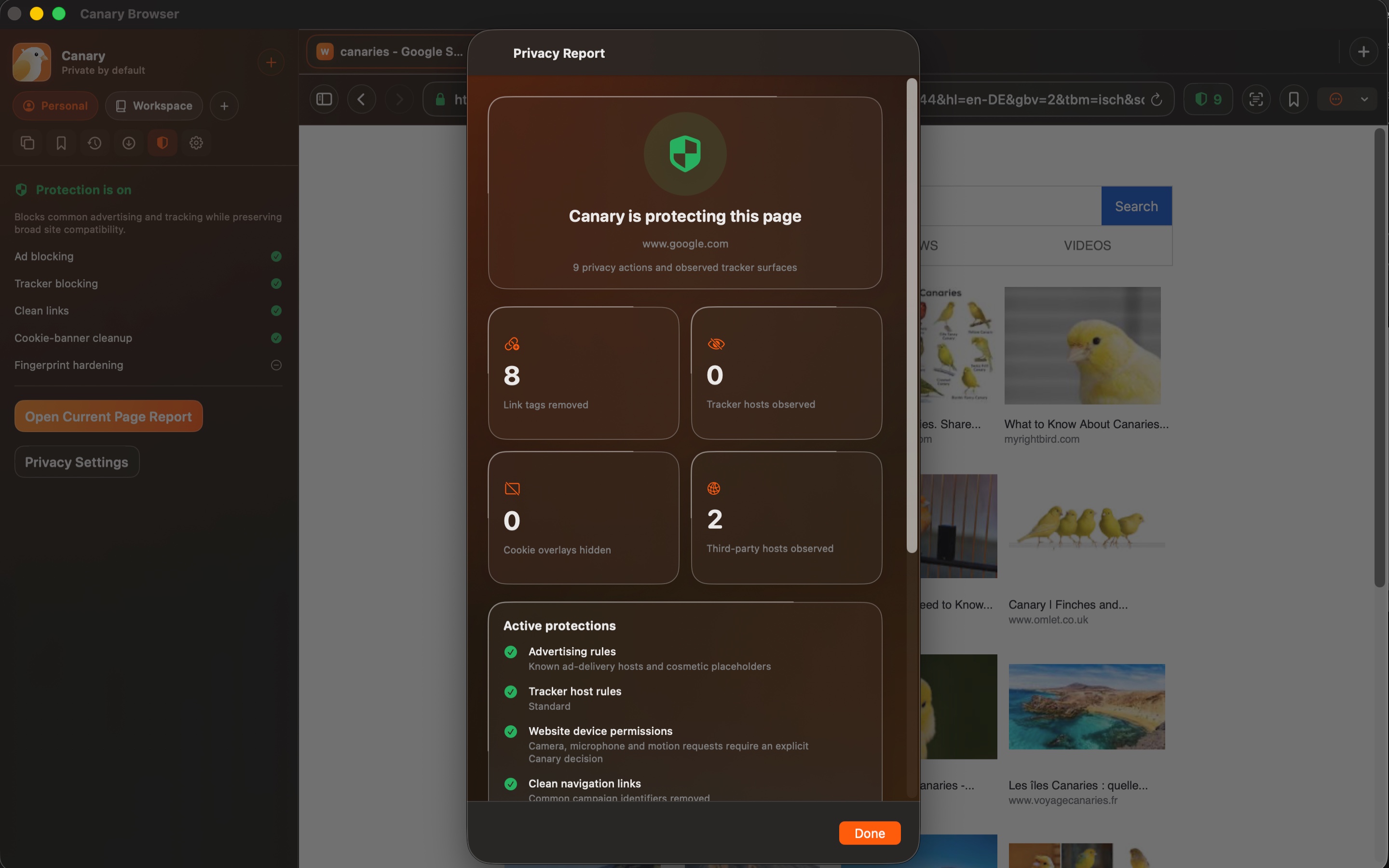
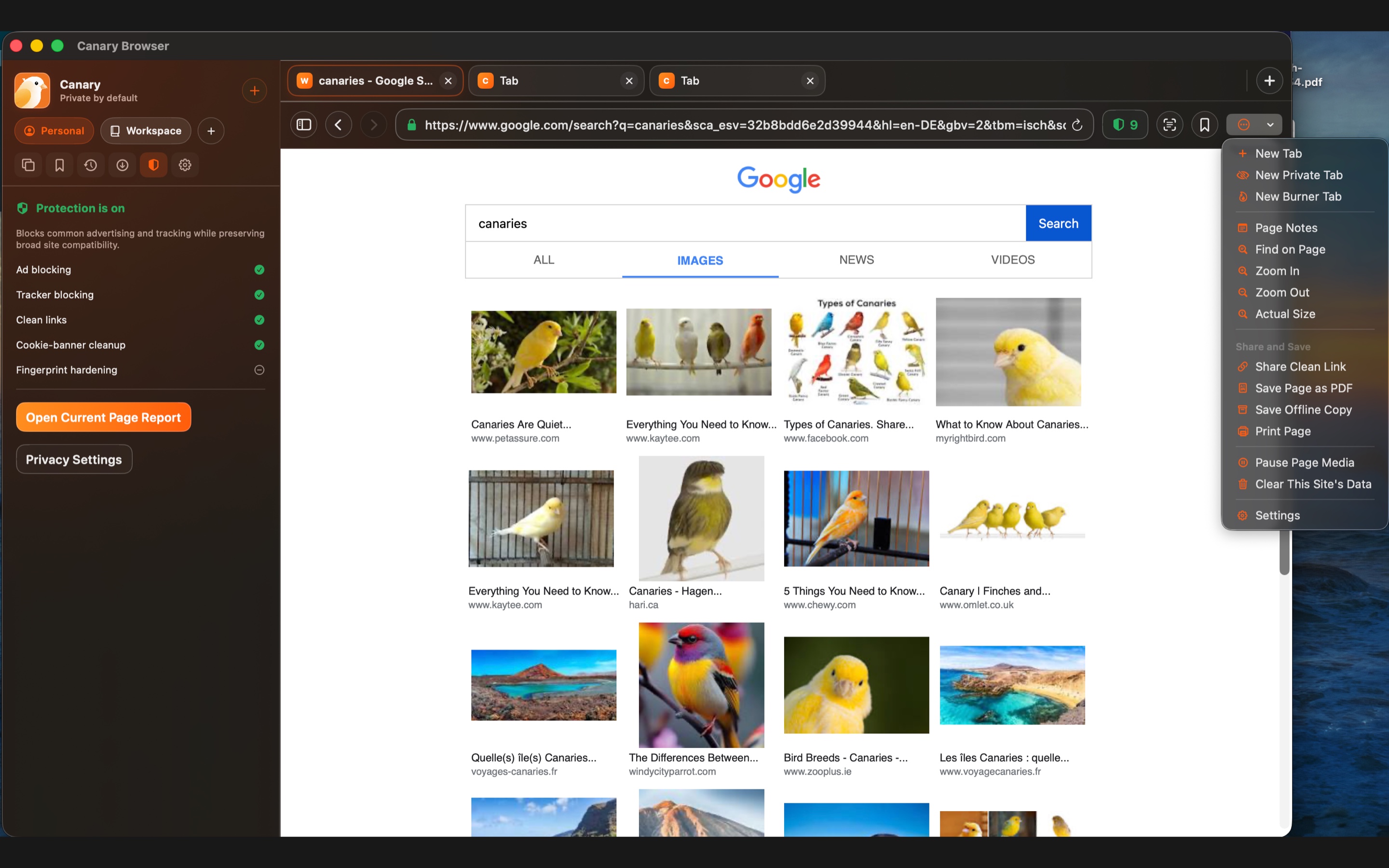
This website download is a separate direct-distribution build from the Mac App Store edition. It contains no StoreKit purchase flow or subscription screen: every feature is available after the one-time website purchase.
Apple notarized this exact disk image after an automated malware check. It is signed with the publisher's Developer ID and its notarization ticket is stapled to the download, so Gatekeeper can verify it even when your Mac is offline.
How signing, notarization and installation work8cc56f17b81b0b81b27b79f8e65a5296b79b8b21a1a9250f5046576f77e53092A native WebKit browser that separates identities into isolated workspaces, disposes of one-use Burner Tabs, cleans tracking links, shows what its protections actually did, and keeps notes and saved pages locally. It has no Canary account, analytics SDK or advertising SDK.
Canary gives each persistent workspace its own website-data container. Tabs in one workspace can share logins, cookies and caches with each other, while another workspace cannot see them. Moving a tab recreates its page inside the destination identity, and deleting a workspace erases that workspace's website data after its live pages have closed.
For sessions that should not persist, Private Tabs and one-use Burner Tabs never restore. A Burner Tab can close when you leave it. Regular inactive tabs can hibernate, while side-by-side browsing on supported Mac widths keeps two pages visible when the task needs comparison rather than tab switching.
Protection is made of specific, inspectable controls: independent ad and tracker blocking, Standard and Strict levels, tracking-parameter cleanup, nested redirect cleaning, eligible HTTP-to-HTTPS upgrades, optional fingerprint-surface reduction, third-party-cookie blocking in Strict mode and normalized site exceptions. The page report separates observed third parties from suspected tracker hosts and confirmed actions Canary took.
The useful extras remain local. Page Notes attach research notes to a cleaned canonical URL. Saved Pages can retain a PDF or WebArchive. Reading Lens extracts word count, reading time and an outline; Focus Shield adds a time-bounded pause before distracting sites. Downloads, printing, file uploads and camera or microphone requests use native WebKit and explicit permission decisions.
Each persistent workspace gets separate cookies, caches and logins; moving or deleting a workspace changes the underlying WebKit data container, not just a color label.
Private and Burner Tabs are never restored. Burner Tabs can use ephemeral website data and close when you navigate away.
The report distinguishes what the page exposed, what looked like a tracker and which protections actually blocked, cleaned or upgraded something.
Page Notes, Reading Lens, clean sharing and Saved Pages work without a Canary account or a remote notes service.
Pinned tabs, split browsing, regular-tab restoration and automatic hibernation cover long sessions without keeping every page live.
Downloads, uploads and website camera or microphone requests use origin-scoped WebKit decisions rather than silent pre-grants.
Canary uses Apple's WebKit engine and is not presented as Safari or Chrome feature parity. It has no browser-extension ecosystem, cross-device Canary account, password/passkey sync or guaranteed default-browser entitlement. Blocking reduces common advertising and tracking but cannot promise that every changing site will be blocked without breakage, and private browsing is not anonymity: websites, networks and search providers can still observe data you send them.
 MacManagerThe Mac control centre: truthful file browsing, verified iCloud backup to an external SSD, a mail suite, and real system tools.
 BlitzerMac-to-Mac transfers with pairing, SHA-256 checks and a resume journal. Fully unlocked, $10 once.
 SpaceLensShows what actually fills your disk as a navigable map, then cleans it with an undo step.
Website edition purchased once and fully unlocked; the separate App Store edition retains its subscription purchase flow.
Buy & downloadA native WebKit browser for Mac with identity-isolated workspaces, Private and one-use Burner Tabs, split browsing, local Page Notes and Saved Pages, plus transparent controls for blocking, clean links, HTTPS upgrades and site exceptions.
Canary Browser is for Mac users looking for mac utilities. A native private browser with isolated workspaces, Burner Tabs, clean links and local notes - no account or subscription.
Each persistent workspace has its own website-data container. Tabs within one workspace can share cookies and logins; another workspace uses a separate container. Moving a tab recreates its page in the destination workspace.
Private Tabs and one-use Burner Tabs are not restored. A Burner Tab can close when you leave it. Keep work you need later in an appropriate persistent workspace.
Canary Browser requires macOS 14 or later. Supported architecture: Apple silicon and Intel. Check About This Mac before purchasing.
No. The Mac App Store edition can include Apple's in-app purchase system. The website Direct edition is a separately signed build with no StoreKit purchase flow: one website purchase unlocks the complete app with no recurring charge.
The download is the complete app. There is no subscription, no locked tier, no account, and no trial timer — every feature is included.
Choose $10 for one app, $20 for two different apps, or $49 for every published app through Stripe's hosted checkout on this page. Download links are delivered on the confirmation page and by email. Each link is single-use; its exact expiry is shown in your delivery email. Keep the installer. If the link expires or a download fails, contact support@macossoftware.com with your receipt instead of buying again.
Yes. Version 1.0.0 is signed with a Developer ID certificate, notarized by Apple, and distributed with a stapled notarization ticket. Its published SHA-256 checksum is 8cc56f17b81b0b81b27b79f8e65a5296b79b8b21a1a9250f5046576f77e53092.
Canary Browser video tour: privacy settings and browser tools. Watch the video and read a list of the views it shows before choosing the app.