
Cited
Make your content easier to inspect and improve.
Bring a URL or pasted content into a focused review of structure, answer organisation and markup.
What you can do with Cited
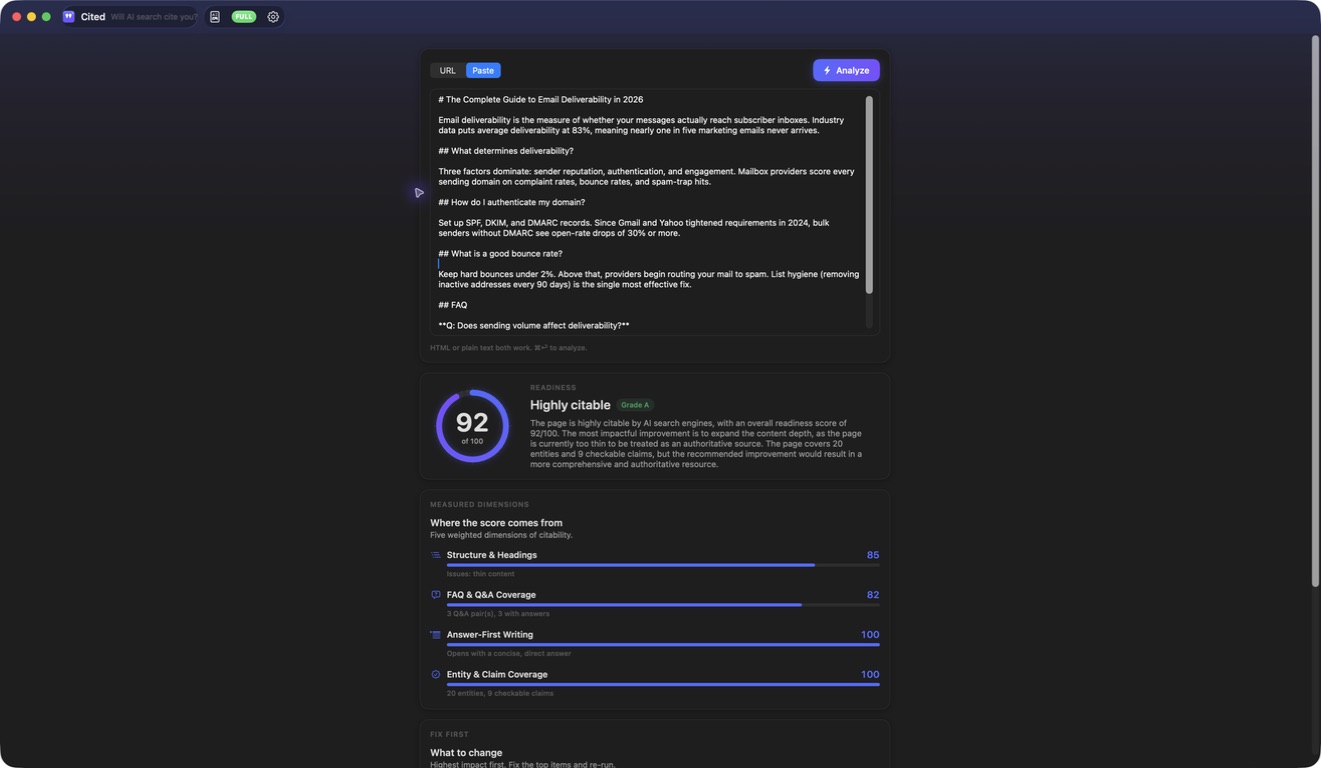
Bring a URL or pasted content into a focused review of structure, answer organisation and markup. Cited keeps the source evidence beside practical suggestions so you can see where to begin. Work through the priorities and take a report into your next editing session.
- Review content structure and answer organisation
- Keep source evidence beside the findings
- Start with prioritised editorial suggestions
See the workspace
Explore 3 more screenshots
A simple way to get started
Bring your context
Start with the source material, brief or records for the task.
Develop the work
Use the focused workspace to compare, organise or draft the result.
Prepare the next step
Keep useful findings and copy ready for the next part of your work.
Explore more features
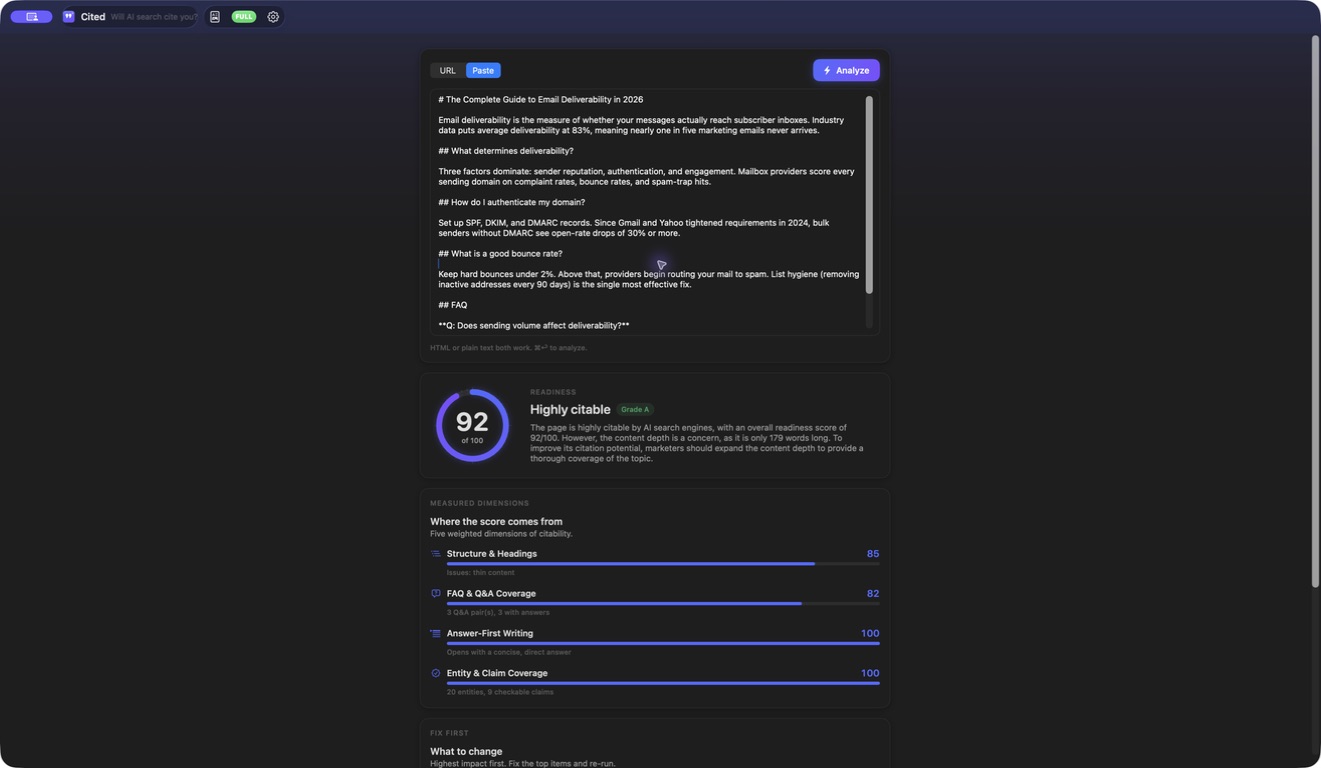
- Analyze a public HTTP or HTTPS URL, pasted HTML or pasted plain text in one native Mac workspace
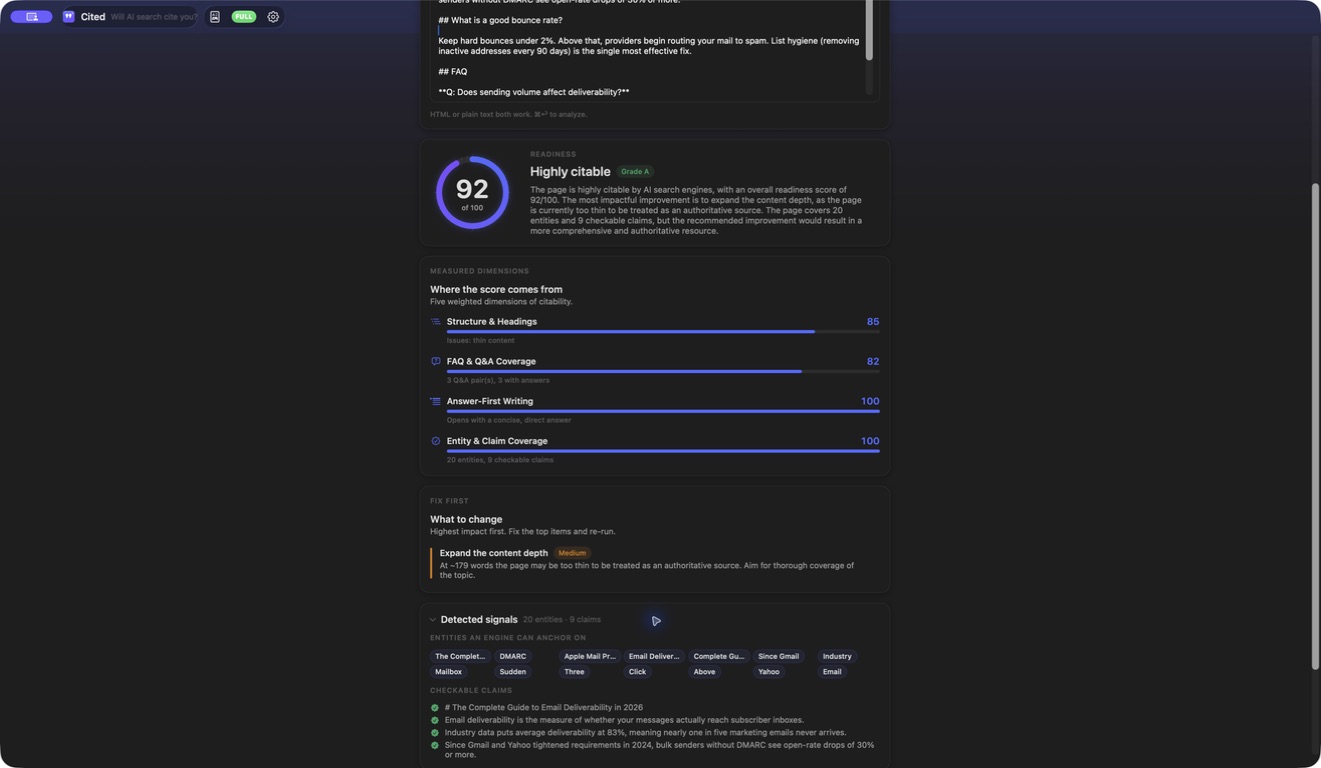
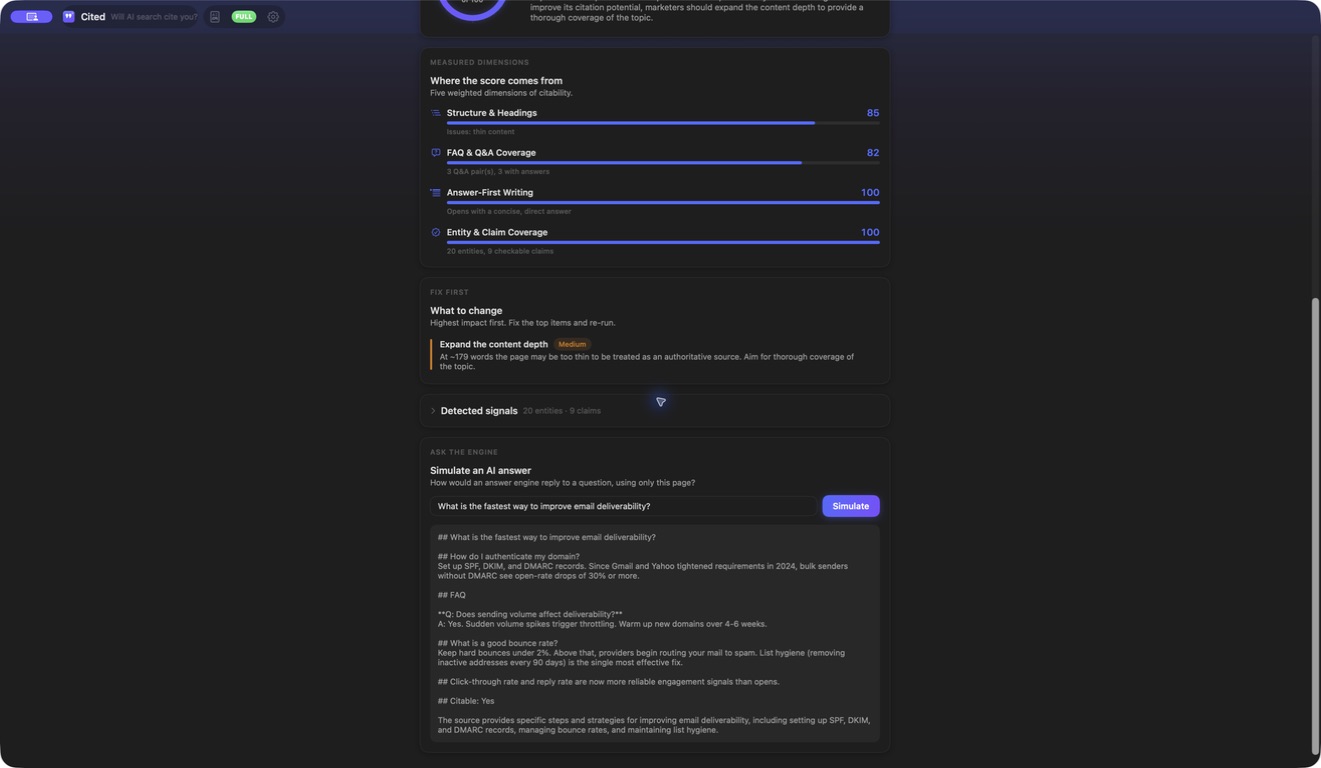
- Review a deterministic 0–100 answer-engine readiness grade across structure and headings, FAQ or Q&A, structured data for HTML, answer-first writing, and entity and claim coverage
- Inspect detected entities, checkable claims and content signals instead of relying on a single unexplained score
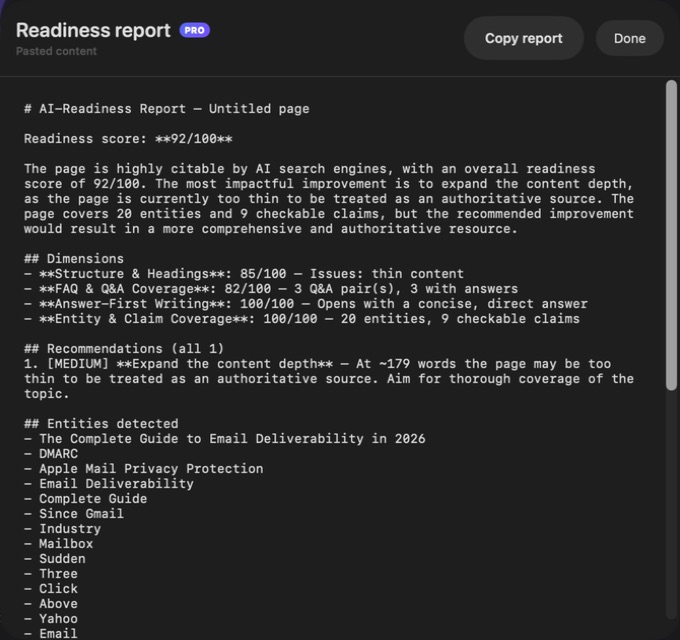
- Work through prioritized fix-first recommendations and copy a complete Markdown readiness report
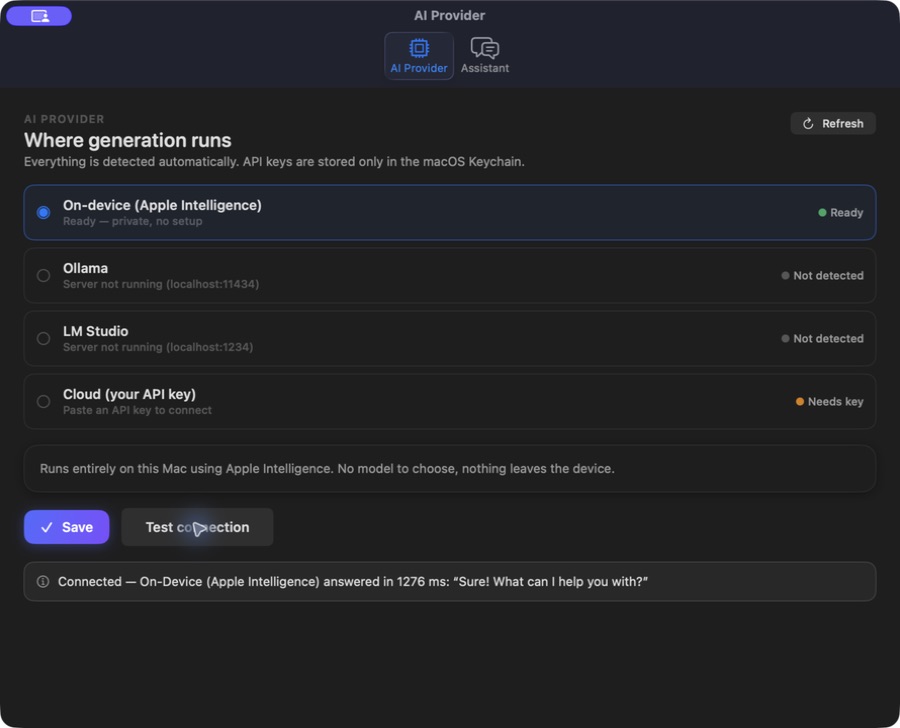
- Optionally generate a grounded narrative or answer-engine simulation through Apple Intelligence, Ollama, LM Studio or a bring-your-own cloud provider, with citation-support checks
- Use the deterministic audit without a model, account or API key while keeping optional provider output separate from the base score
Get Cited
Compatibility and installation details
- Requires
- macOS 14 or later
- Architecture
- Apple silicon and Intel
- Version
- 1.0
- Download
- 2.7 MB
- Publisher signature
- Developer ID Application
- Apple notarization
- Notarized
- SHA-256
b0e60a5e05e296fb81cc9d04e974550debf1170f257a1f7ffa36199b5c130b2e
Download the Mac disk image from your receipt, open it and follow the included installation instructions.
Useful to know
What can I do with Cited?
Bring a URL or pasted content into a focused review of structure, answer organisation and markup. Cited keeps the source evidence beside practical suggestions so you can see where to begin. Work through the priorities and take a report into your next editing session.
How do I start?
Start with the source material, brief or records for the task. Use the focused workspace to compare, organise or draft the result. Keep useful findings and copy ready for the next part of your work.
How do I receive my download?
After your purchase, the receipt page provides your download link. The exact expiry is shown with your delivery link. Keep your receipt and installer. If a link expires or a download fails, contact support with your receipt instead of buying again.
Where can I find setup help?
Compatibility and installation details are on this page. The installation guide and support team can help with the next step.
Watch the screenshot tour
. Watch the video and read a list of the views it shows before choosing the app.