
Timbre
Keep your writing in tune with your brand.
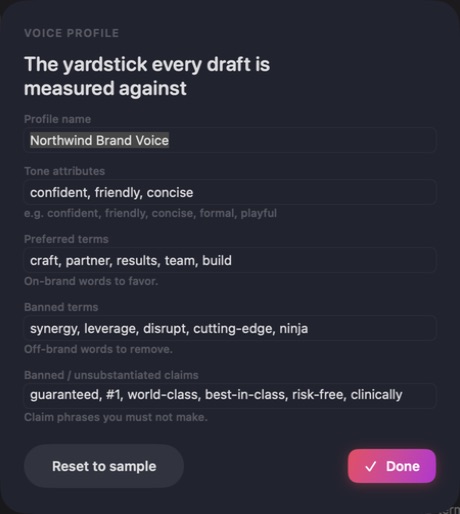
Define a voice profile, bring in a draft and see where wording could better match your intended style.
What you can do with Timbre
Define a voice profile, bring in a draft and see where wording could better match your intended style. Timbre keeps terminology and writing feedback close to the text, helping you make revisions with a consistent reference. Review the details, refine the draft and carry a clearer voice into your next piece.
- Define a reusable voice reference
- Find wording that needs attention
- Refine the draft with feedback beside the text
See the workspace
Explore 3 more screenshots
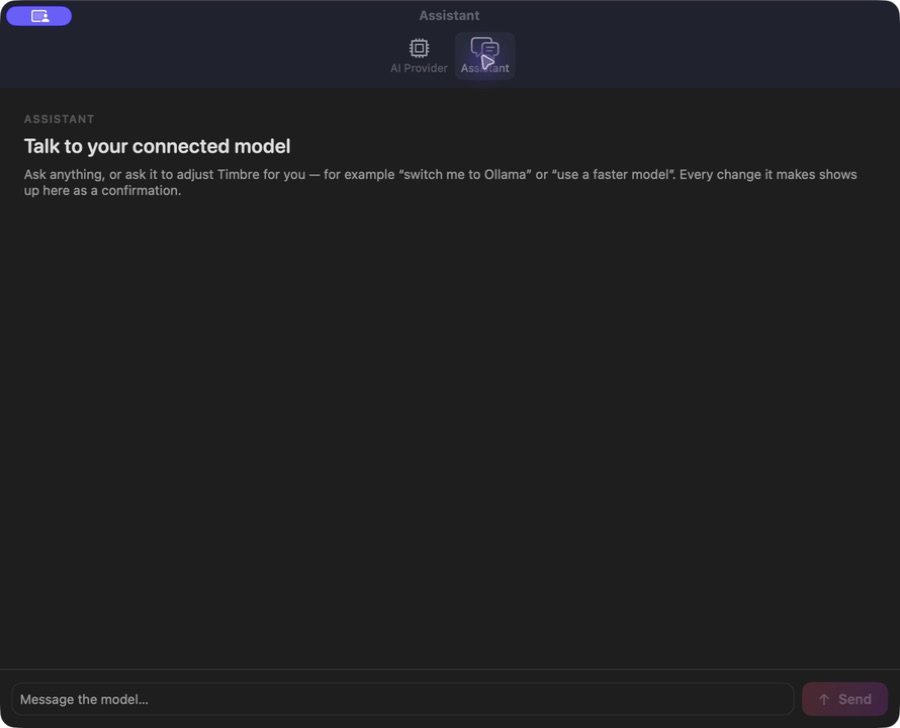
A simple way to get started
Bring your context
Start with the source material, brief or records for the task.
Develop the work
Use the focused workspace to compare, organise or draft the result.
Prepare the next step
Keep useful findings and copy ready for the next part of your work.
Explore more features
- Define a voice profile with target tone attributes, preferred vocabulary, banned terms and prohibited or unsubstantiated claim phrases
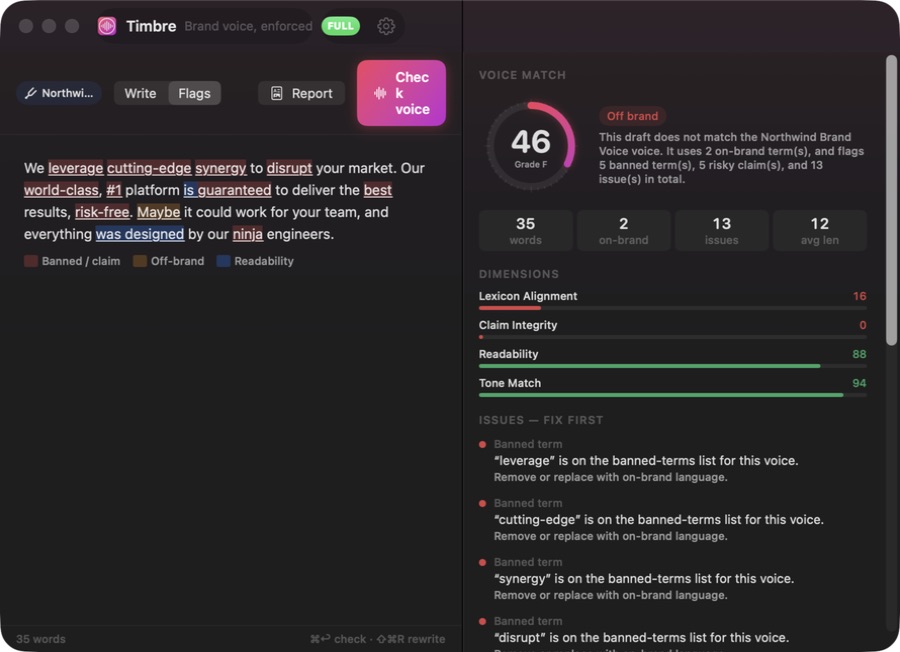
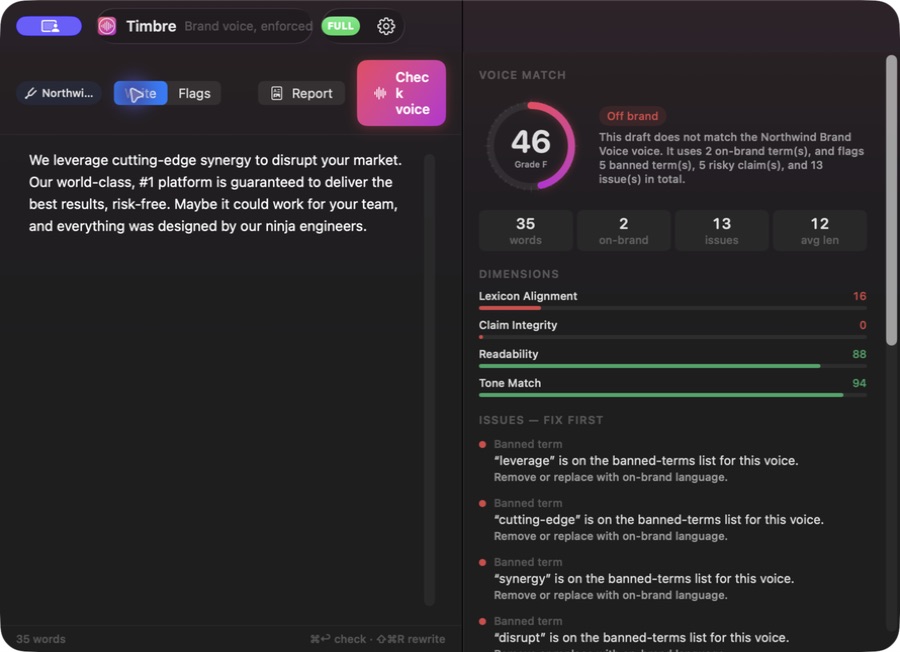
- Run a deterministic local check across lexicon alignment, claim integrity, readability and tone match without configuring an AI model
- Read the checked draft with exact highlights for banned terms, risky claims, confidence hedges, likely passive constructions and long sentences
- Prioritize issues by severity while reviewing the overall score, letter grade, dimension scores, word count, preferred-term hits and sentence metrics
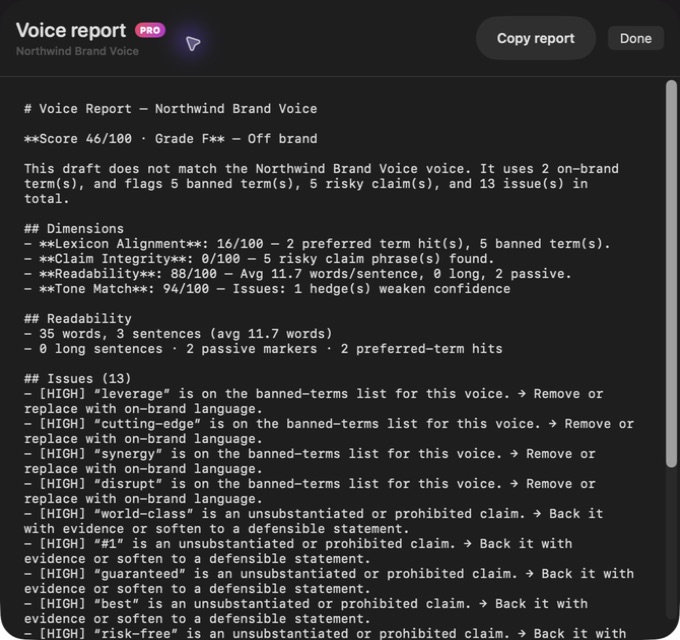
- Copy a complete Markdown voice report containing scores, readability statistics, ranked issues, fix suggestions and the analyzed-draft record
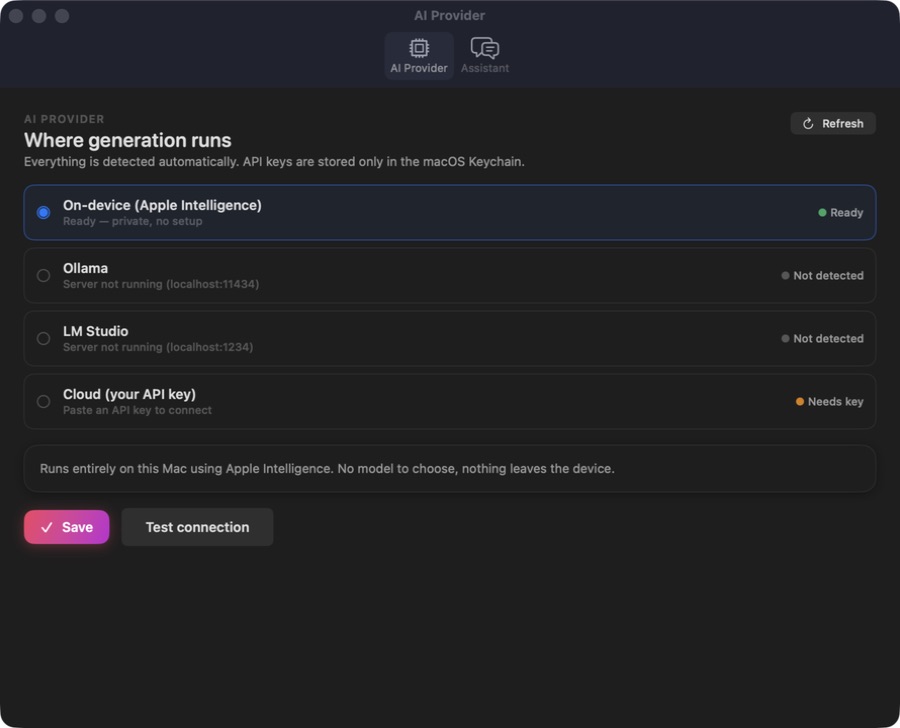
- Optionally rewrite through Apple Intelligence, Ollama, LM Studio or a bring-your-own cloud key, then automatically re-score the result and surface residual risk
Get Timbre
Compatibility and installation details
- Requires
- macOS 14 or later
- Architecture
- Apple silicon and Intel
- Version
- 1.0
- Download
- 3.3 MB
- Publisher signature
- Developer ID Application
- Apple notarization
- Notarized
- SHA-256
304baa5fec8146edff495de18ea207fce9115c4057e72100d24ede782422b8a7
Download the Mac disk image from your receipt, open it and follow the included installation instructions.
Useful to know
What can I do with Timbre?
Define a voice profile, bring in a draft and see where wording could better match your intended style. Timbre keeps terminology and writing feedback close to the text, helping you make revisions with a consistent reference. Review the details, refine the draft and carry a clearer voice into your next piece.
How do I start?
Start with the source material, brief or records for the task. Use the focused workspace to compare, organise or draft the result. Keep useful findings and copy ready for the next part of your work.
How do I receive my download?
After your purchase, the receipt page provides your download link. The exact expiry is shown with your delivery link. Keep your receipt and installer. If a link expires or a download fails, contact support with your receipt instead of buying again.
Where can I find setup help?
Compatibility and installation details are on this page. The installation guide and support team can help with the next step.
Watch the screenshot tour
. Watch the video and read a list of the views it shows before choosing the app.