Four professional presets
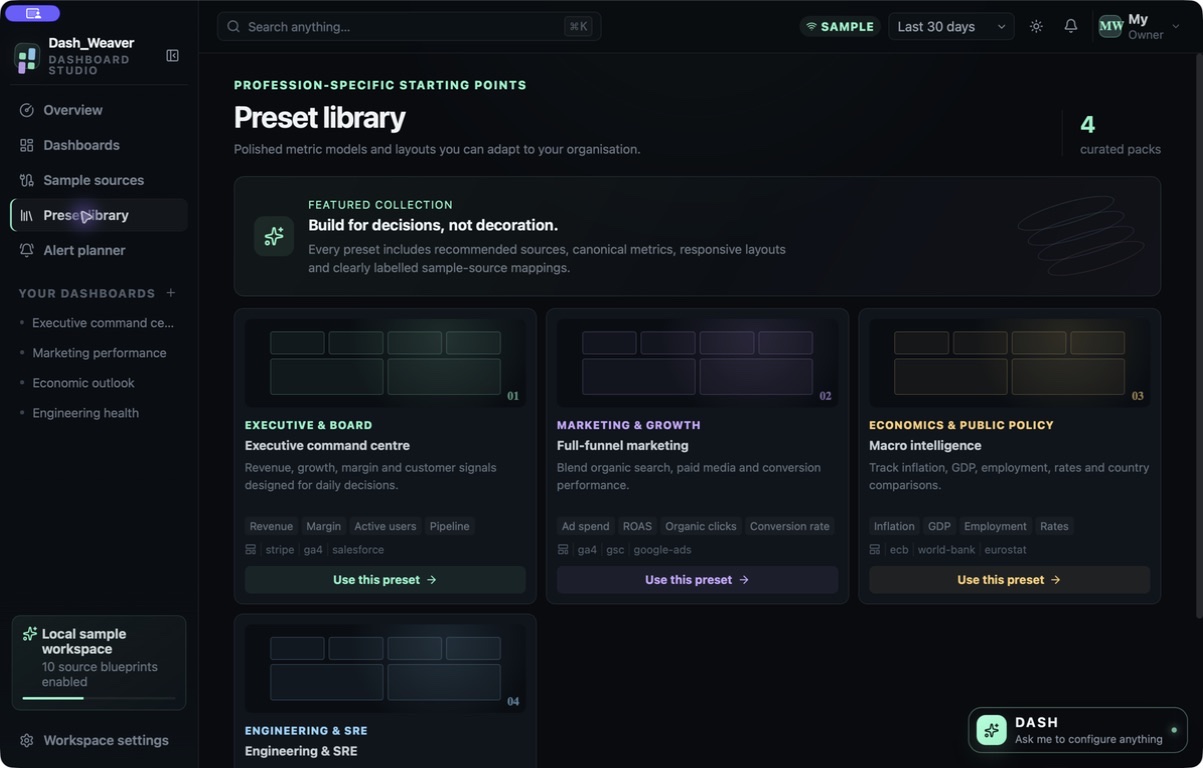
Start from executive, marketing, economics or engineering/SRE dashboard structures rather than an empty canvas.

Design the dashboard and rehearse the report — without pretending sample values are live business data.
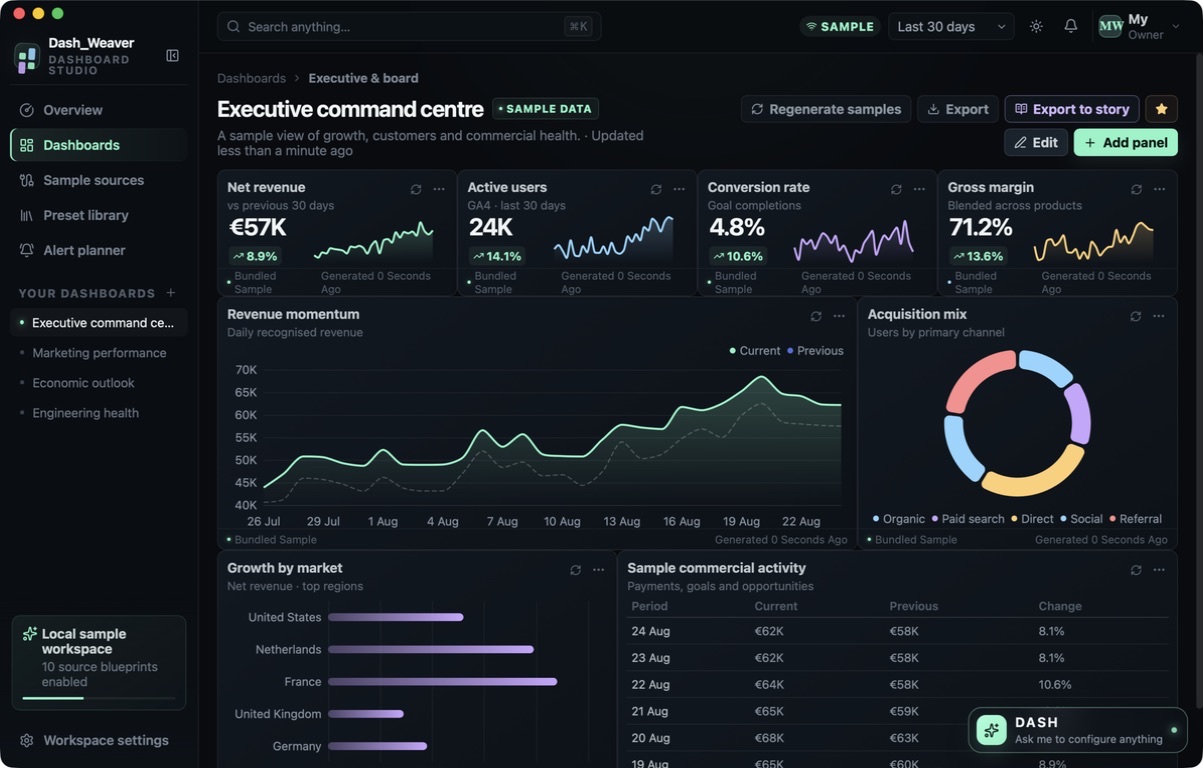
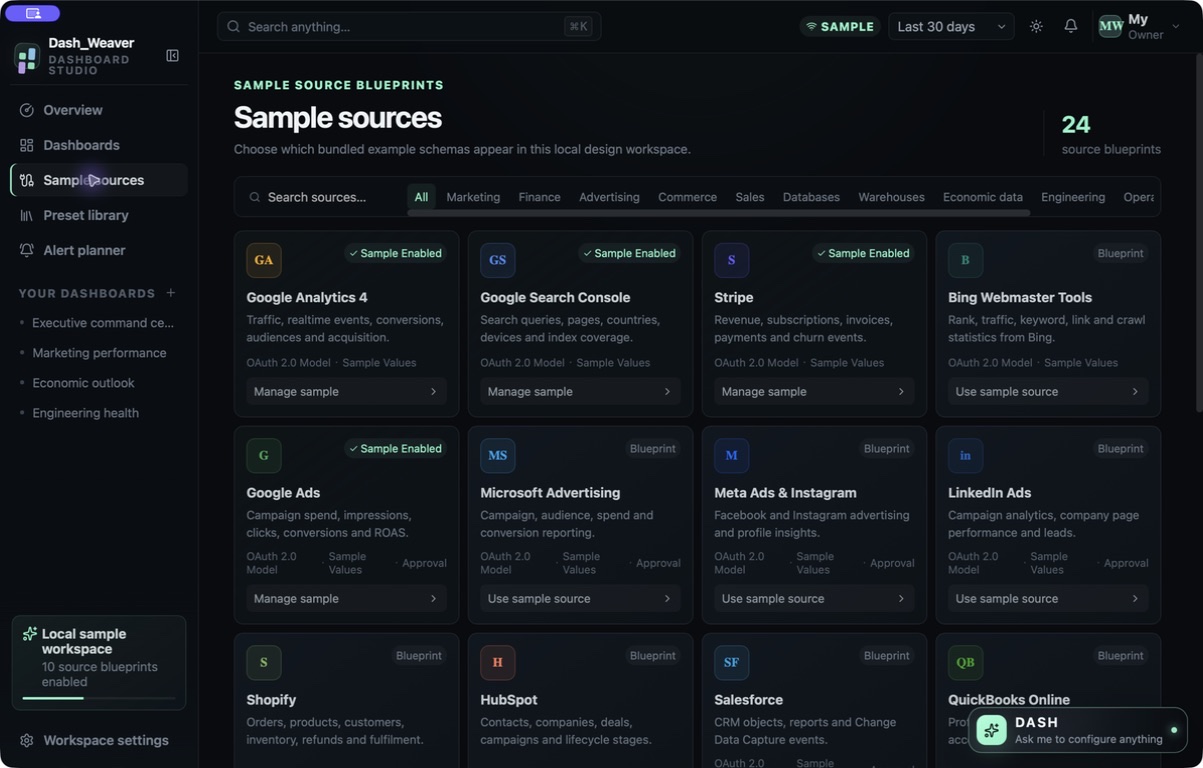
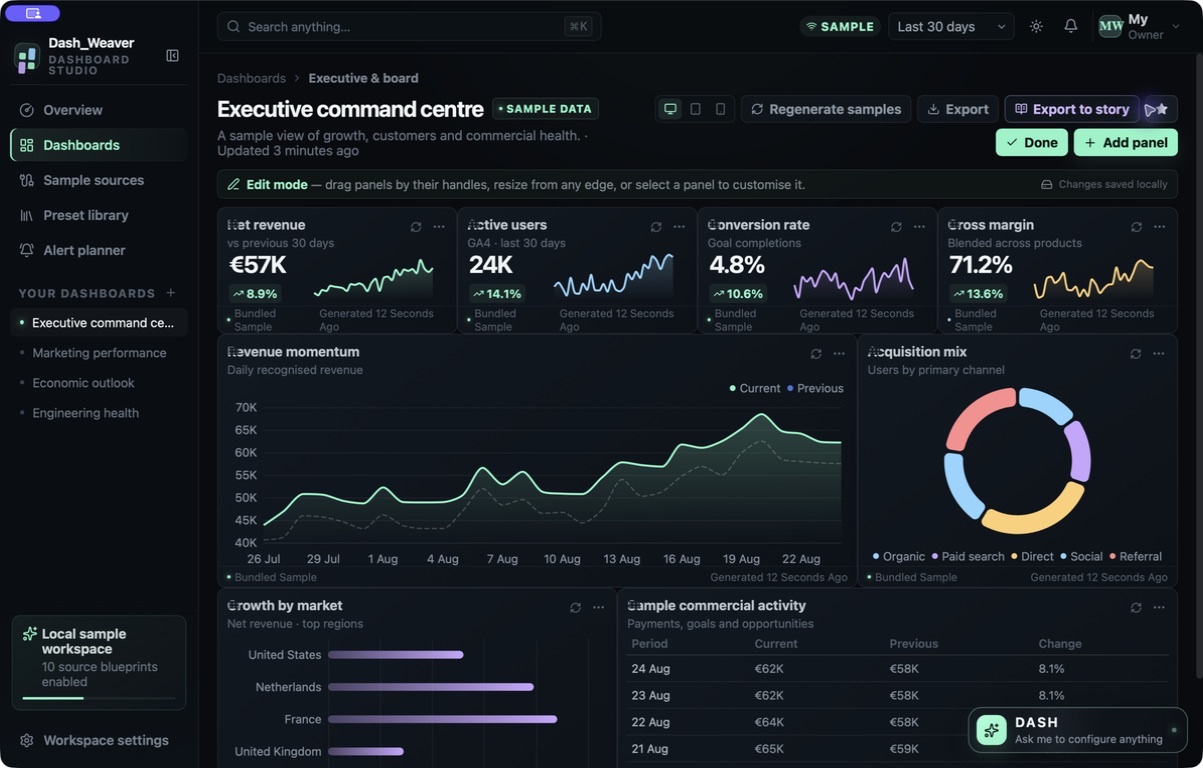
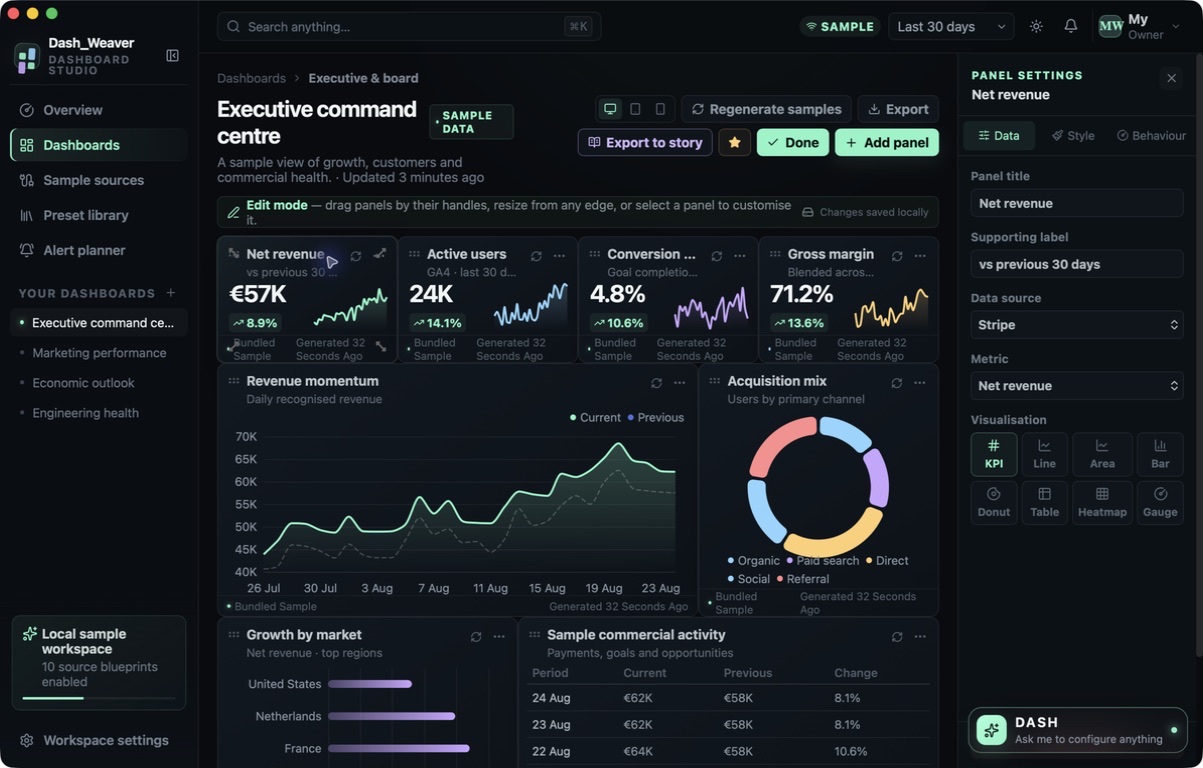
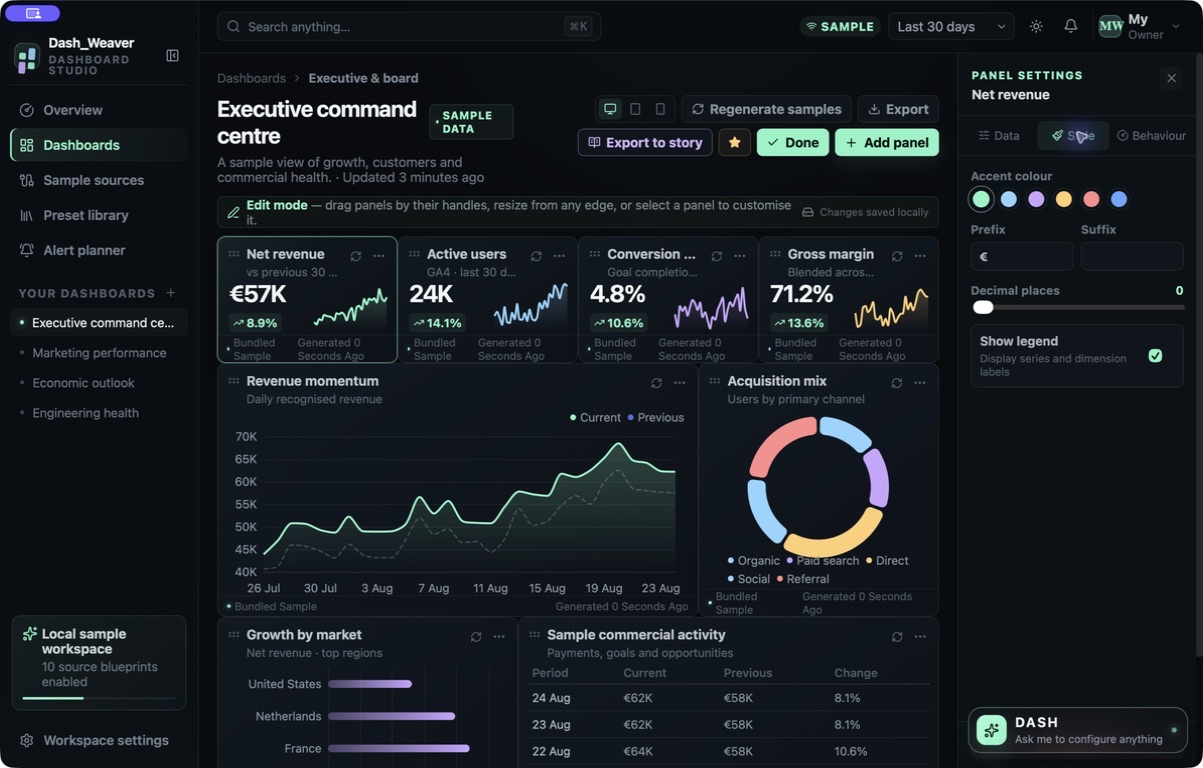
A silent screen tour of the shipping Dash Weaver app: Executive sample dashboard studio; Four professional dashboard presets; Local sample source blueprints; Responsive drag and resize edit mode; Chart metric and source configuration; Panel style number format and colours.
This website download is a separate direct-distribution build from the Mac App Store edition. It contains no StoreKit purchase flow or subscription screen: every feature is available after the one-time website purchase.
Apple notarized this exact disk image after an automated malware check. It is signed with the publisher's Developer ID and its notarization ticket is stapled to the download, so Gatekeeper can verify it even when your Mac is offline.
How signing, notarization and installation work62ceff06008355f95064deedc76fc23bfe5fa653a028e6993140b7157821b05aA local dashboard design and export studio for Mac with four professional presets, 24 sample-source blueprints, responsive editing, eight visualization types and five local report formats.
Dash Weaver is a local dashboard-design studio for planning how a report should look and travel. Begin with one of four distinct professional presets — executive, marketing, economics or engineering/SRE — or shape the workspace yourself. Every built-in value is clearly labelled SAMPLE DATA so layouts can use realistic-looking structures without being mistaken for a connected production dashboard.
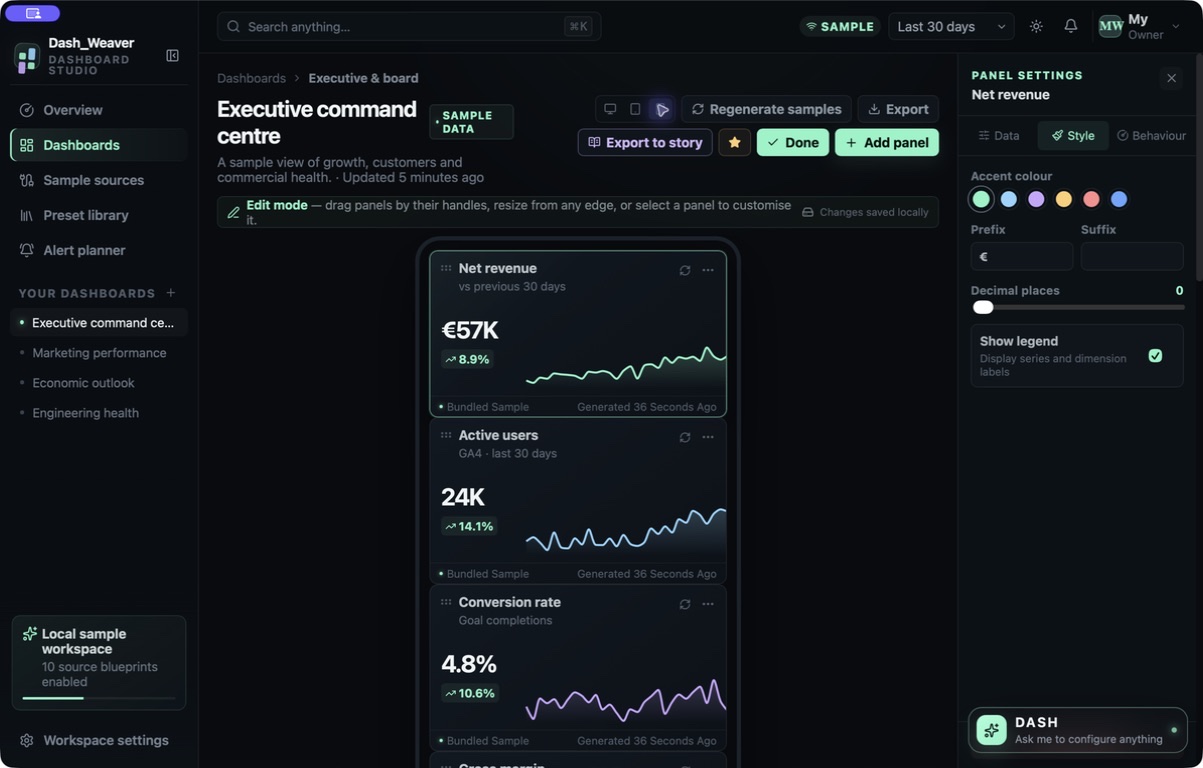
Edit mode gives each panel a place and purpose. Add, remove or duplicate panels; drag and resize them; choose a sample source and metric; and switch among KPI, line, area, bar, donut, table, gauge and heatmap visualizations. Style, number formatting, colors and legend options remain configurable. Desktop, tablet and phone controls reveal how the same dashboard responds at different widths before it is handed off.
The source catalogue contains 24 local blueprints that describe sample schemas, while the profile records which sample sources are enabled. Provider names identify blueprints and sample values only: they are not authenticated integrations, live API connections or imported account data. Profiles, dashboards, themes, rule drafts, sample-source choices and workspace settings are stored locally; validated .dashw archives can move a profile deliberately between installations.
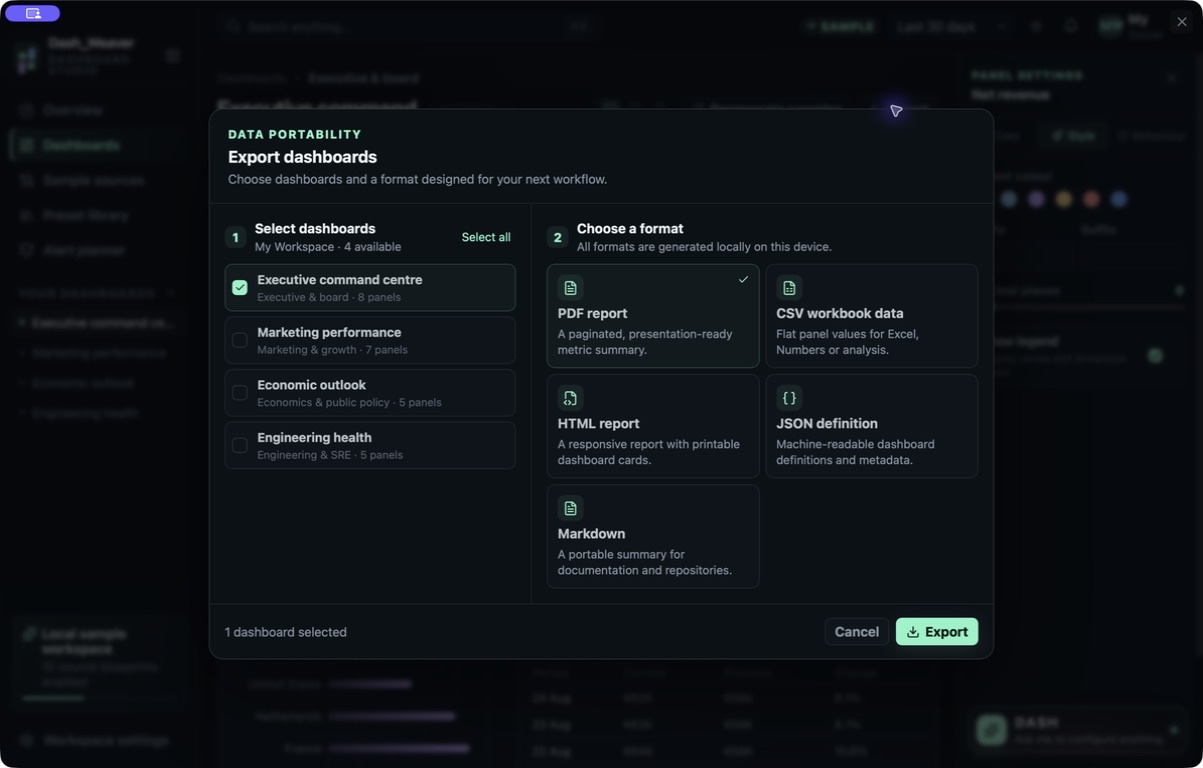
Export one or more dashboards locally as PDF, CSV, JSON, HTML or Markdown. Dash Weaver can also turn movements in its sample dashboard into a structured story rehearsal with methodology disclosure, and export that rehearsal as PDF, HTML or Markdown. Alert Planner stores threshold and destination drafts but does not evaluate them or send anything. The Direct release's exact HTML export was verified, and the separate website edition permanently enables every dashboard and story export after one purchase with no StoreKit purchase or restore code.
Start from executive, marketing, economics or engineering/SRE dashboard structures rather than an empty canvas.
Configure KPI, line, area, bar, donut, table, gauge and heatmap panels with per-panel sample source and metric choices.
Add, duplicate, remove, drag and resize panels, then inspect desktop, tablet and phone layouts before exporting.
Work with 24 local source blueprints and bundled deterministic values that remain labelled SAMPLE DATA throughout the studio and its exports.
Save profile-scoped dashboards and settings locally, then export or import a validated .dashw archive when portability is needed.
Export dashboards as PDF, CSV, HTML, JSON or Markdown; export story rehearsals as PDF, HTML or Markdown.
Dash Weaver is a local design, rehearsal and export studio using deterministic bundled sample data. It does not authenticate with providers, connect to live APIs, databases, spreadsheets, webhooks or files, ingest production account data, evaluate thresholds, deliver notifications, sync in the background, provide cloud storage or support team collaboration. Names associated with its 24 source blueprints identify sample schemas only and must not be read as active integrations or provider endorsements. Dashboard movements and story rehearsals do not establish causality, compare external benchmarks, monitor real systems or produce decision-ready business recommendations; replace the sample values and validate the methodology in an appropriate production system before acting. Alert rules and destinations are drafts, not automation. Local profiles require explicit .dashw export for portability, and no cloud-save or concurrent-workspace guarantee is made.
 AlembicTurns messy source material into training-grade datasets — cleaning, dedup and export, every step reversible.
 TidysetCleans CSV, Excel and JSON with reviewable diffs — approved fixes become a recipe you can re-run.
 BlitzerMac-to-Mac transfers with pairing, SHA-256 checks and a resume journal. Fully unlocked, $10 once.
Website edition purchased once and fully unlocks every dashboard and story export; the separate App Store edition retains its monthly or annual entitlement flow.
Buy & downloadA local dashboard design and export studio for Mac. Start from four professional presets and clearly labelled bundled sample data, arrange eight visualization types across desktop, tablet and phone layouts, then export reports as PDF, CSV, HTML, JSON or Markdown.
Dash Weaver is for analysts, marketers, operators, consultants and dashboard designers prototyping layouts and rehearsing reports with disclosed sample data. Design responsive dashboard layouts with clearly labelled bundled sample data, then export the result locally in five practical formats.
Dash Weaver requires macOS 13 or later. Supported architecture: Apple silicon and Intel. Check About This Mac before purchasing.
No. The current desktop release has no provider authentication, OAuth, live API, database, spreadsheet, webhook or file ingestion. Its 24 provider-shaped source blueprints and their values are bundled local sample data, clearly labelled as such.
Dash Weaver provides eight panel types: KPI, line, area, bar, donut, table, gauge and heatmap. Each panel can select a sample source and metric and expose relevant styling, number-format, color and legend controls.
Dashboards can be exported locally as PDF, CSV, JSON, HTML or Markdown. Structured story rehearsals can be exported as PDF, HTML or Markdown. The release process includes exact verification of the generated HTML export.
No. Thresholds and intended destinations are local planning drafts only. Dash Weaver does not evaluate the rules or deliver email, push, Slack, Teams or other messages.
Workspace state is stored locally in the embedded desktop web view. Profiles can be exported and imported deliberately as validated .dashw archives. There is no background sync, cloud storage, account or team collaboration.
Yes. The separate Dash Weaver Direct build permanently enables every dashboard and story export and excludes the App Store commerce UI, purchase and restore logic, product identifiers and native IAP plugin. It is a one-time website purchase with no subscription or account.
No. The Mac App Store edition can include Apple's in-app purchase system. The website Direct edition is a separately signed build with no StoreKit purchase flow: one website purchase unlocks the complete app with no recurring charge.
The download is the complete app. There is no subscription, no locked tier, no account, and no trial timer — every feature is included.
Choose $10 for one app, $20 for two different apps, or $49 for every published app through Stripe's hosted checkout on this page. Download links are delivered on the confirmation page and by email. Each link is single-use; its exact expiry is shown in your delivery email. Keep the installer. If the link expires or a download fails, contact support@macossoftware.com with your receipt instead of buying again.
Yes. Version 1.1.0 is signed with a Developer ID certificate, notarized by Apple, and distributed with a stapled notarization ticket. Its published SHA-256 checksum is 62ceff06008355f95064deedc76fc23bfe5fa653a028e6993140b7157821b05a.
Dash Weaver video tour: sample dashboards and panel editing. Watch the video and read a list of the views it shows before choosing the app.