Foundation-model checklist
Start with the intended task, licence, model size, context needs and available hardware before choosing a candidate.

Make the important fine-tuning decisions on paper before you install a stack or spend compute.
A silent screen tour of the shipping LLM Academy app: Lesson foundation model selection; Lesson training dataset planning; Lesson efficient fine tune configuration; Completed checkpoint private notes.
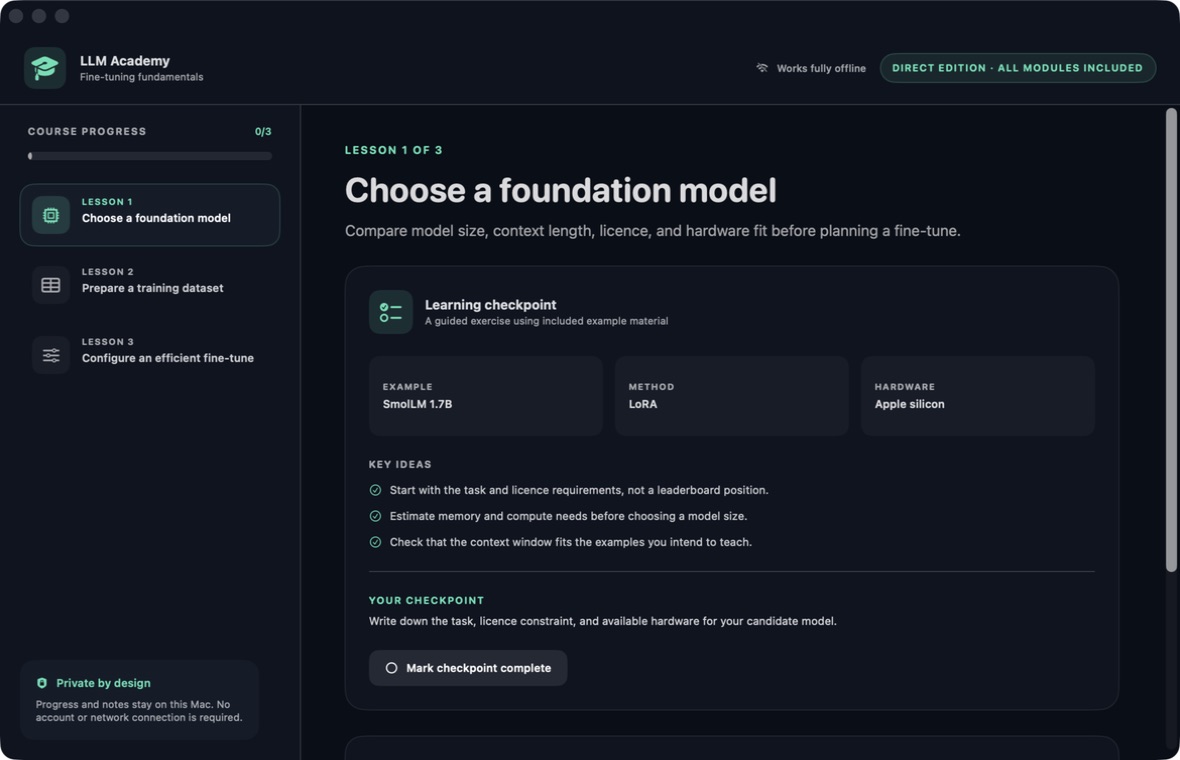
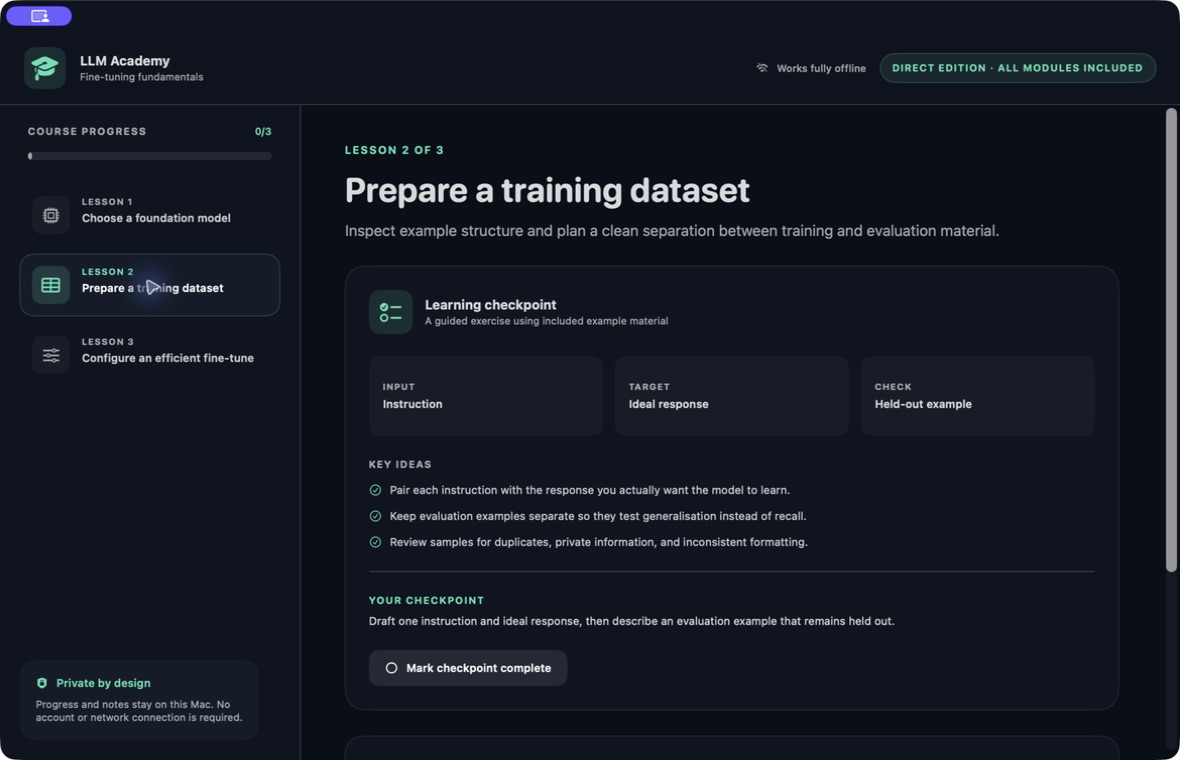
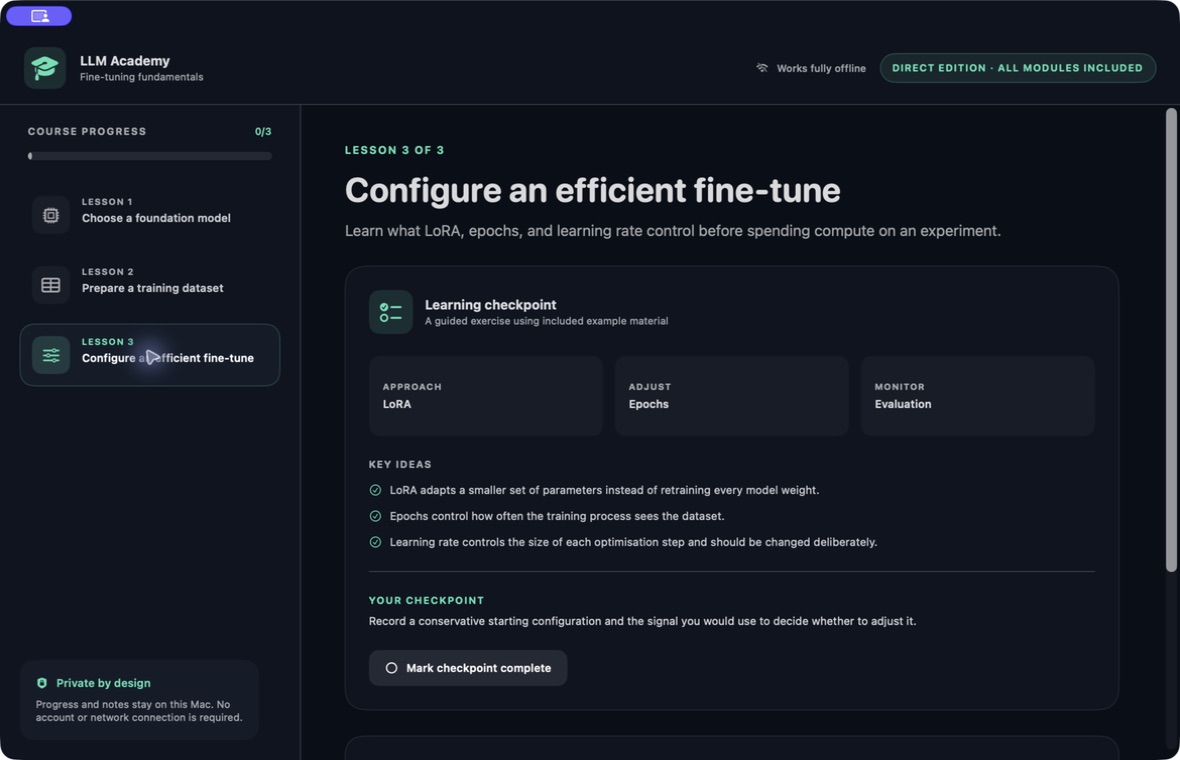
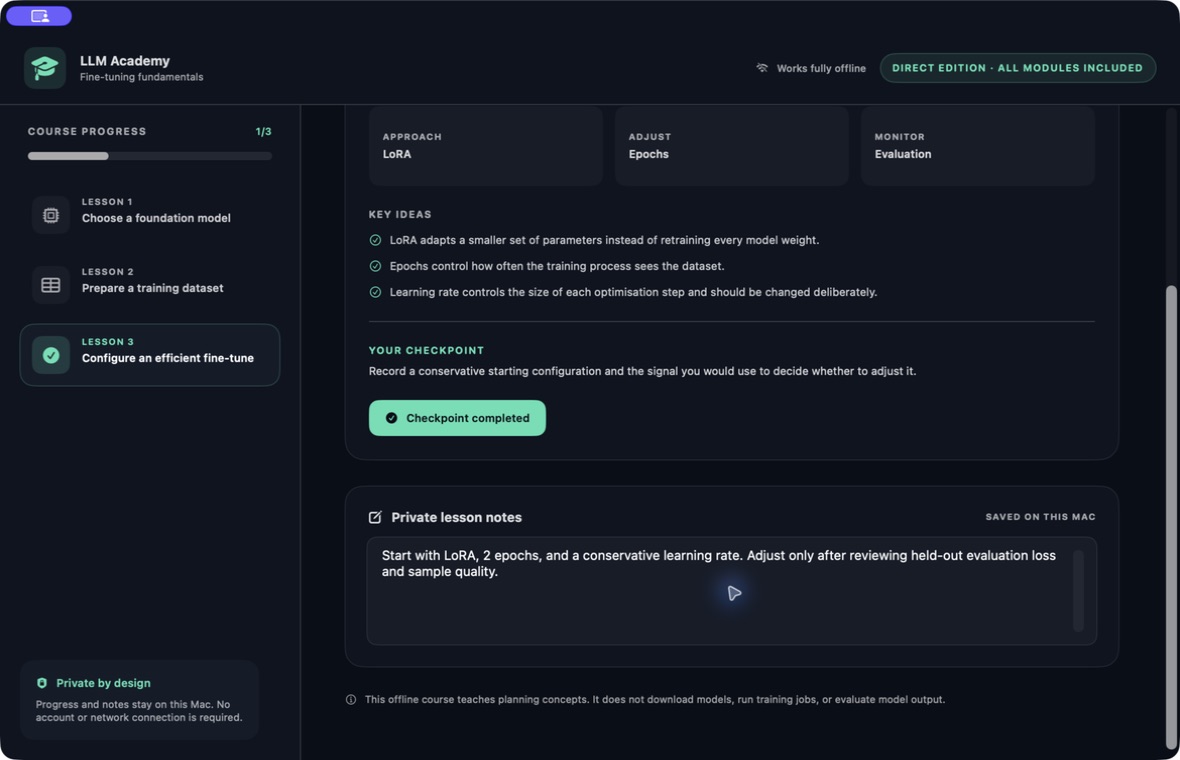
This website download is a separate direct-distribution build from the Mac App Store edition. It contains no StoreKit purchase flow or subscription screen: every feature is available after the one-time website purchase.
Apple notarized this exact disk image after an automated malware check. It is signed with the publisher's Developer ID and its notarization ticket is stapled to the download, so Gatekeeper can verify it even when your Mac is offline.
How signing, notarization and installation worka5b75be6823b8e48c8adb2a28ac85394f0db360b5612cde6c73e4dbbec89146cA compact offline planning course for Mac with three guided lessons on choosing a foundation model, preparing a training dataset and configuring an efficient fine-tune.
LLM Academy Direct is a deliberately compact fine-tuning planning course. Its three bundled lessons are available immediately and work without an account or network connection. The course is for the decisions that come before a training run: defining the task, selecting a suitable starting model, deciding what examples belong in the dataset and recording a conservative first experimental configuration.
Lesson one compares task fit, licence constraints, model size, context length and available hardware. Lesson two frames instruction-and-ideal-response examples, held-out evaluation material, duplicate review, private-information review and consistent formatting. Lesson three explains the planning role of LoRA, epochs and learning rate. Each lesson presents three key ideas, a small facts panel and one written checkpoint rather than hiding the scope behind an open-ended tutor.
Checkpoint completion and lesson notes persist locally through the app's own macOS preferences. Mark a checkpoint complete when you have recorded the requested decision, and keep working notes beside the relevant lesson. Progress is intentionally self-directed: there is no account, remote classroom, telemetry-backed score or cloud synchronization service between the learner and the material.
The boundary is explicit inside the app. This edition does not download a model, import or clean a dataset, install Python or package managers, run a training job, evaluate output, export an adapter or start a model server. It teaches a planning framework; the resulting decisions still need to be implemented and validated with appropriate external tools. The website Direct build is Developer ID-signed and Apple-notarized, permanently includes all three modules after one purchase, and contains no StoreKit, subscription, paywall, trial or restore flow.
Start with the intended task, licence, model size, context needs and available hardware before choosing a candidate.
Frame instruction-and-response pairs, hold evaluation examples back, and record the duplicate, privacy and formatting checks the data needs.
Learn what LoRA, epochs and learning rate change so the first configuration is deliberate rather than copied blindly.
Turn each lesson into one concrete written decision and mark the checkpoint complete when that planning work is done.
Keep notes beside each module and preserve them with course completion on the current Mac.
Open every included lesson without an account, network service, model provider or remote learning platform.
LLM Academy Direct is a compact three-lesson planning course, not a training runtime, dataset tool, model manager, MLOps platform, accredited qualification or comprehensive fine-tuning curriculum. The supplied SmolLM 1.7B, LoRA and Apple-silicon facts are illustrative prompts, not a hardware benchmark, model recommendation, licence opinion or assurance that a particular experiment is feasible. The app does not inspect licence terms, calculate memory requirements, import or scan a dataset, detect duplicates or private information, install Python or package managers, download model weights, execute optimization, monitor loss, evaluate model output, compare checkpoints, export adapters or start an inference server. Learners must implement and validate every resulting plan with suitable external tools, independent licence review, data governance and evaluation. Checkpoint completion is self-marked and does not prove competence or project readiness. Notes and completion are stored locally in ordinary macOS app preferences; they are not an encrypted project vault, portable course export, cloud backup, synchronization or collaboration system. Course completion cannot guarantee a successful model, lower costs, employment, examination or professional outcome.
 AI Engineering400 lessons, 140 runnable code labs and an offline tutor — from first Python to a principal-architect capstone.
 Data Engineering400 lessons on SQL, pipelines, orchestration and warehousing, with runnable labs and an offline tutor.
 Software Engineering400 lessons on the craft after syntax — design, testing, review, debugging — with editable labs, offline.
Website edition purchased once and permanently includes all three planning modules without StoreKit or a paywall; the separate App Store product and its commerce flow remain distinct.
Buy & downloadA compact offline fine-tuning planning course for Mac. Choose a foundation model, prepare a training dataset and configure an efficient fine-tune through three guided lessons with local checkpoints and private notes.
LLM Academy is for developers, students and technical teams who want a clear first planning framework for an LLM fine-tuning experiment before installing tools or spending compute. Plan the model, dataset and first efficient fine-tuning configuration through three offline lessons with local checkpoints and private notes.
No. It is a three-lesson planning course covering model choice, dataset preparation and efficient fine-tuning configuration. It provides local checkpoints and notes, not a training runtime or compute allocation.
Exactly three planning lessons are bundled: Choose a foundation model, Prepare a training dataset and Configure an efficient fine-tune. Every lesson is available immediately in the Direct edition.
No. This Direct app teaches and records planning decisions. It does not download models, run training jobs, evaluate model output, export adapters or start a model server.
It covers instruction-and-ideal-response structure, keeping evaluation examples held out, and reviewing planned samples for duplicates, private information and inconsistent formatting. It does not import, clean or validate a dataset file for you.
It introduces the planning role of LoRA, epochs and learning rate, then asks you to record a conservative starting configuration and the signal you would use when deciding whether to adjust it.
Lesson notes and checkpoint completion are saved locally in the app's macOS preferences on the current Mac. There is no account, cloud synchronization, shared classroom or remote progress service.
Yes. All three lessons, checkpoints, notes and local progress work without a network connection. The app does not need a model provider or learner account.
Yes. LLM Academy Direct permanently includes all three current planning modules after one website purchase. It contains no StoreKit, subscription, purchase, restore, paywall or trial implementation.
LLM Academy requires macOS 13 or later. Supported architecture: Apple silicon and Intel. Check About This Mac before purchasing.
No. The Mac App Store edition can include Apple's in-app purchase system. The website Direct edition is a separately signed build with no StoreKit purchase flow: one website purchase unlocks the complete app with no recurring charge.
The download is the complete app. There is no subscription, no locked tier, no account, and no trial timer — every feature is included.
Choose $10 for one app, $20 for two different apps, or $49 for every published app through Stripe's hosted checkout on this page. Download links are delivered on the confirmation page and by email. Each link is single-use; its exact expiry is shown in your delivery email. Keep the installer. If the link expires or a download fails, contact support@macossoftware.com with your receipt instead of buying again.
Yes. Version 1.0.0 is signed with a Developer ID certificate, notarized by Apple, and distributed with a stapled notarization ticket. Its published SHA-256 checksum is a5b75be6823b8e48c8adb2a28ac85394f0db360b5612cde6c73e4dbbec89146c.
LLM Academy video tour: model selection and fine-tuning lessons. Watch the video and read a list of the views it shows before choosing the app.