
Broadcut
Bring picture, sound and the timeline together.
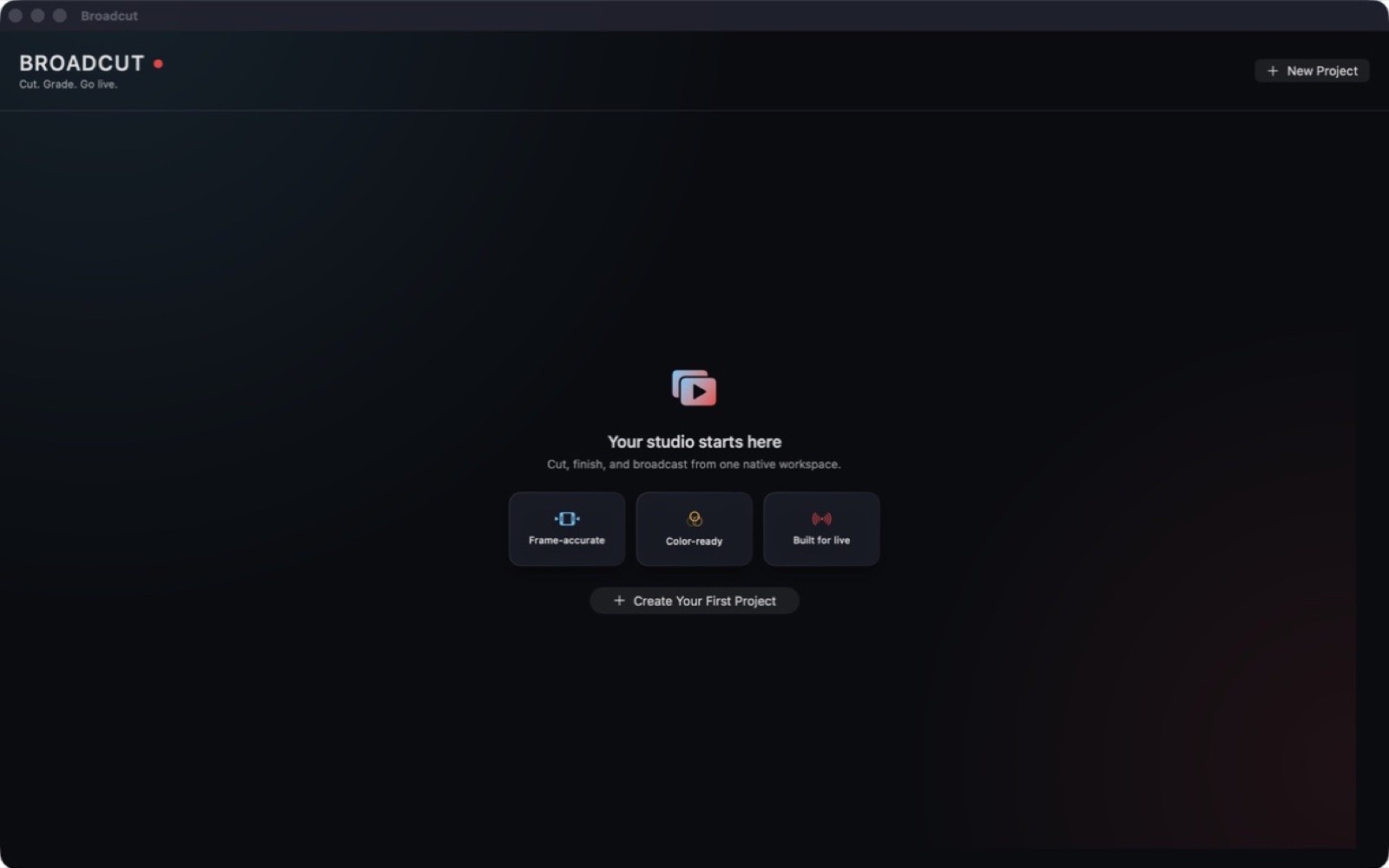
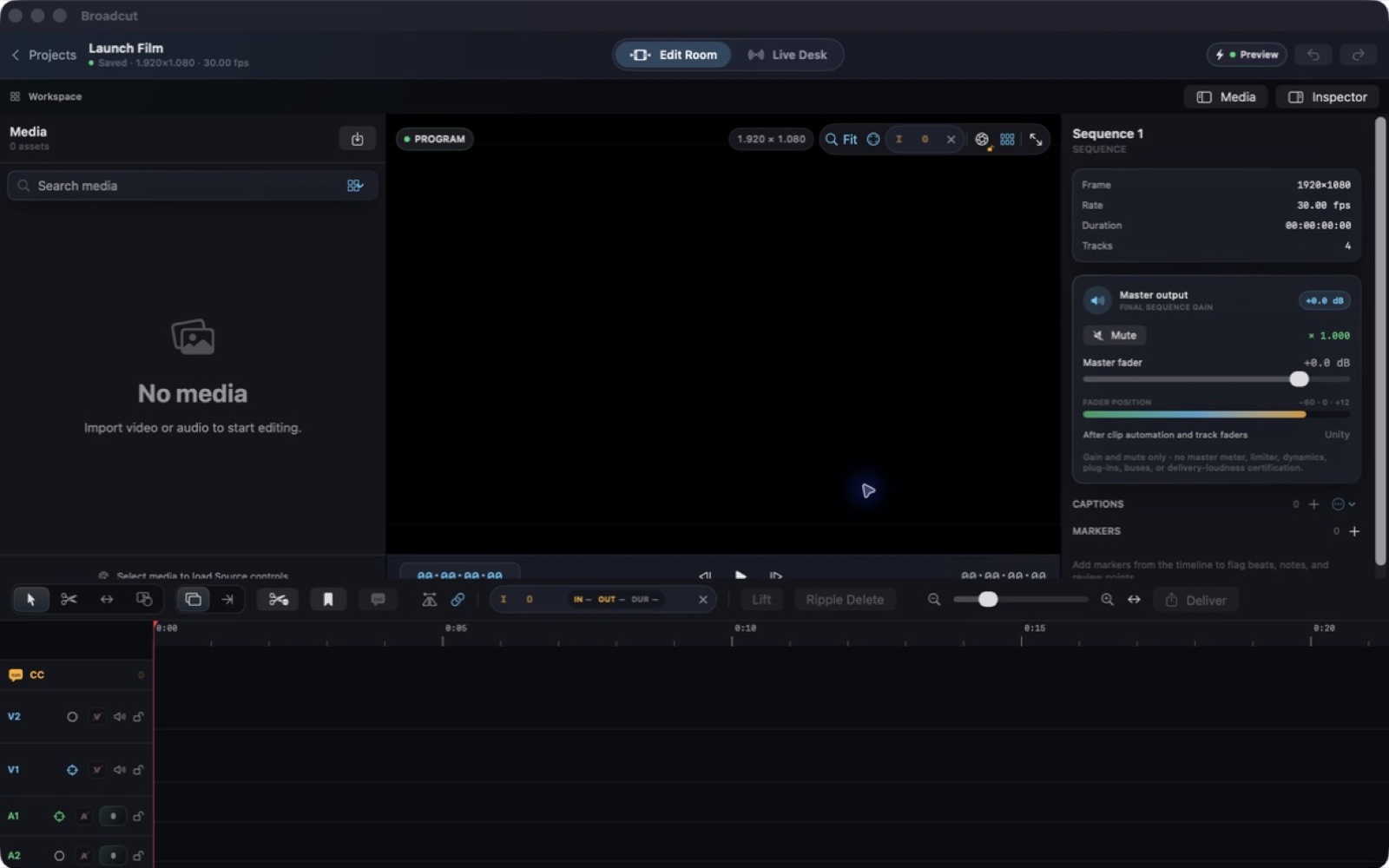
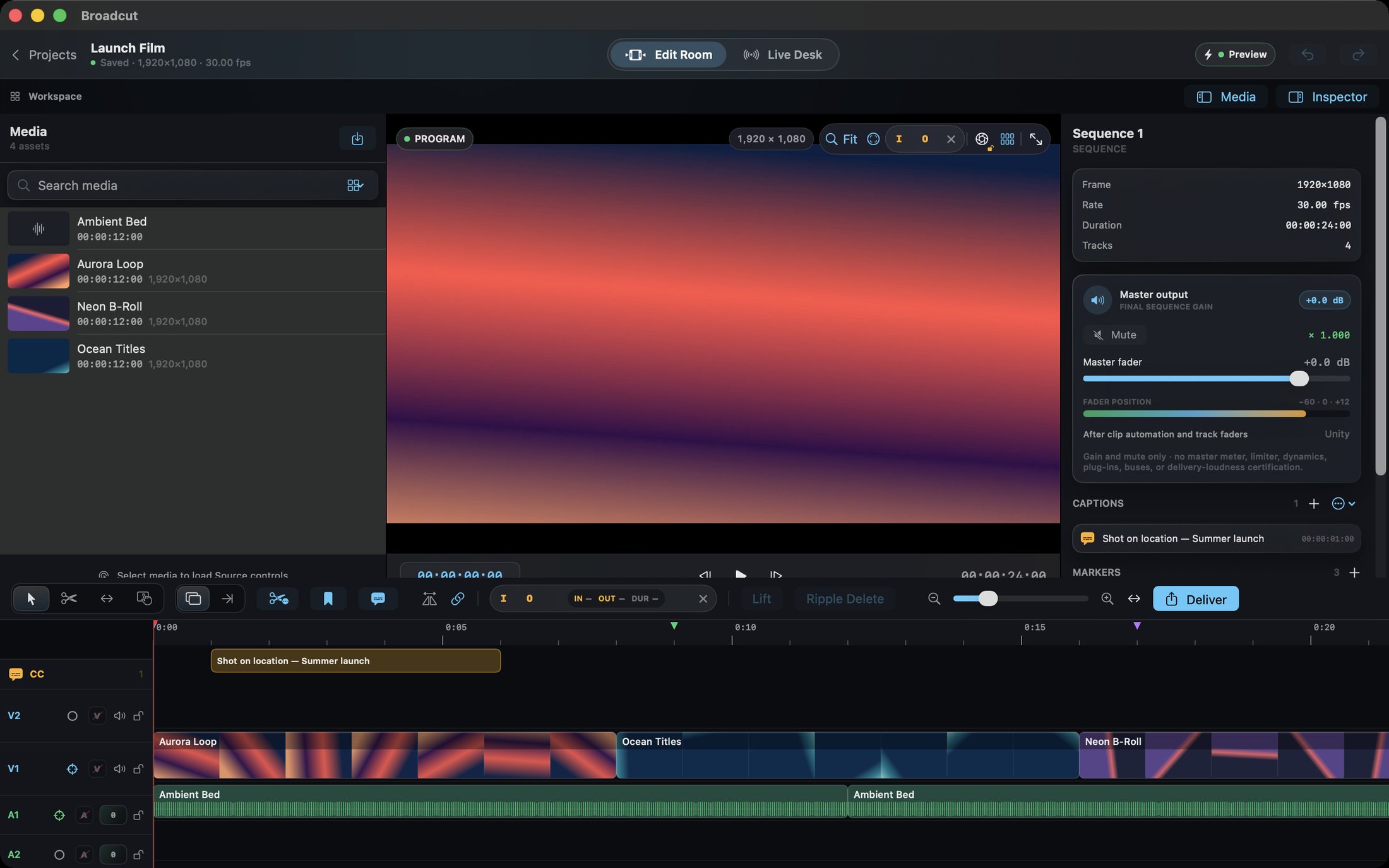
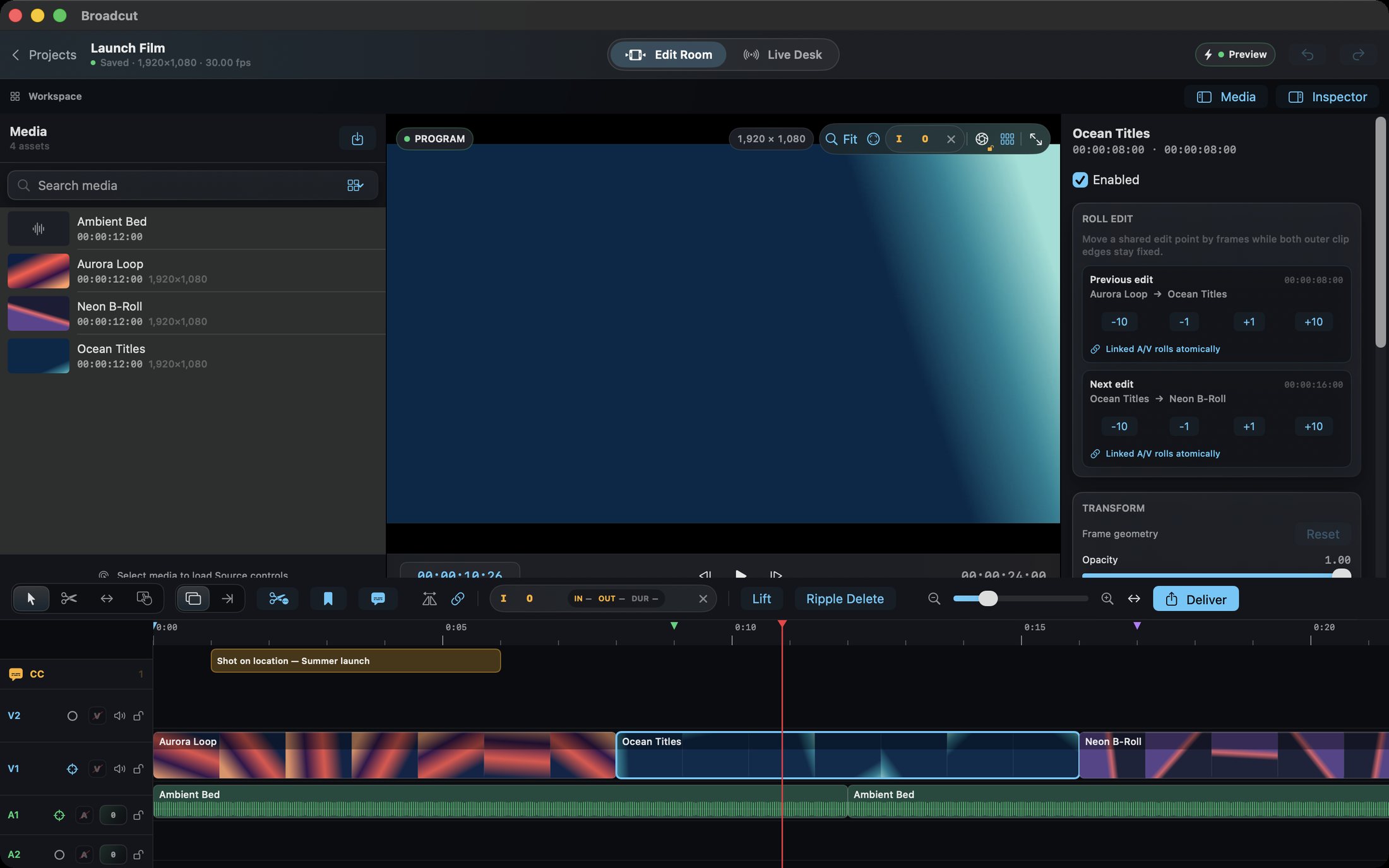
Build a video from your source material in a workspace with dedicated monitors, layered audio and video, and timeline editing.
What you can do with Broadcut
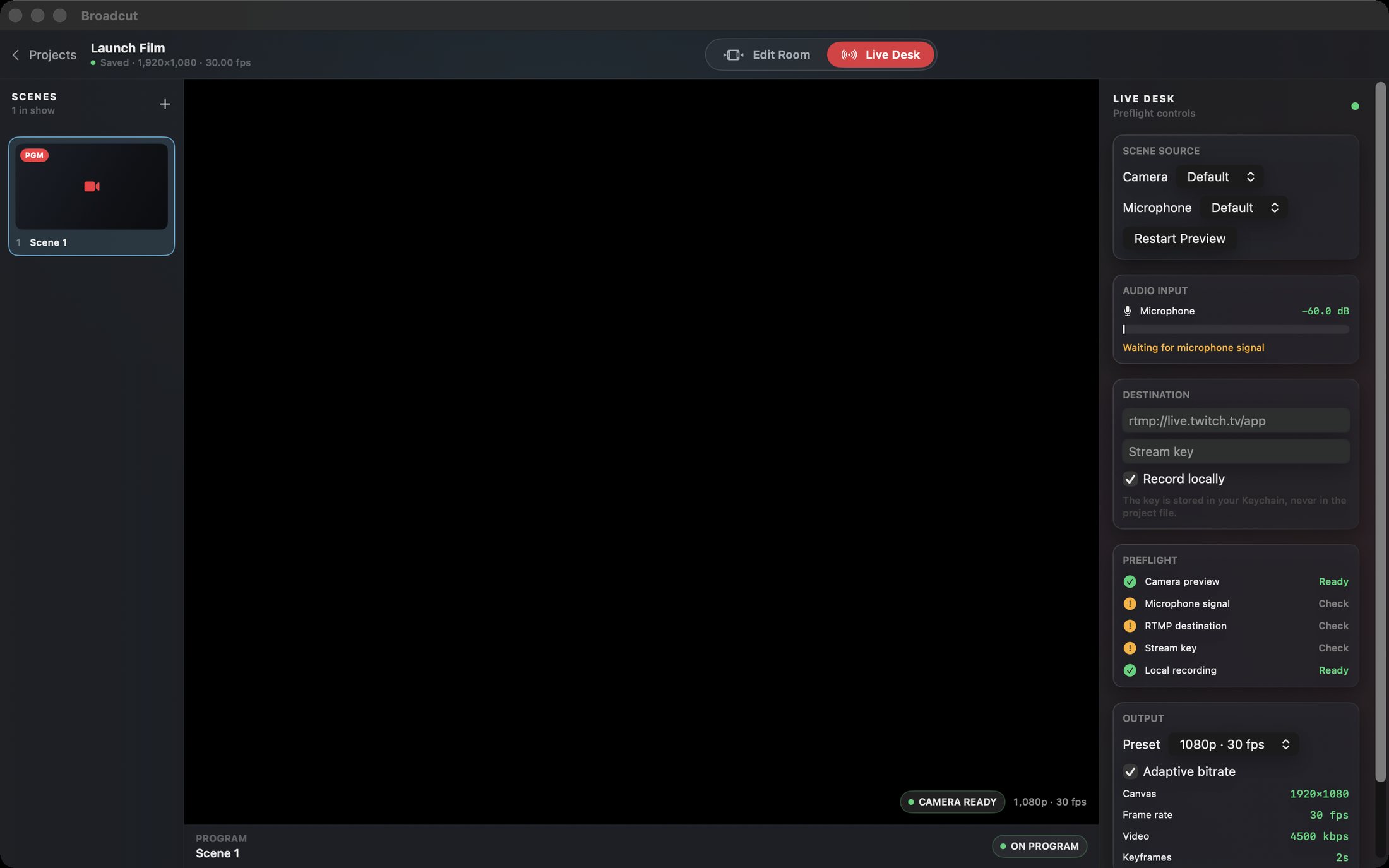
Build a video from your source material in a workspace with dedicated monitors, layered audio and video, and timeline editing. Refine the sequence with captions, markers and audio controls, then prepare a local export. Broadcut keeps the pieces of a production close together as the edit develops. The Mac Edit Room and Live Desk share the same project and render engine, connecting frame-exact editing with scene-based RTMP streaming.
- Keep picture and sound together on the timeline
- Refine cuts with captions, markers and audio controls
- Prepare a local video export
See the workspace
Explore 5 more screenshots
A simple way to get started
Start with your material
Open a project and bring in the material you want to shape.
Refine the details
Use the app’s editing controls to develop the result.
Keep the work ready
Save the project or use the supported output for your next step.
Explore more features
- Multitrack editing with insert/overwrite, roll and ripple trims, markers and captions
- Background Transmit Queue renders from immutable snapshots while you keep cutting
- Scene-based Live Desk with tally, mic metering and preflight checks
- RTMP/RTMPS streaming presets from 720p30 to 4K30 with local recording
Get Broadcut
Compatibility and installation details
- Requires
- macOS 14 or later
- Architecture
- Apple silicon and Intel
- Version
- 1.0
- Download
- 7.5 MB
- Publisher signature
- Developer ID Application
- Apple notarization
- Notarized
- SHA-256
a47260c5a638582624f0c1f9b90854b69b5027ef80dcda7115b650cfbda36a67
Download the Mac disk image from your receipt, open it and follow the included installation instructions.
Useful to know
What can I do with Broadcut?
Build a video from your source material in a workspace with dedicated monitors, layered audio and video, and timeline editing. Refine the sequence with captions, markers and audio controls, then prepare a local export. Broadcut keeps the pieces of a production close together as the edit develops. The Mac Edit Room and Live Desk share the same project and render engine, connecting frame-exact editing with scene-based RTMP streaming.
How do I start?
Open a project and bring in the material you want to shape. Use the app’s editing controls to develop the result. Save the project or use the supported output for your next step.
How do I receive my download?
After your purchase, the receipt page provides your download link. The exact expiry is shown with your delivery link. Keep your receipt and installer. If a link expires or a download fails, contact support with your receipt instead of buying again.
Where can I find setup help?
Compatibility and installation details are on this page. The installation guide and support team can help with the next step.