CSV to audience study
Paste a header-based attributes table, choose an optional segment column or let Persona select one, and turn the rows into reviewable audience groups.

Turn rows of customer attributes into messaging guidance you can actually use.
A silent screen tour of the shipping Persona Audience Studio app: Audience personas; Persona report; Csv audience import; Custom personas; Private AI settings; Manual persona builder.
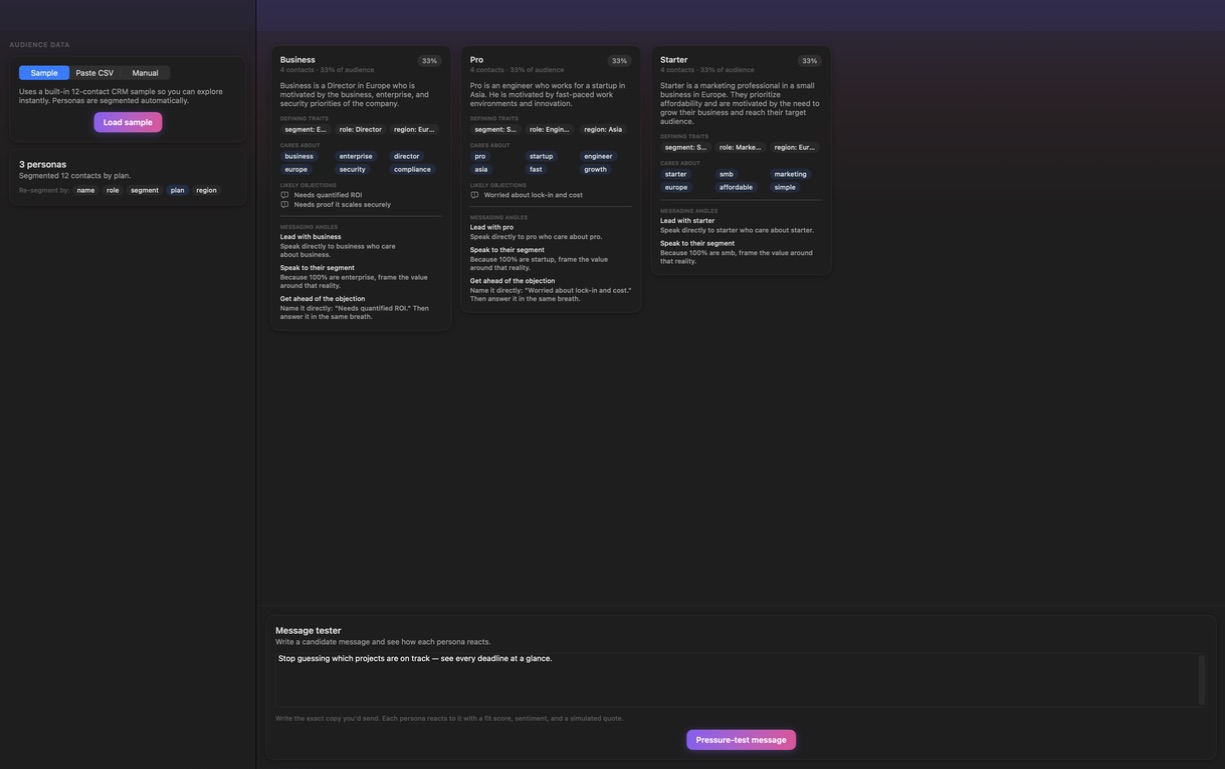
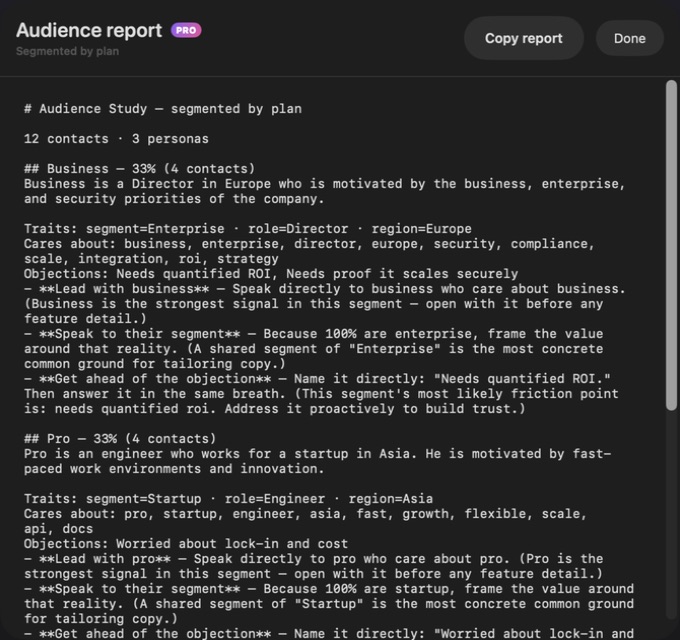
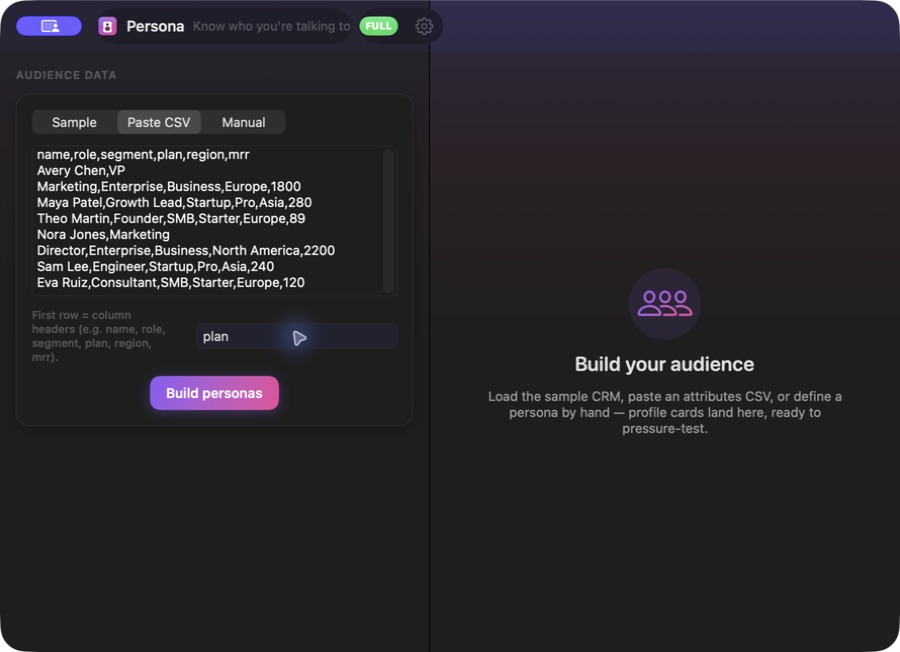
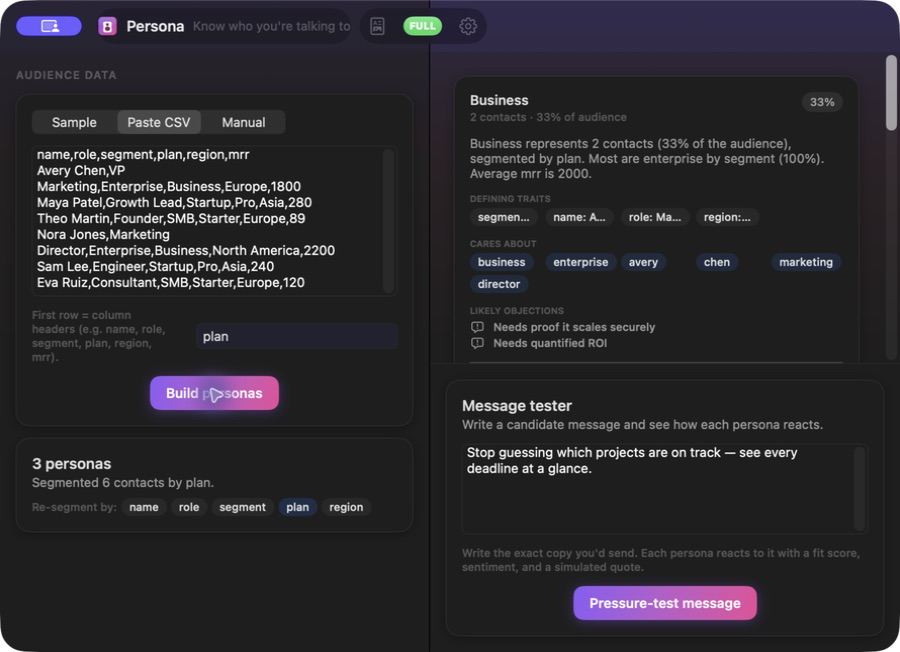
This website download is a separate direct-distribution build from the Mac App Store edition. It contains no StoreKit purchase flow or subscription screen: every feature is available after the one-time website purchase.
Apple notarized this exact disk image after an automated malware check. It is signed with the publisher's Developer ID and its notarization ticket is stapled to the download, so Gatekeeper can verify it even when your Mac is offline.
How signing, notarization and installation work5aa9ae5d8e27e3f12dcae34d8f29e9717f17d4e79aa7db180b51407b1e409731A private audience-persona workspace for Mac. Load the sample audience or paste a CSV, segment and resegment contacts into practical persona cards, define target profiles manually, review traits, priorities, objections and messaging angles, pressure-test copy with directional reactions, and copy a complete Markdown audience report. The core analysis is deterministic and works without AI.
Audience work often starts with a useful export and stalls in a spreadsheet. Persona Audience Studio gives that data a focused native Mac workspace. Load the built-in sample or paste a CSV whose first row contains column headers, optionally choose the field to segment on, and build an audience study without connecting a CRM, creating an account or sending the table to an IndepApps service.
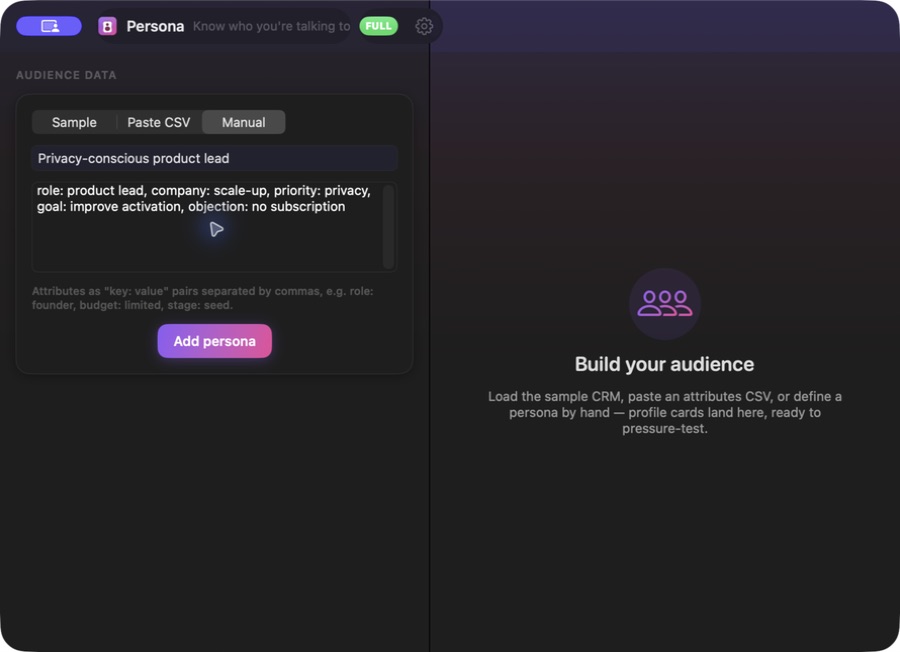
The deterministic engine groups contacts by a useful categorical field and can be rerun against another eligible column. It keeps every supplied contact represented, folds very small overflow groups into an Other segment when needed, and supports up to 24 persona groups. Each card turns its segment into defining traits, a plain-language summary, priorities, likely objections and three concrete messaging angles. When a contact table is not available, the Manual mode builds profiles from a name and simple key-value attributes instead.
Paste the exact message you are considering and Persona Audience Studio produces a directional preflight for every profile: a fit score, positive, curious or skeptical sentiment, a simulated reaction line, the language that landed and objections that remain unresolved. These reactions are transparent product heuristics, not interviews, survey evidence or a promise of how real customers will behave. For sample and pasted-CSV studies, the Audience report collects the segmentation, cards and messaging guidance into readable Markdown you can copy into a brief.
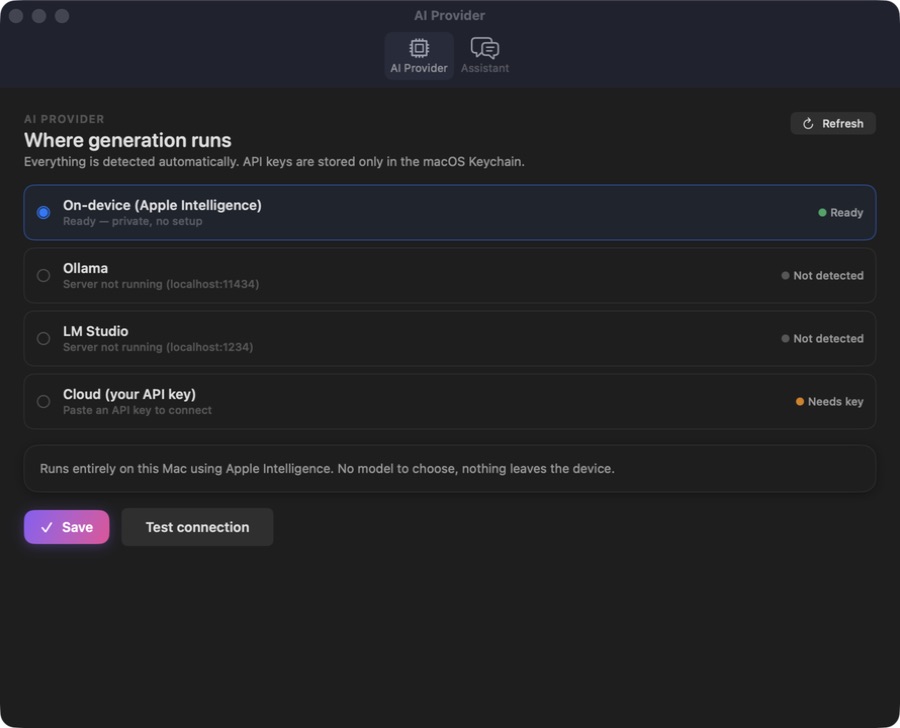
AI is optional. The useful segmentation, cards, messaging angles and reaction scoring are available from the deterministic local core; optional enrichment can use Apple Intelligence on-device, Ollama or LM Studio locally, or a supported cloud provider through an API key you provide and the app stores in the macOS Keychain. The website Direct edition is separately Developer ID-signed and Apple-notarized, with every feature permanently unlocked after one purchase and no StoreKit subscription flow.
Paste a header-based attributes table, choose an optional segment column or let Persona select one, and turn the rows into reviewable audience groups.
Rebuild the same audience against another eligible column to compare plan, role, region or another categorical view without repasting the data.
Review each segment's defining traits, priorities, objections and three messaging angles instead of stopping at a demographic label.
Create a target profile from a name and comma-separated key-value traits when research exists as notes rather than a contact table.
Check candidate copy across every persona through a fit score, sentiment, simulated quote, resonators and unresolved objections.
Copy a Markdown report for a sample or pasted-CSV study, including its segmentation, persona summaries, traits, priorities, objections and messaging angles.
Persona Audience Studio accepts its built-in sample, pasted CSV text or manually entered profiles; it does not include a file picker, CRM connector, contact sync, web collection or automatic monitoring. A pasted CSV is limited to 2,000,000 characters and can produce at most 24 persona groups. Segments and pressure-test reactions are transparent heuristics, not statistically validated market research or real customer testimony. The copyable audience report is available for sample and pasted-CSV studies, not the manual-persona collection. In this release, working studies and personas are session-only, and switching modes clears the current work, so copy the report before replacing it or quitting. Deterministic analysis stays on the Mac; choosing a cloud AI provider sends the relevant prompt inputs directly to that provider under its terms.
 JobomateFinds roles, drafts tailored applications, and sends nothing until you approve it — from your own email account.
 Cadence Email SequencesPlan complete email journeys on a visual timeline with waits, branch conditions, local validation, drafting and clean exports.
 Vantage Competitor IntelCompare collected competitor messaging, uncover positioning gaps, build battlecards and copy a complete private briefing.
Website edition purchased once and fully unlocked; the separate App Store edition retains its subscription purchase flow.
Buy & downloadA native audience-persona studio for Mac. Turn built-in sample contacts or pasted CSV rows into segmented audience cards, resegment by useful columns, define personas manually, review traits, priorities, objections and messaging angles, run directional message-fit checks, and copy a complete Markdown audience report.
Persona Audience Studio is for founders, product marketers, lifecycle and content teams, and agencies turning customer attributes or manually defined target groups into practical messaging guidance. Turn pasted contact attributes into audience personas, messaging angles, directional copy reactions and a copyable private report.
Persona Audience Studio requires macOS 14 or later. Supported architecture: Apple silicon and Intel. Check About This Mac before purchasing.
You can load the built-in 12-contact sample, paste CSV text whose first row contains column headers, or define personas manually with a name and key-value attributes. Persona does not connect directly to a CRM or crawl external sources; export the fields you want and paste them into the app.
No. CSV parsing, segmentation, persona cards, messaging angles, reports and the base message-fit analysis come from the deterministic local engine. AI only enriches short summaries or reactions when you choose a provider.
No. It is a directional heuristic based on the supplied persona traits, the words in your message and likely objections. The fit scores, sentiments and simulated quotes are useful for a first-pass review, but they do not replace interviews, experiments, surveys or campaign results.
For sample and pasted-CSV studies, the full audience report is readable Markdown you can copy into another document. Current studies and manual personas live only in the active app session, so copy the report before switching modes or quitting. Cloud AI is used only when you deliberately select it, and its API key is stored in the macOS Keychain.
No. The Mac App Store edition can include Apple's in-app purchase system. The website Direct edition is a separately signed build with no StoreKit purchase flow: one website purchase unlocks the complete app with no recurring charge.
The download is the complete app. There is no subscription, no locked tier, no account, and no trial timer — every feature is included.
Choose $10 for one app, $20 for two different apps, or $49 for every published app through Stripe's hosted checkout on this page. Download links are delivered on the confirmation page and by email. Each link is single-use; its exact expiry is shown in your delivery email. Keep the installer. If the link expires or a download fails, contact support@macossoftware.com with your receipt instead of buying again.
Yes. Version 1.0 is signed with a Developer ID certificate, notarized by Apple, and distributed with a stapled notarization ticket. Its published SHA-256 checksum is 5aa9ae5d8e27e3f12dcae34d8f29e9717f17d4e79aa7db180b51407b1e409731.
Persona video tour: audience profiles and CSV import. Watch the video and read a list of the views it shows before choosing the app.