Source-first digest
Review a concise deterministic summary and key points from the pasted article or transcript before assessing the repurposed drafts.

Give one finished source a useful second life across four distinct channels.
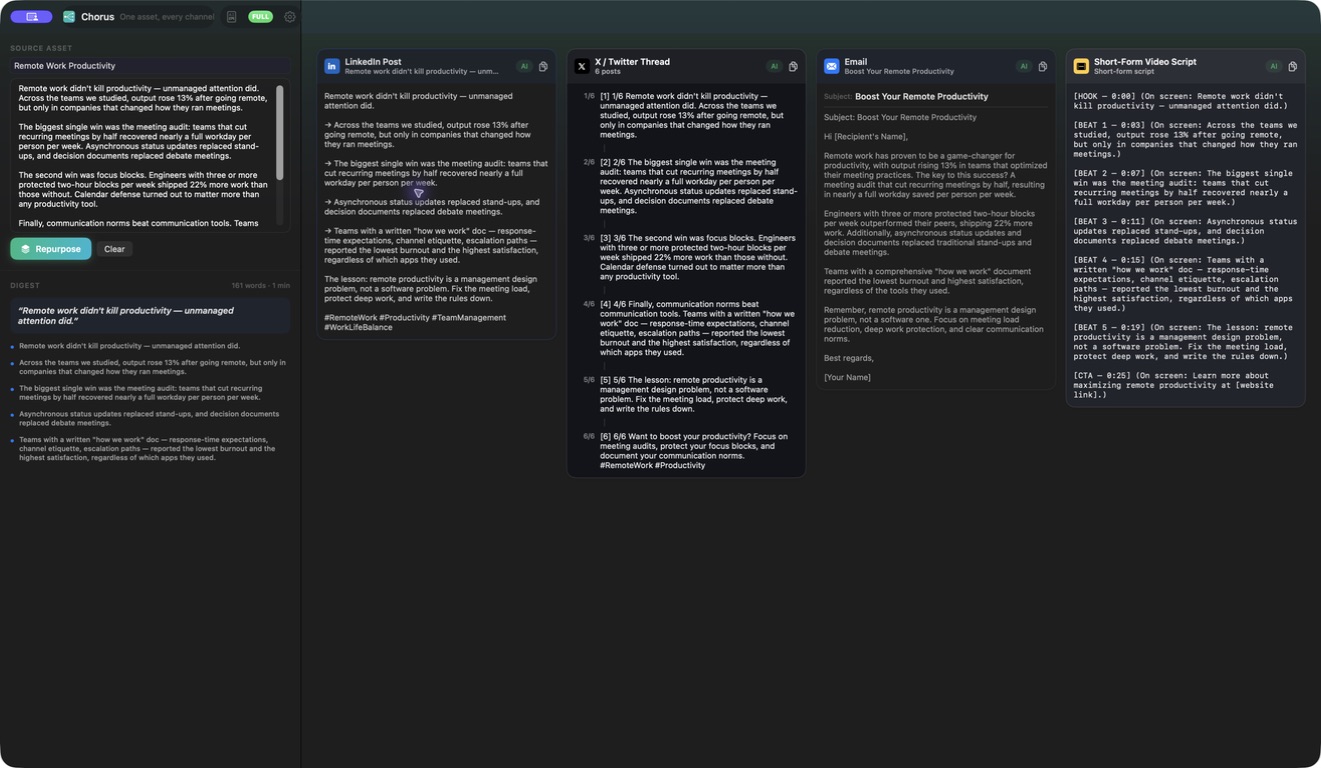
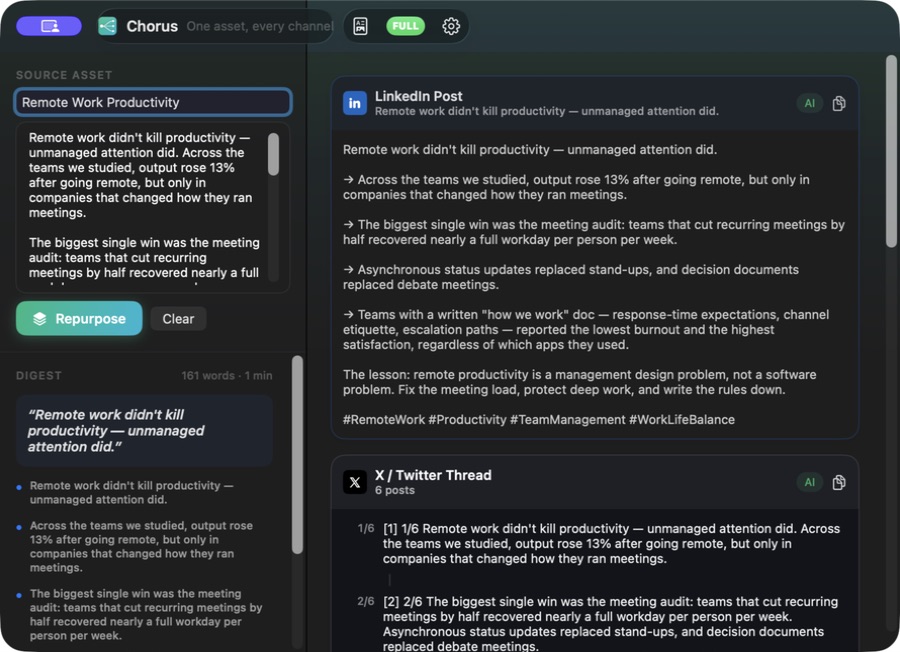
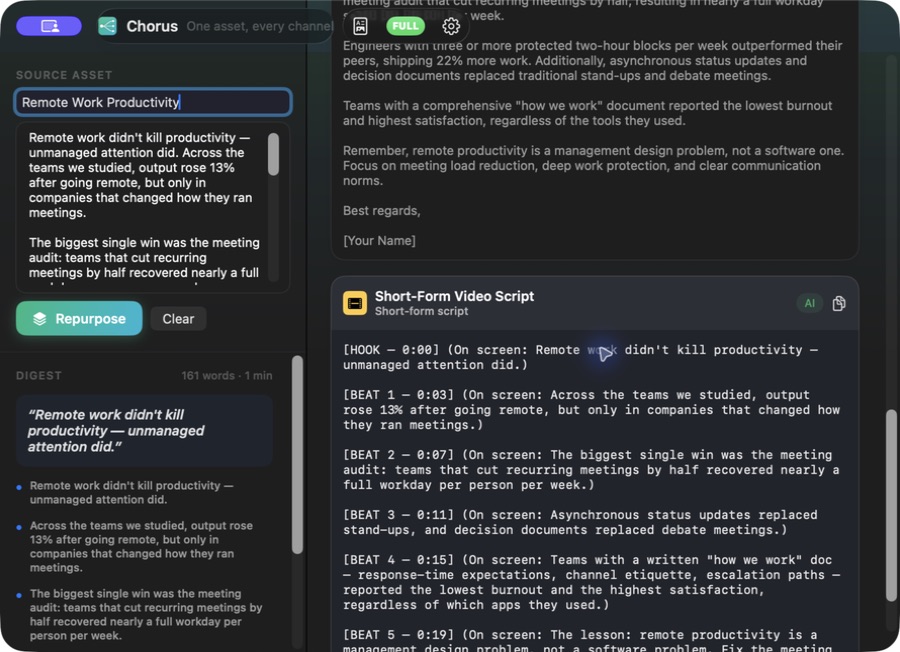
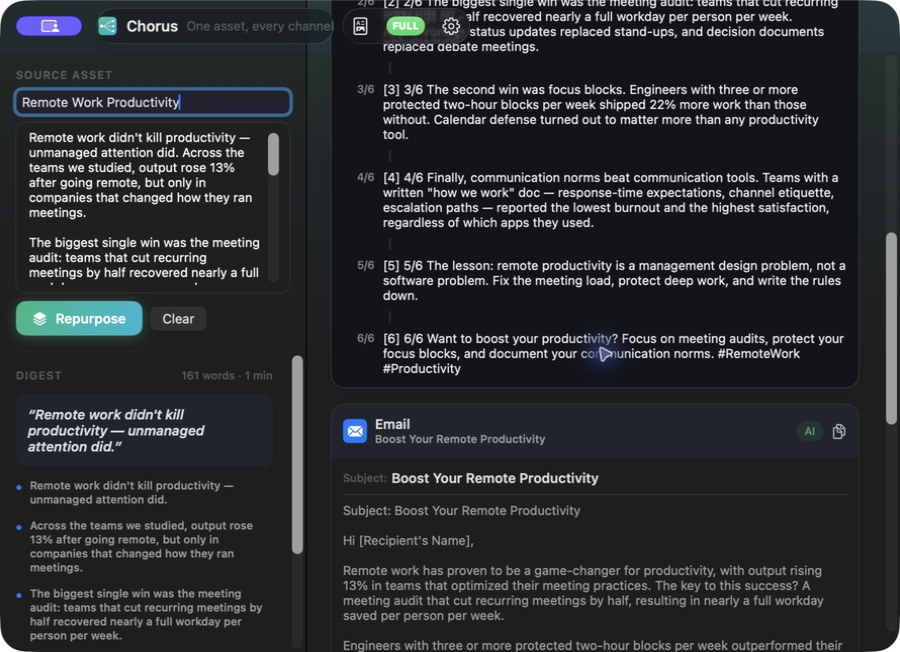
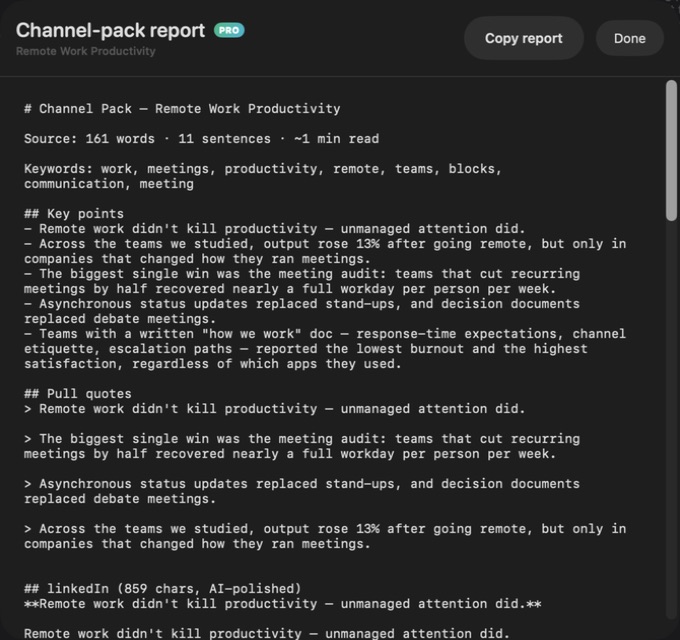
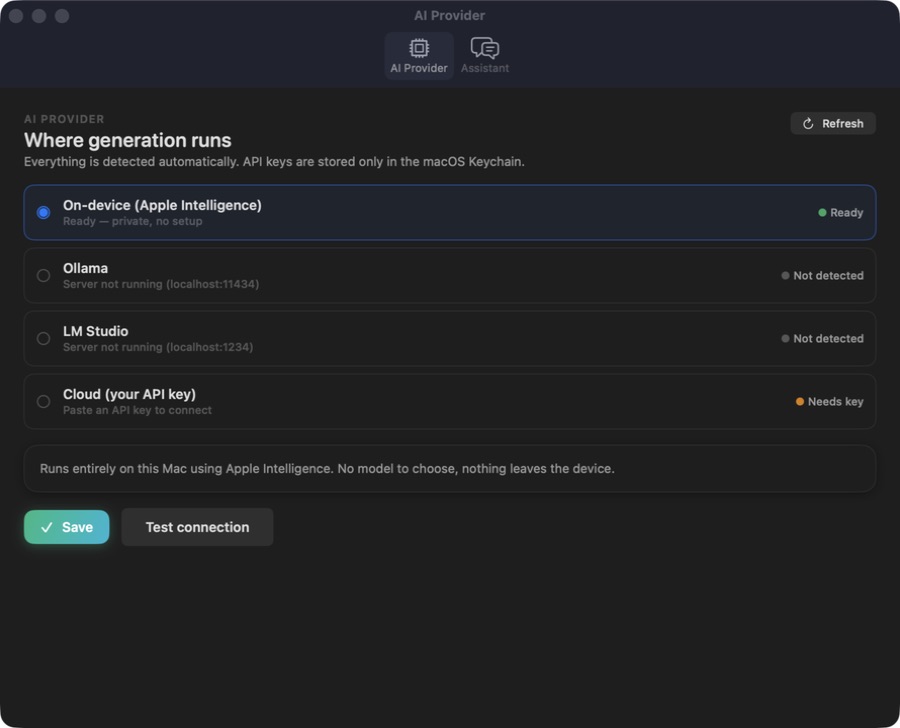
A silent screen tour of the shipping Chorus app: Four channel overview; Source digest linkedin; Thread email video; X thread and email; Channel pack report; Private AI settings.
This website download is a separate direct-distribution build from the Mac App Store edition. It contains no StoreKit purchase flow or subscription screen: every feature is available after the one-time website purchase.
Apple notarized this exact disk image after an automated malware check. It is signed with the publisher's Developer ID and its notarization ticket is stapled to the download, so Gatekeeper can verify it even when your Mac is offline.
How signing, notarization and installation work7538e54ba093dfe75ffaba38286b74fba222c712b7176309ea7c7c019e47c261A native content-repurposing app for Mac. Paste an article or transcript, inspect a source digest, create LinkedIn, X thread, marketing email and short-video drafts, then copy individual outputs or a complete Markdown report.
Chorus starts from material you already have. Paste an article or transcript into the source workspace and generate a content pack once the input reaches 20 words. Before presenting channel drafts, the app builds a deterministic digest that identifies the source title, central idea and key points. That compact source view stays beside the outputs so each adaptation can be checked against the material it came from.
One generation produces four channel-shaped outputs: a LinkedIn post, a numbered X thread, a marketing email and a short-video script. These are not the same paragraph copied four times. Each deterministic template has its own structure, length and conventions, and the interface separates the channels for review. Copy controls let you take one finished output at a time, while the full Markdown content-pack report combines the source digest and all four drafts for a single handoff.
The complete deterministic path runs locally and does not need a model account or API key. When a supported provider is available, Chorus can request enriched channel drafts through Apple Intelligence, Ollama, LM Studio or a bring-your-own cloud model. Returned content is validated per channel; if a model request fails or a channel result is missing or unsuitable, that channel retains the deterministic fallback rather than making the whole pack unusable.
Input bounds are explicit. The deterministic engine processes up to 6,000 source words, while model-assisted generation uses at most the first 1,200 words to keep prompts controlled. The separate website Direct edition is Developer ID-signed and Apple-notarized, permanently unlocks all four channels and the complete report after one purchase, and contains no StoreKit subscription flow, account requirement or trial timer.
Review a concise deterministic summary and key points from the pasted article or transcript before assessing the repurposed drafts.
Create a LinkedIn post, numbered X thread, marketing email and short-video script from the same source in one generation.
Move beyond duplicate cross-posting with a separate deterministic template and presentation for each destination.
Use optional model enrichment when available while invalid or failed channel results independently return to the usable deterministic draft.
Copy one channel on its own or take a complete Markdown report containing the digest and every generated output.
Run the base workflow without a model, or optionally connect Apple Intelligence, Ollama, LM Studio or your own cloud key.
Chorus accepts pasted article or transcript text only. It does not open URLs, extract web pages, import files, transcribe audio or video, publish or schedule posts, connect to social or email accounts, manage a content calendar, track analytics or run experiments. A source must contain at least 20 words; deterministic processing is capped at 6,000 words and optional model prompts use at most the first 1,200 words. The digest and drafts are writing aids rather than guarantees of factual accuracy, brand fit, platform compliance, deliverability, reach or engagement, and every output needs human source, editorial, legal and channel review. Work is handed off through the clipboard and report rather than direct publishing. Apple Intelligence depends on supported hardware and macOS availability; local providers require their own running service; and choosing a cloud provider sends the relevant source text directly to that provider under its terms.
 JobomateFinds roles, drafts tailored applications, and sends nothing until you approve it — from your own email account.
 Cadence Email SequencesPlan complete email journeys on a visual timeline with waits, branch conditions, local validation, drafting and clean exports.
 Vantage Competitor IntelCompare collected competitor messaging, uncover positioning gaps, build battlecards and copy a complete private briefing.
Website edition purchased once and fully unlocked; the separate App Store edition retains its subscription purchase flow.
Buy & downloadA native content-repurposing workspace for Mac. Paste an article or transcript, review a deterministic source digest, then create selectable drafts for LinkedIn, an X thread, a marketing email and a short-video script, with copy controls and a complete Markdown report.
Chorus is for founders, content marketers, creators and agencies turning an existing article or transcript into review-ready channel drafts. Turn one pasted article or transcript into four channel-specific drafts with a grounded digest, copy controls and a complete report.
Chorus requires macOS 14 or later. Supported architecture: Apple silicon and Intel. Check About This Mac before purchasing.
Paste the text of an article or transcript directly into the app. The current release requires at least 20 words and does not fetch a URL or import a document, audio file or video file for you.
No. The source digest and all four channel drafts have a deterministic local path. A supported provider is optional enrichment, and each channel keeps its deterministic fallback if model output is unavailable or fails validation.
The deterministic generator is capped at 6,000 source words. Model-assisted generation uses at most the first 1,200 words of the source. For longer material, select the most relevant excerpt or split it into separate content packs.
No. Chorus prepares copy for review and handoff through individual copy controls or a complete Markdown report. It does not connect to social accounts, an email platform or a scheduler, and it does not publish or measure results.
Yes. The separately built Chorus Direct edition permanently enables all four channel outputs and the complete content-pack report and excludes the App Store paywall and StoreKit code. It is a one-time website purchase with no subscription, account or trial timer.
No. The Mac App Store edition can include Apple's in-app purchase system. The website Direct edition is a separately signed build with no StoreKit purchase flow: one website purchase unlocks the complete app with no recurring charge.
The download is the complete app. There is no subscription, no locked tier, no account, and no trial timer — every feature is included.
Choose $10 for one app, $20 for two different apps, or $49 for every published app through Stripe's hosted checkout on this page. Download links are delivered on the confirmation page and by email. Each link is single-use; its exact expiry is shown in your delivery email. Keep the installer. If the link expires or a download fails, contact support@macossoftware.com with your receipt instead of buying again.
Yes. Version 1.0 is signed with a Developer ID certificate, notarized by Apple, and distributed with a stapled notarization ticket. Its published SHA-256 checksum is 7538e54ba093dfe75ffaba38286b74fba222c712b7176309ea7c7c019e47c261.
Chorus video tour: adapting source material for four channels. Watch the video and read a list of the views it shows before choosing the app.