
AtlasWell
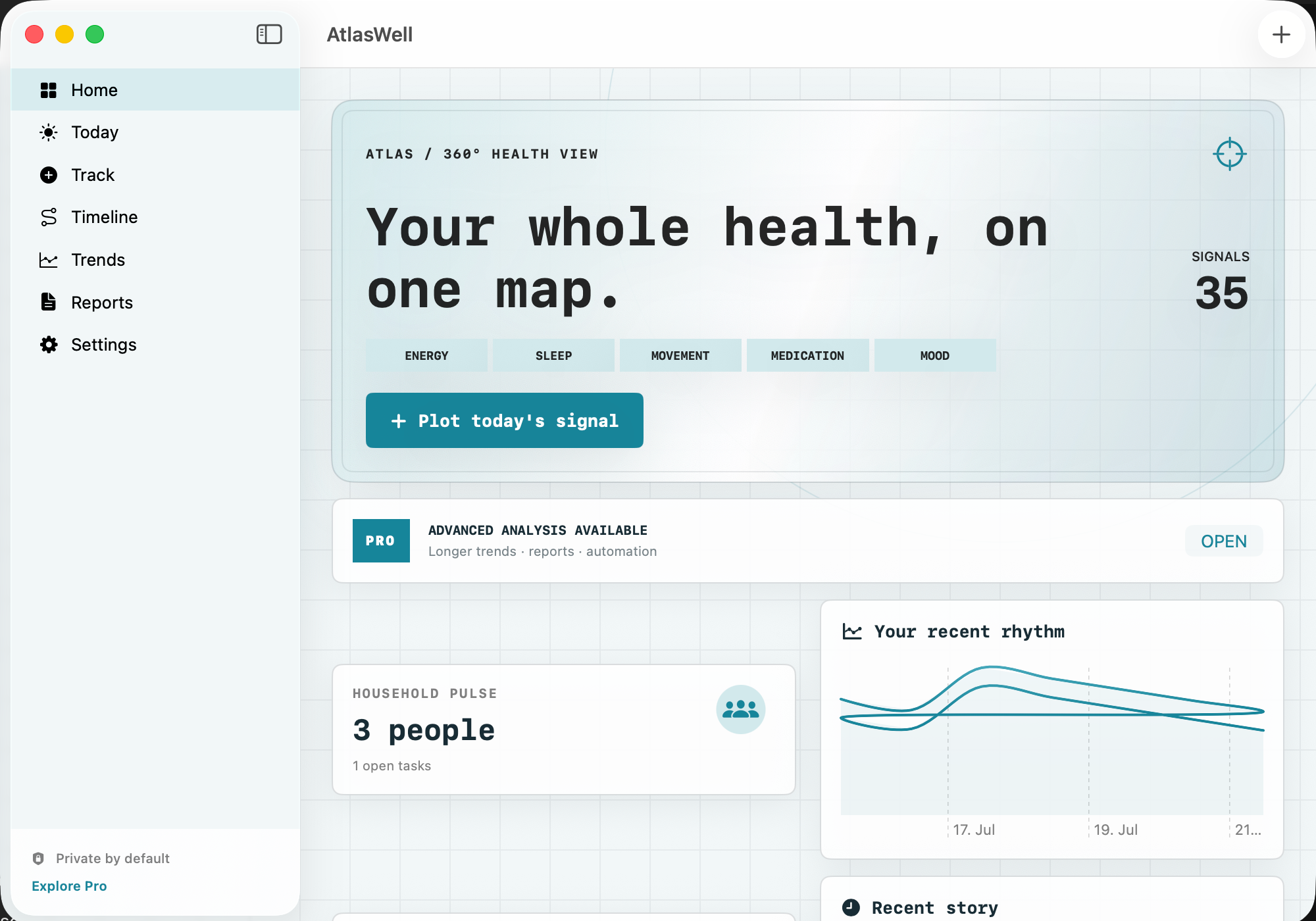
Bring your personal health records into one view.
Keep measurements, journal entries and everyday health context together in a private workspace.
What you can do with AtlasWell
Keep measurements, journal entries and everyday health context together in a private workspace. AtlasWell gives your record a clearer timeline and dashboard, helping you find what matters without piecing together scattered notes. Review your history and gather the information you want for an appointment.
- Turn health priorities into a visible next action
- Bring measurements, treatments and appointments together
- Prepare a concise view of the details that matter
See the workspace
A simple way to get started
Capture the details
Record the observations and context you want to remember.
Review your own history
Return to dated entries and keep useful details together.
Prepare a conversation
Gather the notes and questions you want to bring to an appointment.
Explore more features
- Turn a health concern into a clear priority, context note and next useful action
- Record energy, sleep, movement, medication and mood signals in one consistent workspace
- Keep measurements, journal entries, treatments, tasks and appointments in chronological context
- Review longer trends and normalized comparisons without treating a chart as a medical conclusion
- Create a concise summary for review before sharing and export or restore a private backup
Get AtlasWell
Compatibility and installation details
- Requires
- macOS 15 or later
- Architecture
- Apple silicon and Intel
- Version
- 1.0.0
- Download
- 3.4 MB
- Publisher signature
- Developer ID Application
- Apple notarization
- Notarized
- SHA-256
e70010feb3e1dfe146ec22c51a006840cbb680e92749bfd10bc394455c64afaf
Download the Mac disk image from your receipt, open it and follow the included installation instructions.
Useful to know
What can I do with AtlasWell?
Keep measurements, journal entries and everyday health context together in a private workspace. AtlasWell gives your record a clearer timeline and dashboard, helping you find what matters without piecing together scattered notes. Review your history and gather the information you want for an appointment.
How do I start?
Record the observations and context you want to remember. Return to dated entries and keep useful details together. Gather the notes and questions you want to bring to an appointment.
How do I receive my download?
After your purchase, the receipt page provides your download link. The exact expiry is shown with your delivery link. Keep your receipt and installer. If a link expires or a download fails, contact support with your receipt instead of buying again.
Where can I find setup help?
Compatibility and installation details are on this page. The installation guide and support team can help with the next step.