Trigger-to-exit journey board
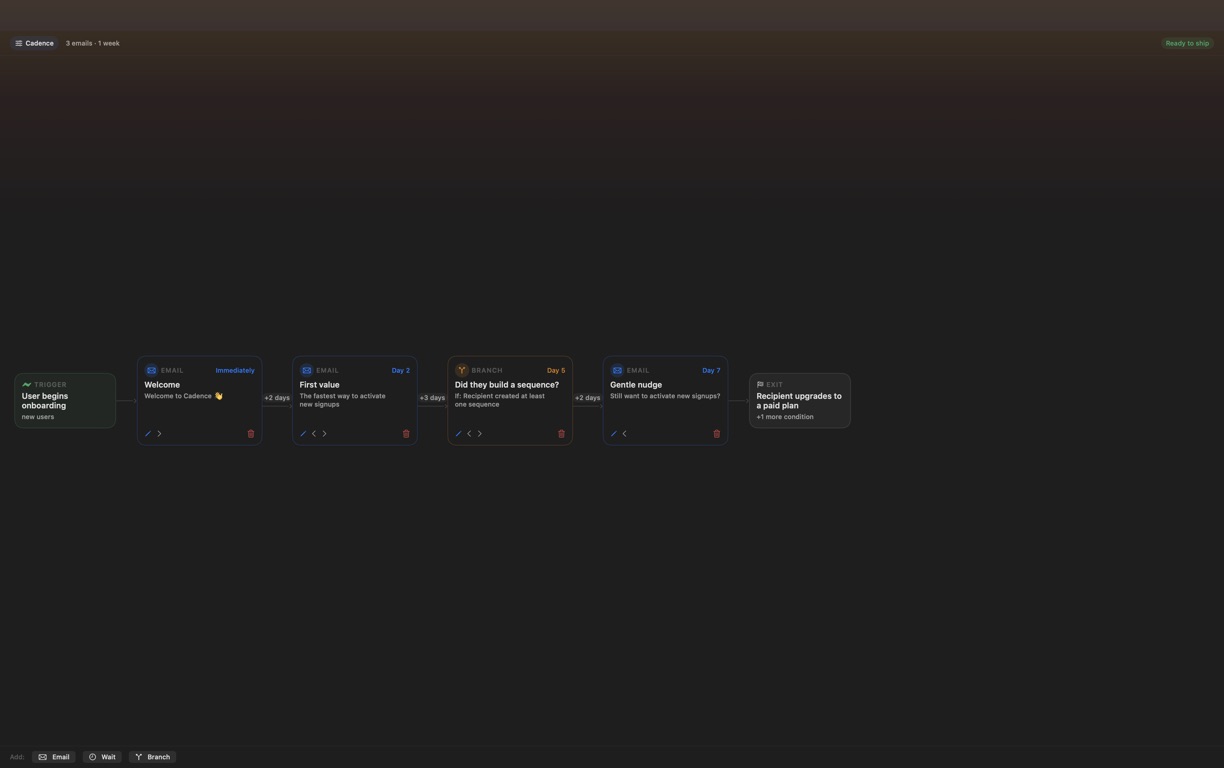
See entry, email, wait, branch and exit cards together, with relative waits and cumulative send timing on the same rail.

Design the journey before your email platform turns it into automation.
A silent screen tour of the shipping Cadence Email Sequences app: Sequence overview; Email editor; Sequence setup; Branch logic; Sequence report; Private AI settings.
This website download is a separate direct-distribution build from the Mac App Store edition. It contains no StoreKit purchase flow or subscription screen: every feature is available after the one-time website purchase.
Apple notarized this exact disk image after an automated malware check. It is signed with the publisher's Developer ID and its notarization ticket is stapled to the download, so Gatekeeper can verify it even when your Mac is offline.
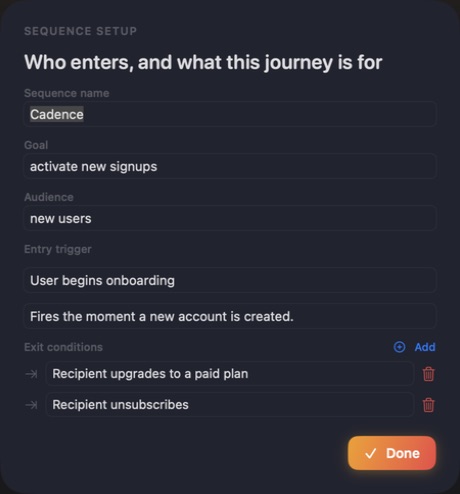
How signing, notarization and installation work5c40ae572f674e6c1e414bb42ddb48e34e407051bee7d0631d15509b997290c0A visual email-sequence builder for Mac. Define the audience, goal, entry trigger and exit rules; arrange email, wait and branch steps on a timed journey; draft every subject, preheader and body; validate the structure; then export the complete plan as Markdown or JSON for your email platform.
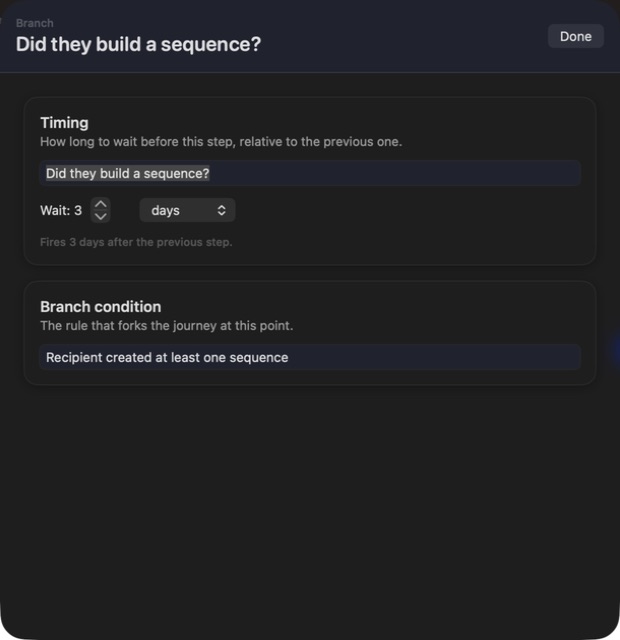
A good lifecycle campaign is more than a stack of drafts. Cadence puts the whole journey on one left-to-right board: who enters, what the sequence is trying to change, when each message fires, where a condition changes the path and which events should remove someone before the next send. Cumulative timing stays visible, so a three-day wait is understood in the context of the entire sequence rather than as an isolated setting.
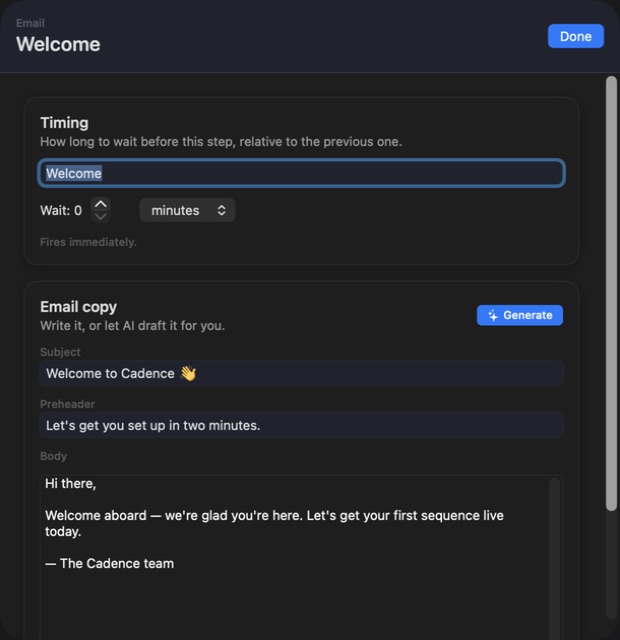
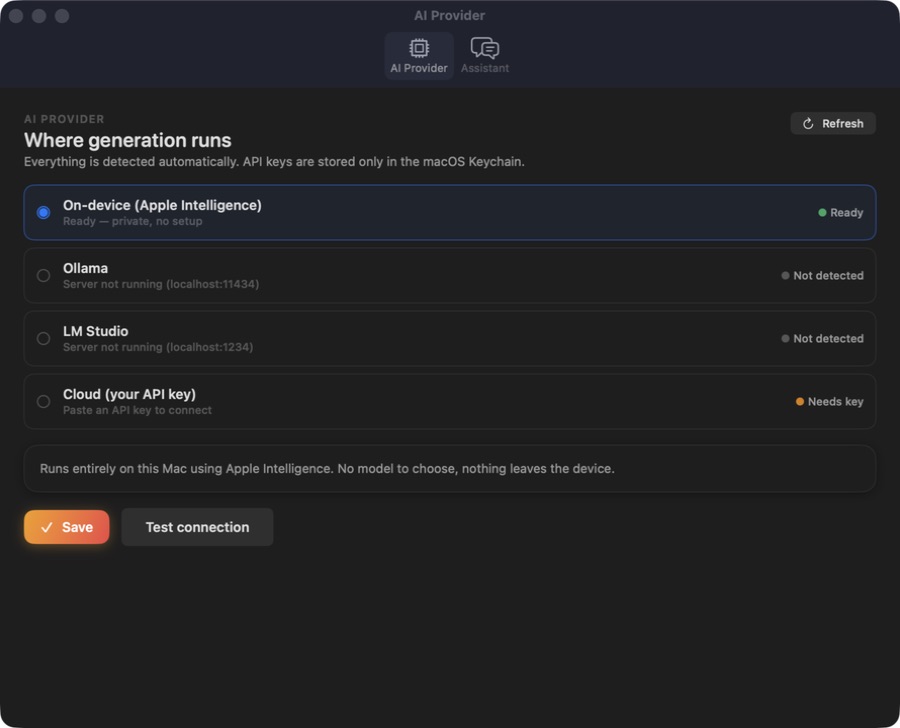
Each email step carries its subject, preheader and full body. You can write directly, ask Cadence's built-in deterministic templates for a complete first draft, or use an optional provider for copy shaped by the audience, goal, trigger, prior subject lines and exit conditions. Apple Intelligence can run on-device where supported; Ollama and LM Studio stay on your local network; cloud models use an API key you supply and Cadence stores in the macOS Keychain.
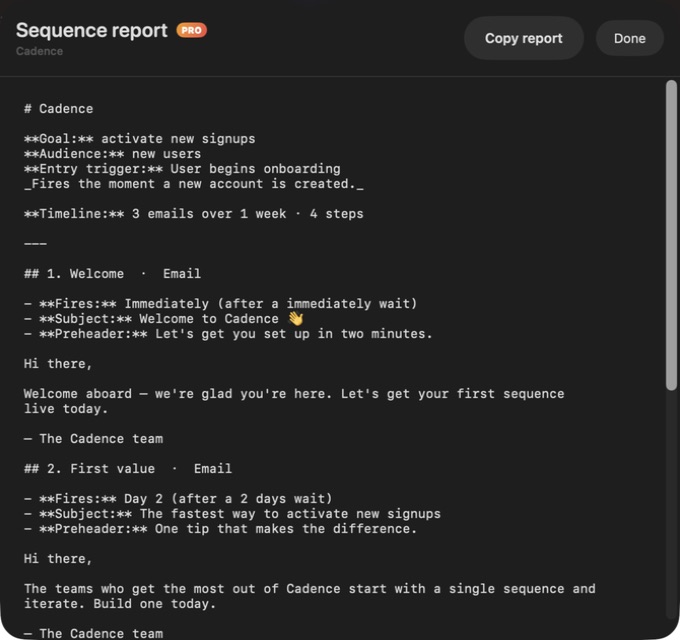
The flow validator checks the plan without depending on a model. It catches a missing entry trigger, empty subjects or bodies, overlong subject lines, simultaneous sends, empty branch conditions, no exit conditions and sequences long enough to risk fatigue. A full sequence report turns those checks, timings and drafts into one reviewable brief before anyone builds the automation.
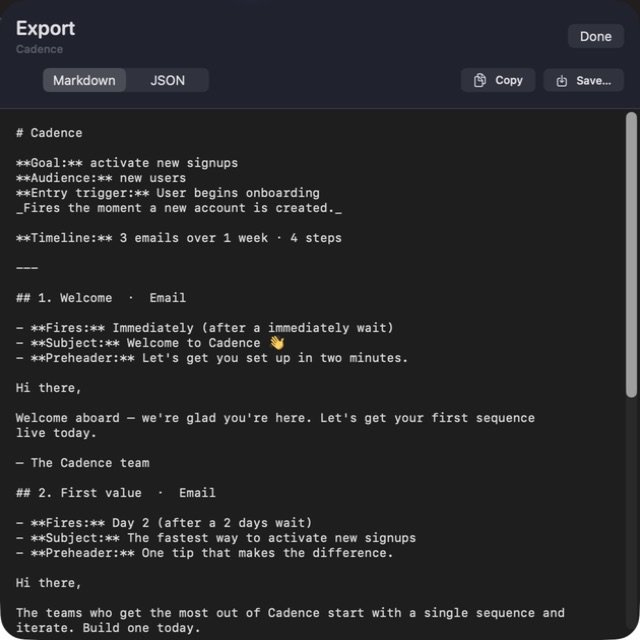
Cadence stores the working sequence locally and includes no account, analytics or telemetry. Export produces readable Markdown for review or stable, structured JSON for implementation. The website Direct edition is a separate Developer ID-signed and Apple-notarized build: unlimited steps and the full report are permanently available after one purchase, with no StoreKit code, subscription, trial timer or later unlock.
See entry, email, wait, branch and exit cards together, with relative waits and cumulative send timing on the same rail.
Edit the subject, preheader and body together instead of scattering the campaign across documents and automation screens.
Use deterministic templates with no model, Apple Intelligence on-device, Ollama or LM Studio locally, or a cloud provider through your own Keychain-stored key.
Rule-based checks surface missing copy, timing collisions, long subjects, incomplete conditions, absent exits and likely list fatigue.
Turn the whole campaign into a plain-language brief with its audience, goal, timeline, copy, conditions and validation findings.
Copy or save a document humans can review or structured data another system can implement.
Cadence designs and documents email journeys; it is not an email service provider. It does not import recipient lists, send messages, collect opens or clicks, or execute automations. Branch cards record conditions in the plan rather than routing live recipients. The app keeps one working sequence locally at a time, so export before replacing it. Built-in drafting stays local; when you deliberately choose a cloud AI provider, the relevant prompt and sequence context are sent directly to that provider under its terms.
 JobomateFinds roles, drafts tailored applications, and sends nothing until you approve it — from your own email account.
 Vantage Competitor IntelCompare collected competitor messaging, uncover positioning gaps, build battlecards and copy a complete private briefing.
 Persona Audience StudioTurn pasted contact attributes into audience personas, messaging angles, directional copy reactions and a copyable private report.
Website edition purchased once and fully unlocked; the separate App Store edition retains its subscription purchase flow.
Buy & downloadA native email-sequence design studio for Mac. Map onboarding, nurture and win-back journeys from trigger to exit; arrange emails, waits and branch conditions on a visual timeline; draft complete email copy; validate the flow; and export a clean Markdown or JSON handoff for your email platform.
Cadence Email Sequences is for lifecycle marketers, founders and product teams who want to review a complete campaign journey before implementing it in an email platform. Plan complete email journeys on a visual timeline with waits, branch conditions, local validation, drafting and clean exports.
Cadence Email Sequences requires macOS 14 or later. Supported architecture: Apple silicon and Intel. Check About This Mac before purchasing.
No. Cadence is an email journey design and handoff tool. It does not send messages, hold recipient lists or execute live automations; export the finished plan to Markdown or JSON, then implement it in your email service provider.
No. Cadence includes deterministic built-in copy templates that work without a model. AI is optional: use Apple Intelligence on-device where available, a local Ollama or LM Studio server, or a cloud provider through your own API key.
The working sequence stays locally on your Mac. Cadence has no account, analytics or telemetry. If you deliberately choose a cloud AI provider, the context needed for that generation request goes directly to that provider under its privacy terms.
Cadence can copy or save the complete journey as human-readable Markdown or structured JSON, including its goal, audience, trigger, timing, email copy, branch conditions, exits and validation findings.
No. The Mac App Store edition can include Apple's in-app purchase system. The website Direct edition is a separately signed build with no StoreKit purchase flow: one website purchase unlocks the complete app with no recurring charge.
The download is the complete app. There is no subscription, no locked tier, no account, and no trial timer — every feature is included.
Choose $10 for one app, $20 for two different apps, or $49 for every published app through Stripe's hosted checkout on this page. Download links are delivered on the confirmation page and by email. Each link is single-use; its exact expiry is shown in your delivery email. Keep the installer. If the link expires or a download fails, contact support@macossoftware.com with your receipt instead of buying again.
Yes. Version 1.0 is signed with a Developer ID certificate, notarized by Apple, and distributed with a stapled notarization ticket. Its published SHA-256 checksum is 5c40ae572f674e6c1e414bb42ddb48e34e407051bee7d0631d15509b997290c0.
Cadence video tour: sequence planning and email drafts. Watch the video and read a list of the views it shows before choosing the app.