
Hearthfile
Keep family health details easier to find.
Bring care notes, tasks and important records into one private family organiser.
What you can do with Hearthfile
Bring care notes, tasks and important records into one private family organiser. Hearthfile helps you keep useful context together so you can prepare for an appointment or handover without searching through scattered material. Review the record and share the summary you choose.
- Connect records and documents to each family member
- Keep medicines, appointments and care tasks together
- Prepare a family appointment or emergency brief
See the workspace
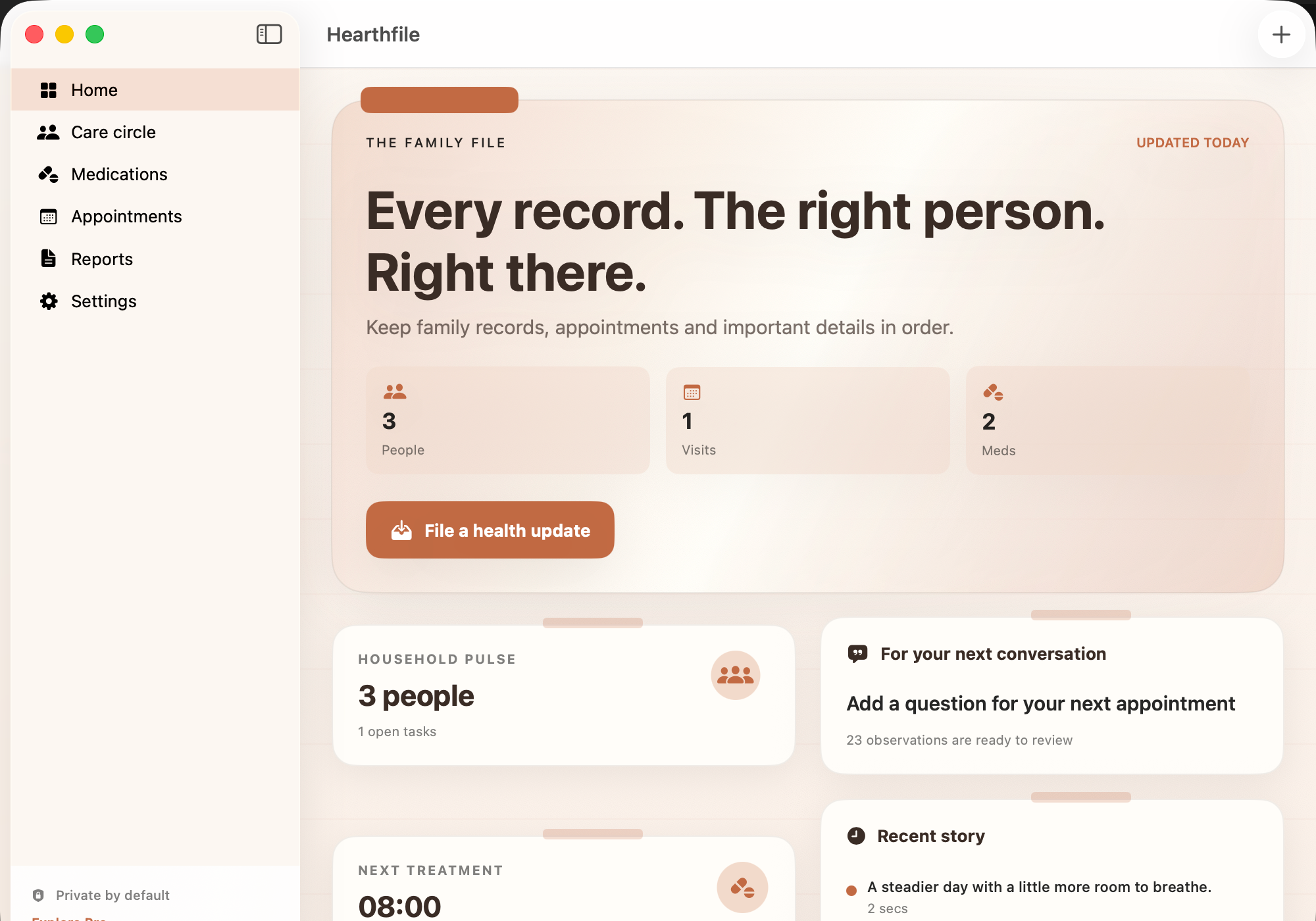
A simple way to get started
Capture the details
Record the observations and context you want to remember.
Review your own history
Return to dated entries and keep useful details together.
Prepare a conversation
Gather the notes and questions you want to bring to an appointment.
Explore more features
- Keep essential records, results, allergies, insurance details and history attached to the right family member
- Coordinate medication names, doses, schedules, benefits and side effects in one local record
- Prepare appointments with priorities, questions and the relevant timeline already together
- Make practical care-circle tasks, owners and due dates visible without creating a cloud family account
- Generate and review an emergency or appointment summary before sharing anything
Get Hearthfile
Compatibility and installation details
- Requires
- macOS 15 or later
- Architecture
- Apple silicon and Intel
- Version
- 1.0.0
- Download
- 3.4 MB
- Publisher signature
- Developer ID Application
- Apple notarization
- Notarized
- SHA-256
586eb5c1a8c8ef6604a383275926f39e36014cbe0f02767e432cf33ed50f37da
Download the Mac disk image from your receipt, open it and follow the included installation instructions.
Useful to know
What can I do with Hearthfile?
Bring care notes, tasks and important records into one private family organiser. Hearthfile helps you keep useful context together so you can prepare for an appointment or handover without searching through scattered material. Review the record and share the summary you choose.
How do I start?
Record the observations and context you want to remember. Return to dated entries and keep useful details together. Gather the notes and questions you want to bring to an appointment.
How do I receive my download?
After your purchase, the receipt page provides your download link. The exact expiry is shown with your delivery link. Keep your receipt and installer. If a link expires or a download fails, contact support with your receipt instead of buying again.
Where can I find setup help?
Compatibility and installation details are on this page. The installation guide and support team can help with the next step.