Slipstream vs Synergy: Mac–Windows workspace or input sharing?
Choose around the work that crosses your desk. Keyboard and mouse sharing, moving a project’s files and keeping notes and tasks together are related jobs, but they are not the same feature.
By Luke Kevin McLaughlin, IndepApps · Published
Where each app fits
Slipstream combines a paired Mac–Windows input bridge with supported clipboard sharing, verified file and folder copies and a local project workspace. Its complete edition costs $10 once, includes both installers and needs no Slipstream account or cloud relay.
Synergy focuses on sharing a keyboard and mouse between Windows, macOS and Linux computers. Its official feature documentation includes text/image clipboard sharing, screen-edge switching and configurable controls. It is a strong candidate when Linux or more than two computers is central to your desk.
| Decision | Slipstream current edition | Synergy |
|---|---|---|
| Computer arrangement | One paired Mac and Windows PC; main displays | Windows, macOS and Linux; computer allowance varies by edition. |
| Keyboard and pointer | Independently chosen edges, shortcut matching, pause and emergency-return controls | Shared input, screen layout and switching controls documented by Symless. |
| Clipboard | Text and small PNG images; optional bounded in-memory history | Text and image clipboard; settings and transfer-size limits depend on version. |
| Files and folders | Explicit Send/Request Copy, source preservation, chunk/whole-file verification and resume journal | The current official clipboard guidance covers text and images; do not assume that means a verified file-copy workflow. |
| Project organization | Notes, tasks, saved links, saved layouts and receiver-approved workspace copies | Evaluate it primarily as an input/clipboard tool; check any additional workflow against current vendor documentation. |
| Connection | Compatible Thunderbolt/USB4 cable-only network, or explicitly selected local network | Networked computer sharing. USB-C networking is an OS/hardware capability, not exclusive to Slipstream. |
| Protected Windows surfaces | Local input required for login, UAC and protected/elevated surfaces | Check the exact Synergy release and permissions for the surfaces you need. |
When Slipstream’s workspace helps
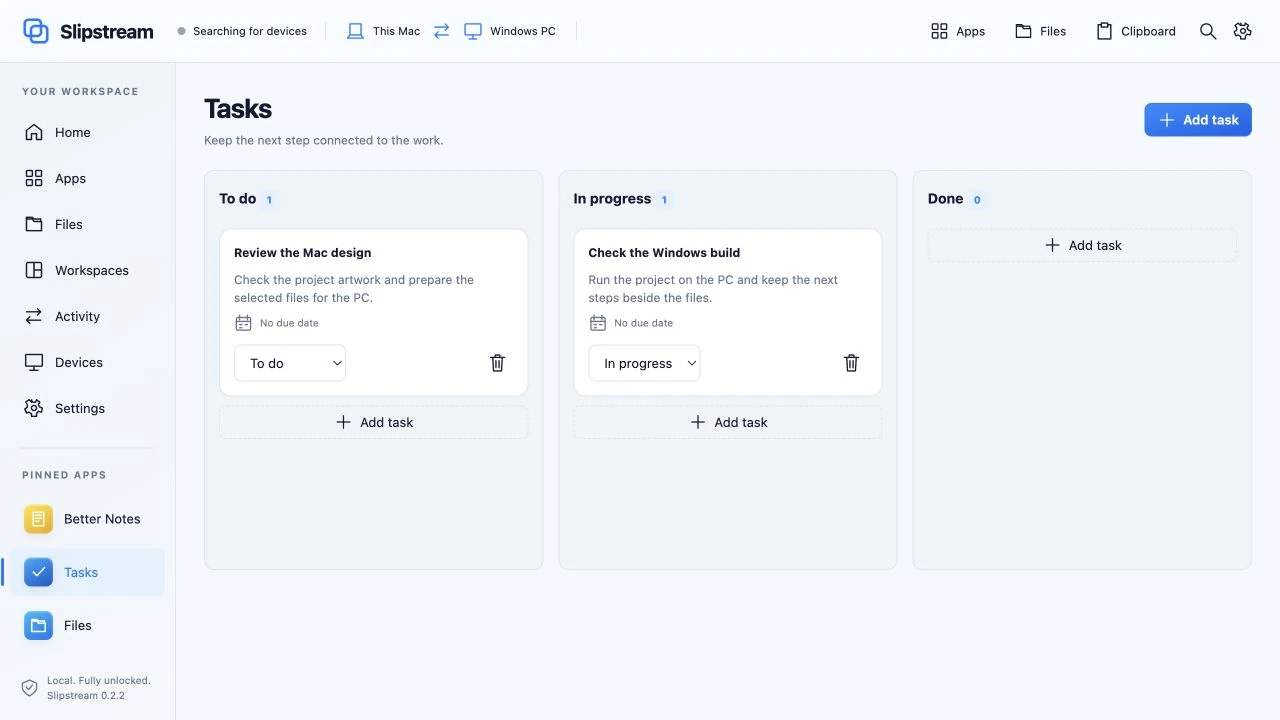
A mixed-OS project can span a Windows-only application, research on the Mac and a folder of assets. Slipstream keeps notes, tasks and saved links in a consistent workspace, and provides explicit controls for copying the supported files between the two machines. You can inspect a transfer result rather than treating a clipboard paste as a project backup.
The advantage is the combination of these workflows at a Mac–Windows desk. It is not a claim that a Mac app becomes a Windows app: both computers keep running their own installed software, and browser sessions and unsaved application state stay where they started.
When Synergy or another tool may suit you better
Start with Synergy when your priority is shared input across Linux, macOS and Windows, or when your desk needs a larger computer arrangement. Read the current edition’s computer allowance and encryption features on the official purchase page; product plans can change.
For an all-Windows desk, Microsoft PowerToys Mouse Without Borders supports up to four computers, clipboard sharing and a documented file-transfer limit. ShareMouse documents Mac–Windows input sharing and file drag-and-drop. If continuous native file dragging is essential, compare that current feature with Slipstream’s included Send/Request Copy controls.
For two Macs and a file-transfer task, inspect Blitzer. For layouts within one Mac, inspect Gravity. Choosing a focused tool can be more useful than changing your whole desk setup.
USB-C: check compatibility before choosing cable mode
Slipstream binds cable-only sharing to the selected wired network without silently falling back to Wi-Fi. That makes the intended route explicit. It still requires compatible Thunderbolt/USB4 host networking on both computers and a suitable cable; ordinary USB-C ports or charge-only cables are insufficient.
Another network-based tool may also work across an OS-provided cable network. This comparison does not claim that Synergy inherently requires Wi-Fi, or that USB-C guarantees a specific speed. Follow the Mac–Windows USB-C setup guide to check the actual route.
Connection references: Apple: IP over Thunderbolt and Microsoft: USB4 interdomain networking. These explain OS networking; neither is a certification of every Mac–PC combination.
Use one small acceptance test
- Check both OS versions, processors and the exact connection route.
- Pair the machines and test pointer switching and ordinary typing in both directions.
- Copy a short line and a small image into apps that accept them.
- For a file workflow, check the included transfer controls, source preservation, collision choices and destination result.
- Test the display arrangement and keyboard layout you actually use, including how you return to local control.
No side-by-side speed, reliability or security benchmark has been published here. Physical cursor and keyboard compatibility varies by hardware and is still being tested across configurations. Slipstream’s current edition is complete and available; live app-window transfer and continuous native dragging are future updates.
Interface views were captured from Slipstream’s shared UI on 9 October 2026, using a disconnected browser preview and fictional workspace content. They illustrate the controls; they are not a recording of a completed physical transfer.
Sources and next steps
This comparison is written by Luke Kevin McLaughlin, publisher of Slipstream, and is not an independent review. Competitor documentation checked 10 October 2026: Synergy features, Synergy 3 clipboard guidance, ShareMouse features and Mouse Without Borders.
Read Slipstream’s full specifications, explore its 12 UI views, or compare related Mac utilities. Get the complete Slipstream edition — $10 once.